This article will guide you through the process of setting up Parking Rates.
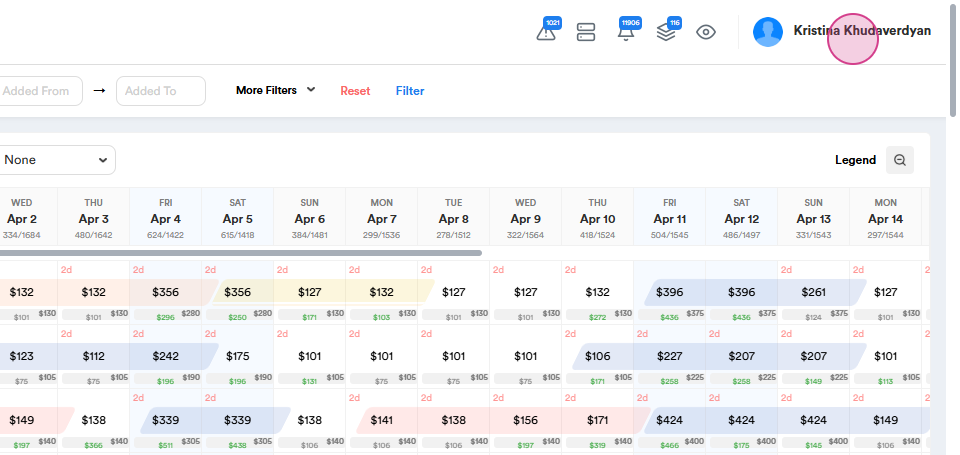
Step 1: Start by clicking on your Account Name and going to the Admin Portal.
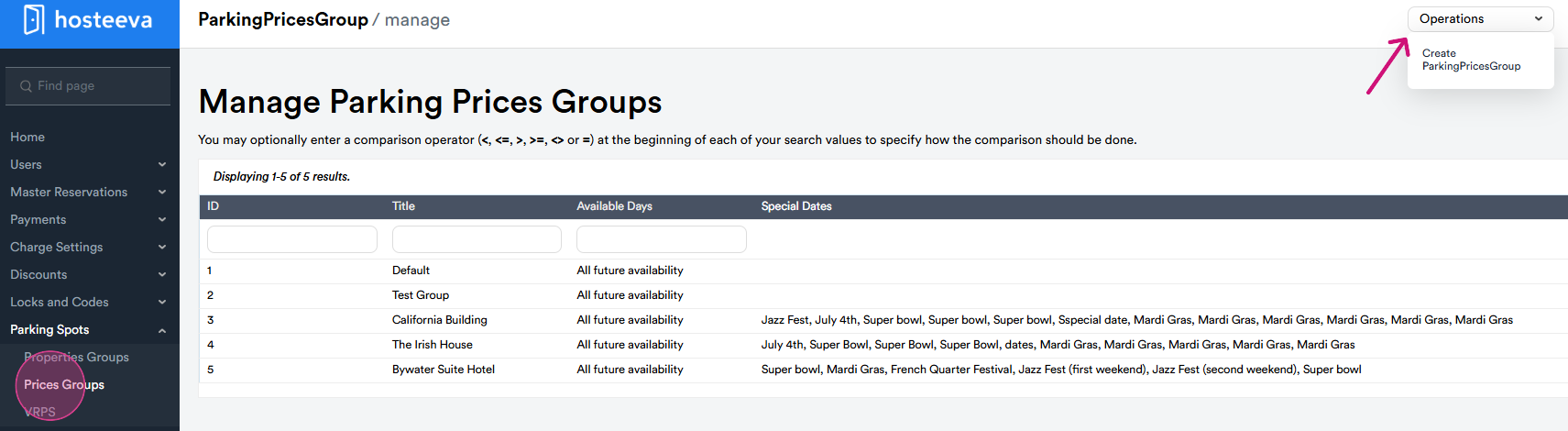
Step 2: On the search page, set up Parking Spots. Next, go to the Prices Groups. From Operations, select Create Parking Prices Group.
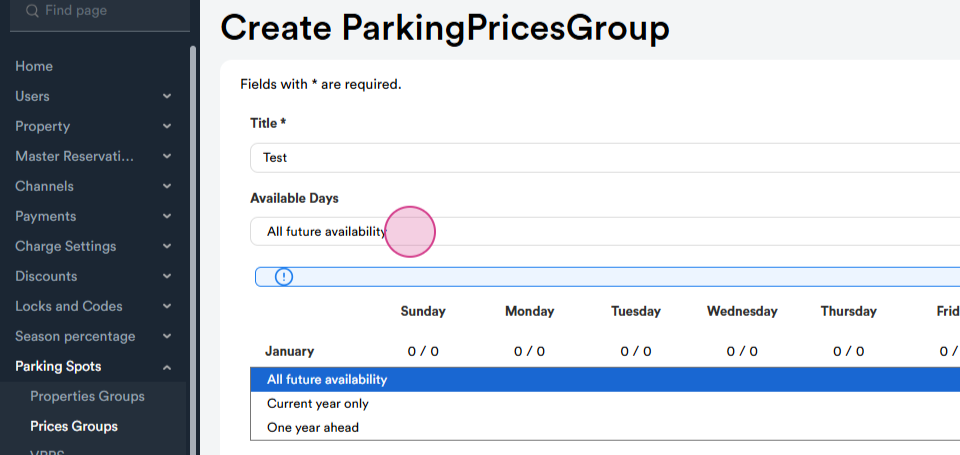
Step 3: Here, you'll need to set up the Title Name. You have three options for availability: All future availability, current year only, and one year ahead. Choose the one that suits you best.
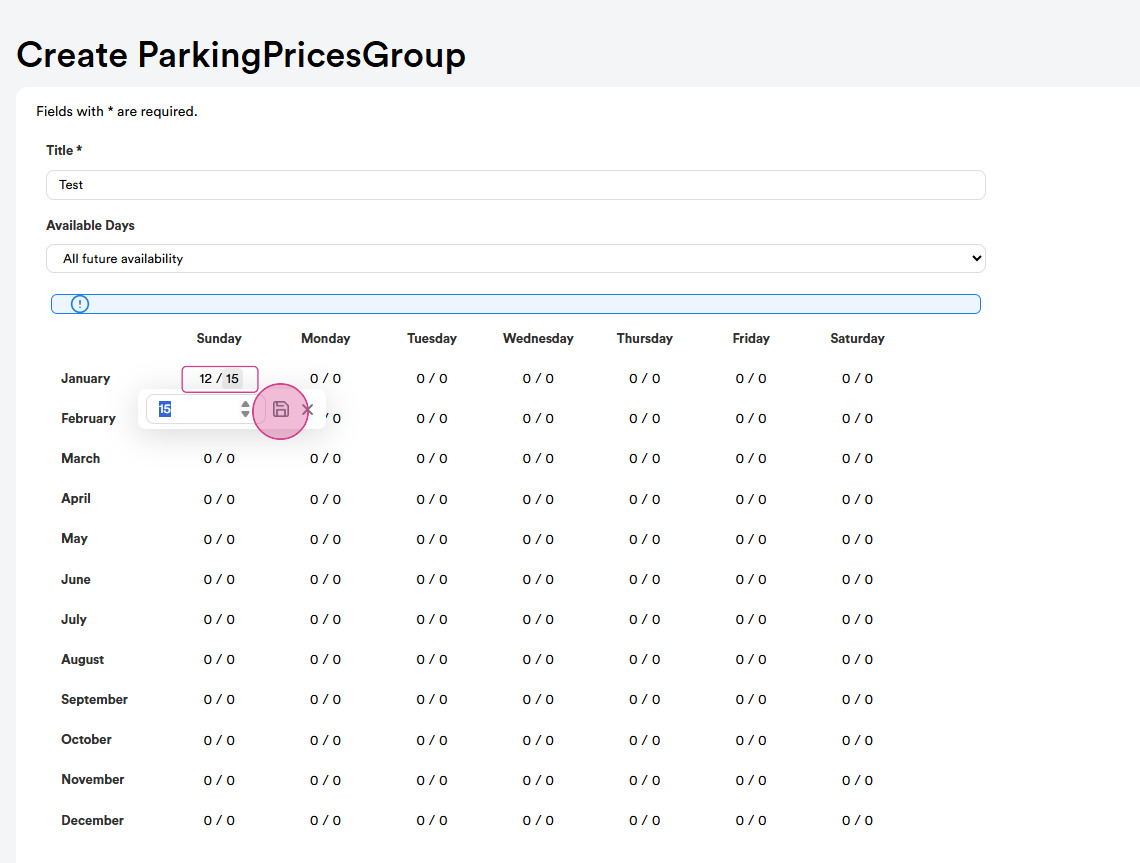
Step 4: Set the price for each month and day. There are two price options: early price and same day price. If a guest books the parking spot earlier than the day of their reservation, it could be, for example, $12. A same-day reservation could be, for example, $15. After setting the amount, click on save. You'll see that the price for an early reservation on Sunday is $12 and same day is $15. You can set different amounts for each day or keep them the same. There's also an option for higher weekend prices.
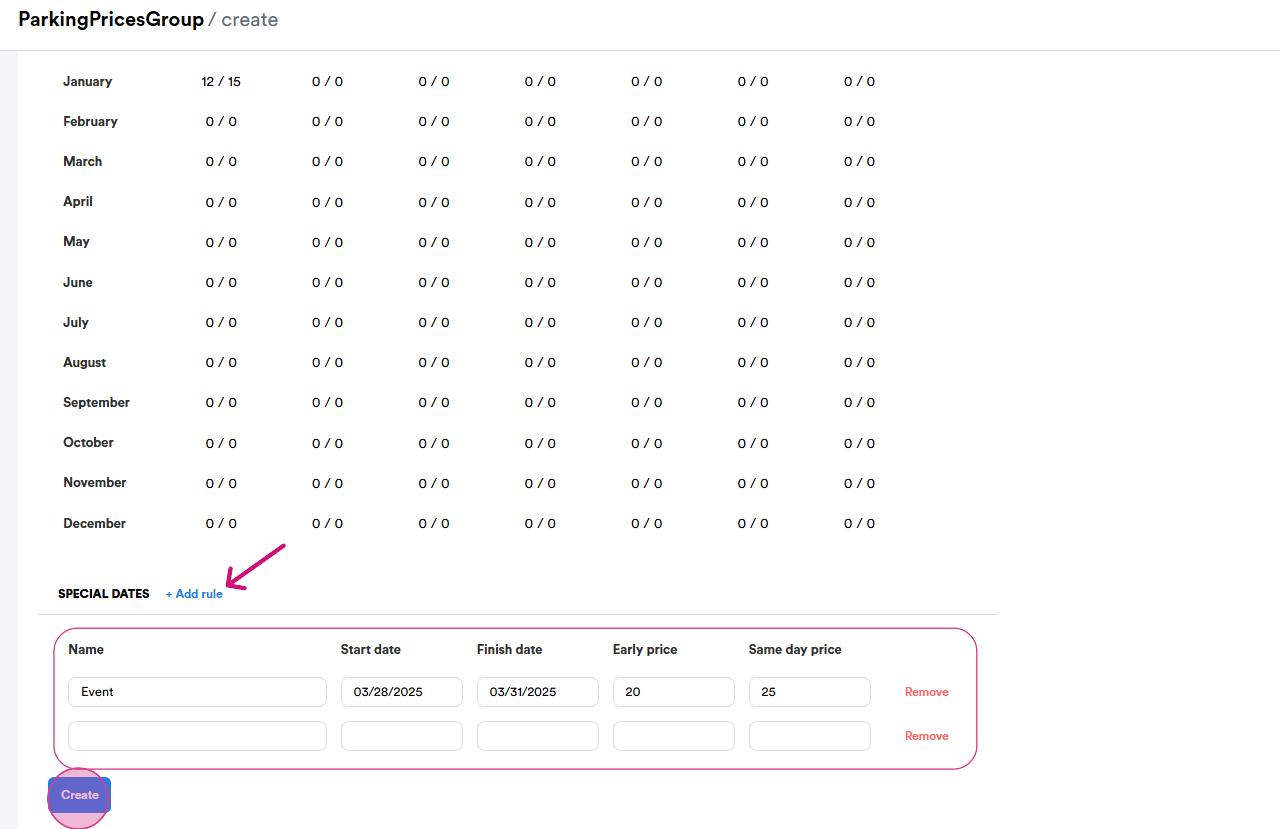
Step 5: To add a rule for a special date, click on add rule. Special event days can have different amounts. Set the start date and finish date for the special rule. Set two amounts for the special rule: an early price (for example, $20) and a same day price (for example, $25). By adding a rule, you can choose different ranges. Once everything is set, click on create. If you haven't filled all the fields, the system won't allow you to save. Remember, when setting up a parking spot, you should do it for 12 months and all days. Only then will the system allow you to save the fields.
And that's it! You've successfully set up parking rates.