All Hosteeva employees who receive payments through APS must provide ACH forms. After adding the rate/salary amounts click on 'Direct Deposit,' then 'Add Bank Account' to set up the employee's payment information.
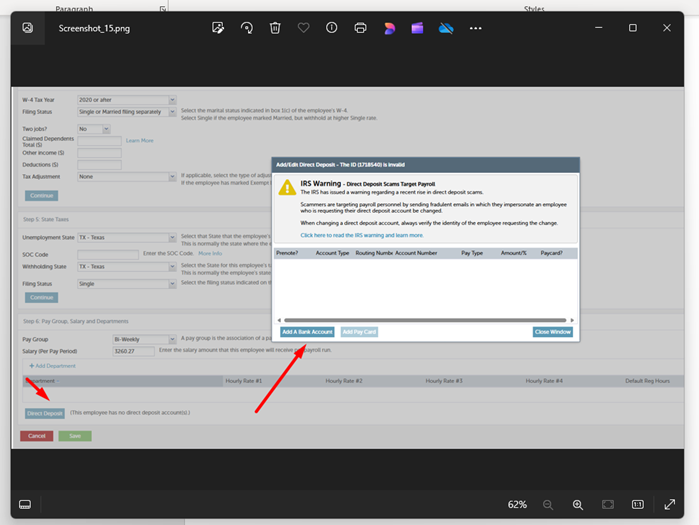
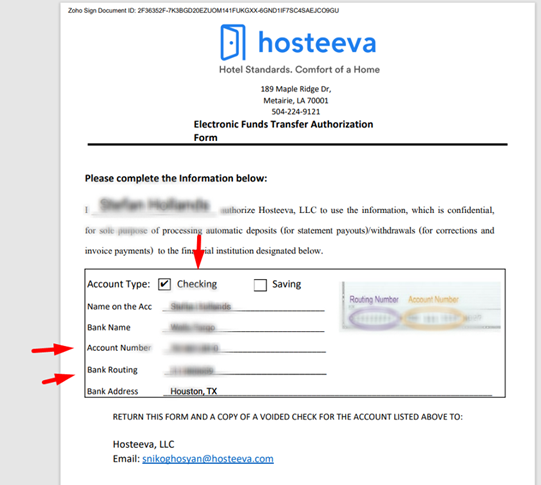
Ensure the correct account type is selected, as most employees provide a checking account, but some may have a savings account. It's also possible for employees to split their salary between both checking and savings accounts, based on their request.
Select 'Prenote' as 'No,' and carefully enter the routing and account numbers. Leave the 'Pay Type' as 'Net Pay/Remainder' and set 'PPD or CCD' to 'PPD.' Finally, click 'Save.'
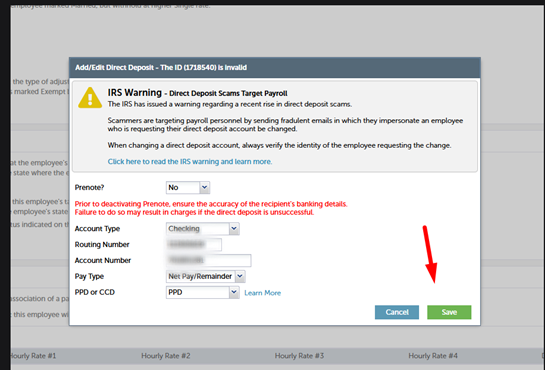
After entering all the information as described above, be sure to save the details.
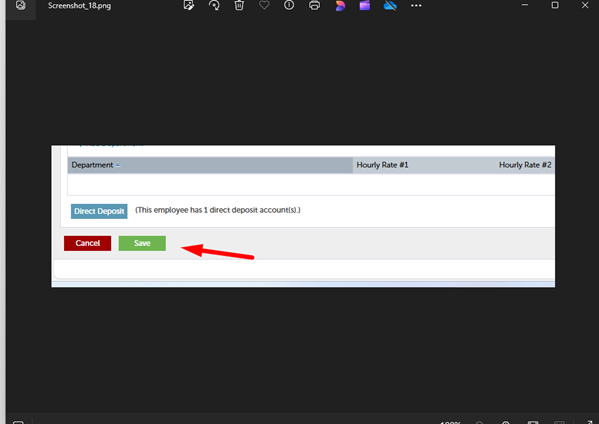
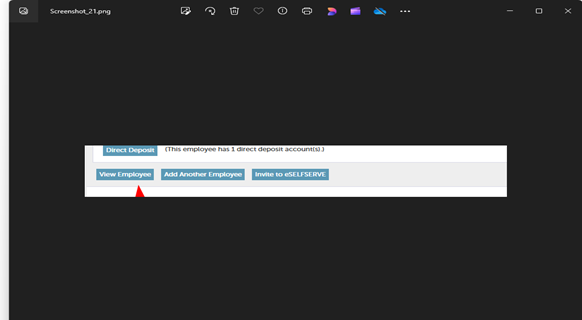
After saving, you will see the following screen, as shown in the screenshot. If the employee has provided an email address, you can invite them to eSELFSERVE.com. The system will send them the necessary information for login.
(You can find a detailed description about this in a separate article)
Click on View Employee
While viewing the employee's information, you can still make corrections. There will be a separate information about this.