How to Make Refunds Through OTAs: Airbnb Example
Refunding a guest through Airbnb is straightforward once you know where to look. Here’s how to process either a full or partial refund for an Airbnb reservation.
Step 1: Find the Airbnb reservation in your timeline.
Step 2: Open the Airbnb account associated with the reservation.
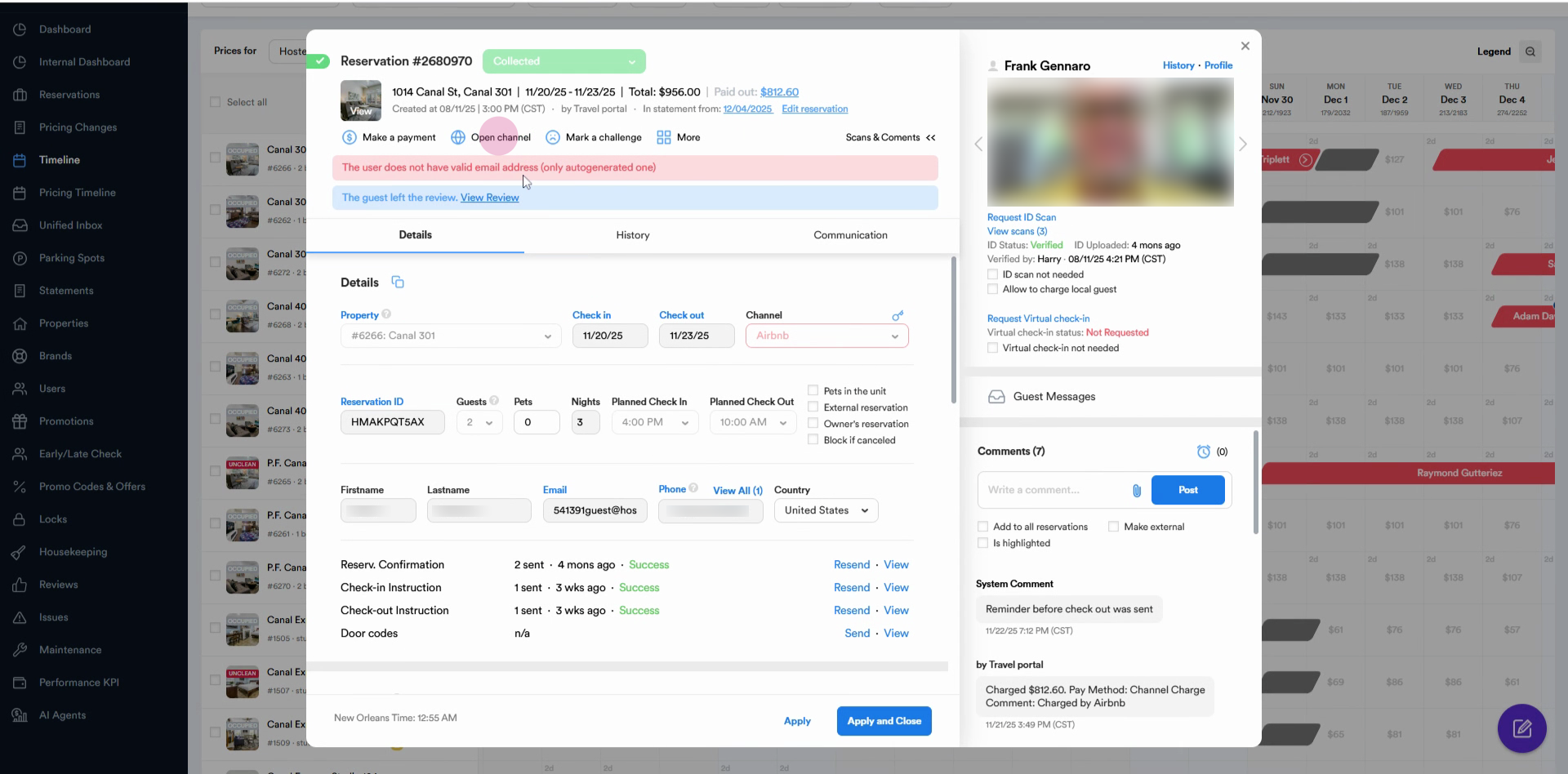
Step 3: Click the Open Channel button.
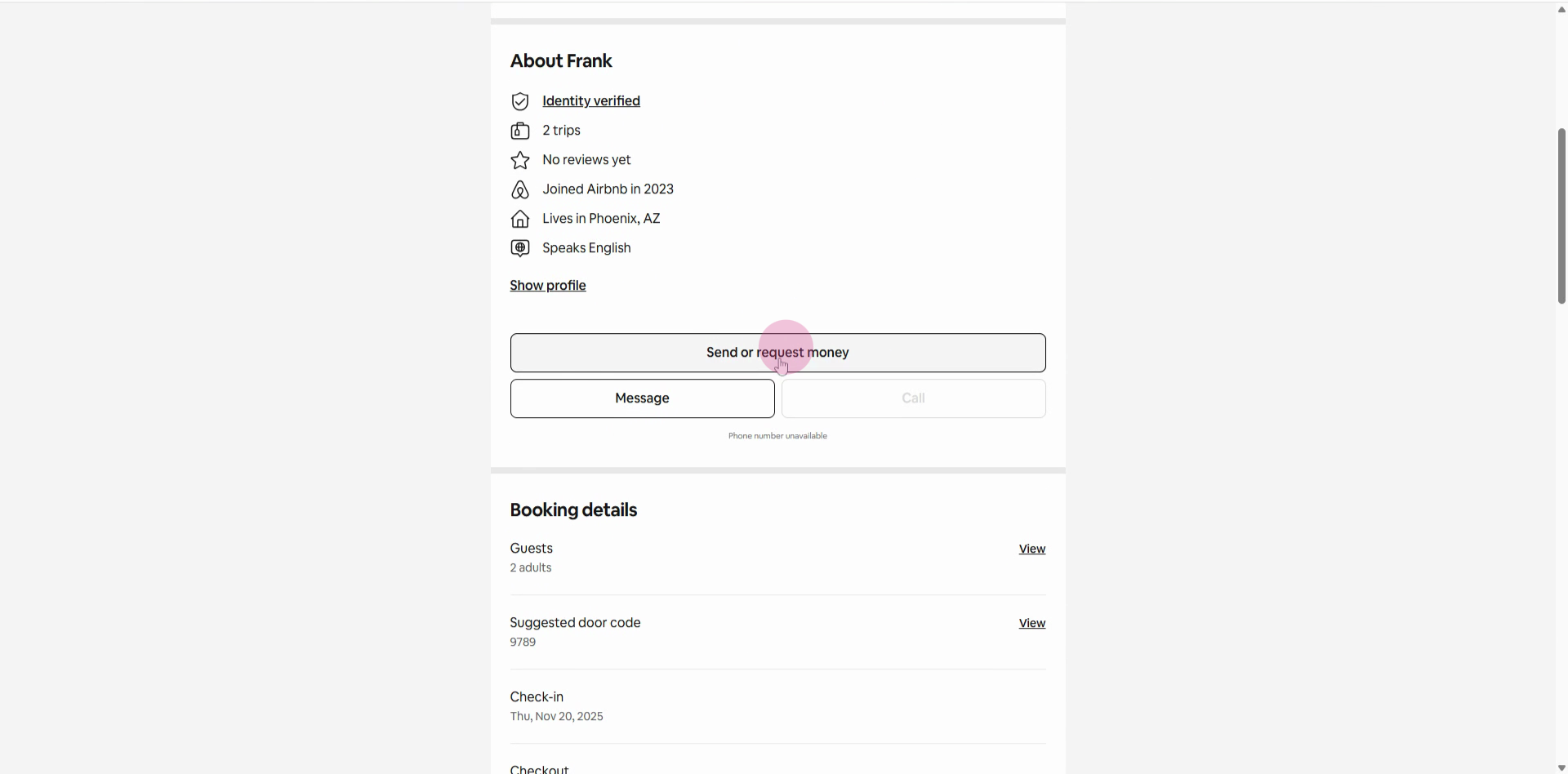
Step 4: Scroll down and select Send or Request Money.
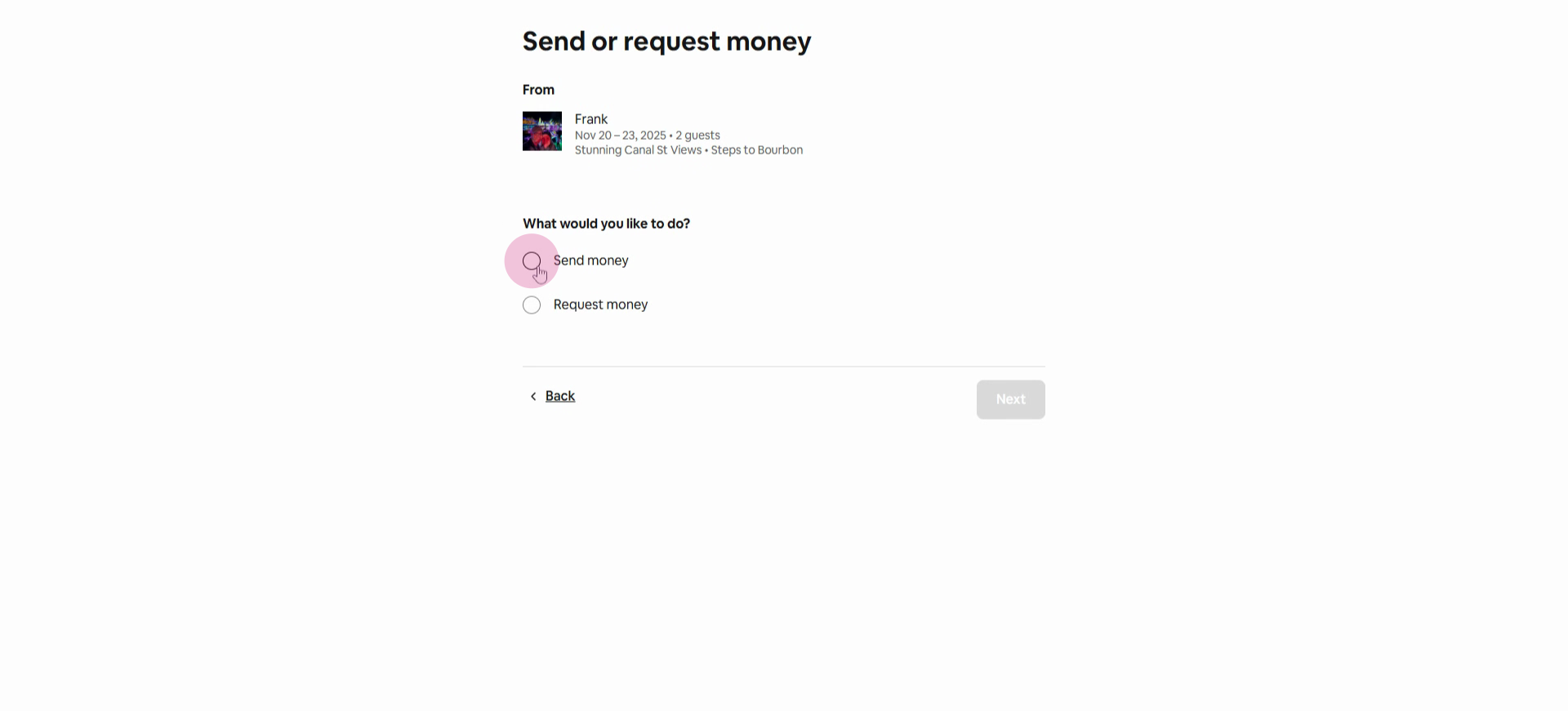
Step 5: Choose Send Money and click Next.
Step 6: When prompted for a reason, pick Other trip-related issues.
Step 7: Enter the refund amount in the Amount field.
Check the maximum by reviewing the reservation’s Payout—you can’t refund more than this amount.
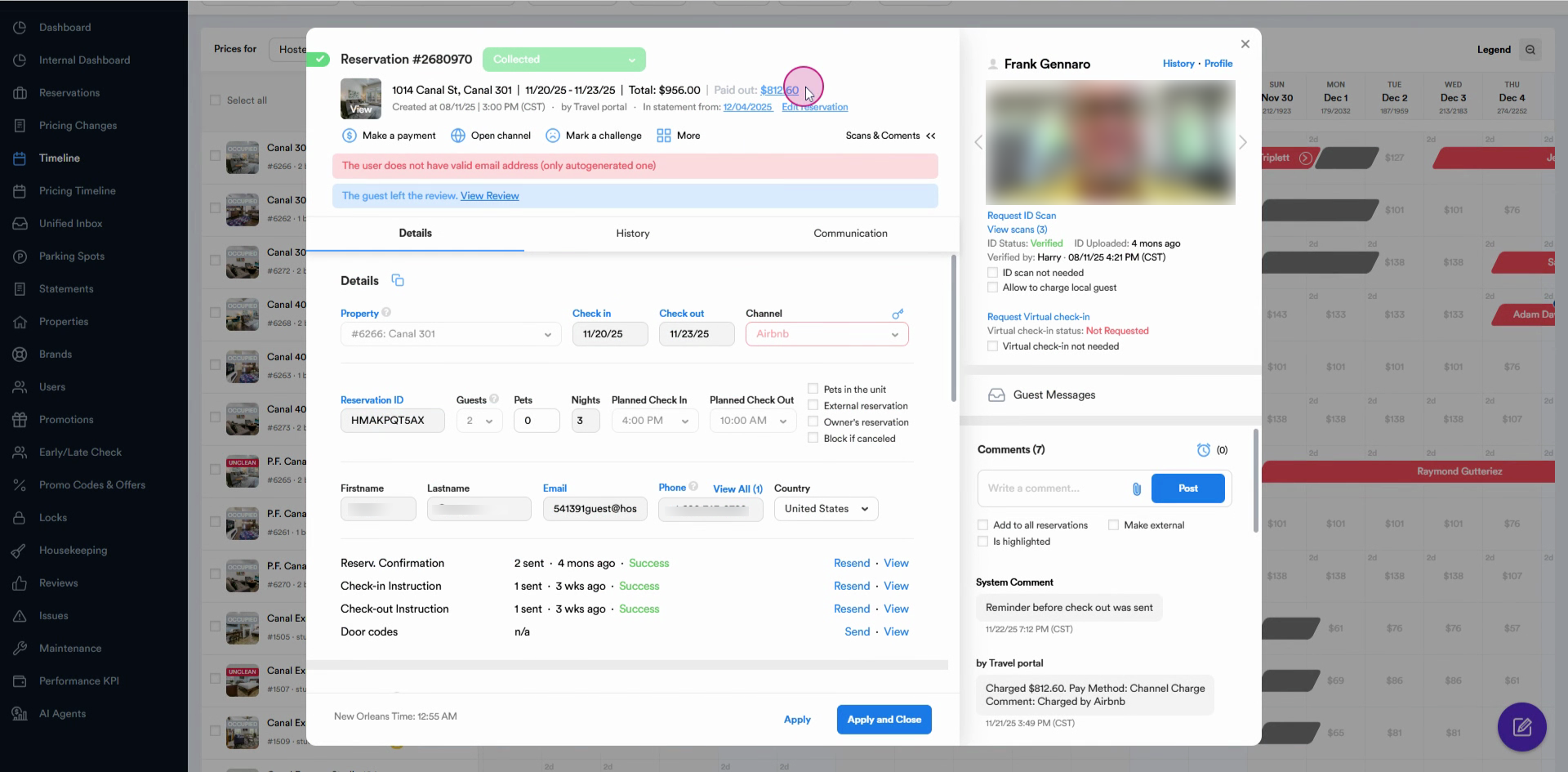
Step 8: Add a short note explaining the refund (e.g., “Refunding cleaning fee”).
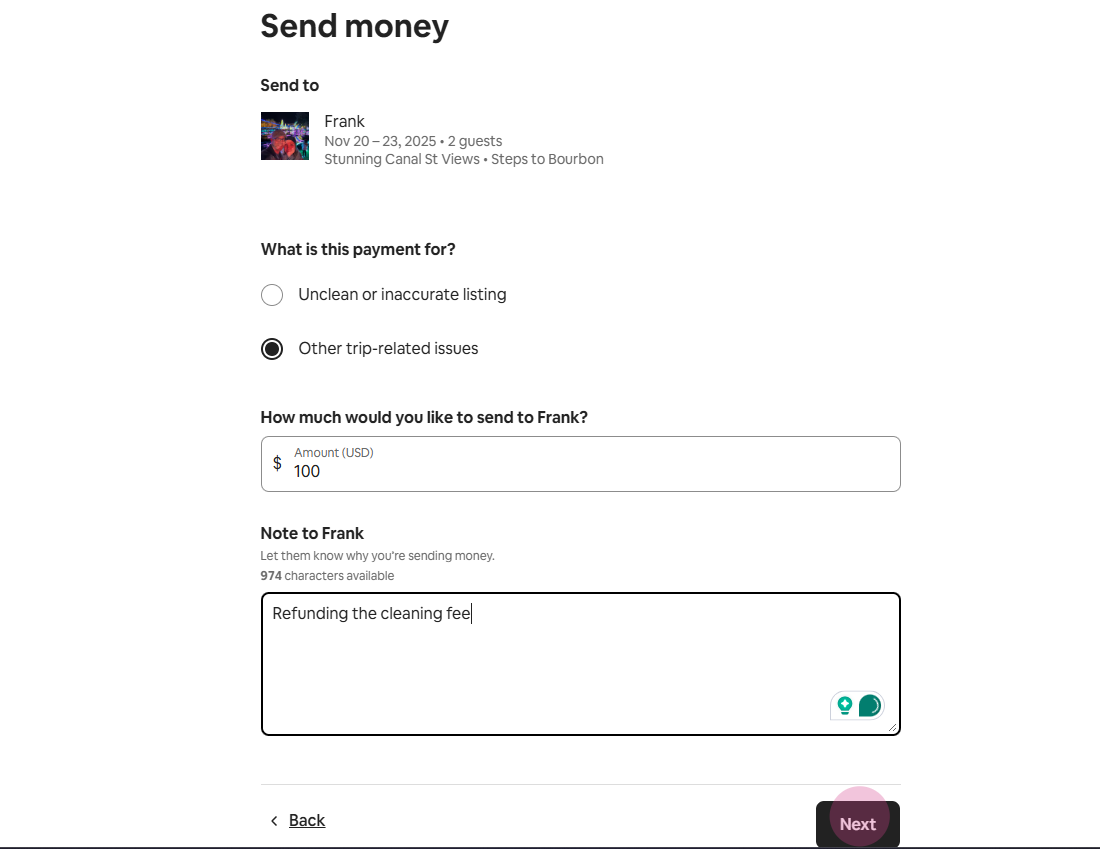
Step 9: Click Next to preview the refund. Confirm everything looks correct.
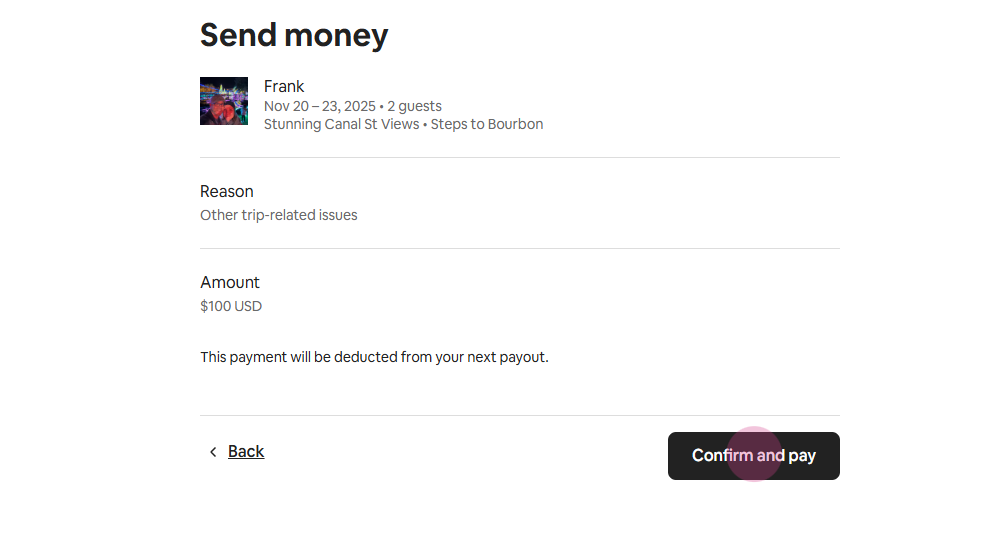
Step 10: Press Confirm and Pay. Airbnb will process the refund directly to the guest.
Refunds through Airbnb help you handle guest issues smoothly. Specify whether you’re sending a full or partial amount (like just the cleaning fee) to keep things clear. Always double-check the payout before finalizing the refund.