How to Request a Refund for Booking.com Reservations (Bank Transfer)
When a guest books through booking.com and uses a bank transfer as the payment method, booking.com handles all refunds. Here’s how to request a refund for these reservations efficiently.
Step 1: Locate the booking.com reservation in your timeline. Click on the reservation to open its details.
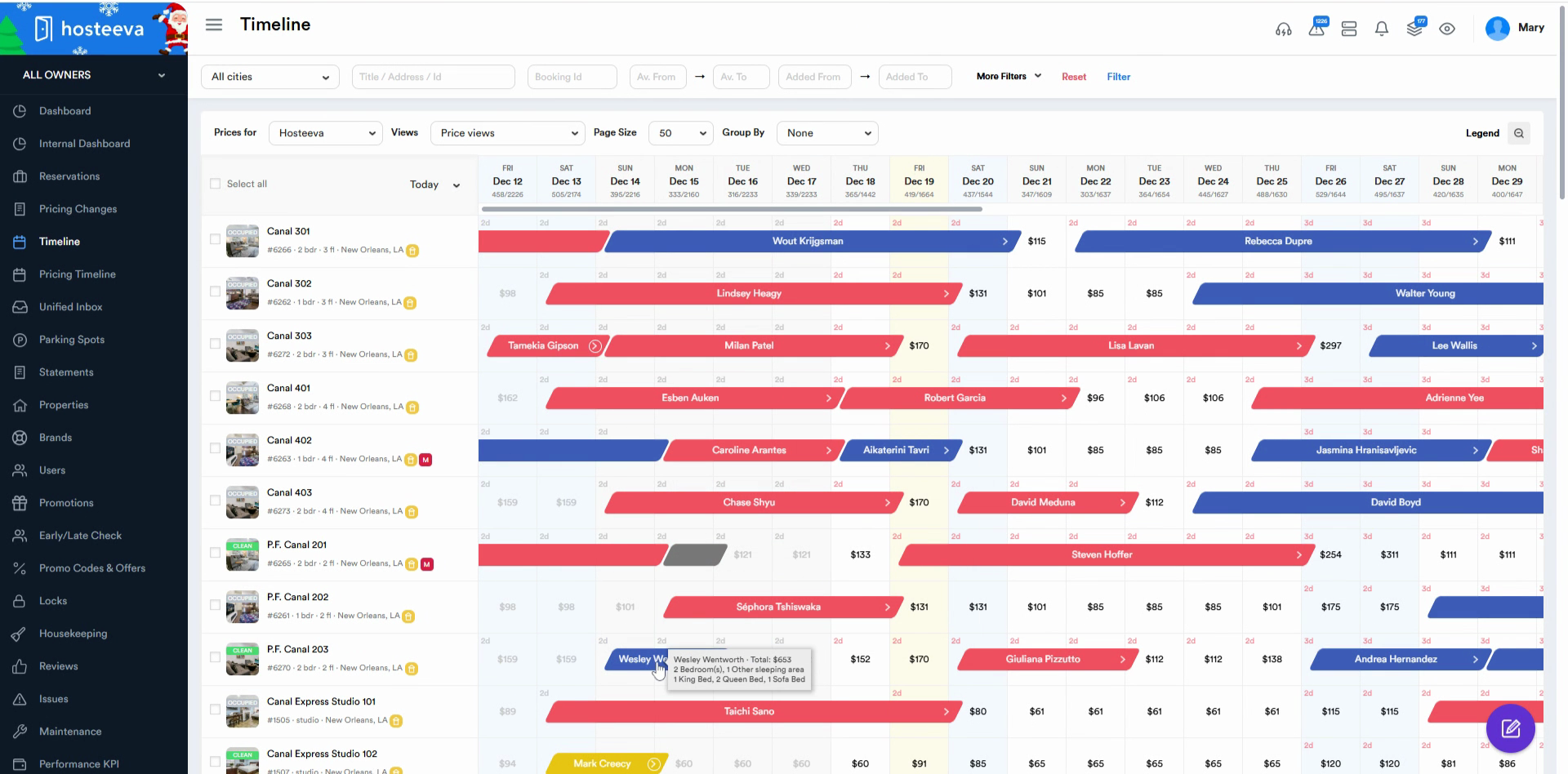
Step 2: Confirm the payment method is booking.com. This indicates that booking.com is responsible for issuing refunds.
Step 3: Click Open Channel to view the reservation directly on booking.com.
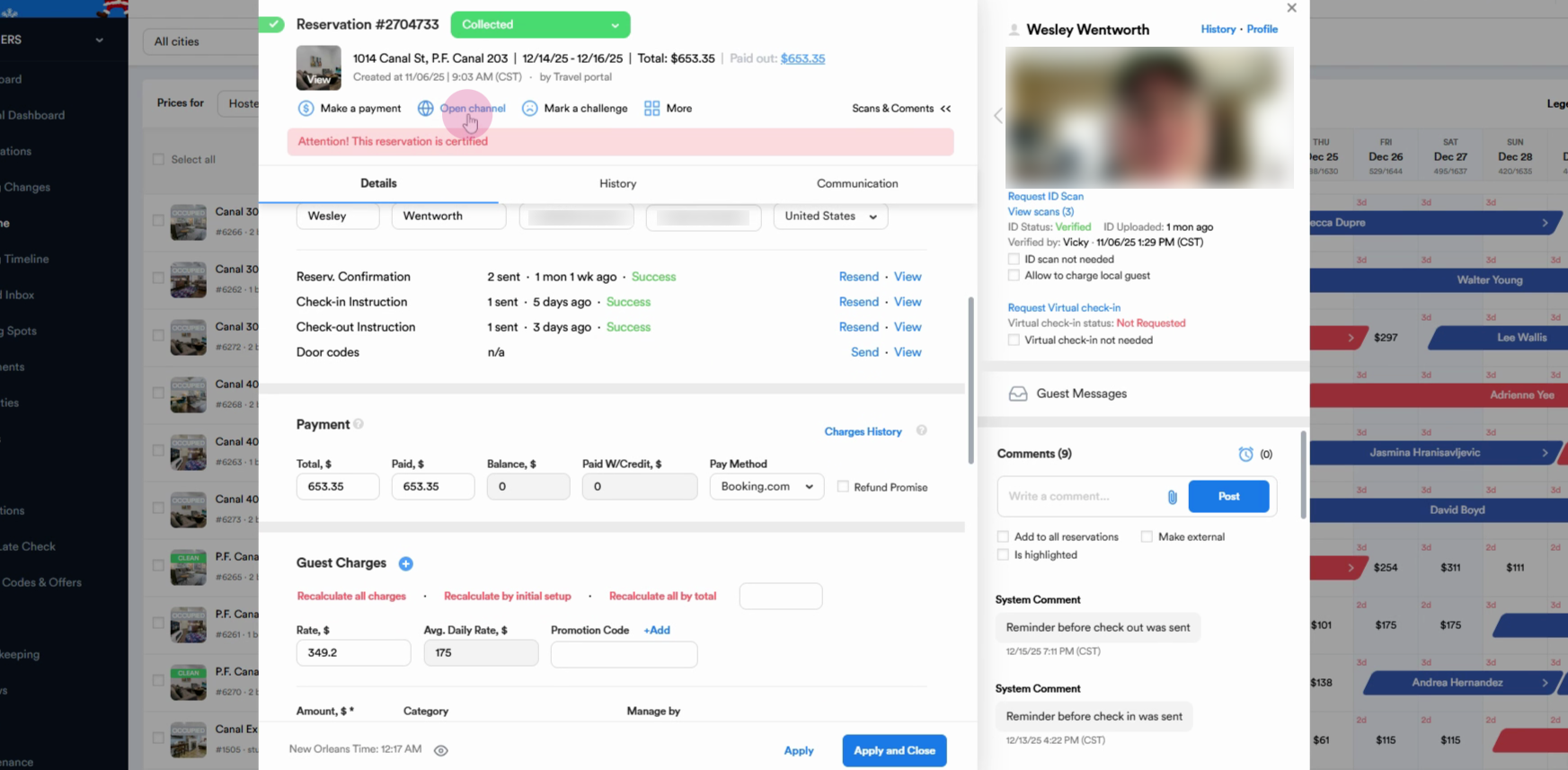
Step 4: On the booking.com reservation page, copy the booking number. You’ll need this for the refund request.
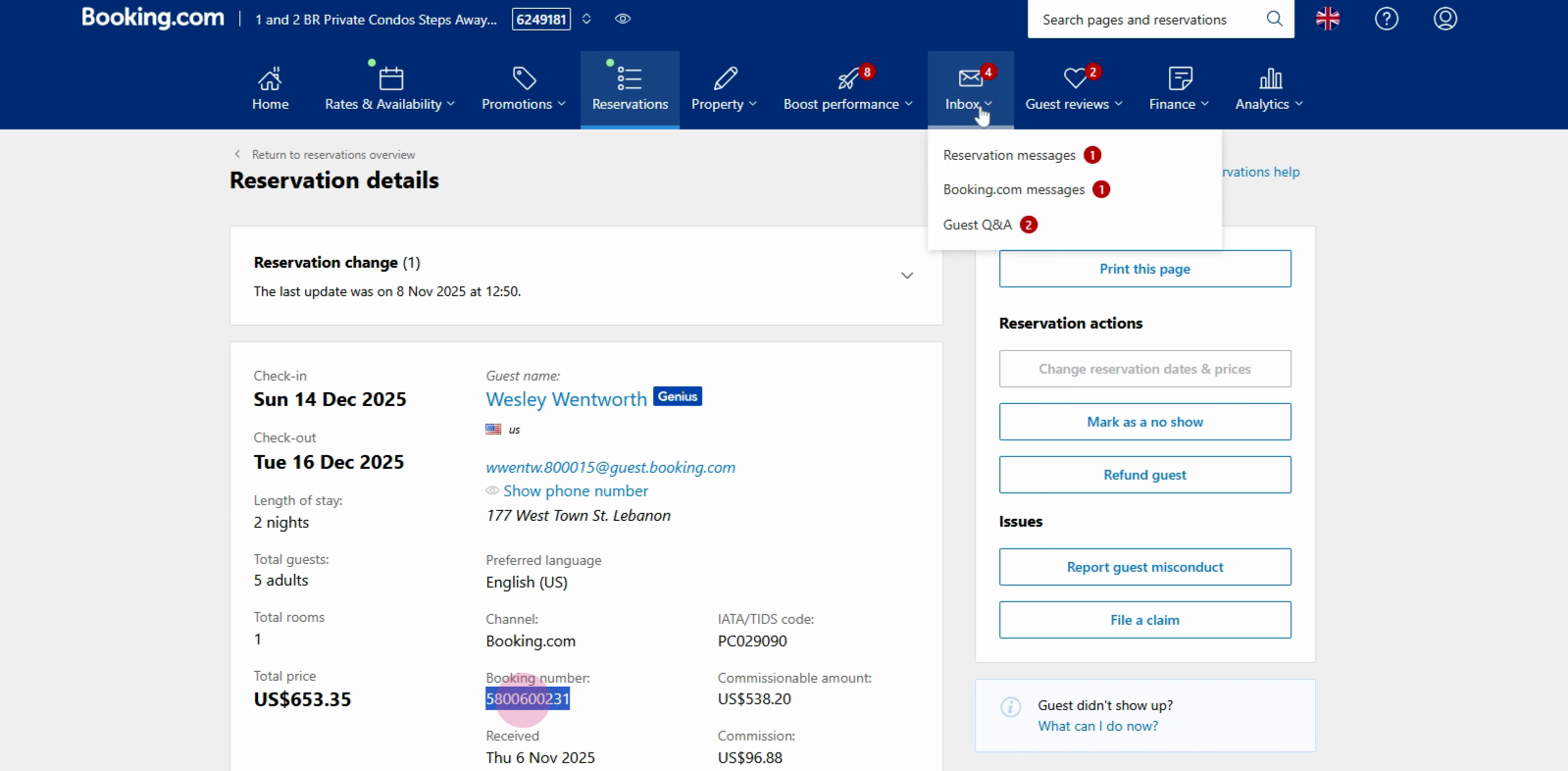
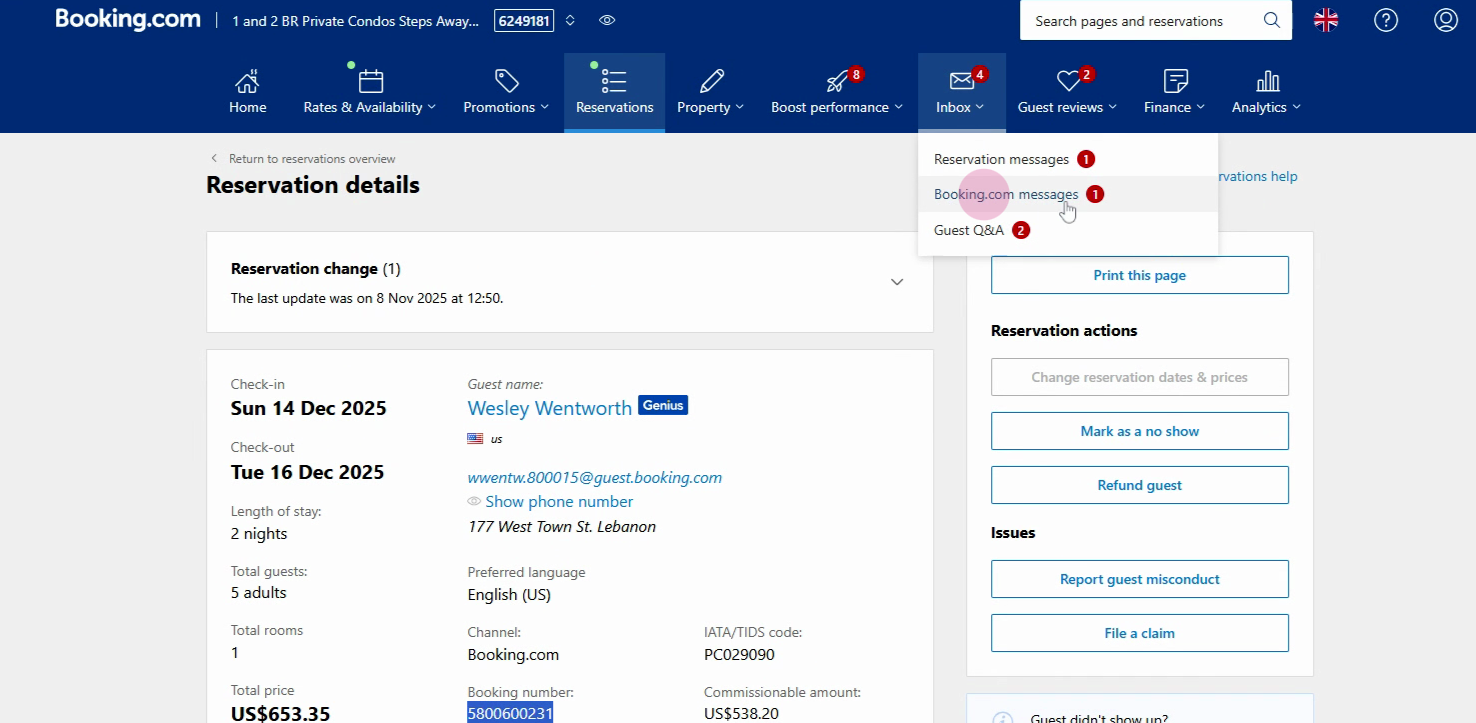
Step 5: Go to the Inbox section at the top of the screen.
Step 6: From the dropdown, select booking.com messages.
Step 7: Click See contact options under the Get instant help section.
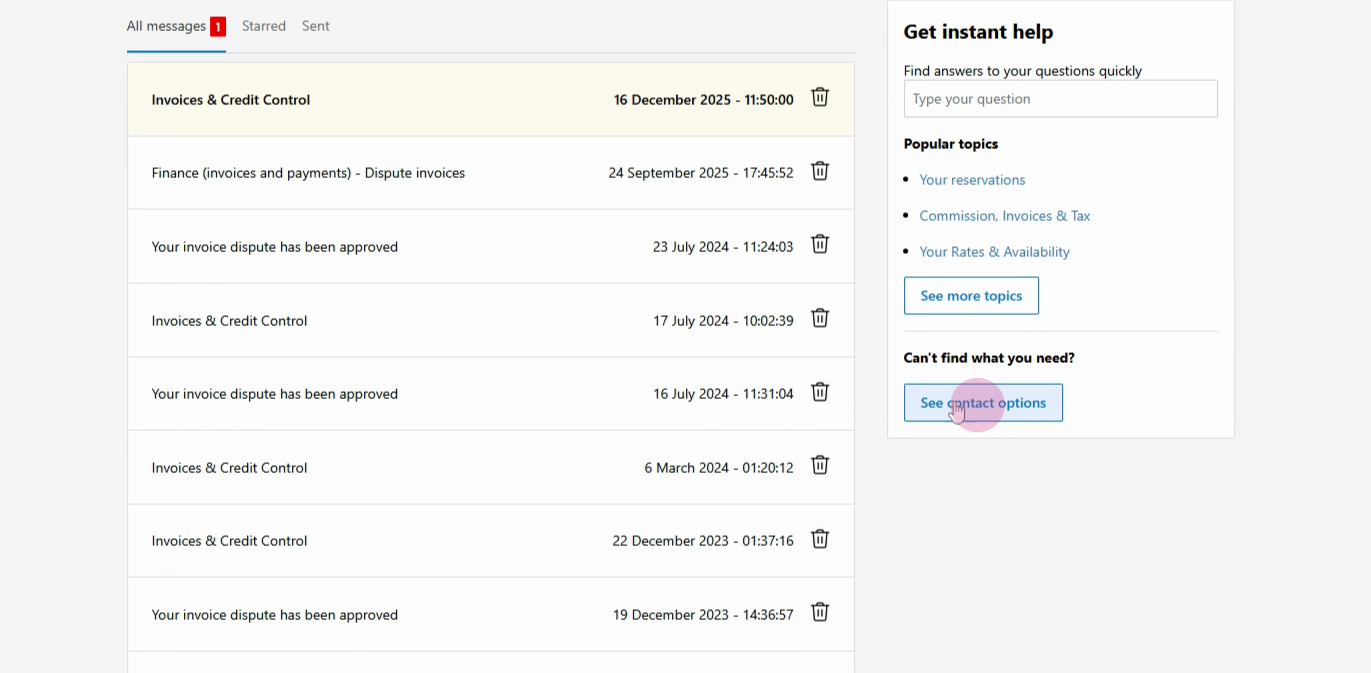
Step 8: Choose the relevant topic, like Reservations, cancellation, modification, questions, etc.
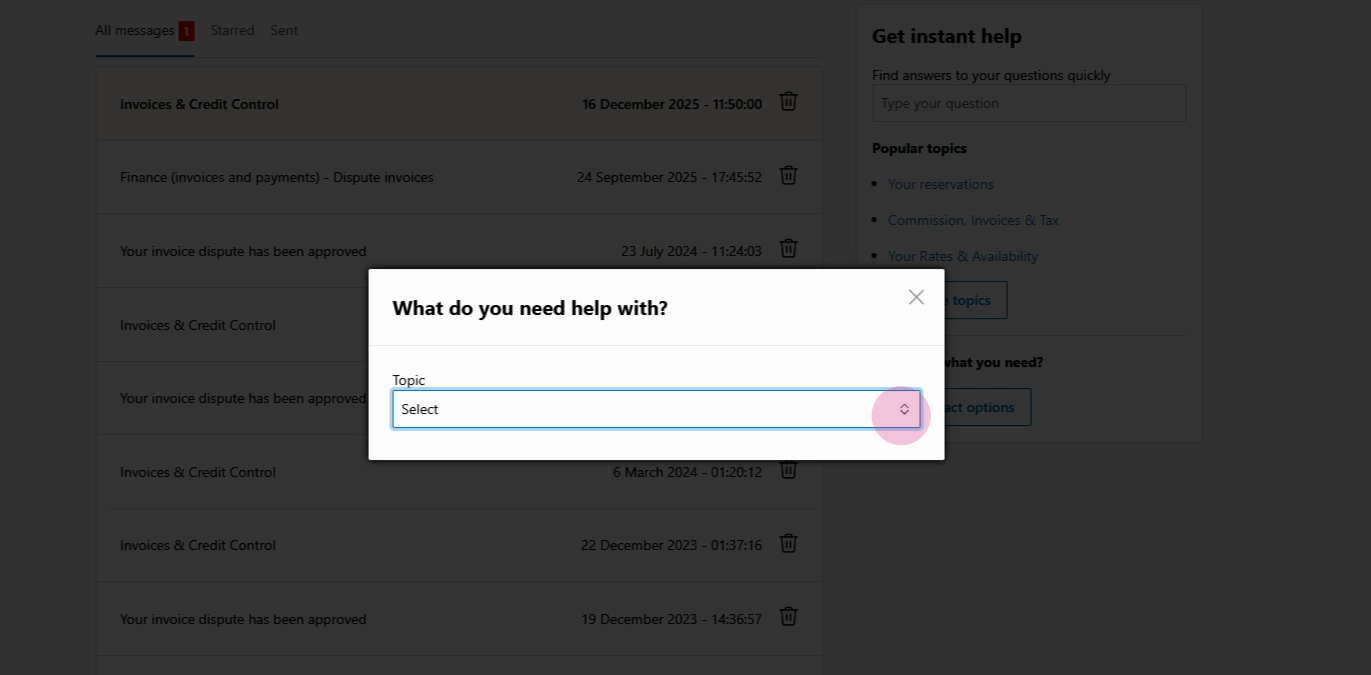
Step 9: For subtopic, select Other.
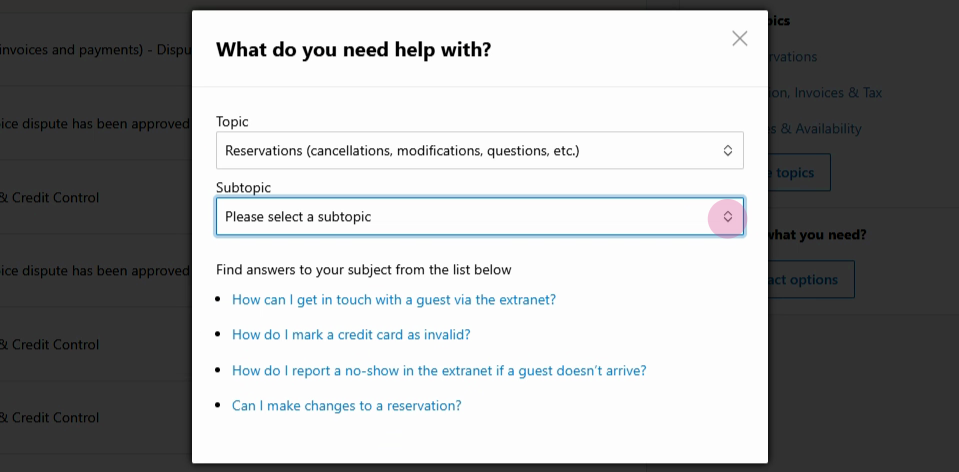
Step 10: Click Contact Us at the bottom of the screen.
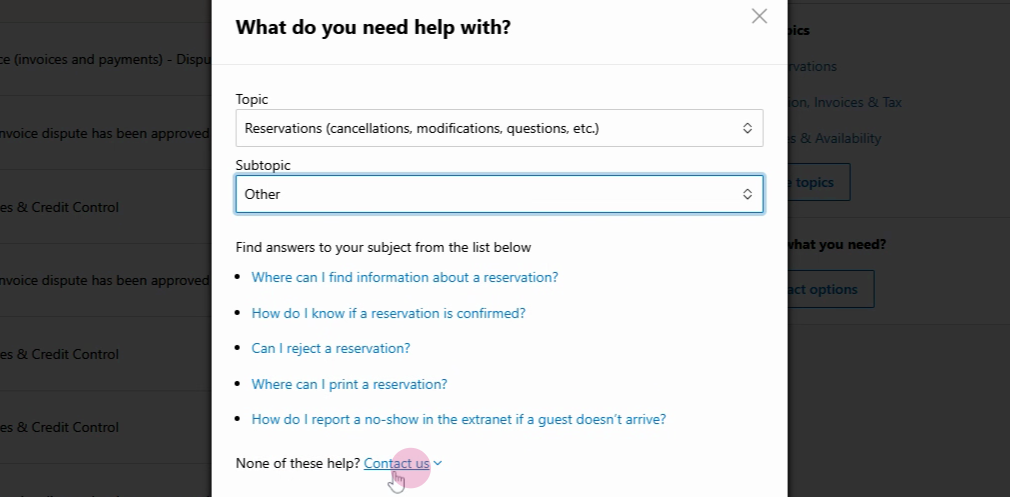
Step 11: In the message form, enter the booking ID you copied earlier. Then, use a clear script for your refund request.
“Dear Partner,
We would like to confirm the refund of [exact amount] for [Guest's name].
The refund is due: state the reason by specifying the issue type (e.g., maintenance – toilet flush, leakage; housekeeping – dirty towels, untidy room, etc.)— do not mention bugs, mold, or roaches.
The refund amount is [exact amount].
Thank you.”
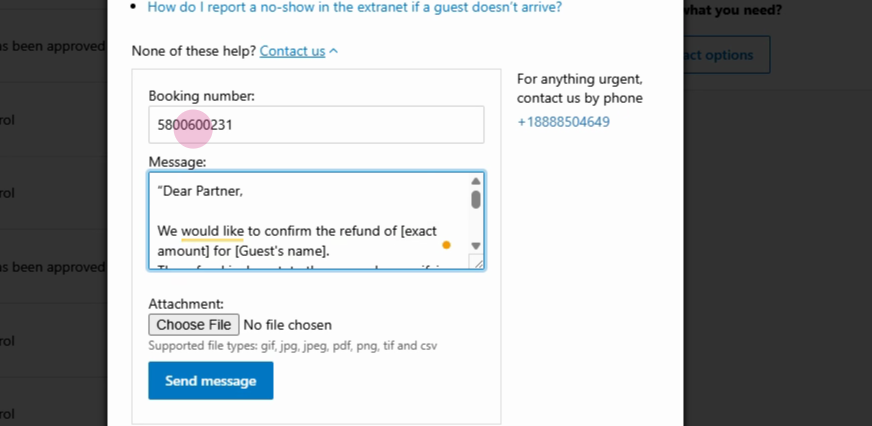
Step 12: Send the message. Booking.com will review your request and process the refund—either partial or full—within 48 hours.
Booking.com’s process makes it straightforward to handle bank transfer refunds. Just follow these steps and provide all necessary details for a smooth experience.
Refund a Virtual Card Payment
Virtual card reservations require a refund first to the virtual card and then coordination with booking.com for guest refund approval.
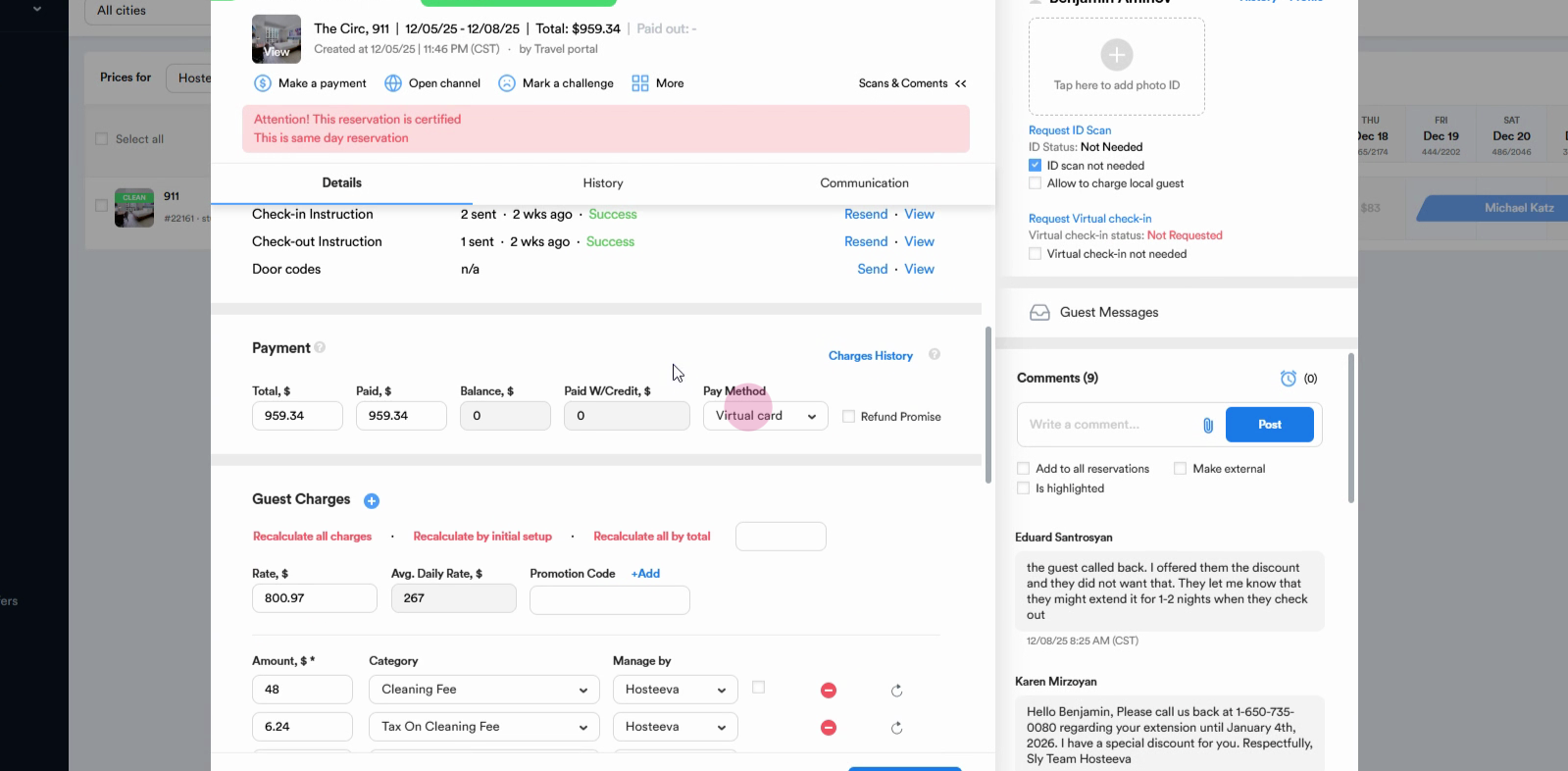
Step 1: Open the reservation in booking.com. Scroll down to confirm the Pay method is set as a virtual card.
Step 2: Go to the upper section of the reservation dialog and select Make a Payment.
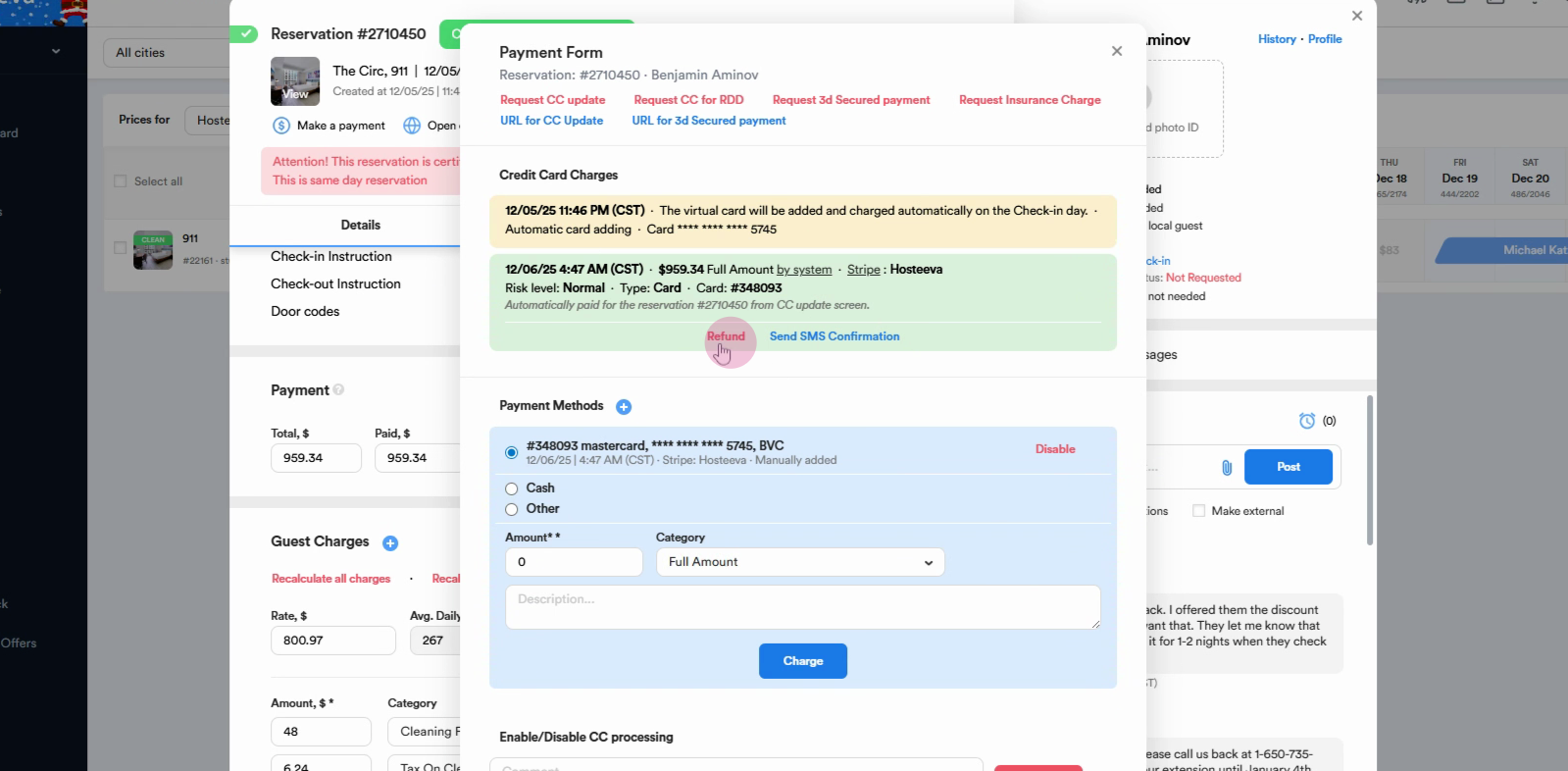
Step 3: Locate the transaction showing the total virtual card charge. Click the Refund button.
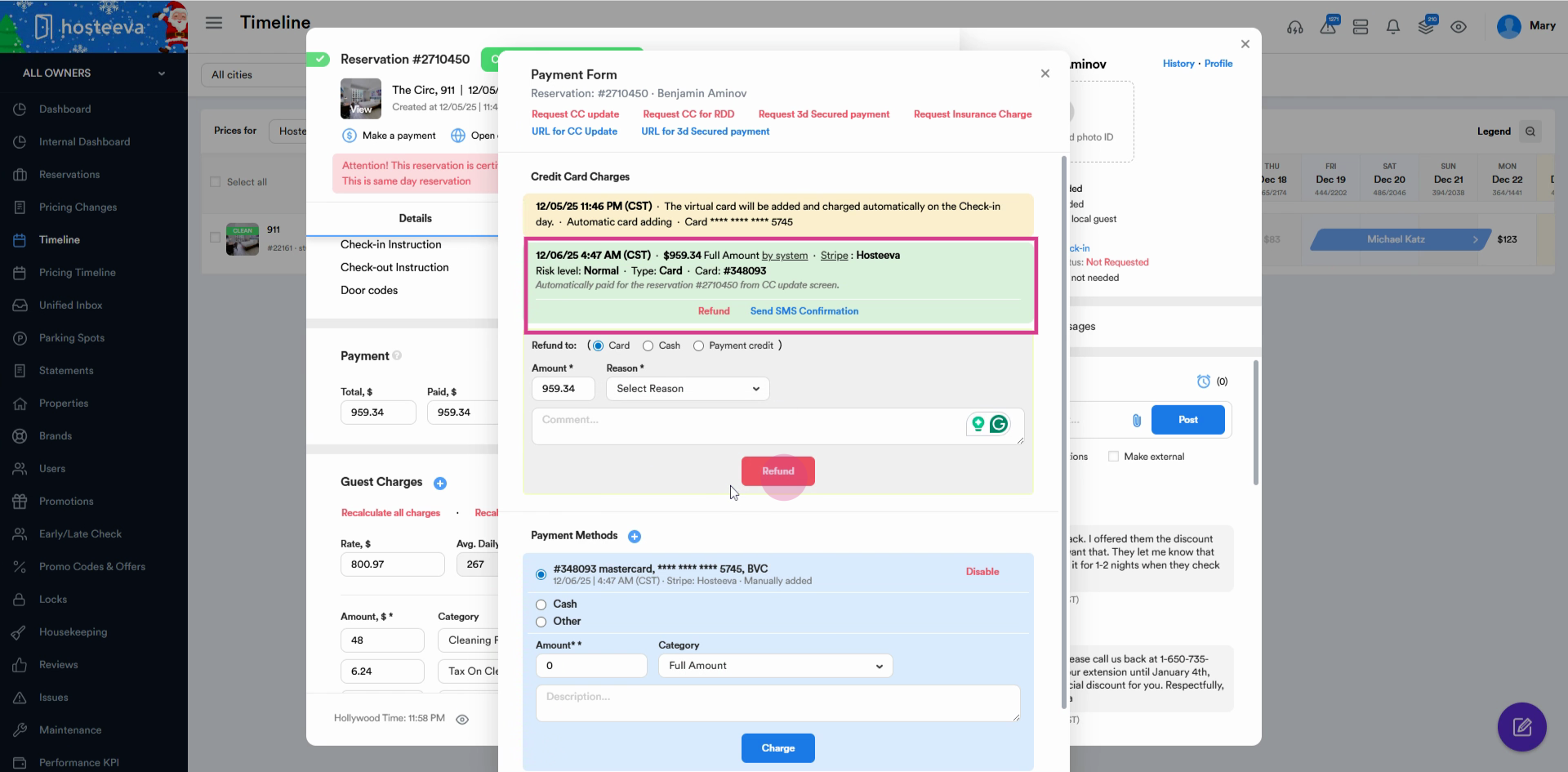
Step 4: Enter the amount that you want to refund, it can be either a partial or a full refund, select the reason for the refund, and leave a small comment as well.
Step 5: After refunding, initiate a refund request with booking.com. Open the Channel you use for communication.
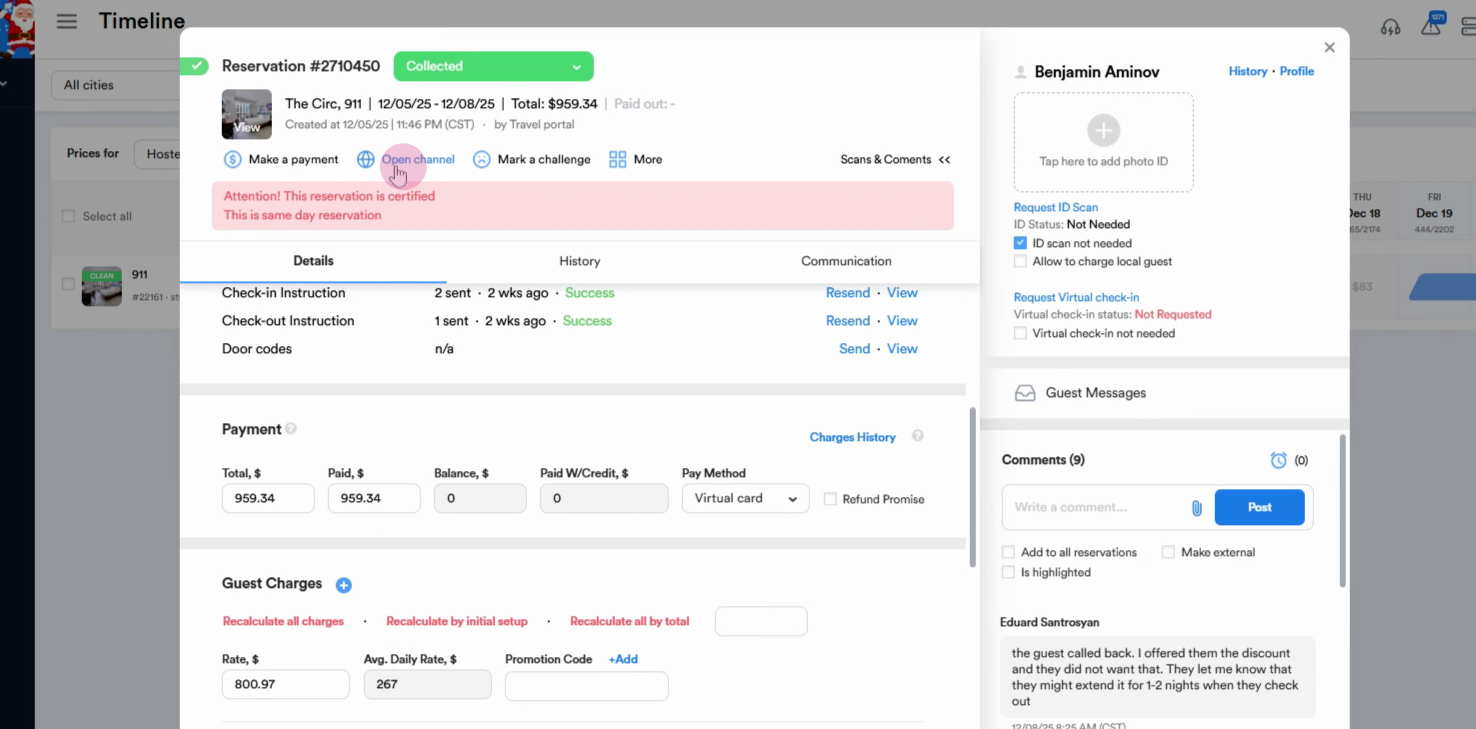
Step 6: Log in and open the reservation details. From the upper menu, go to the Inbox.
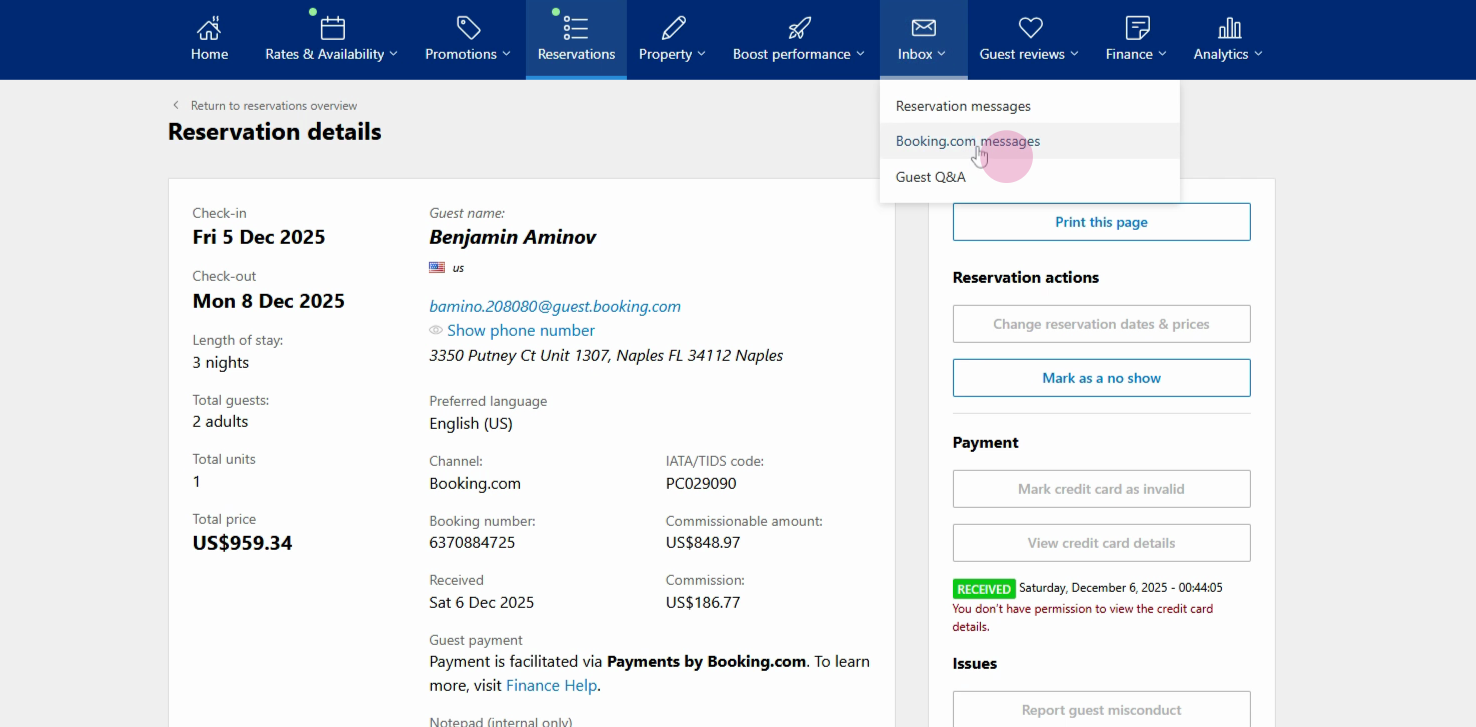
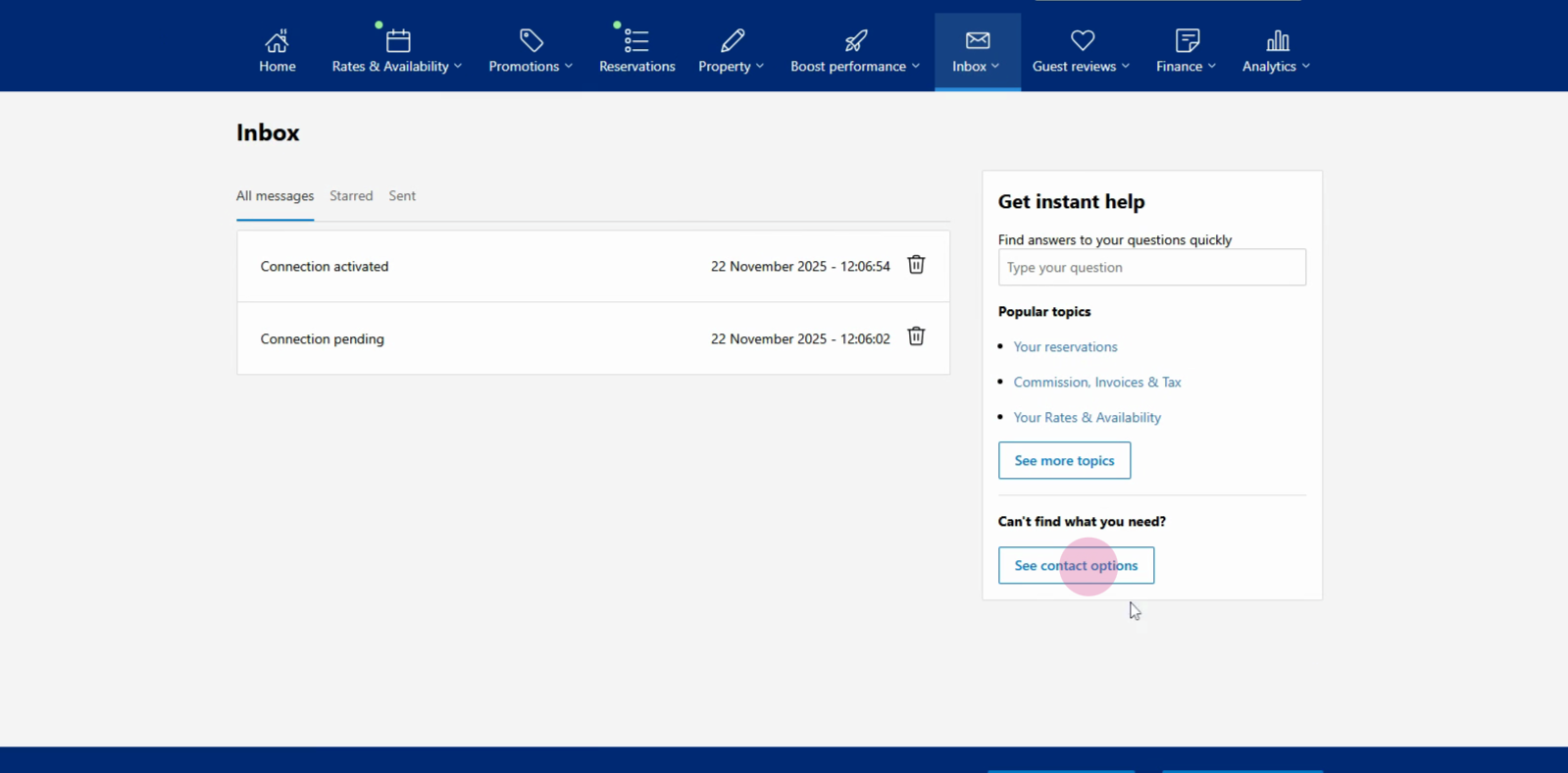
Step 7: Choose booking.com messages, then go to See contact options.
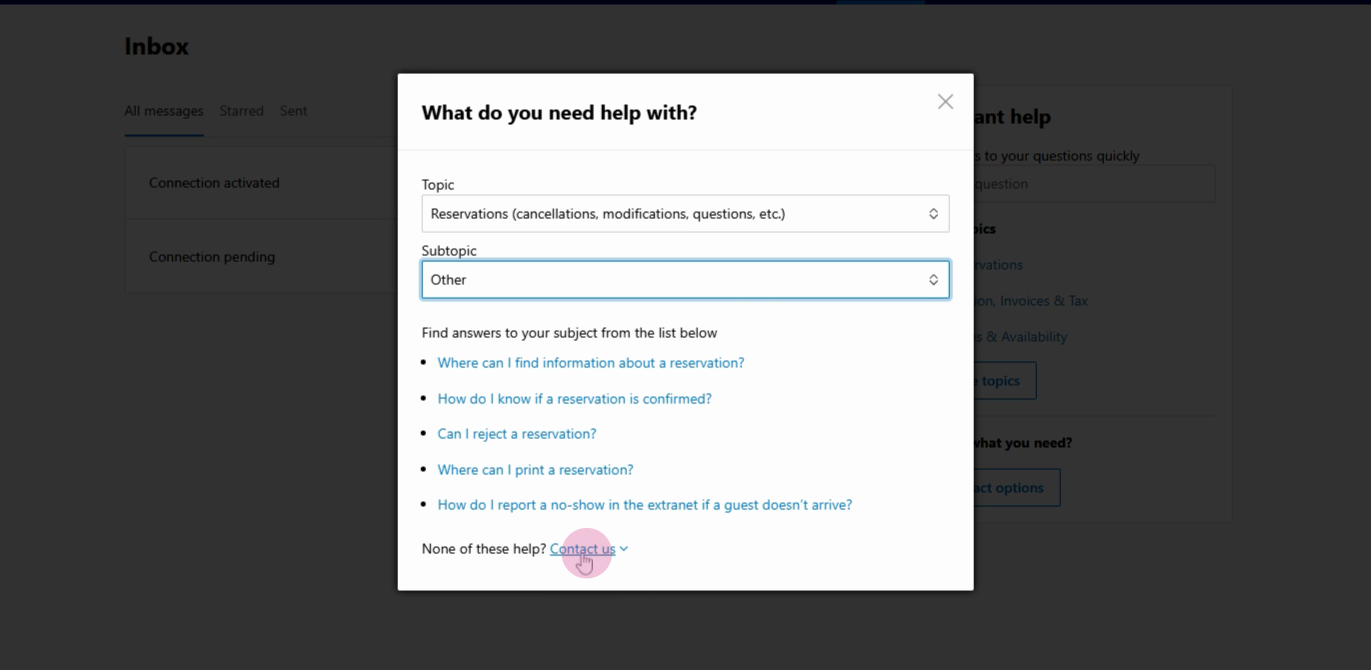
Step 8: Select the relevant topic, such as Reservations, Cancellations, Modifications, and then the appropriate subtopic. Click Contact us.
Step 9: Enter the External booking ID. Copy this from the reservation dialog if needed.
Step 10: Fill in your message using the suggested script. Clearly state:
-
“Dear Partner,
We would like to confirm the refund of [exact amount] for [Guest's name].
The refund is due: state the reason by specifying the issue type (e.g., maintenance – toilet flush, leakage; housekeeping – dirty towels, untidy room, etc.)— do not mention bugs, mold, or roaches.
The refund amount is [exact amount].
Thank you.”
Send the message.
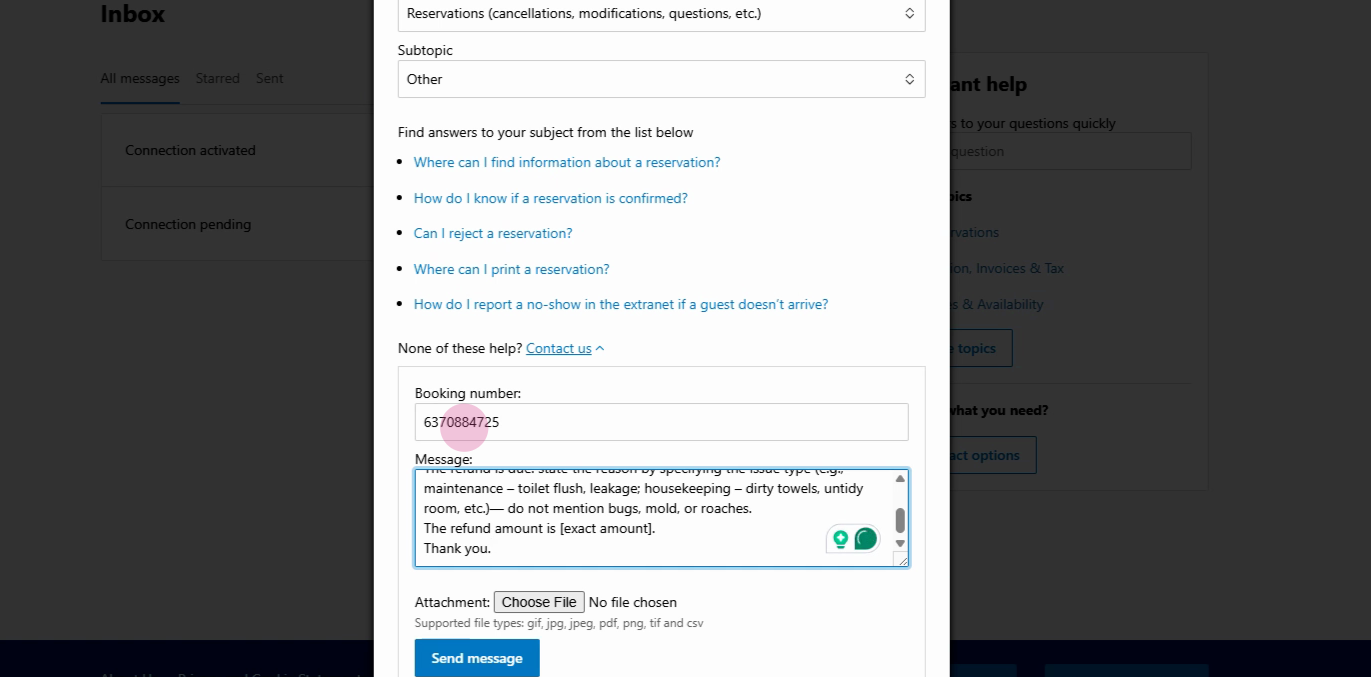
Booking.com reviews and usually issues the full refund within 48 hours.
How to Issue Refunds for Stripe Payments on Booking.com Reservations
When handling refunds for booking.com reservations paid through Stripe, follow these simple steps to process either full or partial refunds directly from the reservation dialog.
Step 1: Open the reservation and confirm that the payment method is Stripe.
Step 2: Go to the Make a Payment section.
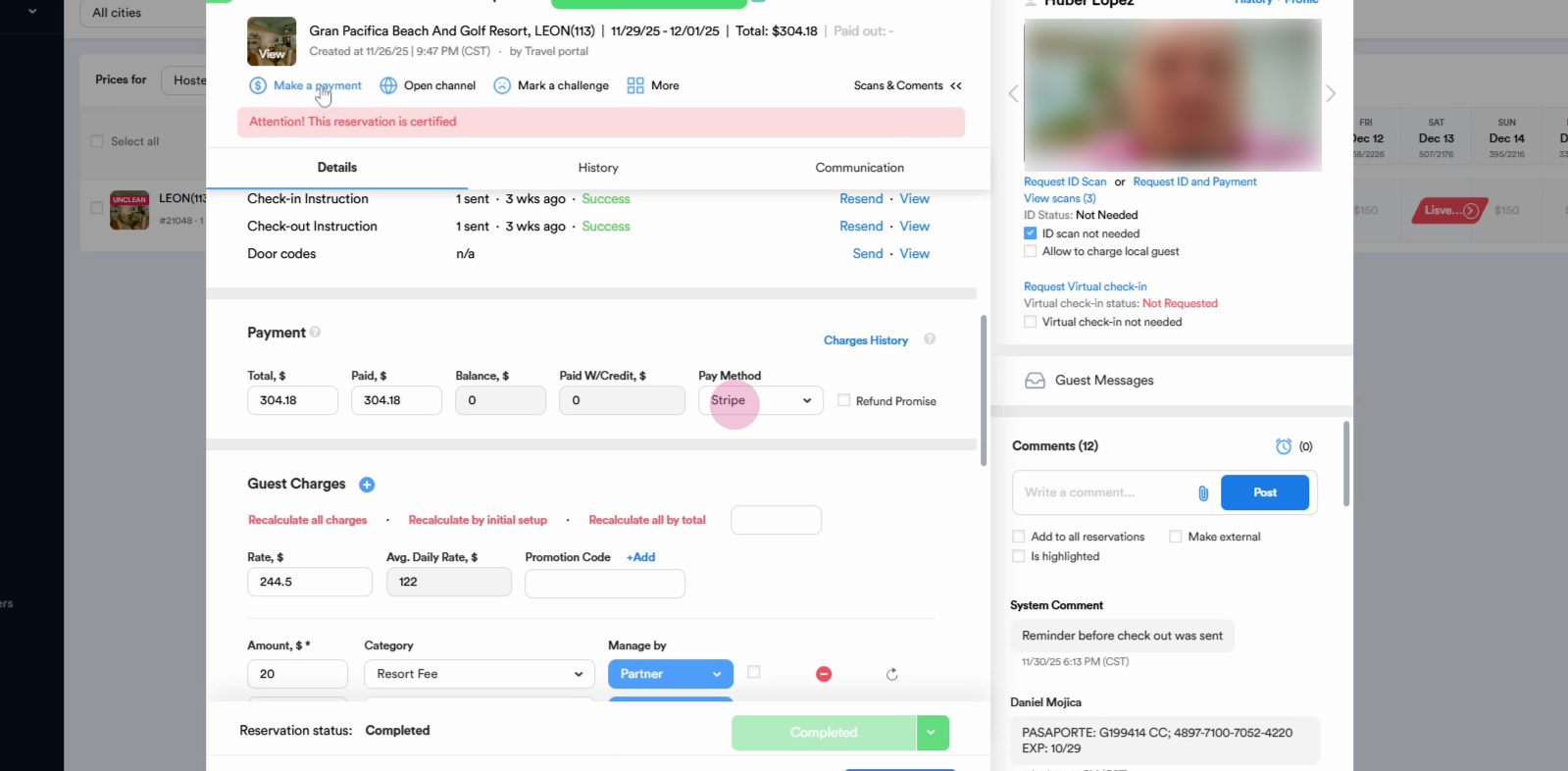
Step 3: Locate the main transaction. Click the Refund button to start the refund process.
Step 4: To issue a full refund, leave the amount as is. For a partial refund, enter the desired amount.
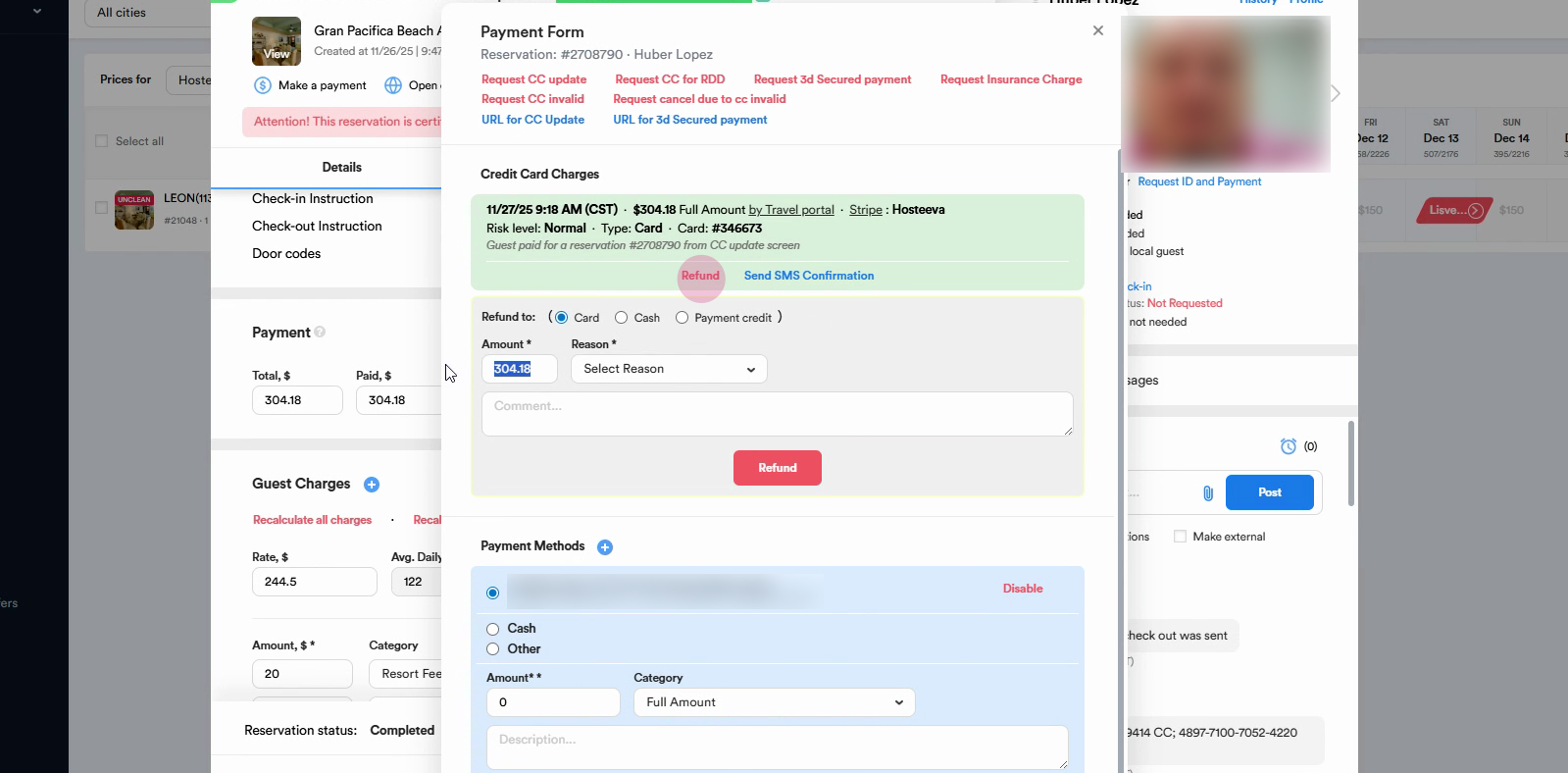
Step 5: Select the Reason for Refund from the dropdown.
Step 6: Add comments if needed.
Step 7: Click the Refund button to submit the refund.
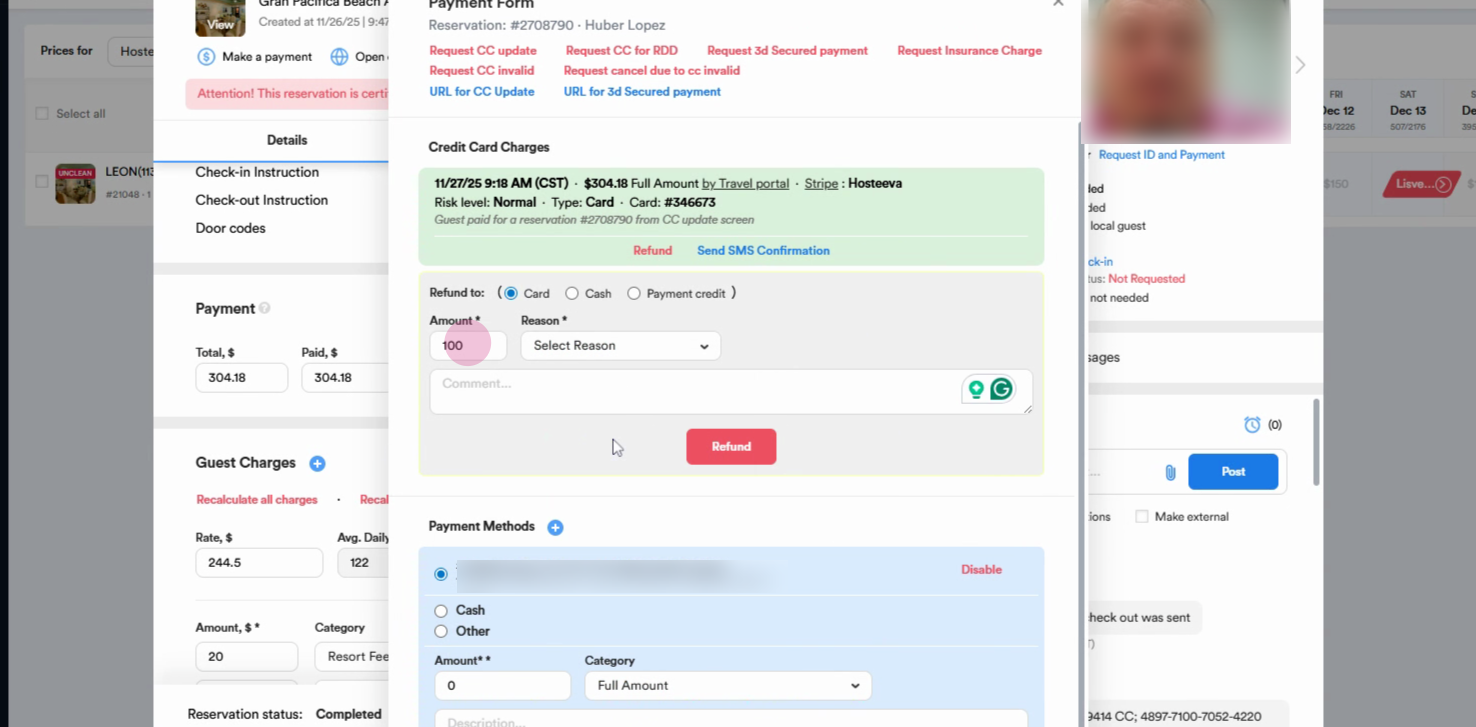
Once you complete these steps, the refund will be issued automatically. It usually takes five to seven business days for the funds to reach the guest.
Stripe makes it easy to handle full or partial refunds directly within your booking.com reservation panel.