This guide explains how to create a property group for an Automatic Pricing Templates. A property group is a group of properties to which one or more price policies can be applied.
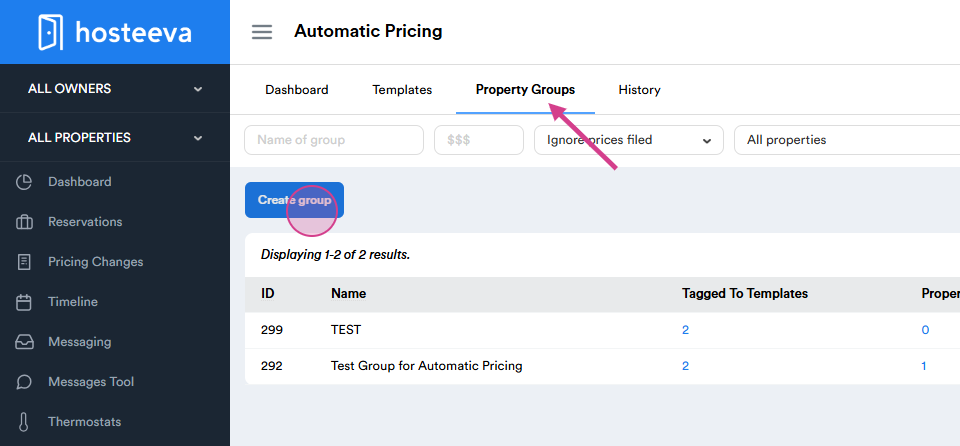
Start by navigating to automatic pricing.
Next, select property groups.
Proceed to create group.
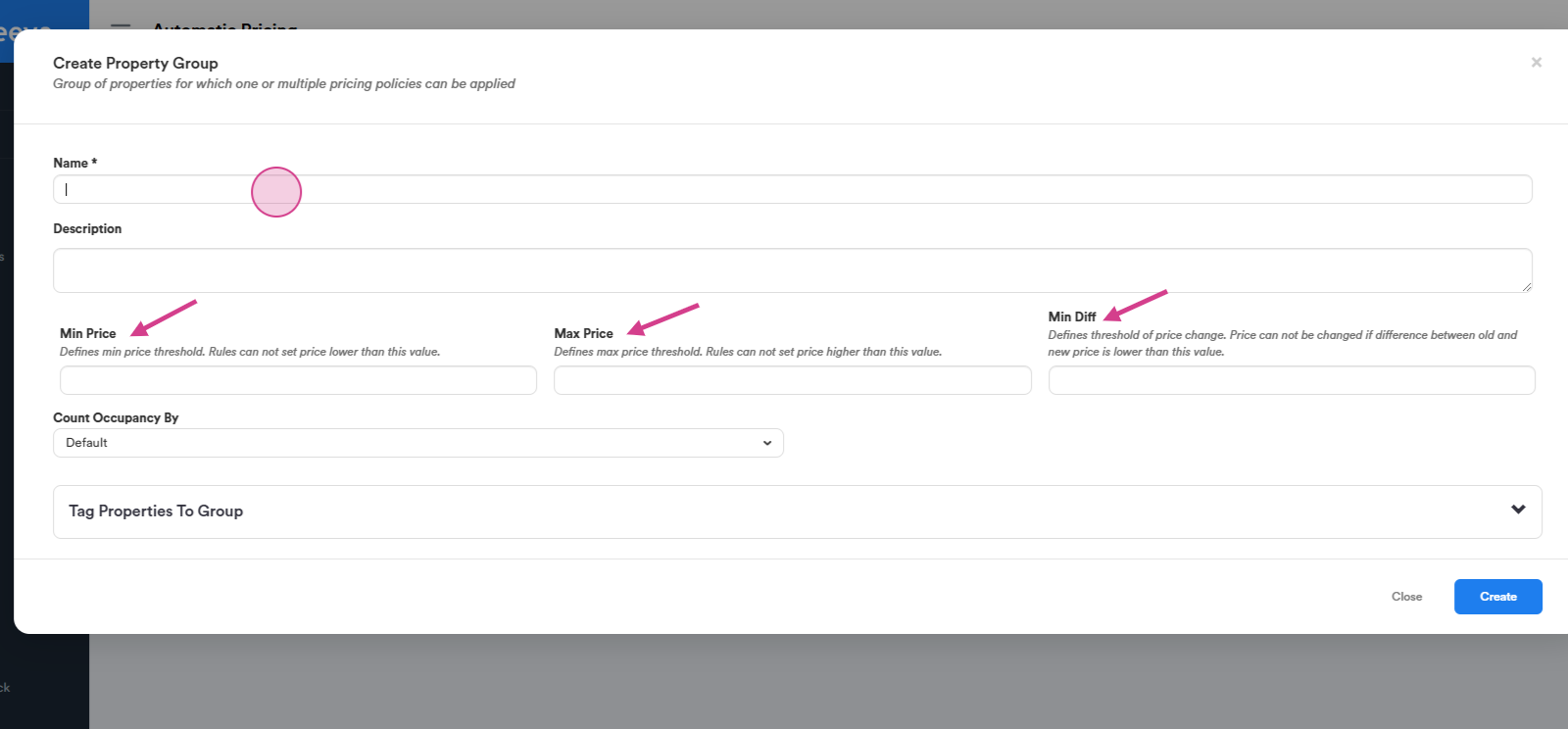
To create a group, input a name for the property group.
Set the minimum price. This is the lowest price that can be set for the properties.
Define the maximum price. This is the highest price that can be set for the properties.
Specify the minimum difference. This is the smallest permissible difference between the old and new price.
After setting the price limits, add properties to the group.
It's possible to add multiple properties to one group.
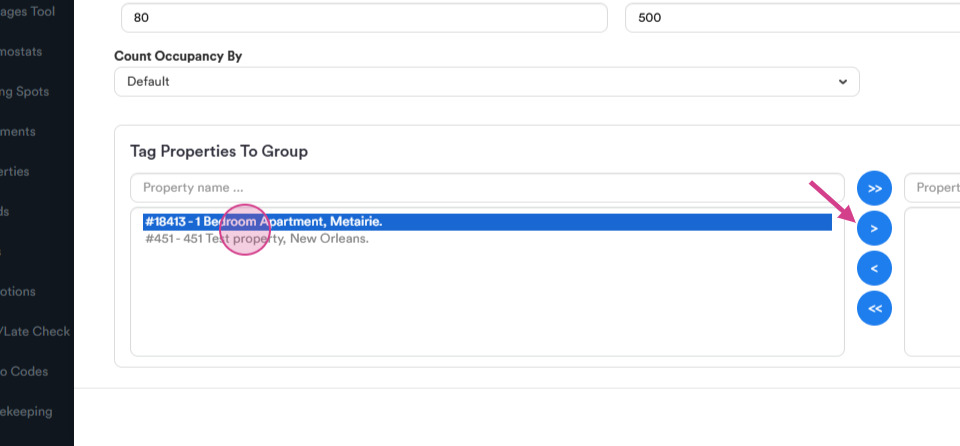
However, if a property is already part of another group, the system won't allow it to be added.
Once all properties are added, exit the setup, by clicking "create".
The property group is now ready.