Creating Owner Reservations
Subject & Goal
This article will help you get a better idea of the reservation creation process for Property Owners. The main goal is to minimize the errors and questions concerning the price breakdown of the reservation and the necessary details.
The Customer Support Team is receiving requests to create owner reservations from Local teams and owners themselves. There are certain instructions on how to properly create owner reservations and make sure the prices are also properly set.
How to create an owner's reservation?
Once you select the dates on the timeline and choose "Create reservation," you will need to process the following adjustments:
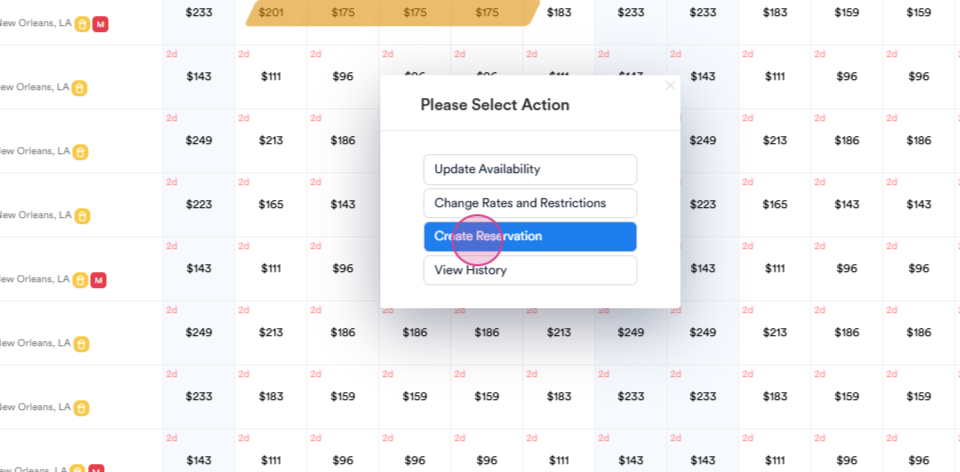
-
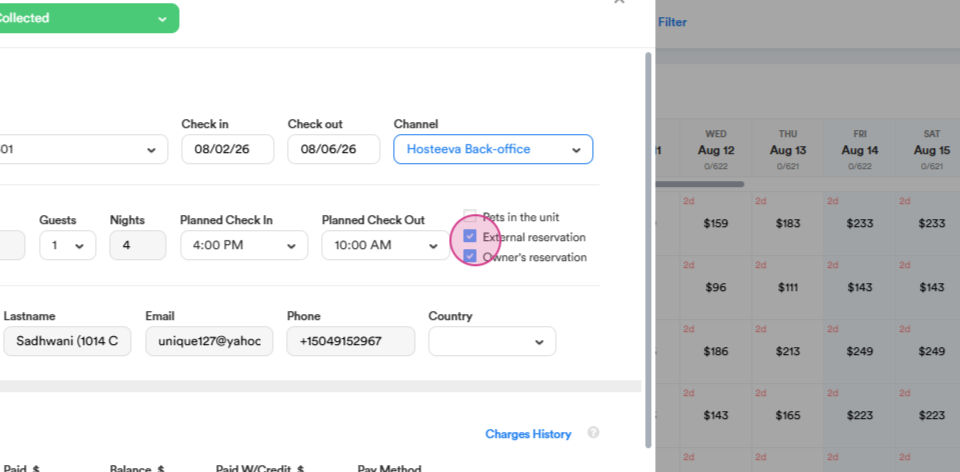
Check the box "Owner's reservation."
-
Make sure the checkbox "External reservation" is marked as well
-
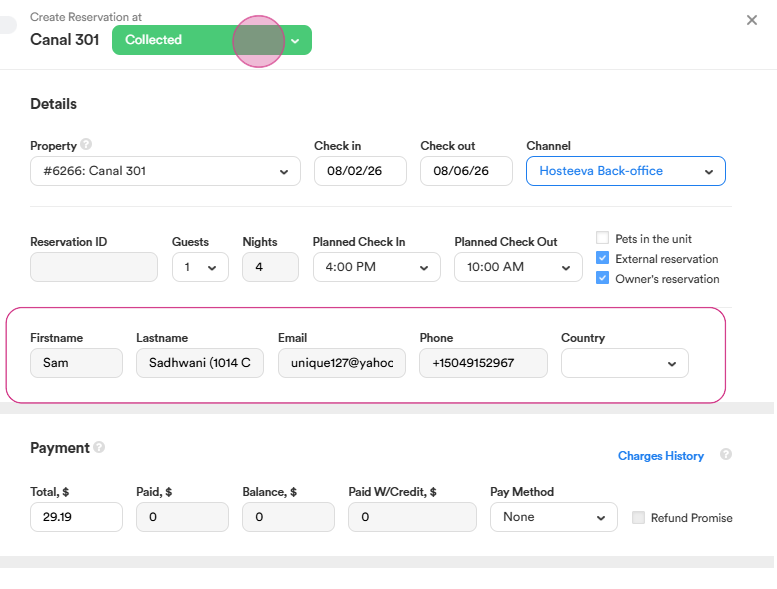
Double check the owner's information ( First name, Last name, Email, Phone number,) which is being filled out automatically, once you check the box "Owner's reservation"
-
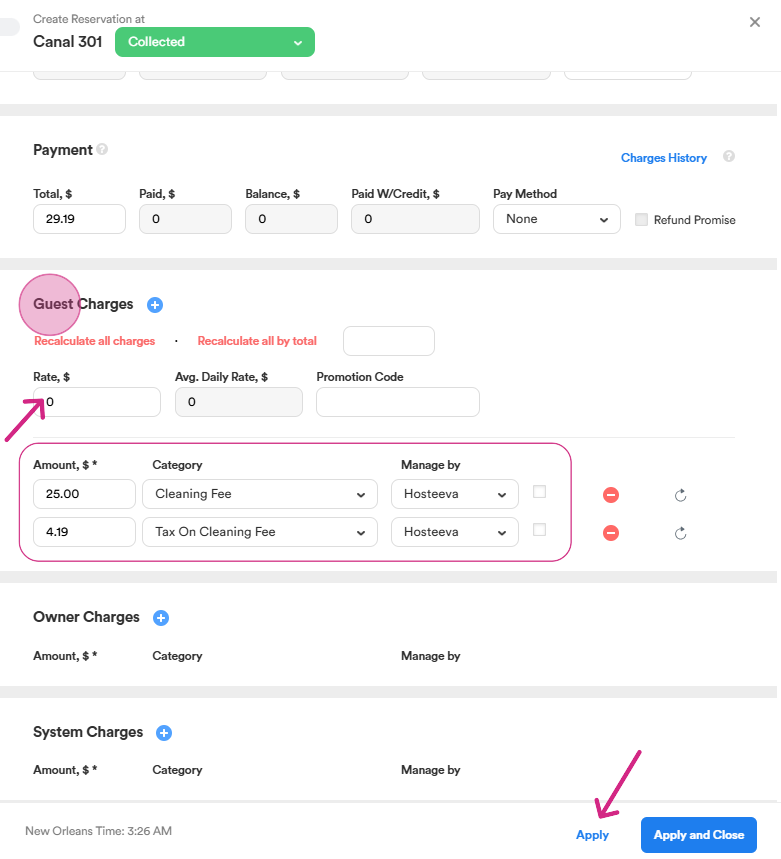
Please, make sure the status of the reservation is set as "Collected."
-
Make sure the rate is "0"
- Only the "Cleaning Fee" and the "Tax on Cleaning Fee" should be listed under the Guest Charges. Please note that the Cleaning Fee for Owner's reservation is always lower than the regular Cleaning fee.
-
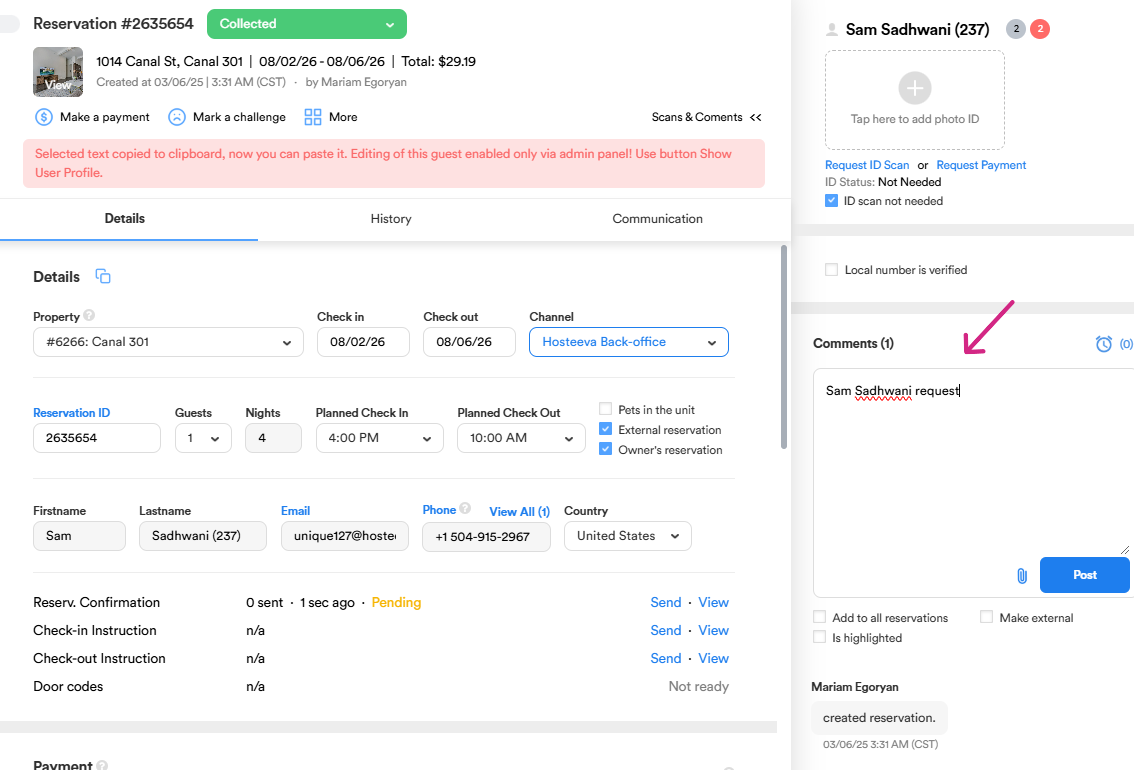
Click "Apply" and make sure to leave a comment about the requester of this very reservation.
And this is the result!