Easily deactivate a listing on VRBO by following this clear, step-by-step guide. By the end, your chosen listing will be both hidden and archived, matching exactly what’s shown in the latest video walkthrough.
Step 1: Request Removal of Connectivity Provider or Deactivate via PMS Contact VRBO support and ask them to remove any linked connectivity provider from your account or deactivate the listing directly in your Property Management Software (PMS).
Step 2: Log In and Go to My Properties Sign in to your VRBO owner account. Select the My Properties tab.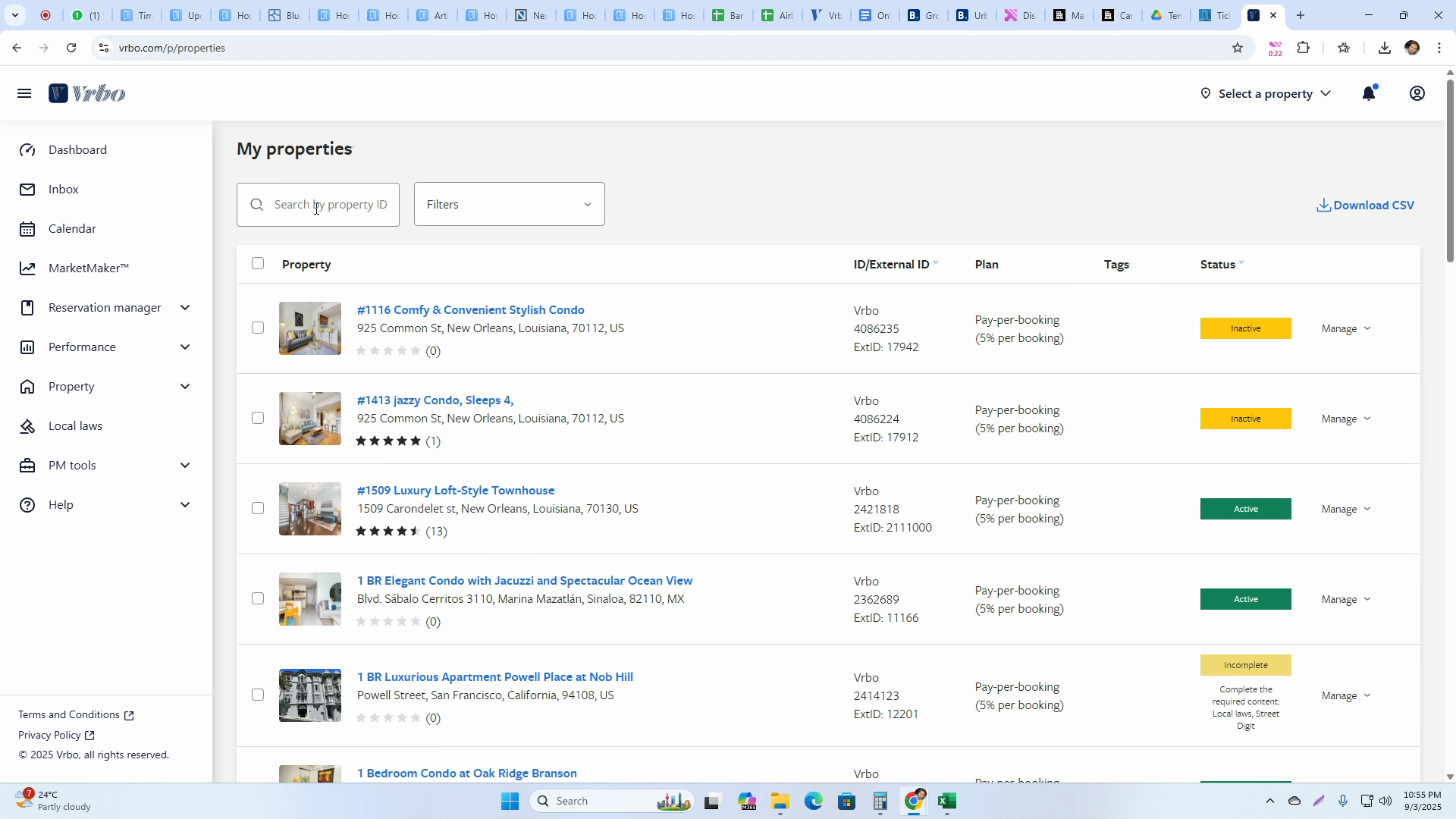
Step 3: Find and Manage Your Listing Locate the listing you want to deactivate. Click Manage next to that listing.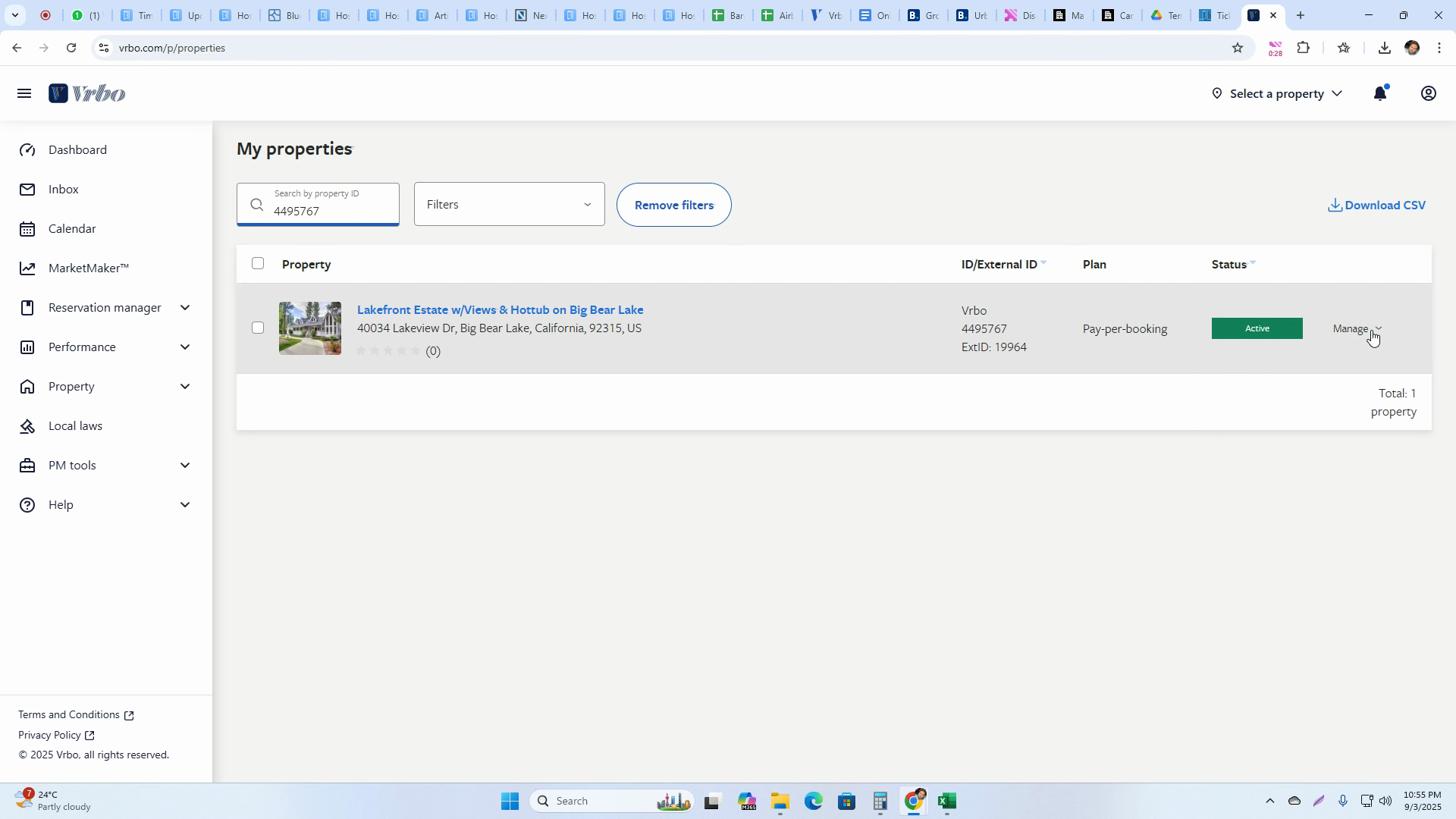
Step 4: Access Property Details On the management page, choose Property Details for the selected listing.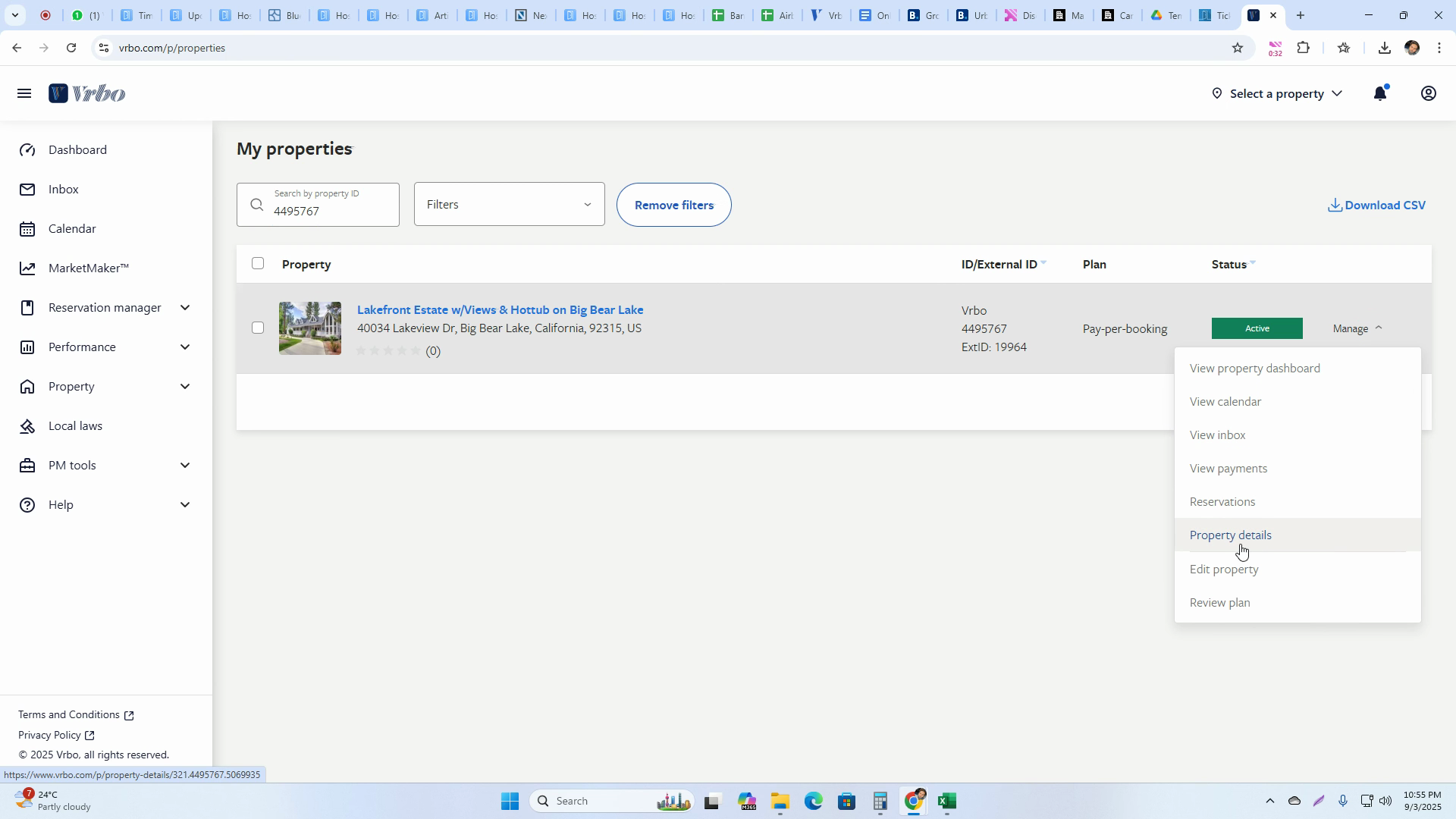
Step 5: Hide the Listing Check your listing’s current status. Click Hide.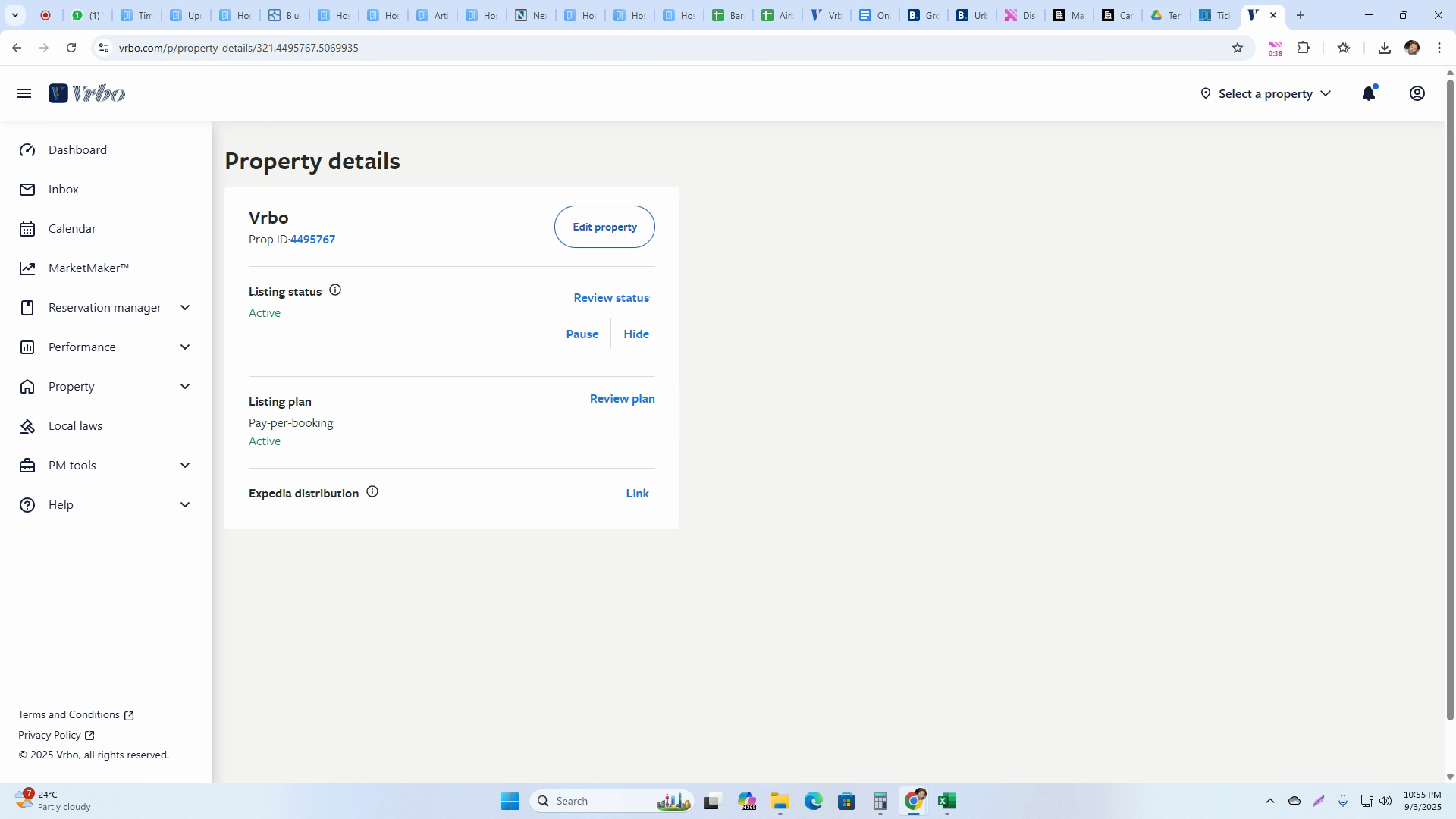
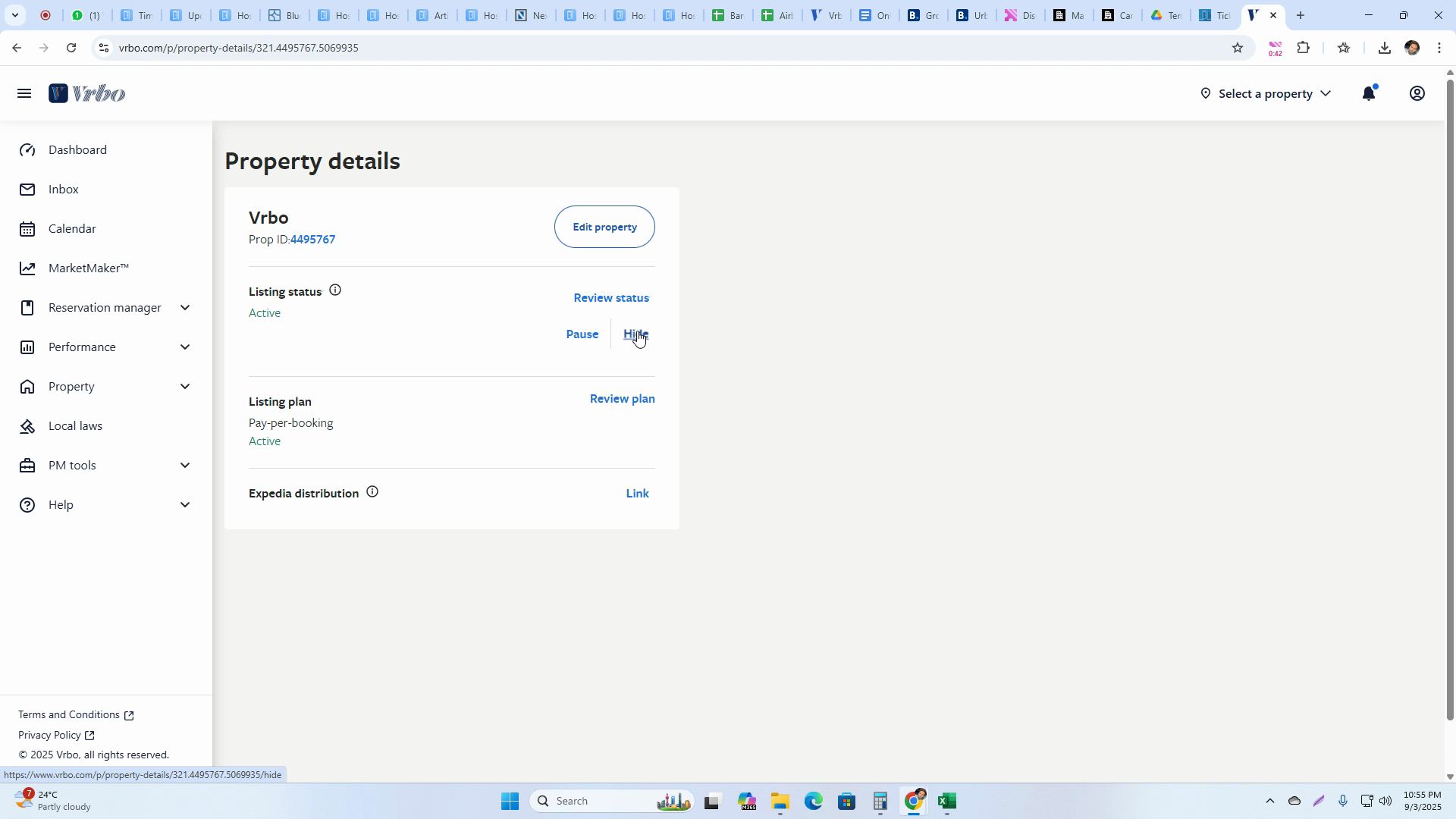
Step 6: Select a Reason and Continue Pick the reason for hiding your listing from the options provided.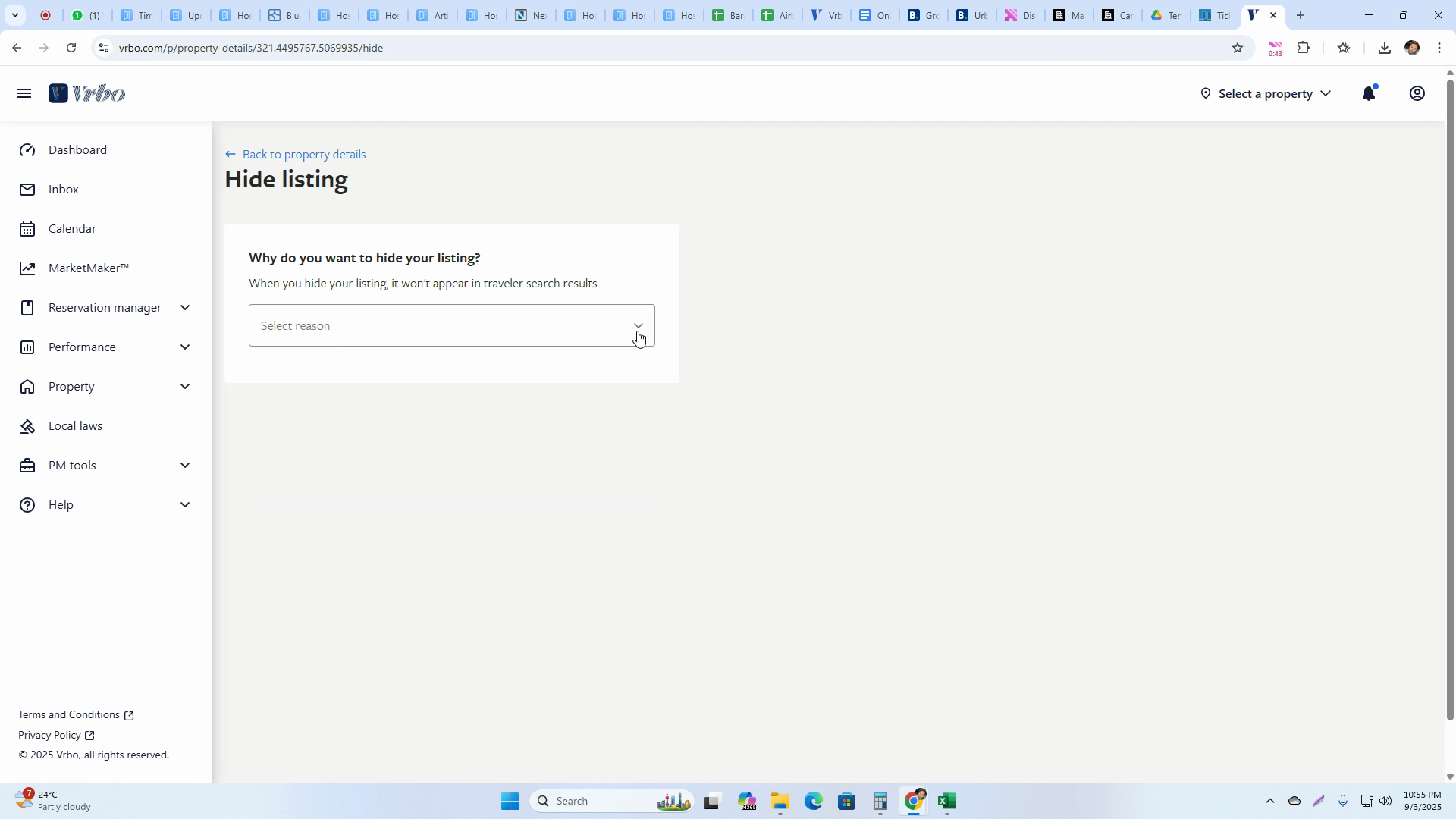 Hit Continue.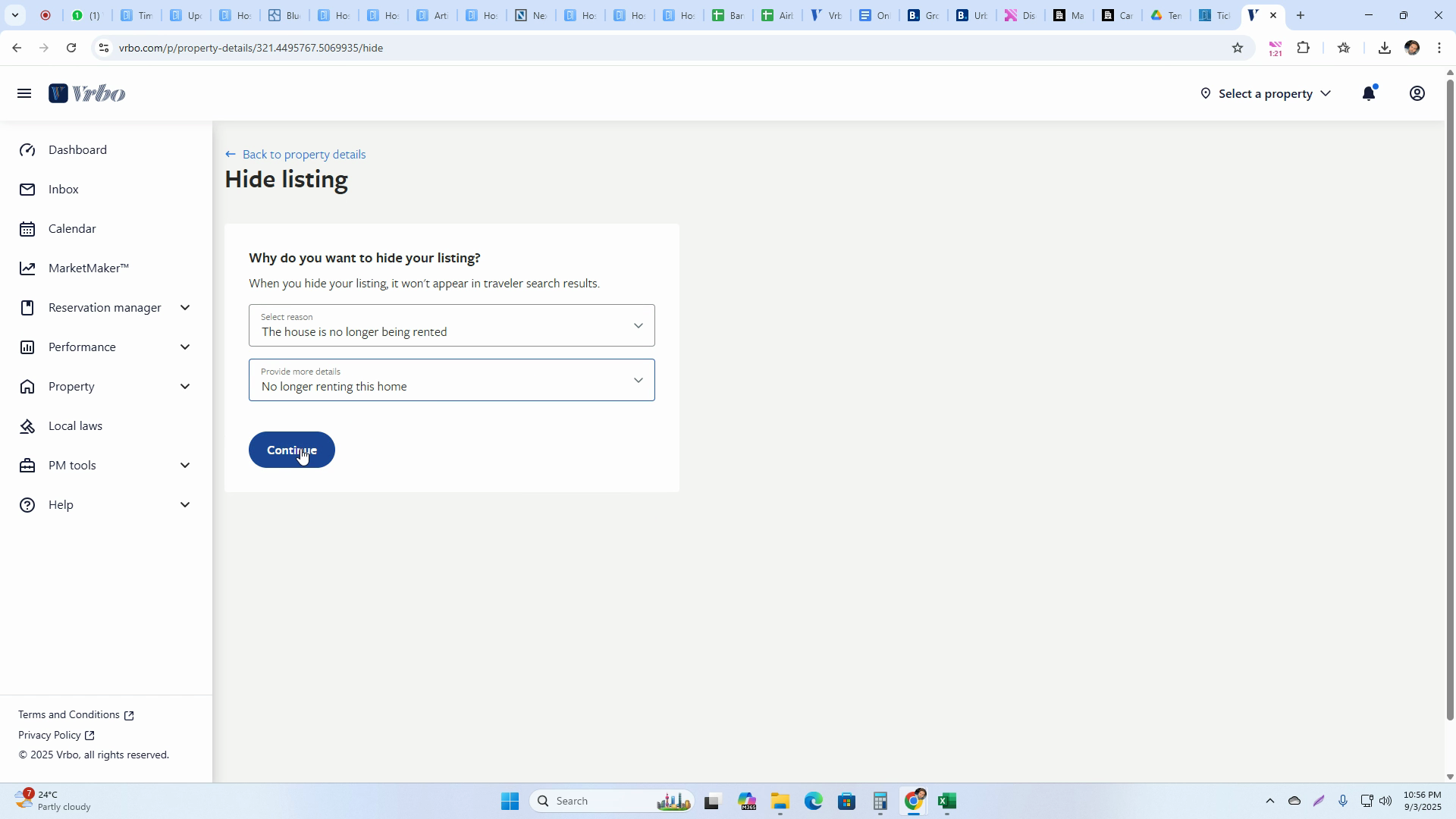
Step 7: Refresh and Confirm Hidden Status Refresh the page to see the updated status. Your listing should display as hidden.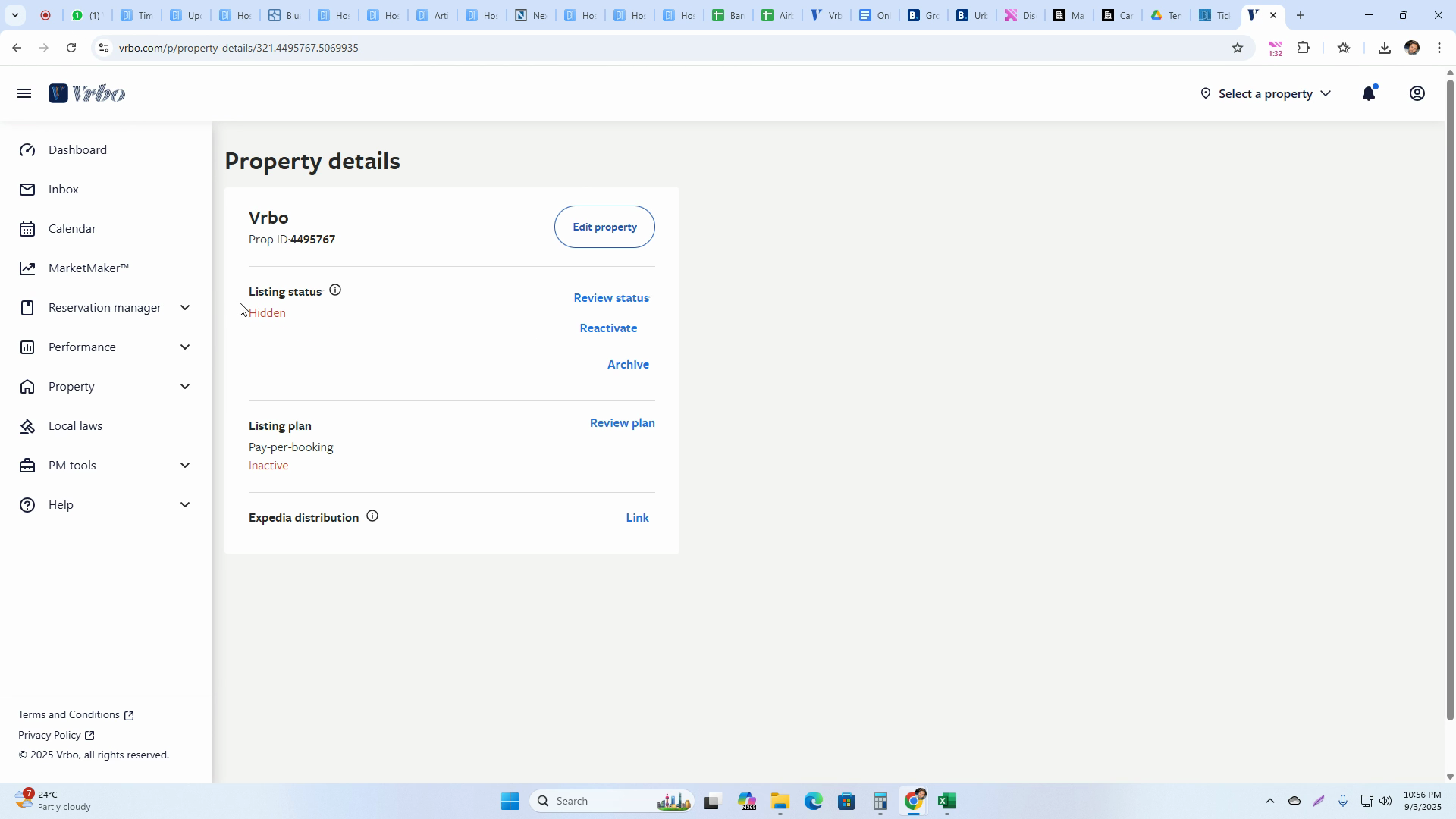
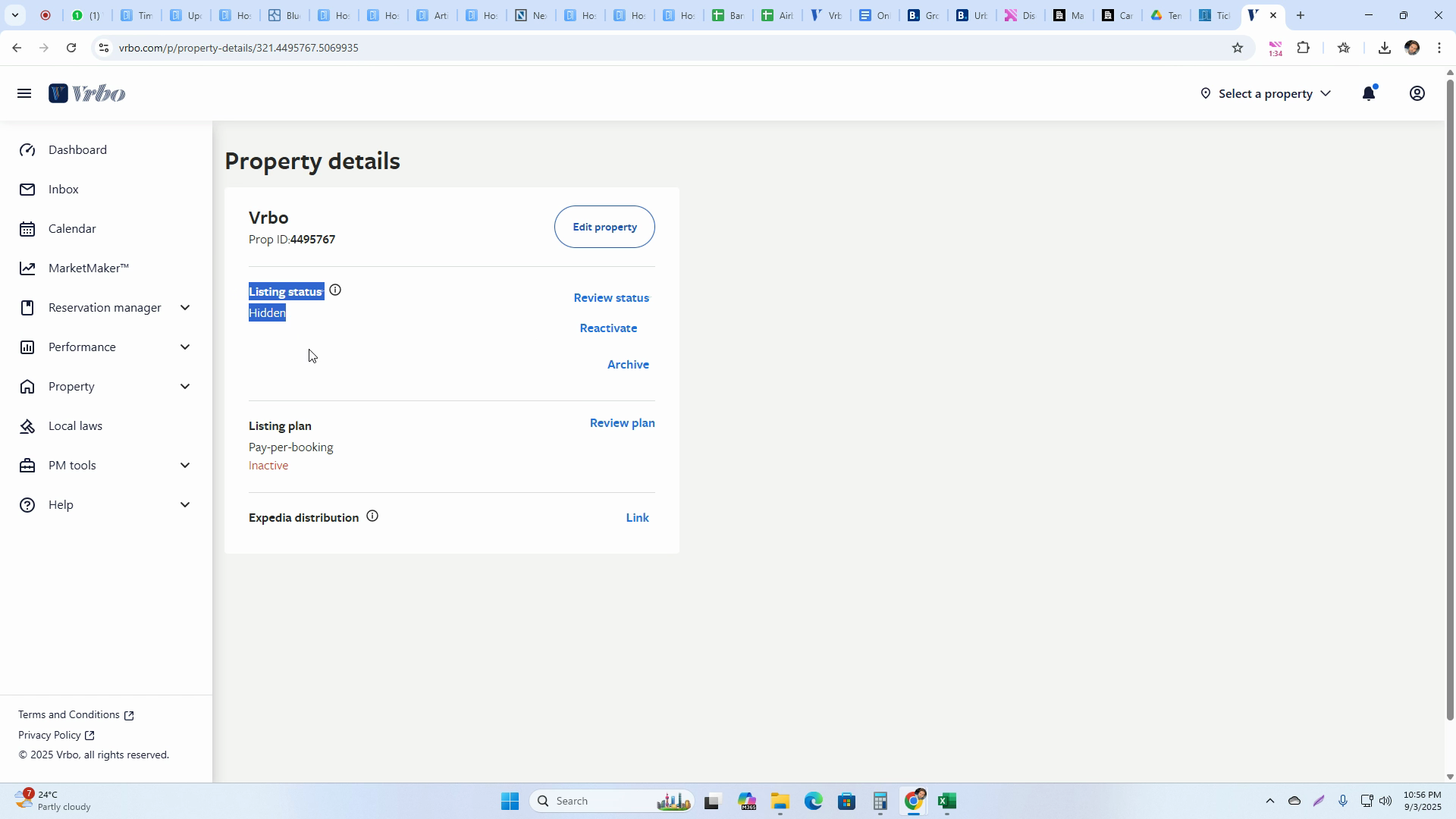
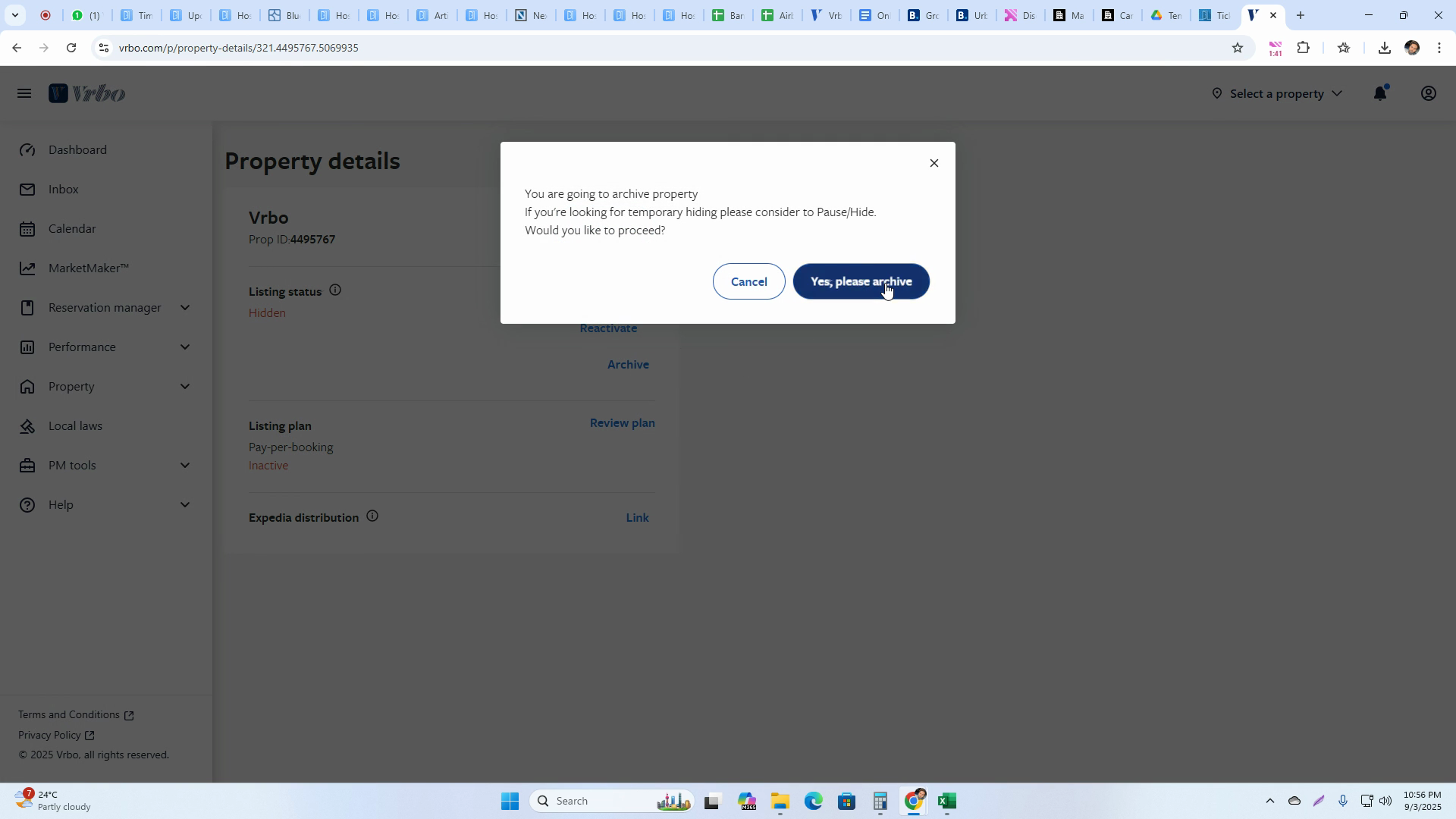
Step 8: Archive the Listing Press Archive to move the hidden listing to your archives, confirming when prompted.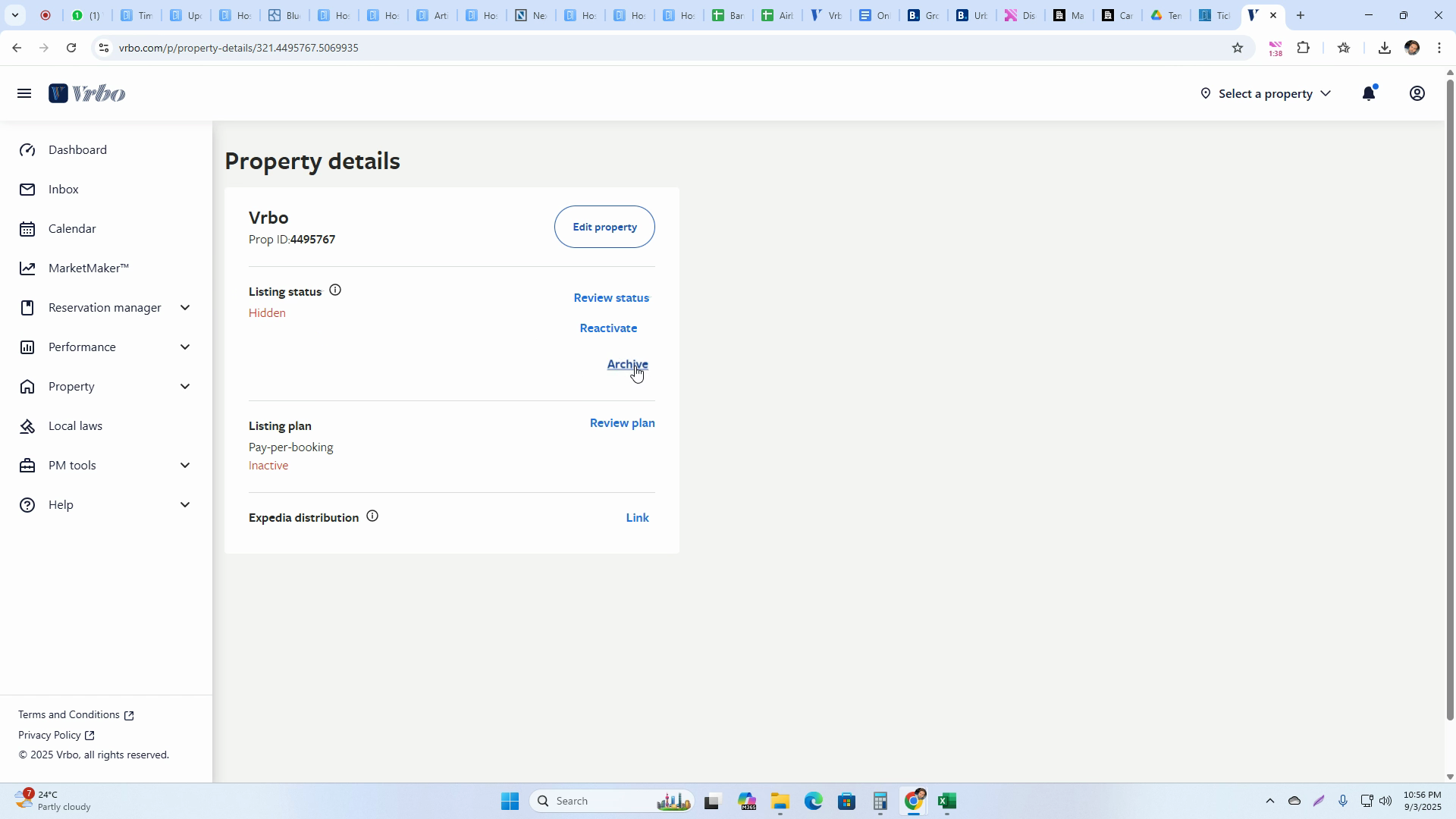
Step 9: Double-Check Listing Is Archived Refresh again to verify archiving. The listing will appear hidden and archived.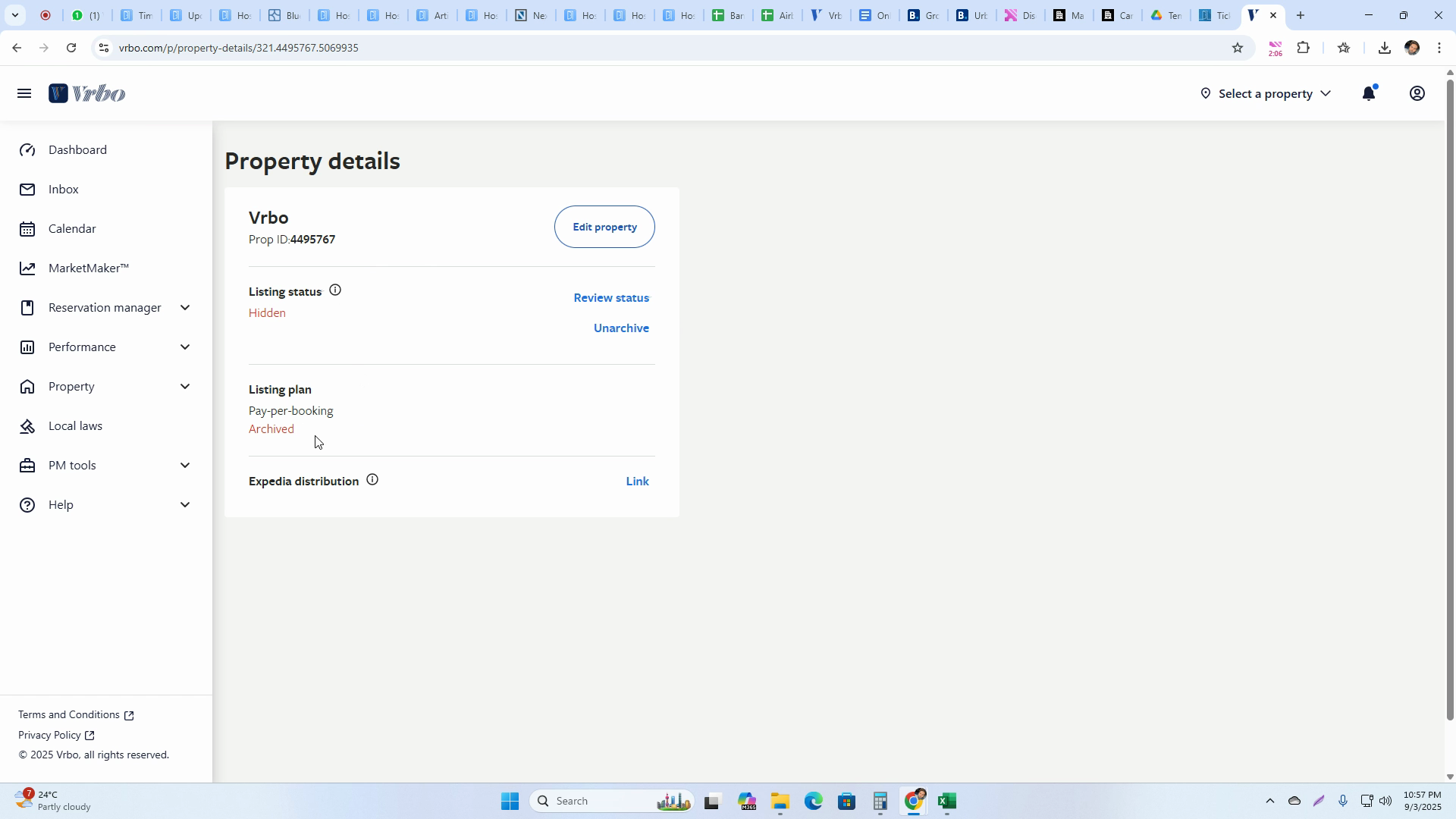
Step 10: Verify from the Dashboard Go to the dashboard. The archived listing won’t show up under active listings.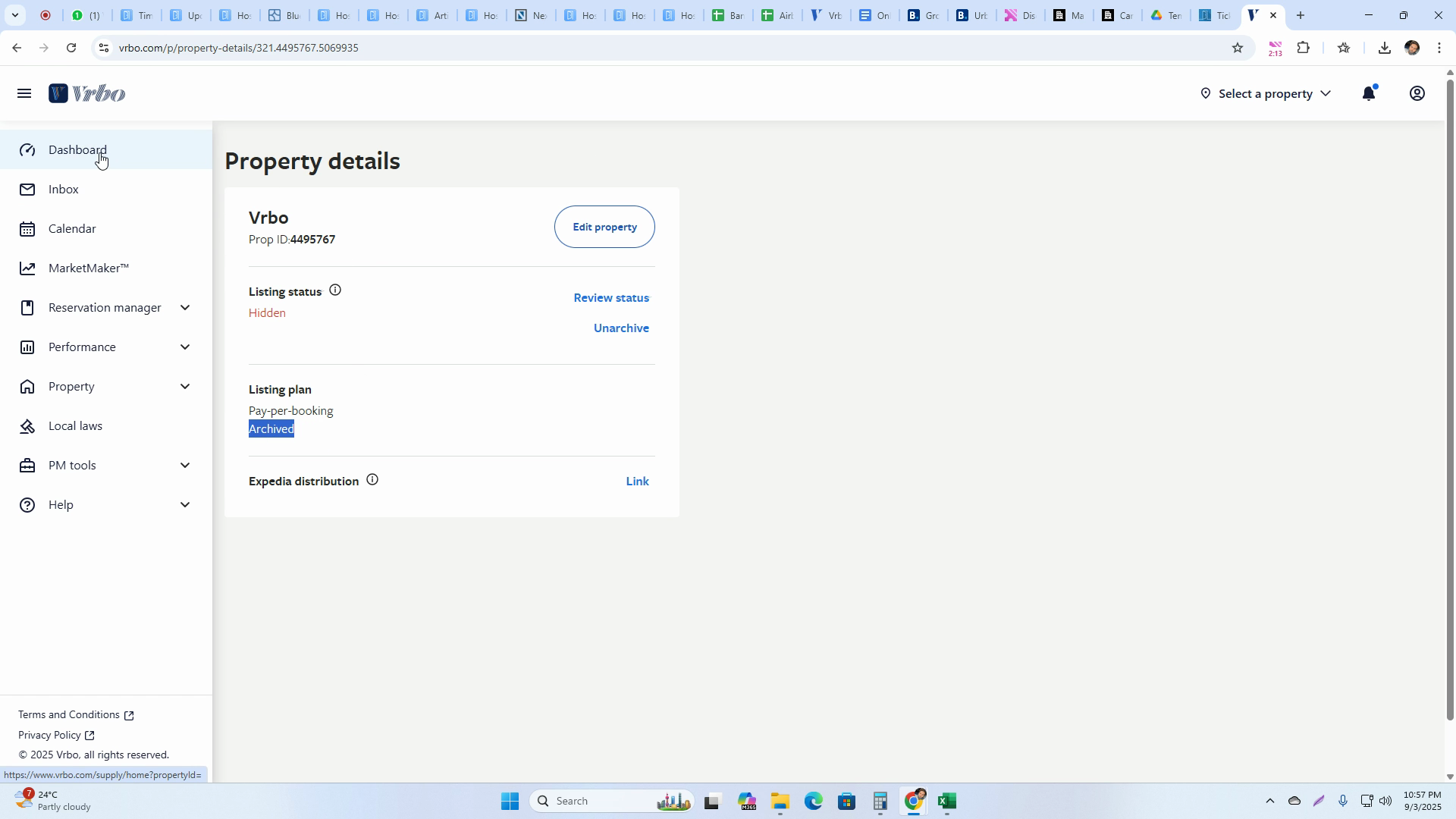
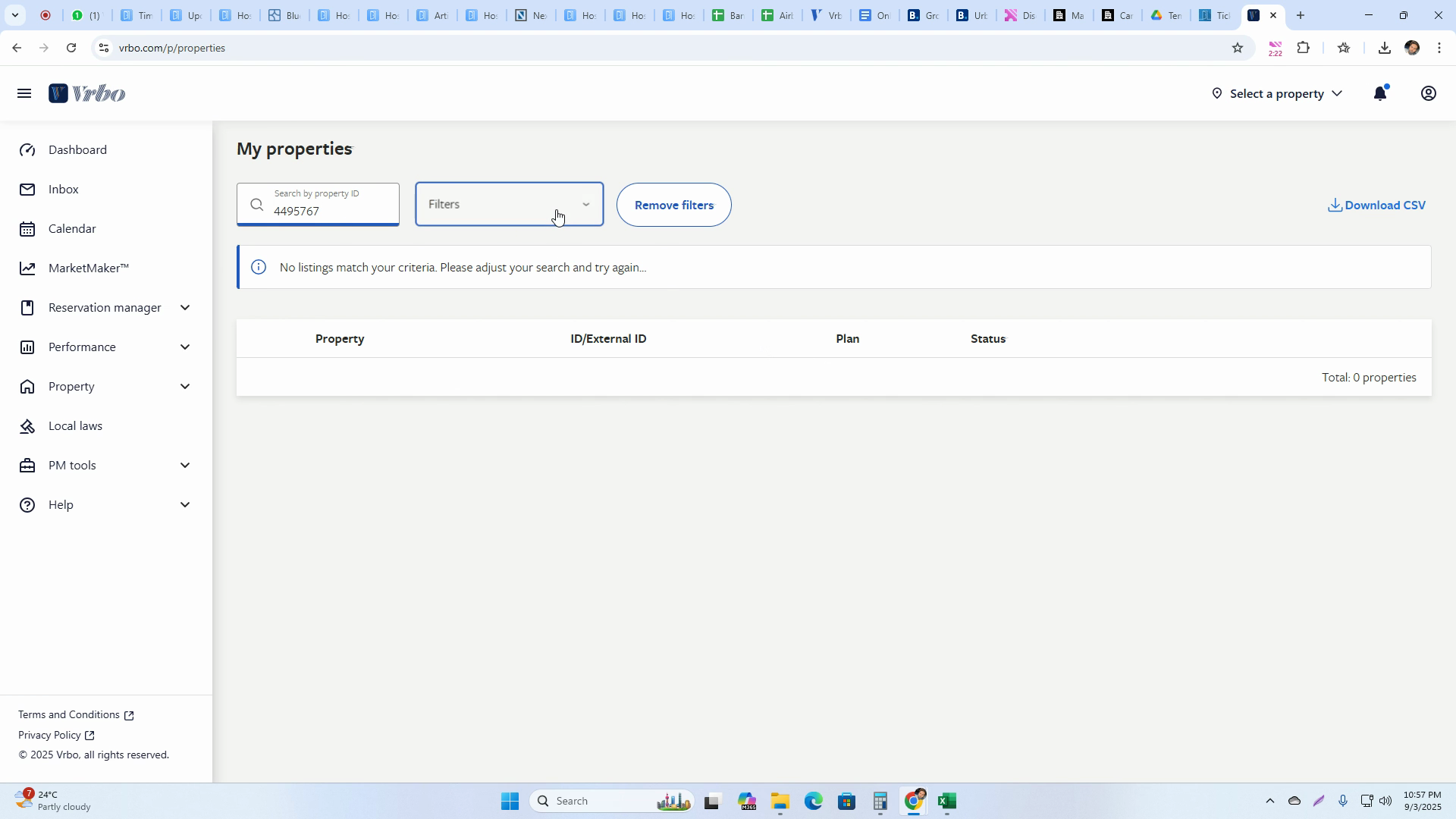
Step 11: Search for Archived Listings Look under the Archive filter or section. Here, your listing will display as Archived.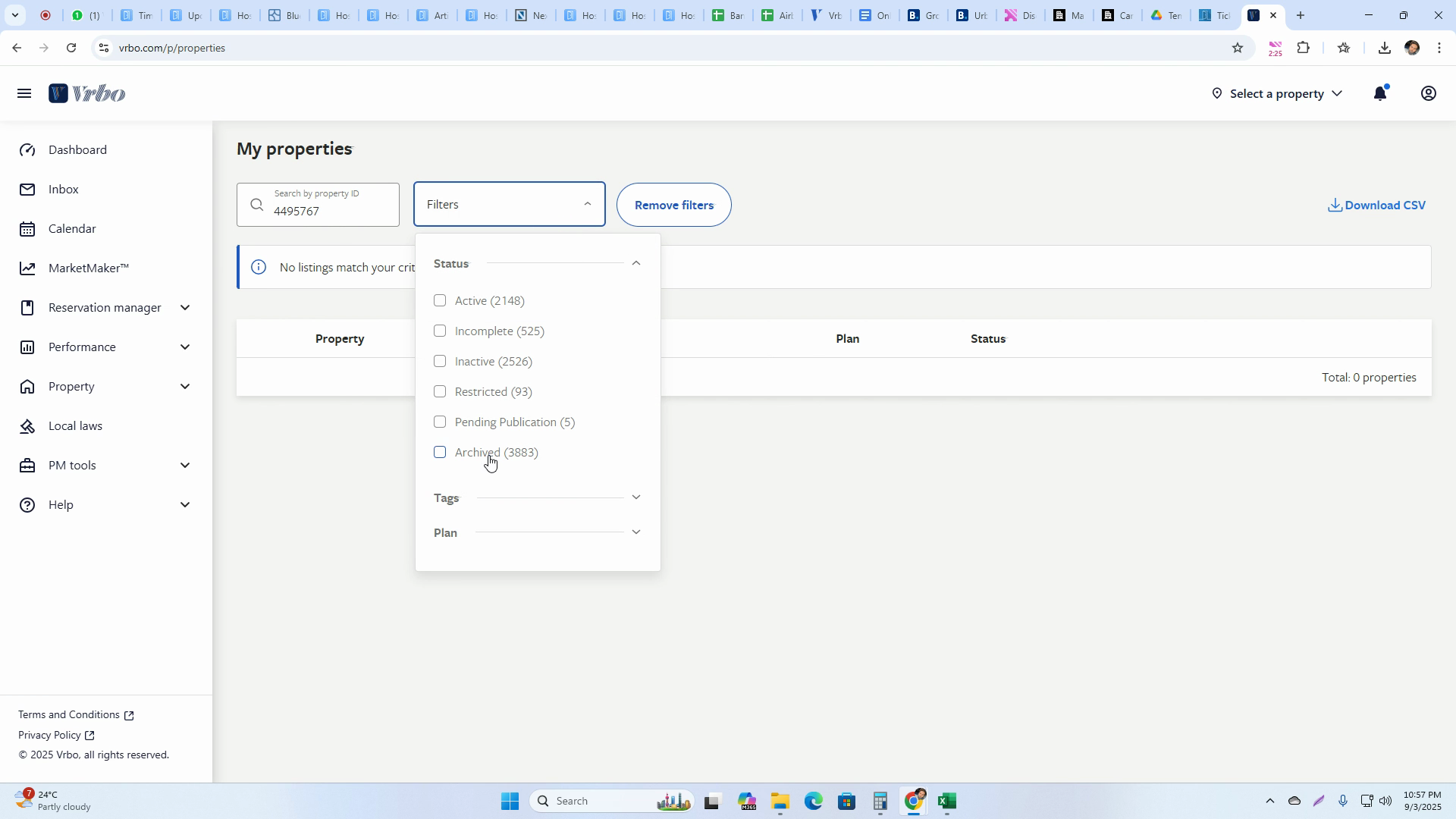
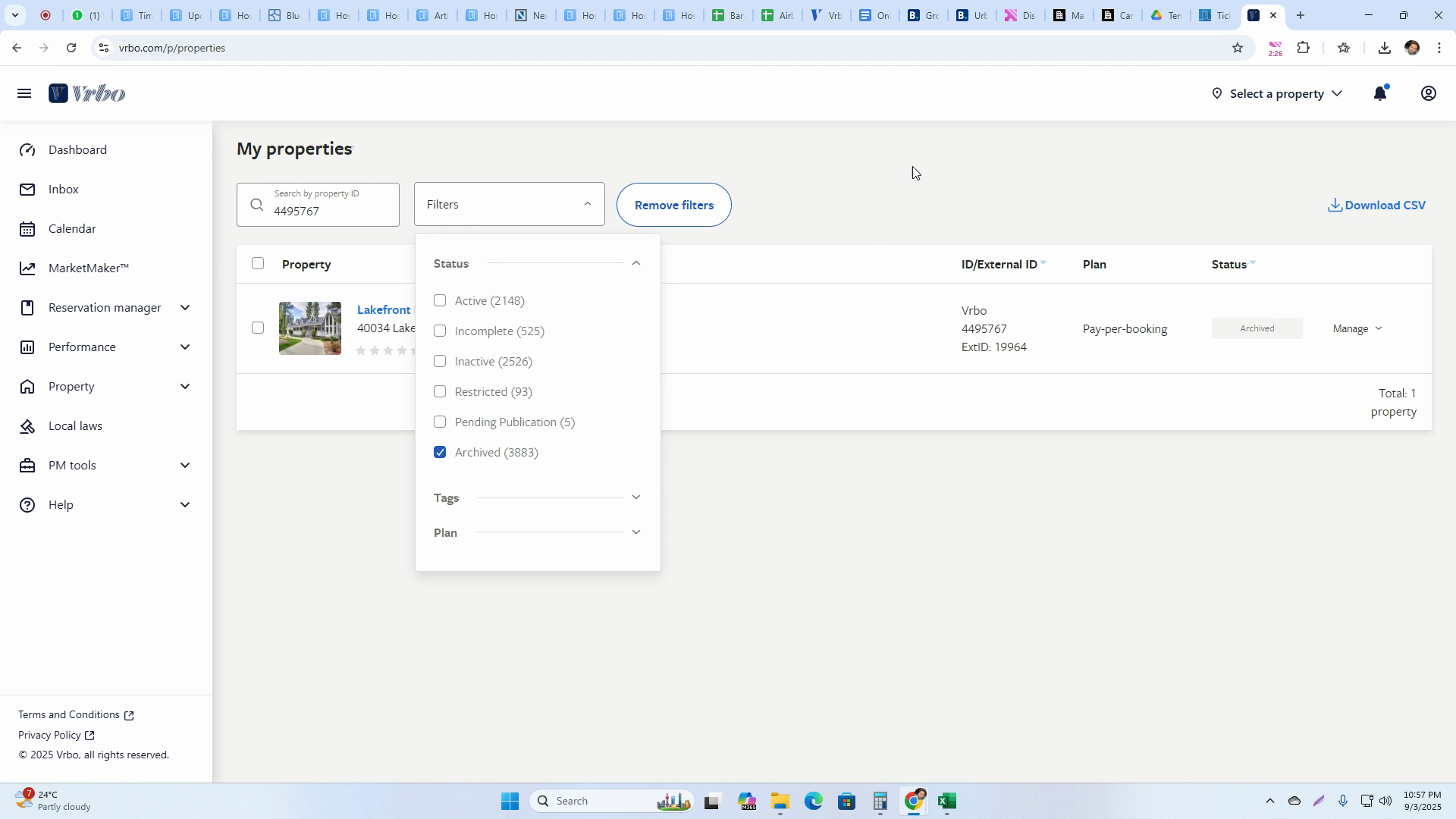
That’s it! You’ve fully deactivated and archived your VRBO listing, ensuring it no longer appears among active properties.