Viewing and Editing FAQs
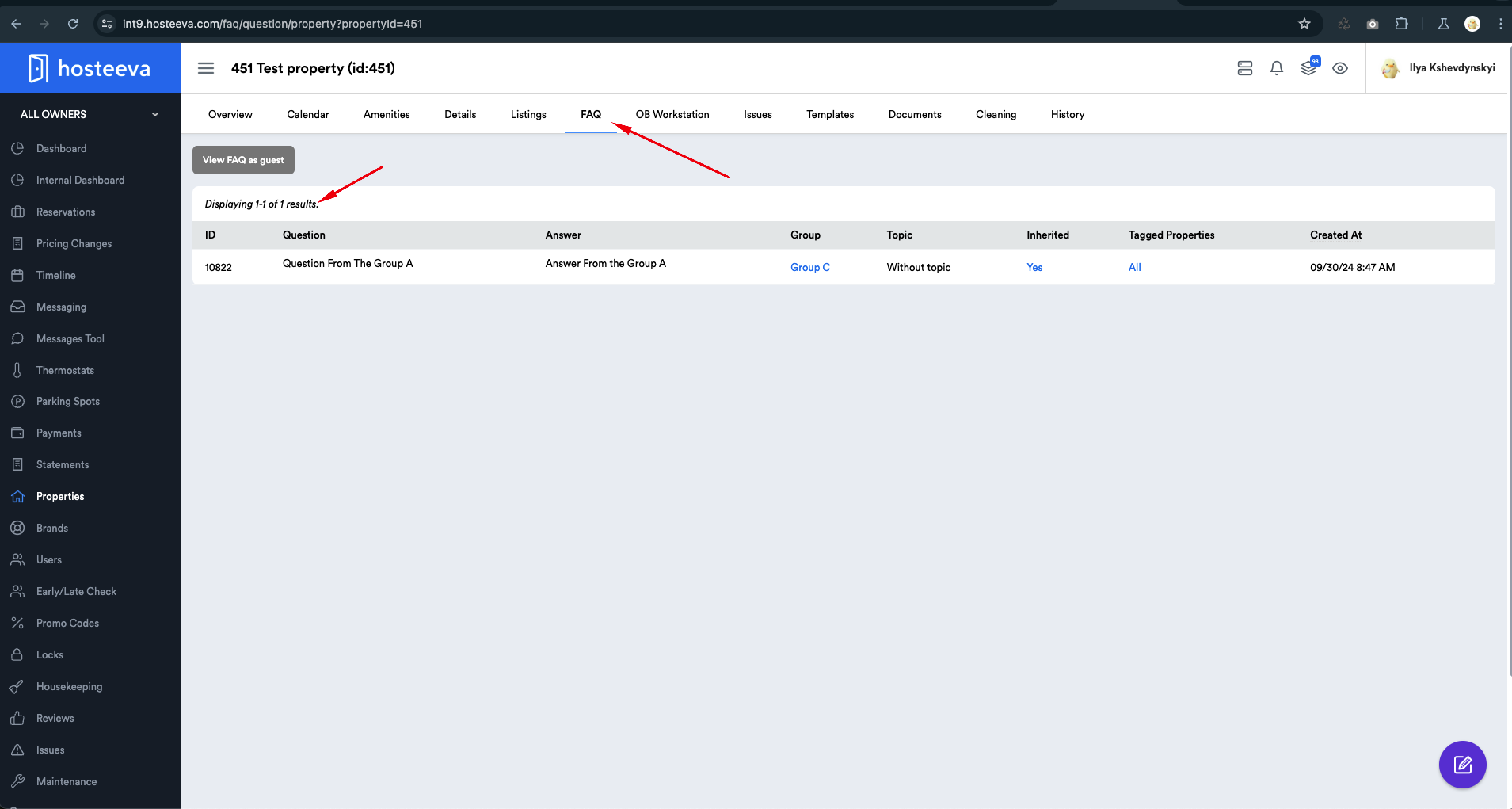
We have two ways to view FAQs:
- View Existing FAQs: This allows you to view all existing FAQs tagged to a specific property. This access is available from the property overview page.
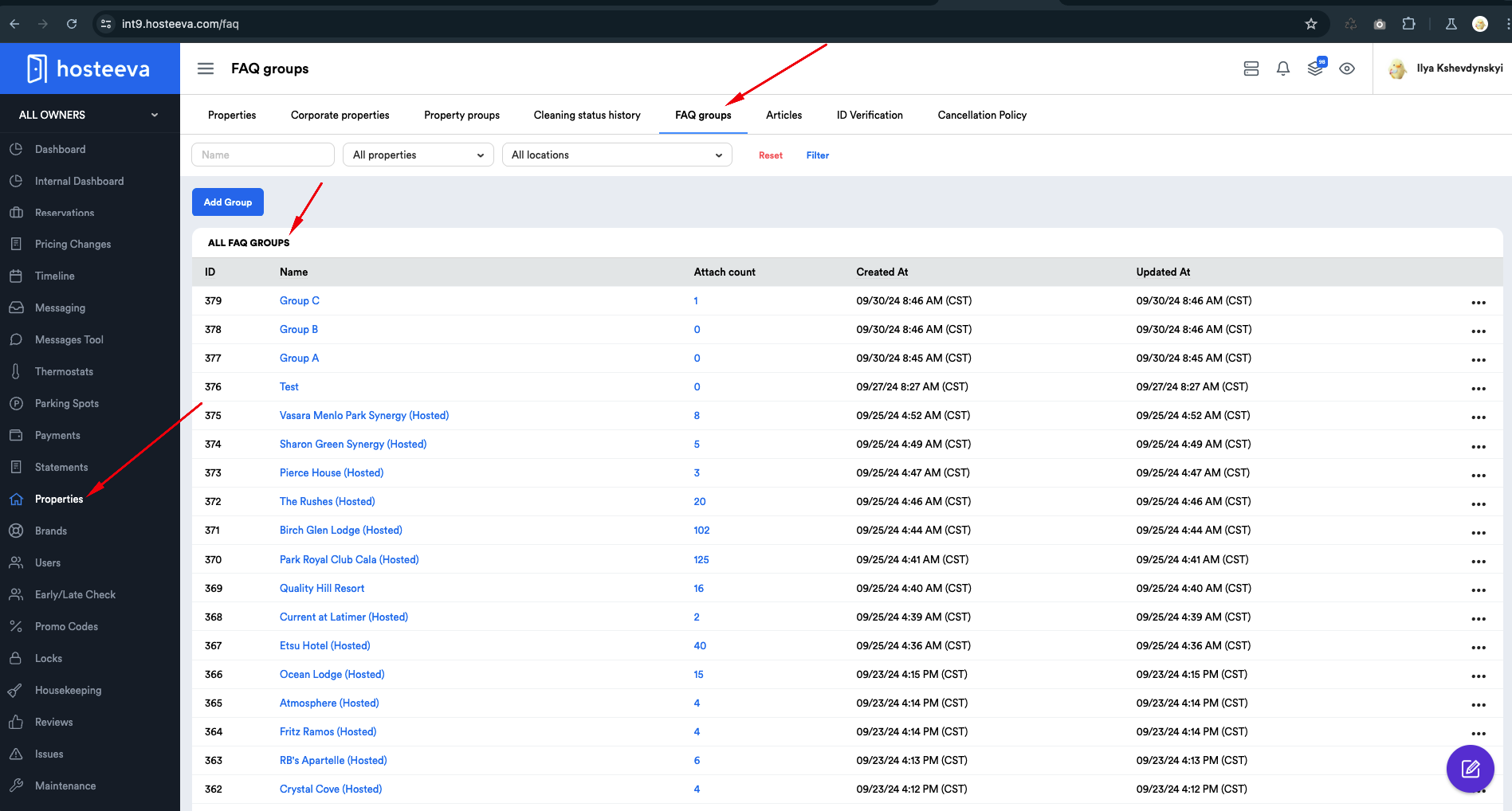
2. View/Edit FAQ Groups: This allows you to view or edit FAQ groups on the FAQ group page.
Topics
Topics are a way to cluster FAQs into conditional categories (i.e., topics). Conditionallye have two main topics:
- "General FAQ"
- "Amenities"
General FAQs can be assigned the General topic, while FAQs related to amenities can be assigned the "Amenities" topic. On the property page to which the group is tagged, in which we created and assigned these topics, it will look as follows: (screenshot).
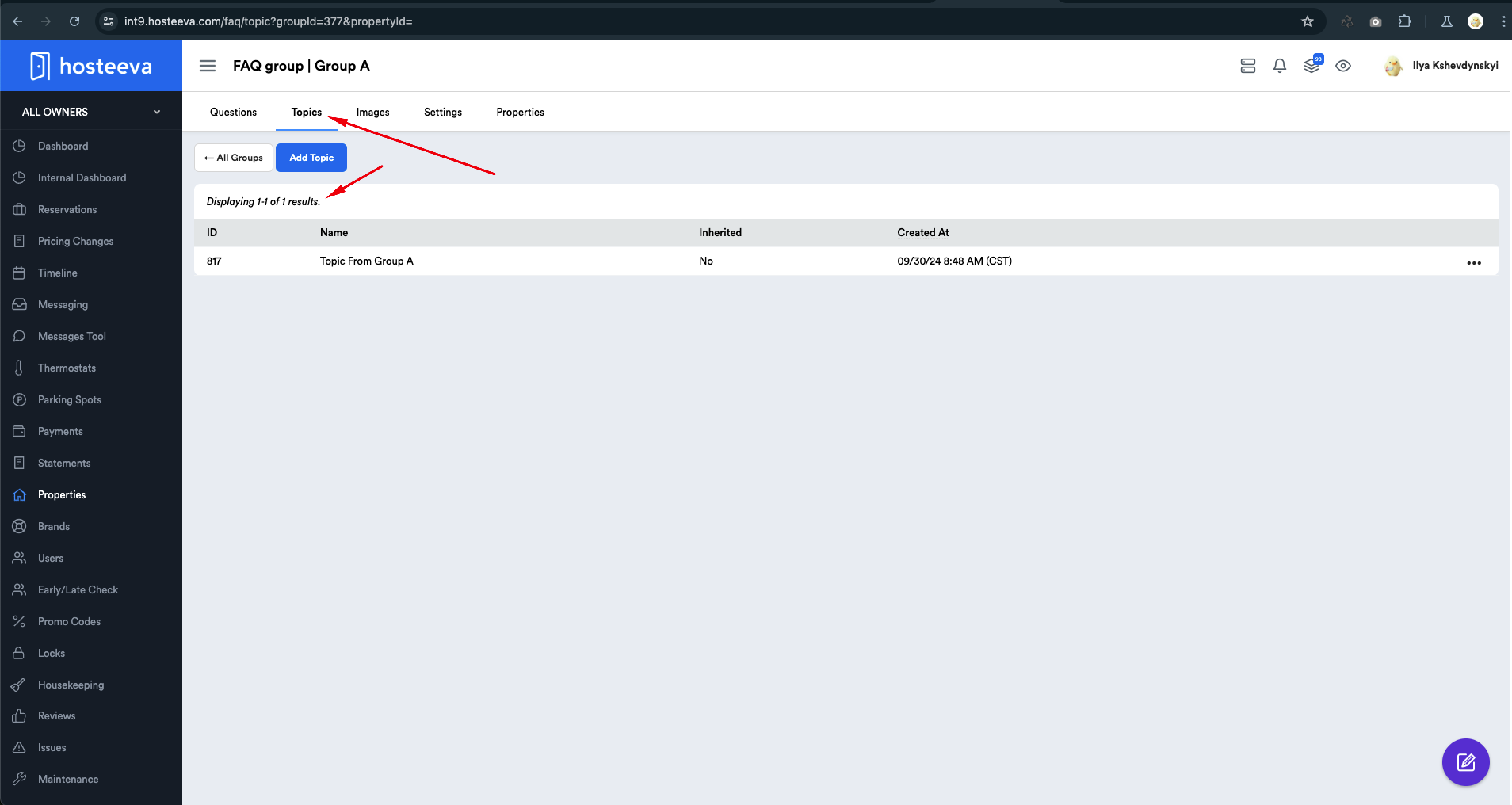
Topics are created for a specific FAQ group in the Topics section.
Understanding the Logic of FAQ Groups
Let’s assume we have an FAQ group called "Group C." Currently, this group does not have any FAQs. The property "451 Test Property" is tagged to this group.
At this moment, no FAQs will be displayed on the FAQ page of this property because the list is currently empty.
Instead of creating each question manually, we aim to have the same questions as in Group B. How can this be achieved? There are two methods:
1. Importing FAQs: You can import all FAQs from the group of interest (let’s say Group B) into our group (let’s call it Group C).
In this case, any subsequent changes in Group B will not be duplicated in Group C.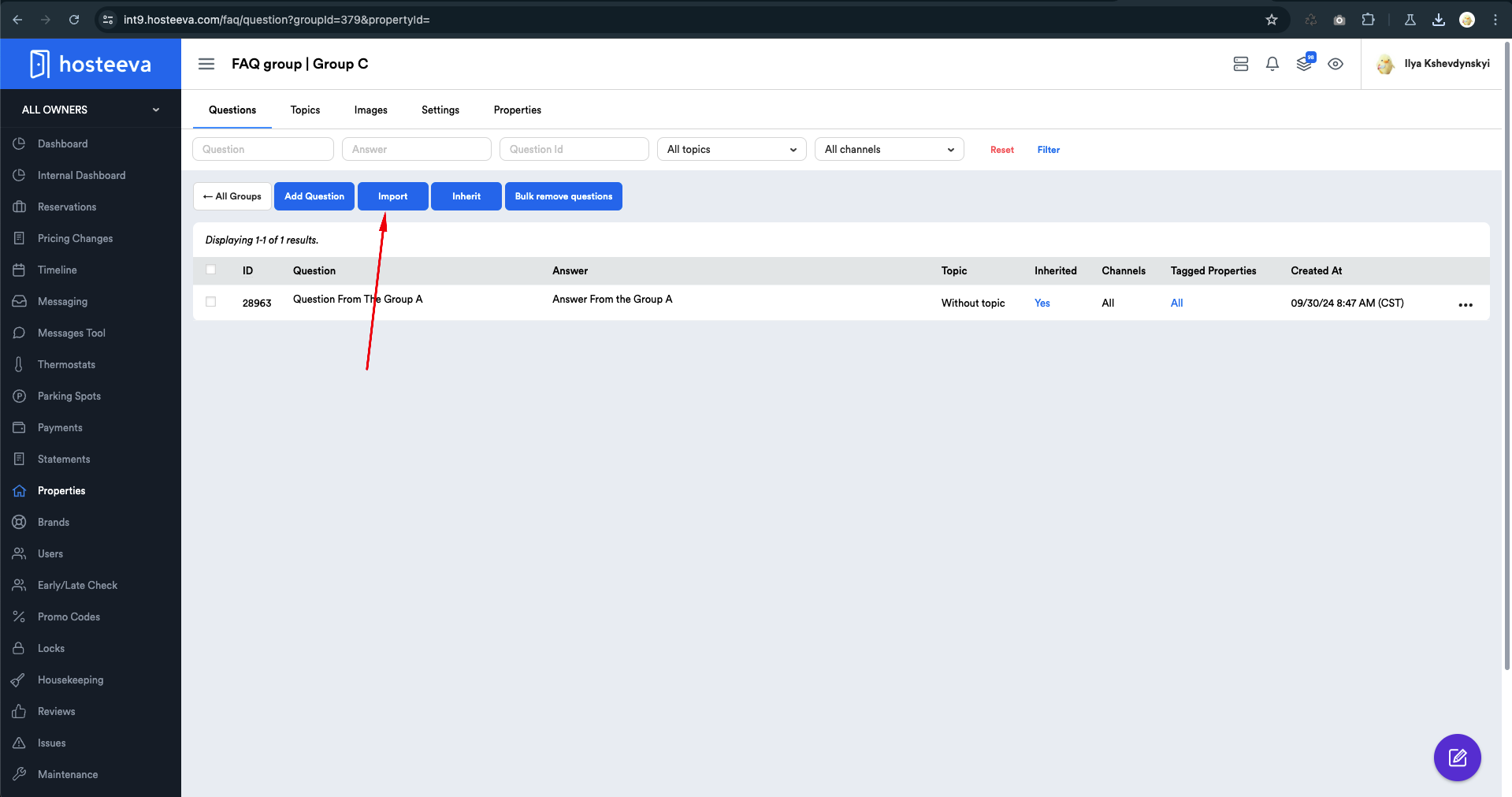
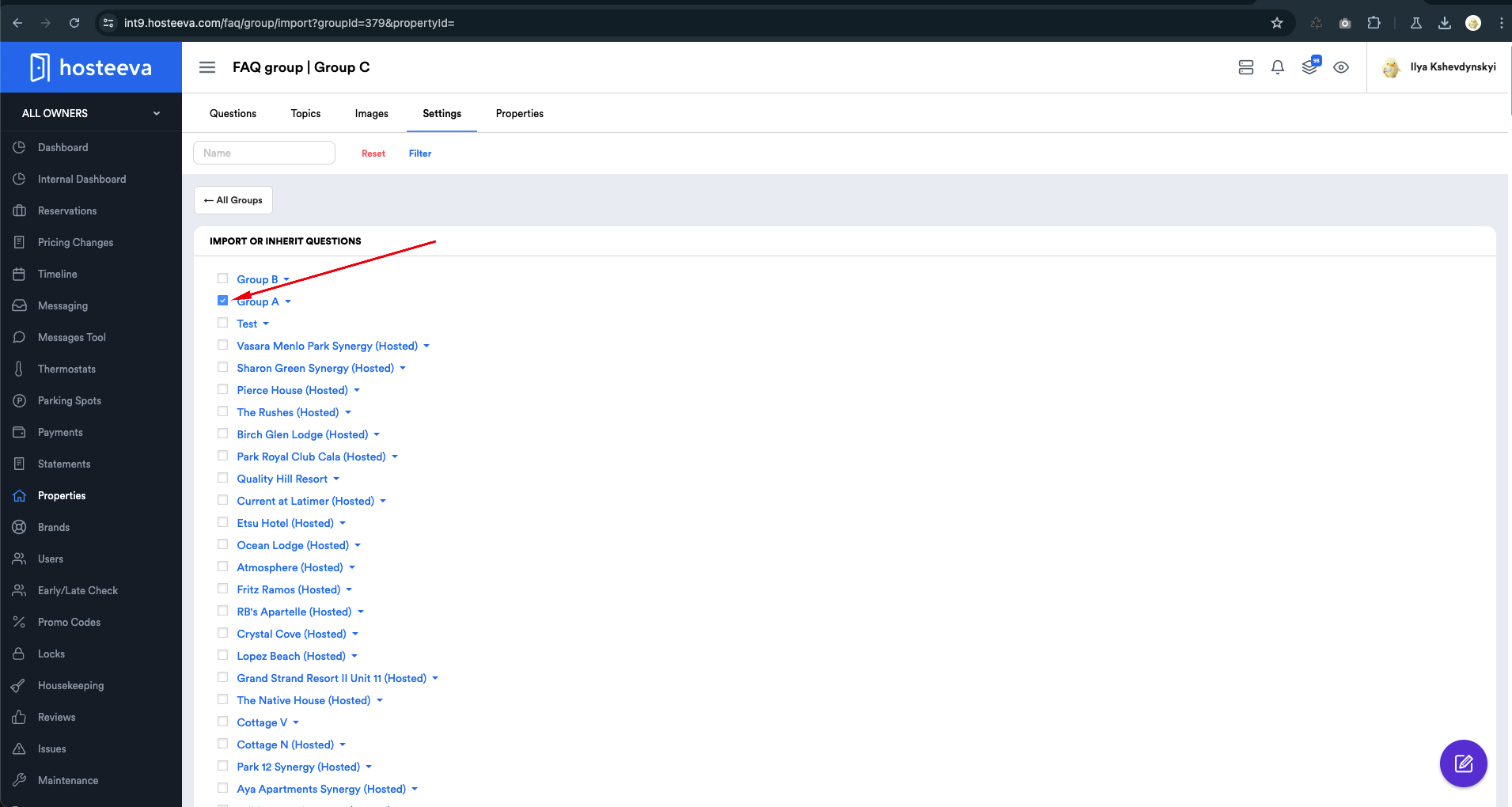
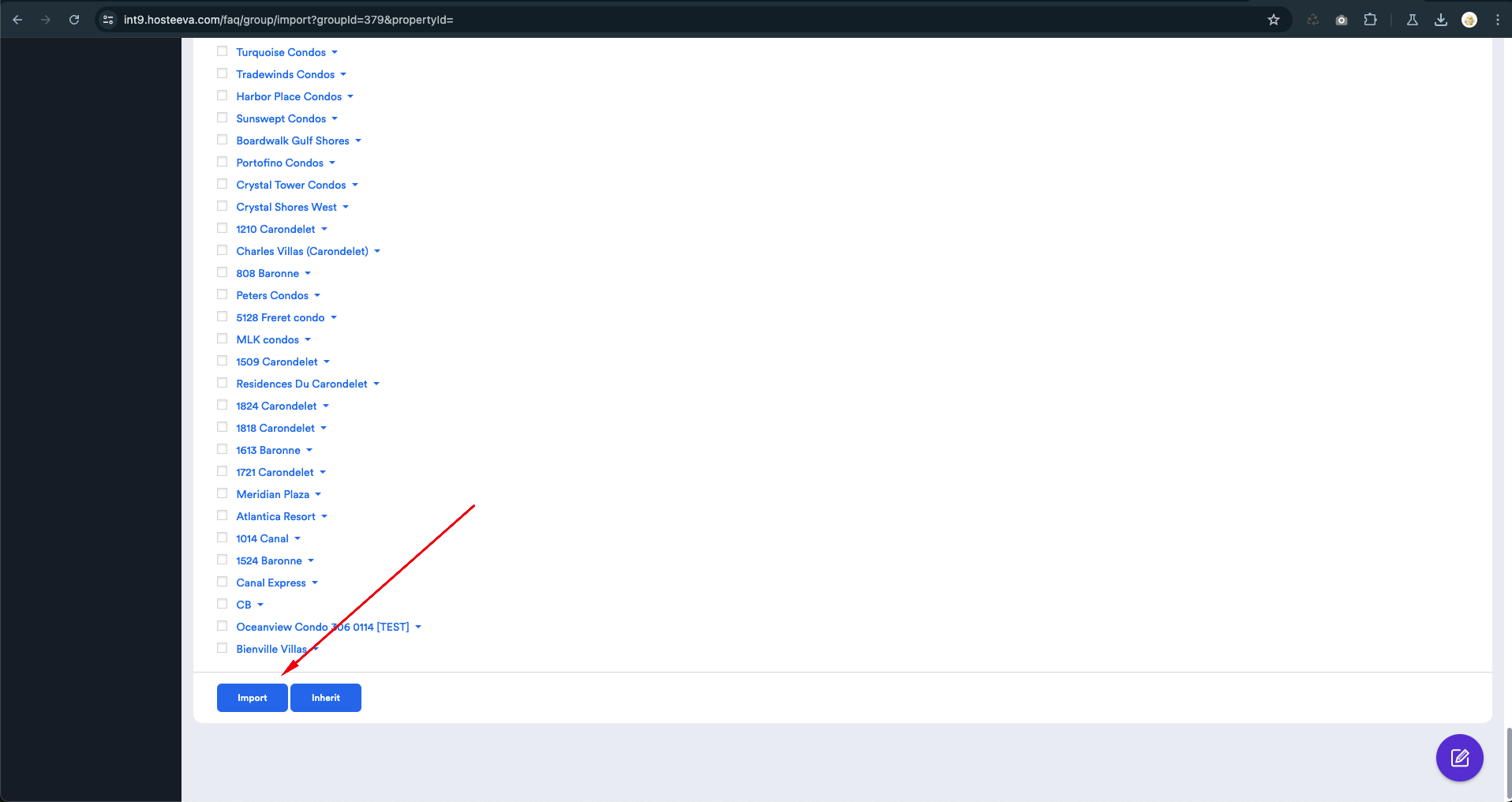
2. Inheritance from the Relevant Group: You can inherit from the group of interest (let’s say Group B). In this case, any future changes made in Group B will be reflected in Group C.
The same steps as for Import:
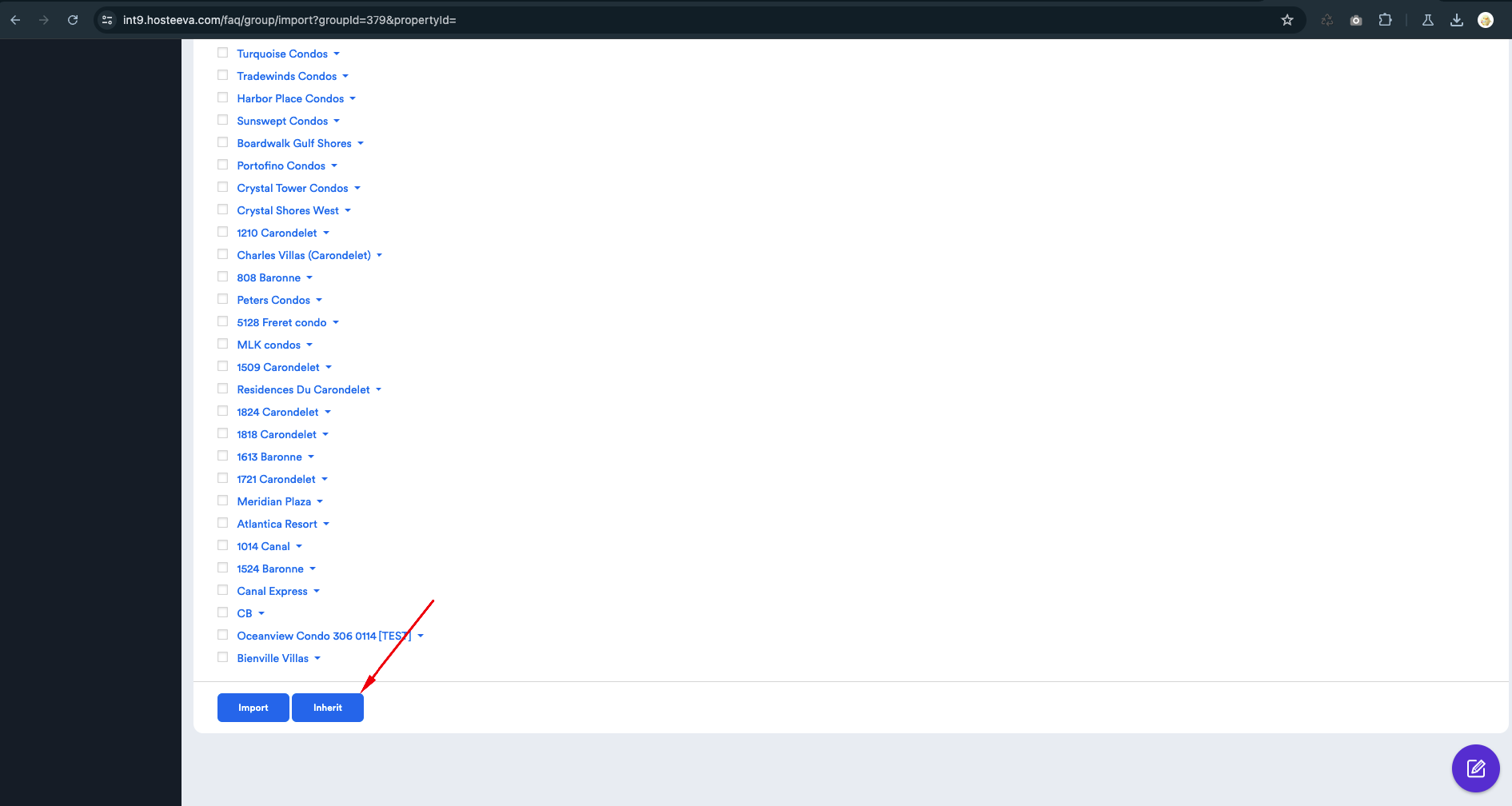
IMPORTANT!!! This inheritance will continue until we change the data being inherited in Group C.
Example:
In Group B, there is FAQ #1. In Group C, there is FAQ #2. Group C has inherited Group B. Now Group C has both FAQ #1 and FAQ #2.
If we change FAQ #1 in Group B, the corresponding changes will appear in Group C.
If we change FAQ #2 in Group C, the inheritance from Group B will not stop because we edited an FAQ that is not in the group from which we are inheriting FAQs.
If we change FAQ #1 in Group C, then the inheritance from Group B will stop. All future changes in Group B will not be reflected in Group C.
Single Tags
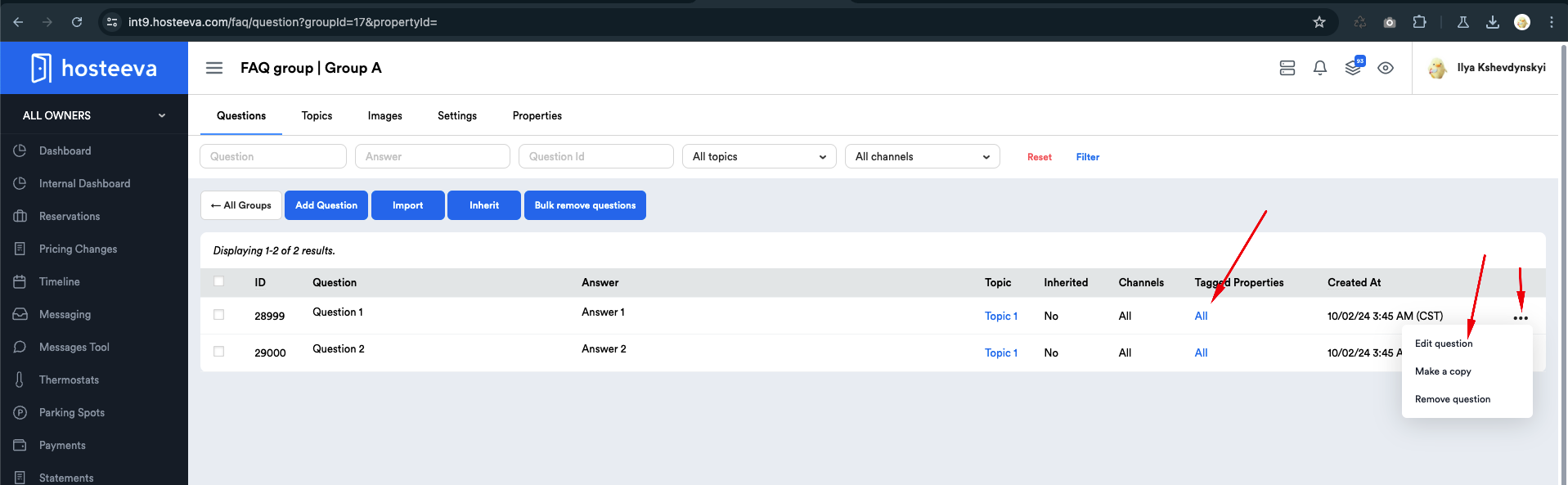
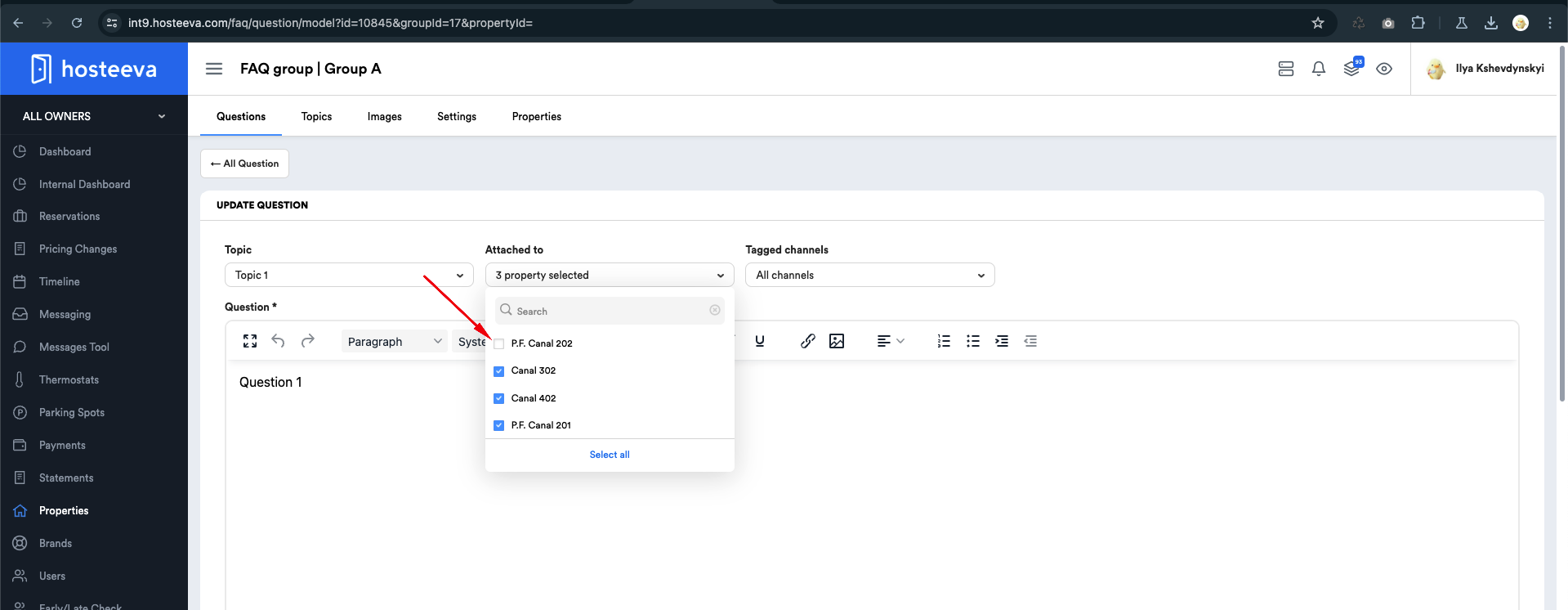
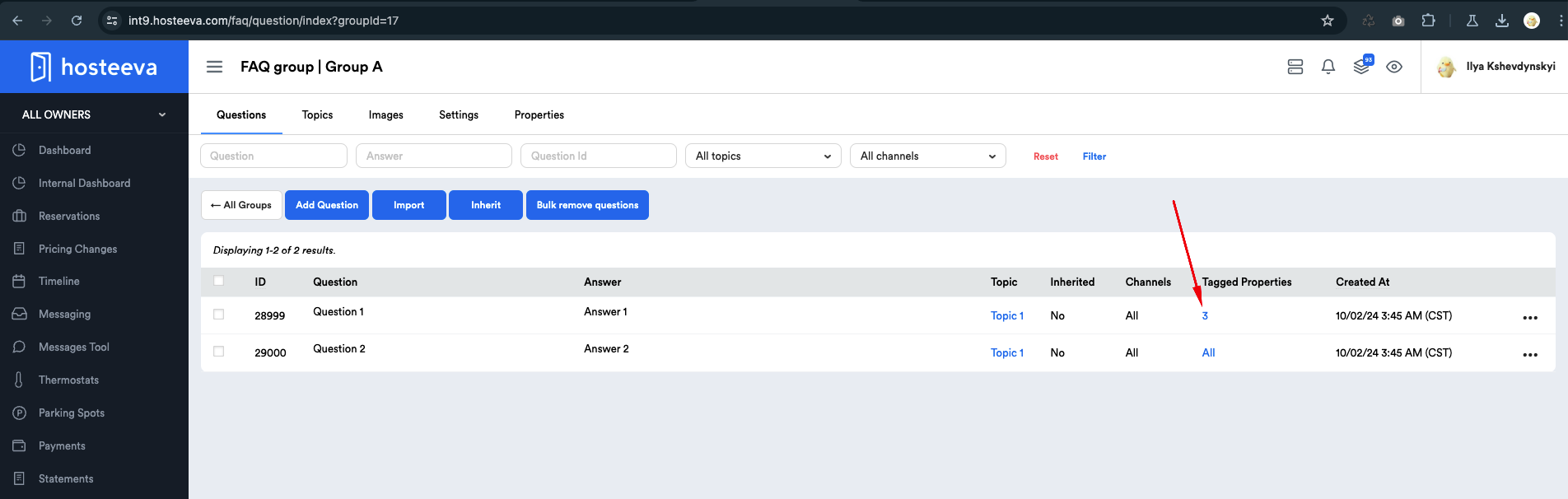
There may be instances when we want a specific question within an FAQ group to be excluded from the FAQ page of a particular property. To achieve this, we need to untag the specific property from the question during the update process.
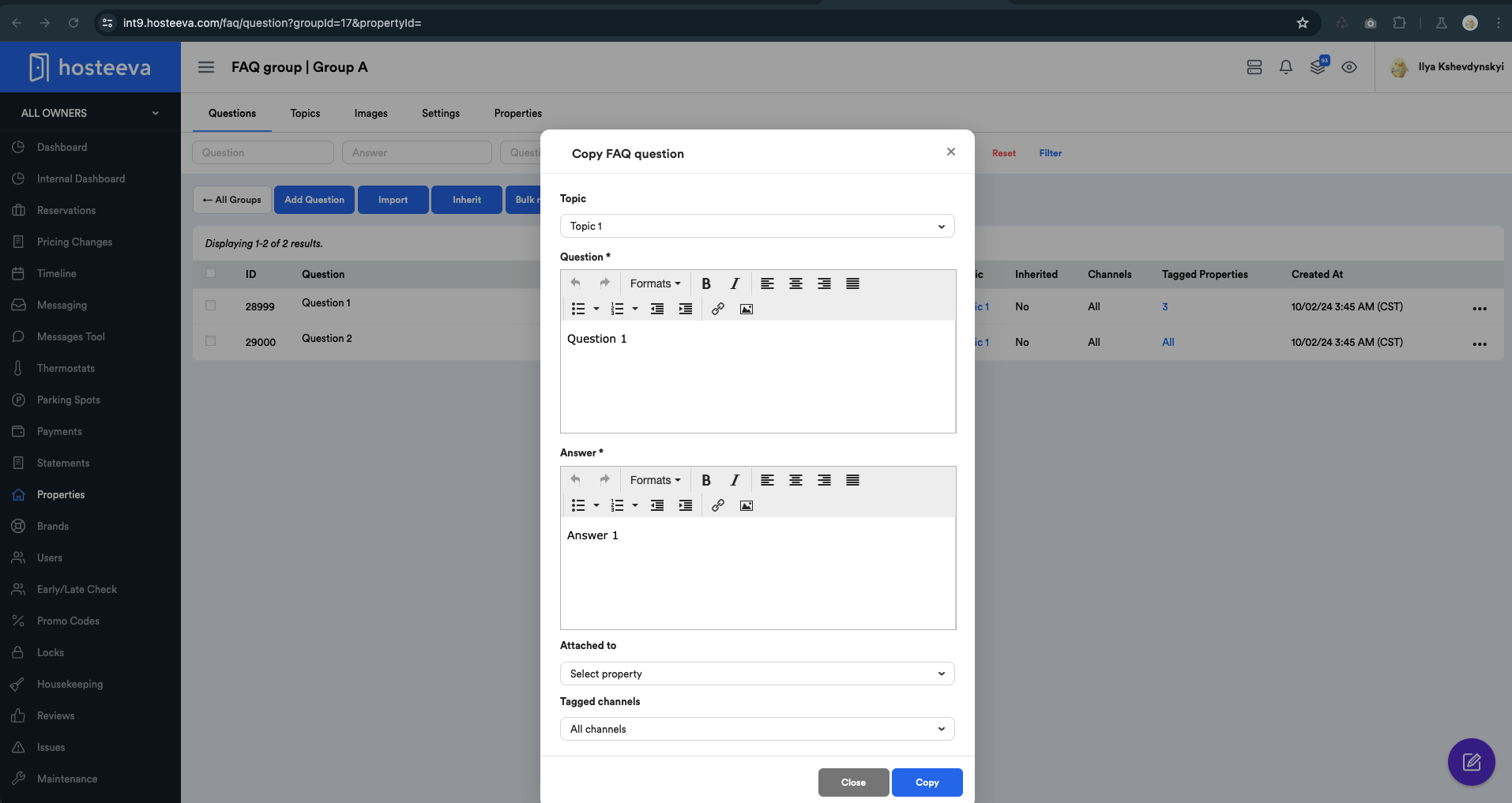
Make a Copy
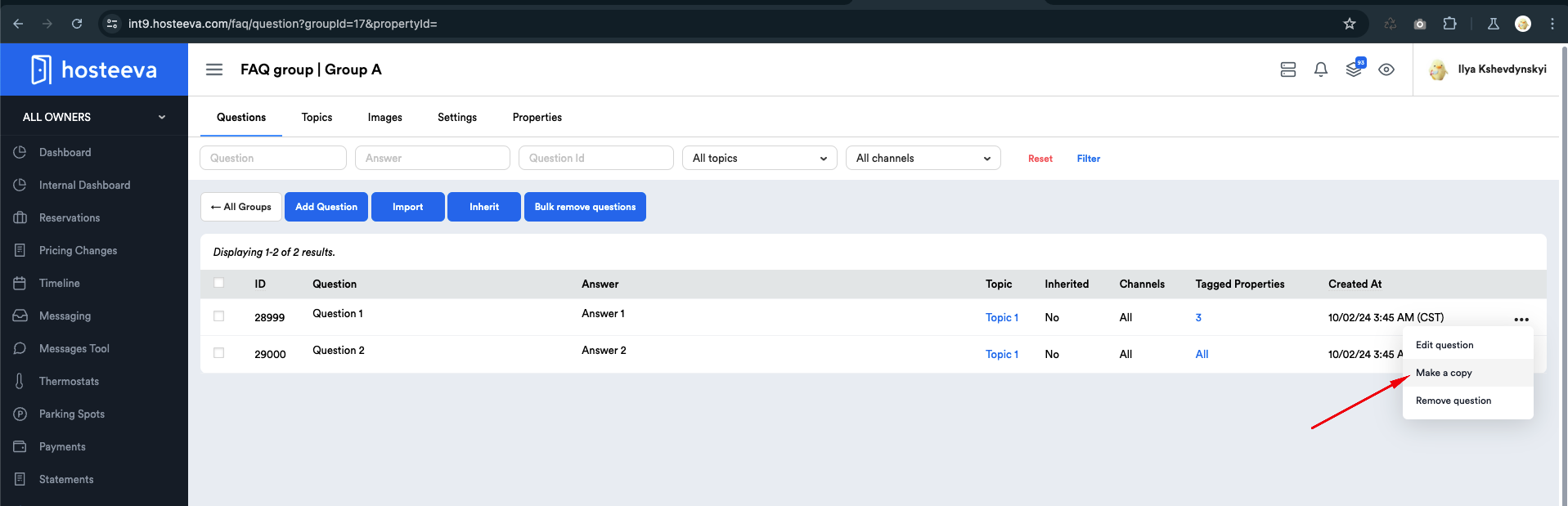
There is an option to create copies of existing questions from the FAQ. This action is only available within FAQ groups. When a copy is created without any modifications, only one question from the FAQ will be displayed on the FAQ page of the attached properties, without any duplicates.
This feature is particularly useful for maintaining consistency across similar topics while ensuring that users are not overwhelmed by redundant information. By allowing users to create a copy, it ensures a quick adaptation of existing content to better meet their needs without the necessity of starting from scratch.
Inheritance Chains of Groups and Their Changes
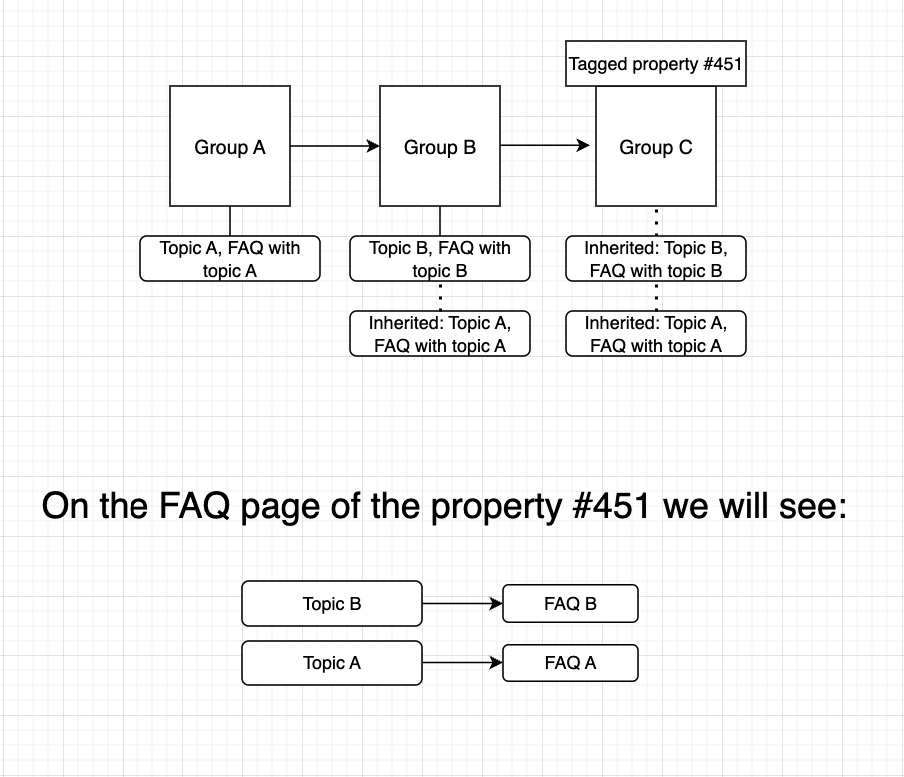
Let’s assume we have groups A, B, and C.
Group A acts as a parent and contains the topic "Topic From Group A." Under this topic, one FAQ is created.
Group B inherits from Group A. In Group B, a topic "Topic from Group B" is created, and under it, there is also one FAQ.
Group C inherits from Group B (and thus from Group A since Group B inherits from Group A). Group C has no topics created. The property "451 Test Property" is tagged to Group C.
Thus, on the FAQ page of 451 Test Property, two topics will be displayed: "Topic from Group A" & "Topic from Group B," along with the corresponding two FAQs attached to these topics.
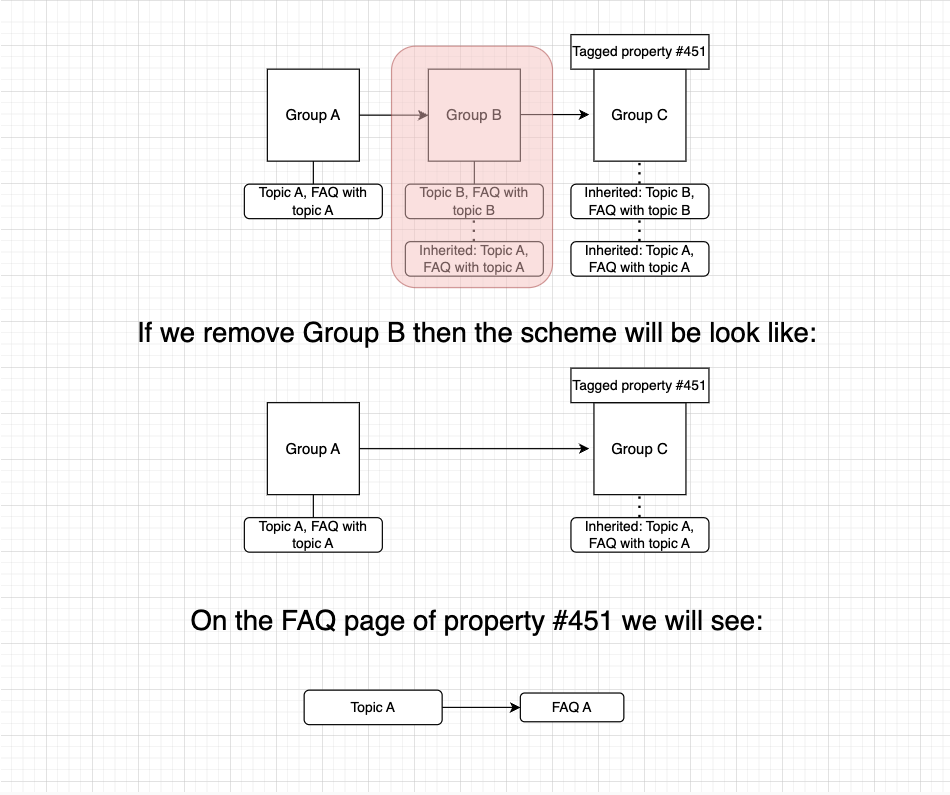
If we delete Group B, then Group C will begin to inherit from Group A, while all records that were previously inherited from Group B will be removed.
Global Topics
Global Topics allow you to create a single topic that can be assigned to multiple groups.
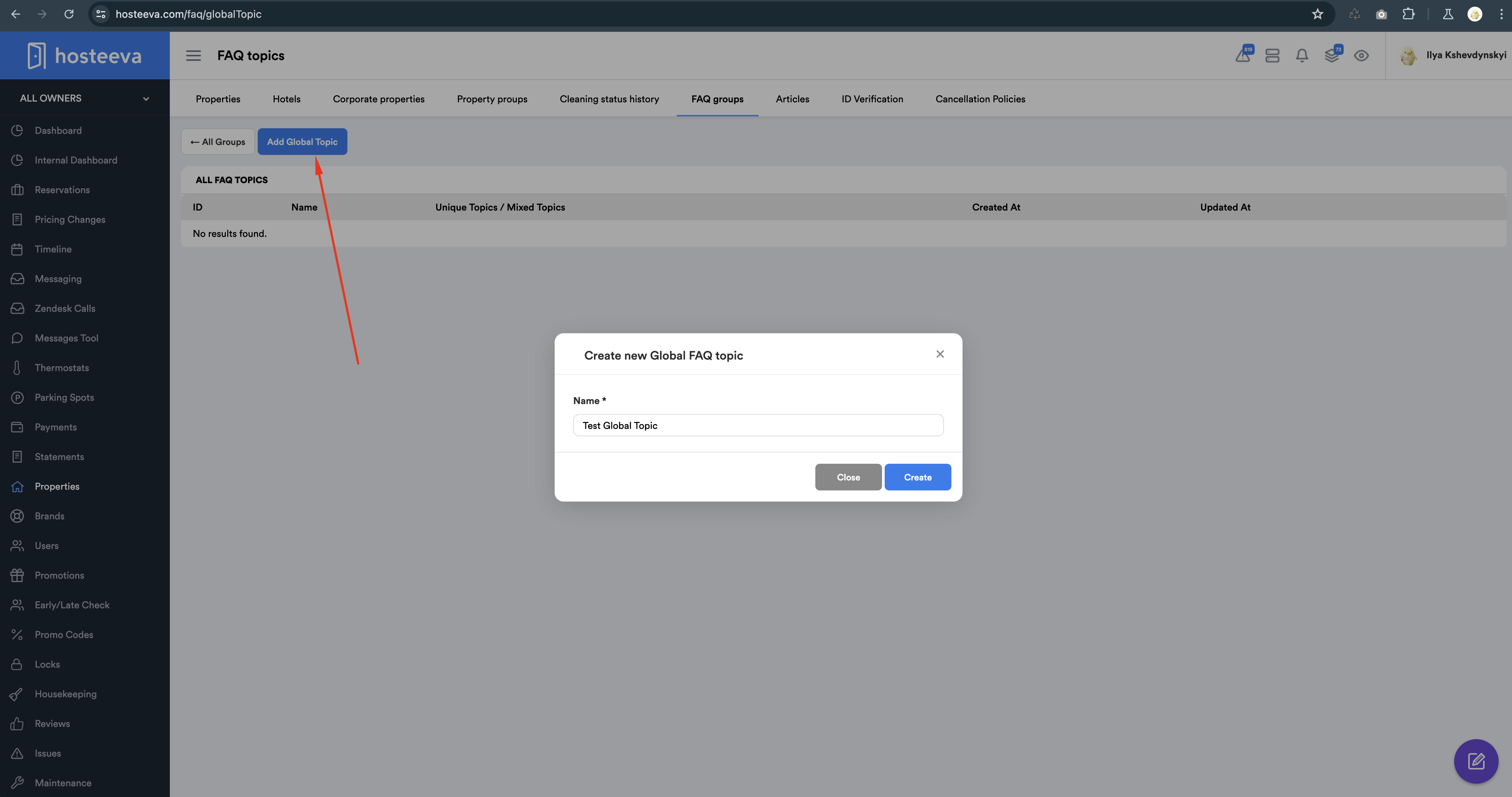
To manage Global Topics, click on the Manage Global Topics button. In the list of Global Topics, you will find the existing topics, which can be edited or deleted, and you also have the option to bulk assign them to FAQ groups. Additionally, you can create a new Global Topic from this interface.
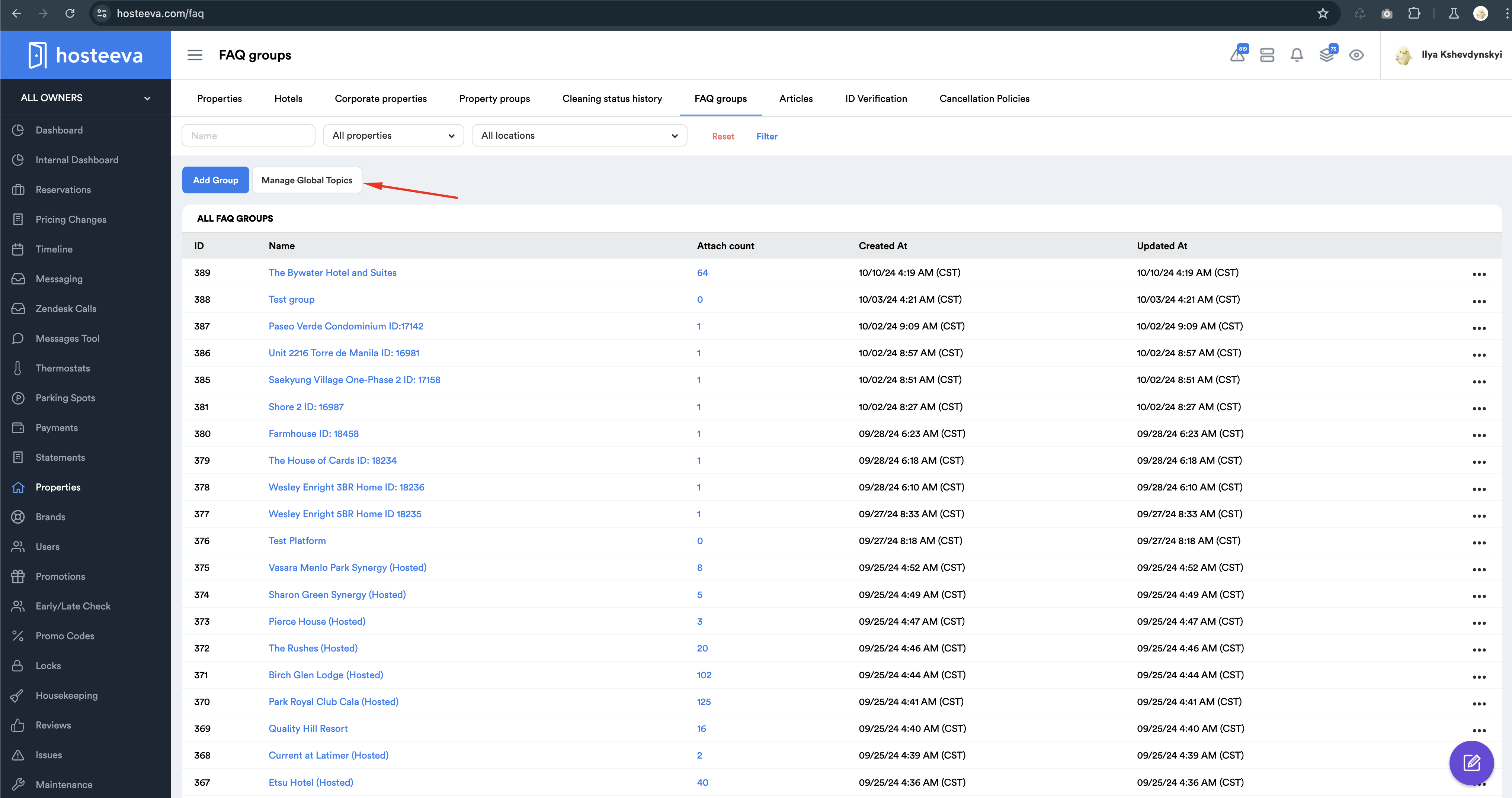
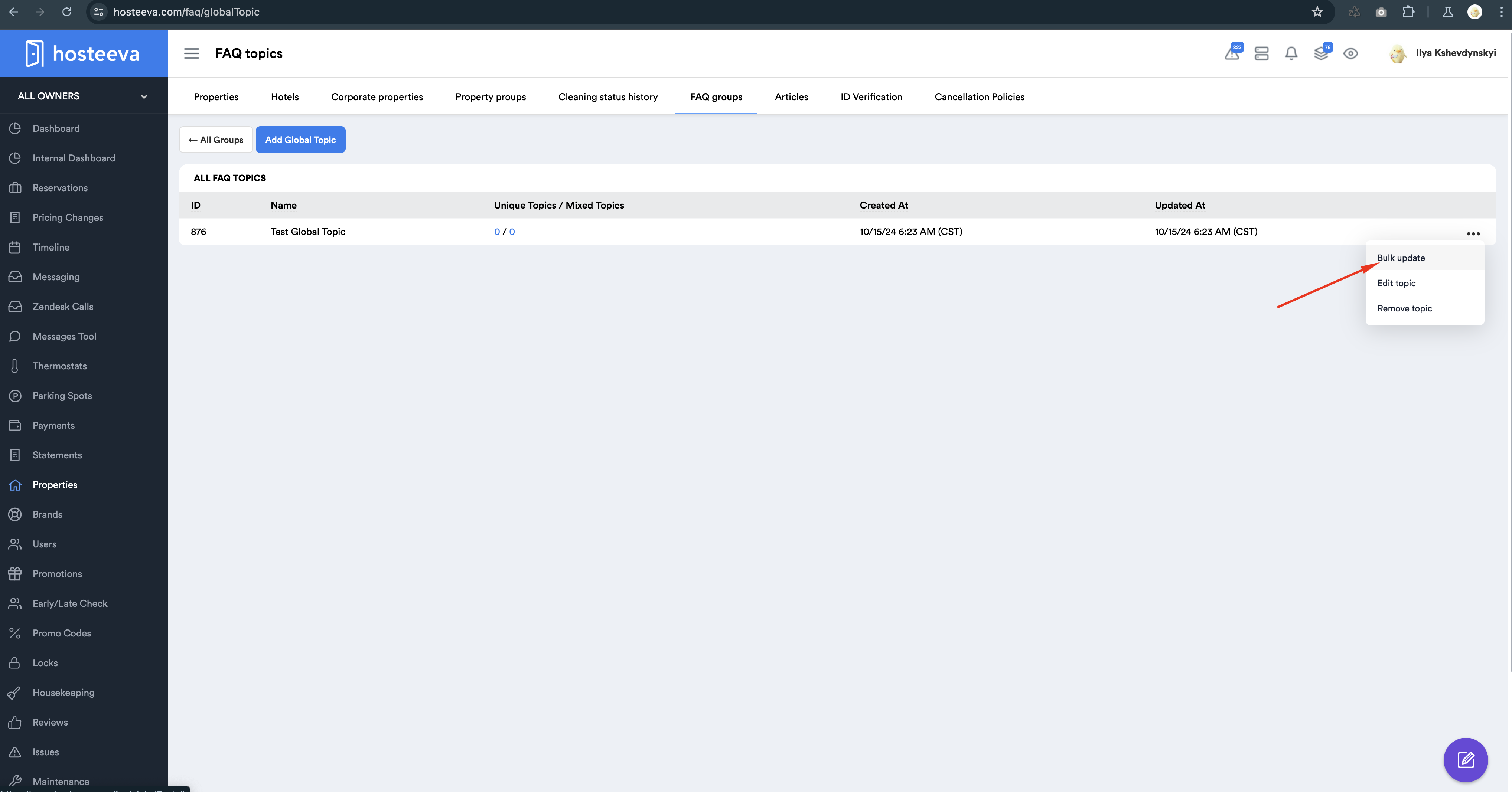
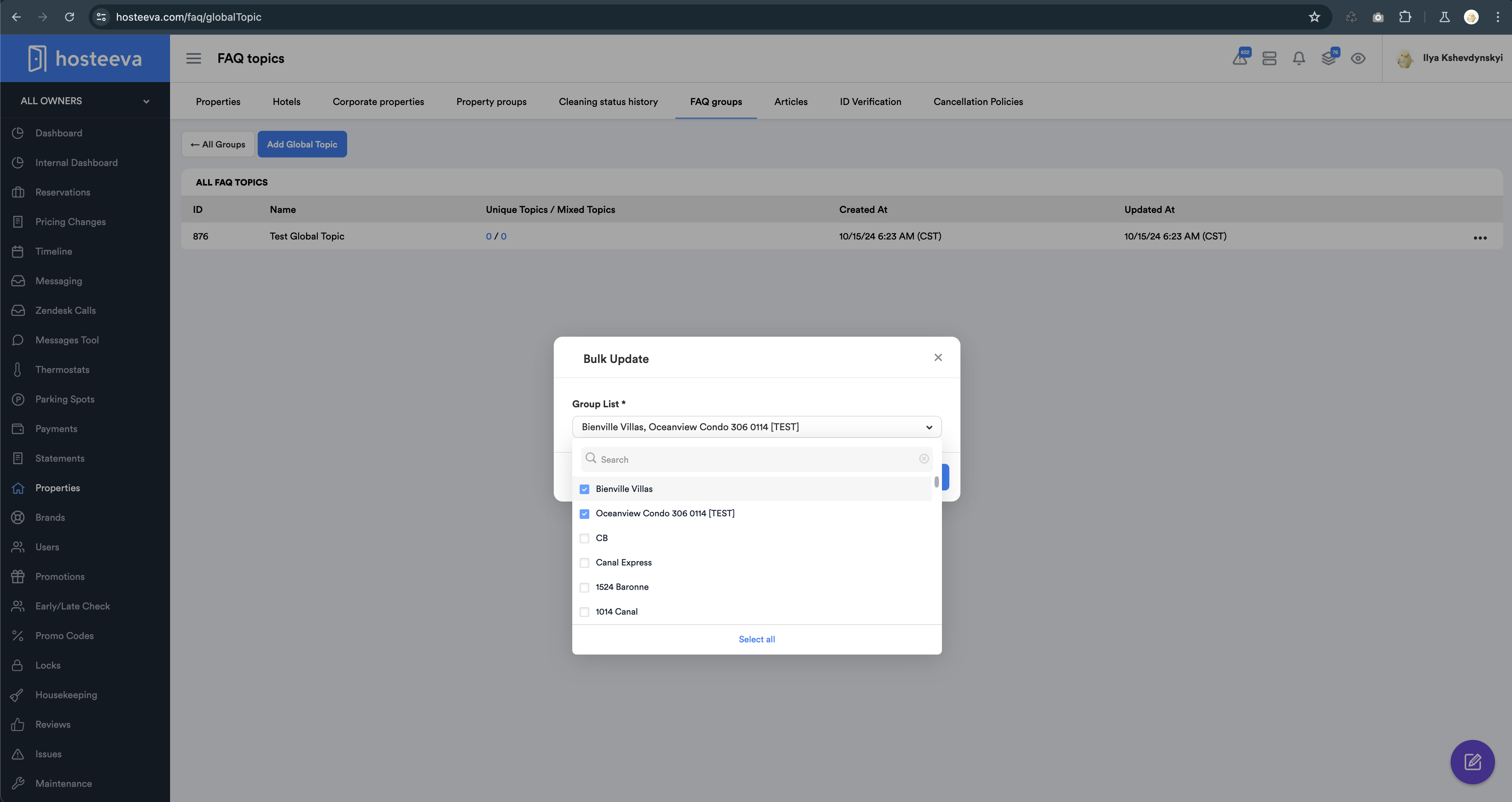
To assign a Global Topic to multiple groups simultaneously, locate the desired Global Topic, click on the three dots next to it, and select Bulk Update. In the dropdown menu, choose the FAQ groups you wish to assign the topic to and then click the Submit button.
Important!!! If you assign a Global Topic to a specific FAQ group, all questions in that group (whether they were previously unassigned or had a different topic) will now inherit the newly assigned Global Topic.
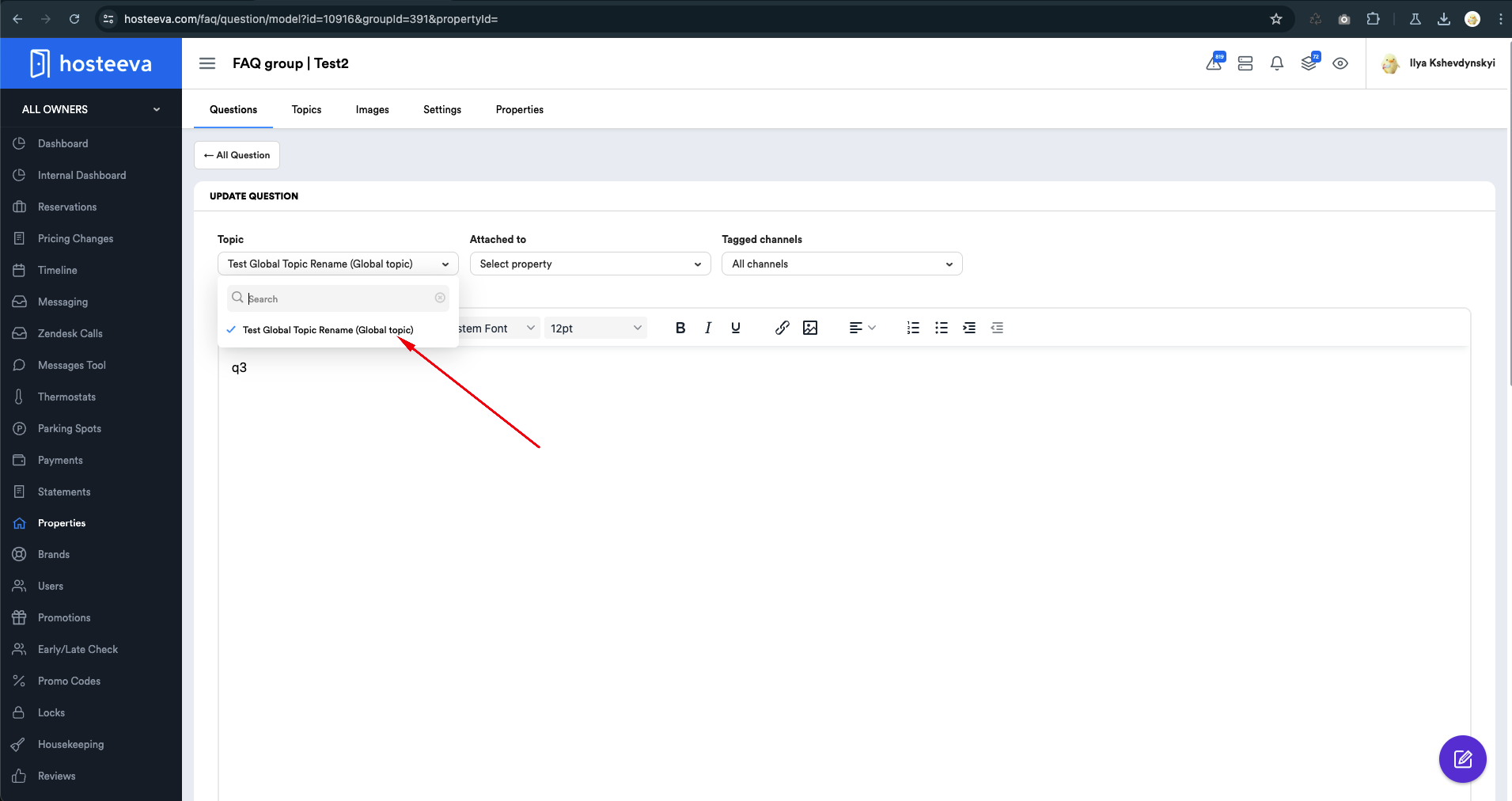
On the question update page, Global Topics will be identified in the list of topics by the designation (Global Topics). This clear labeling ensures users can easily recognize which topics are categorized as global, facilitating better management and organization of the content.
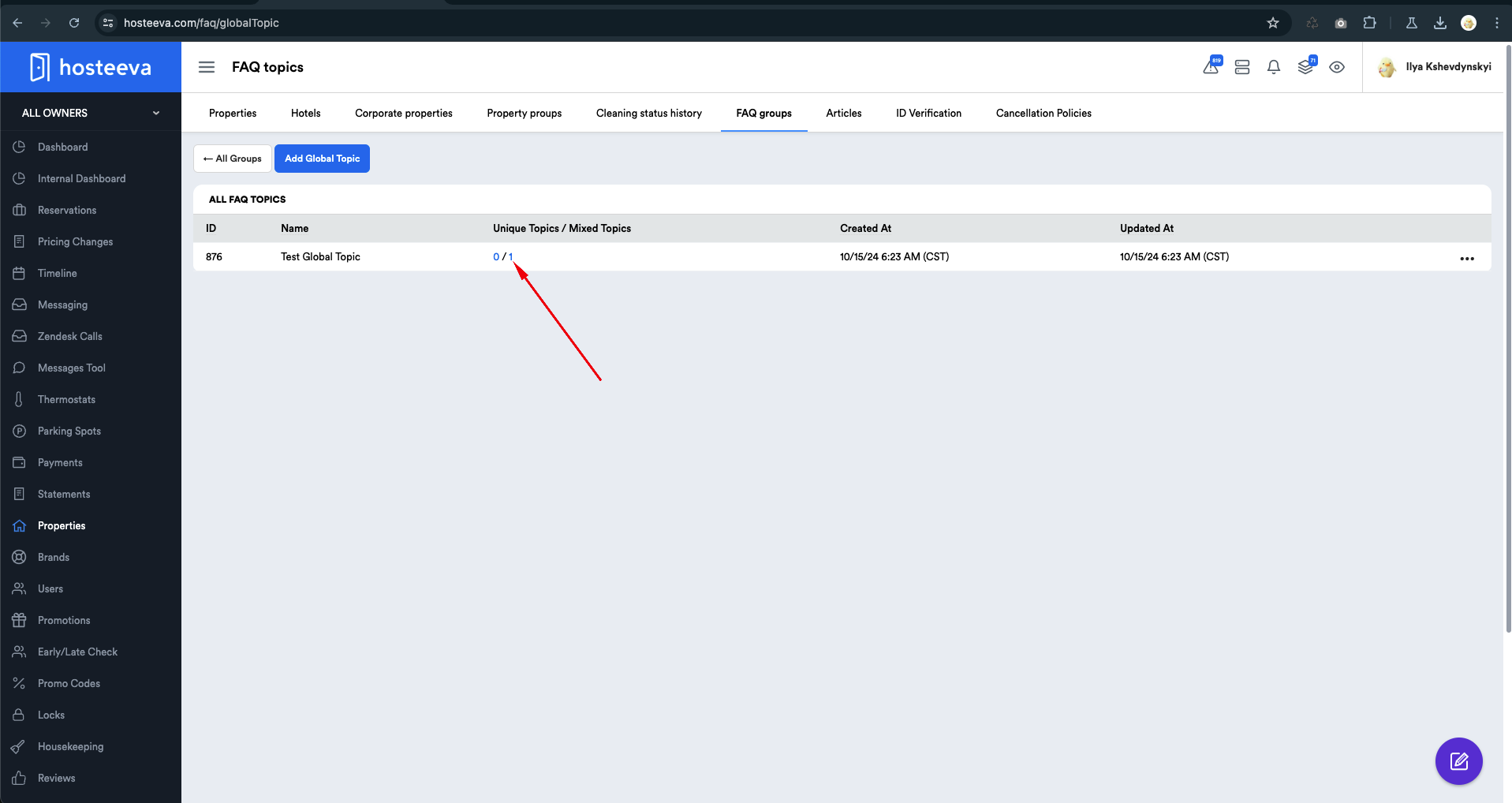
Unique Topics / Mixed Topics
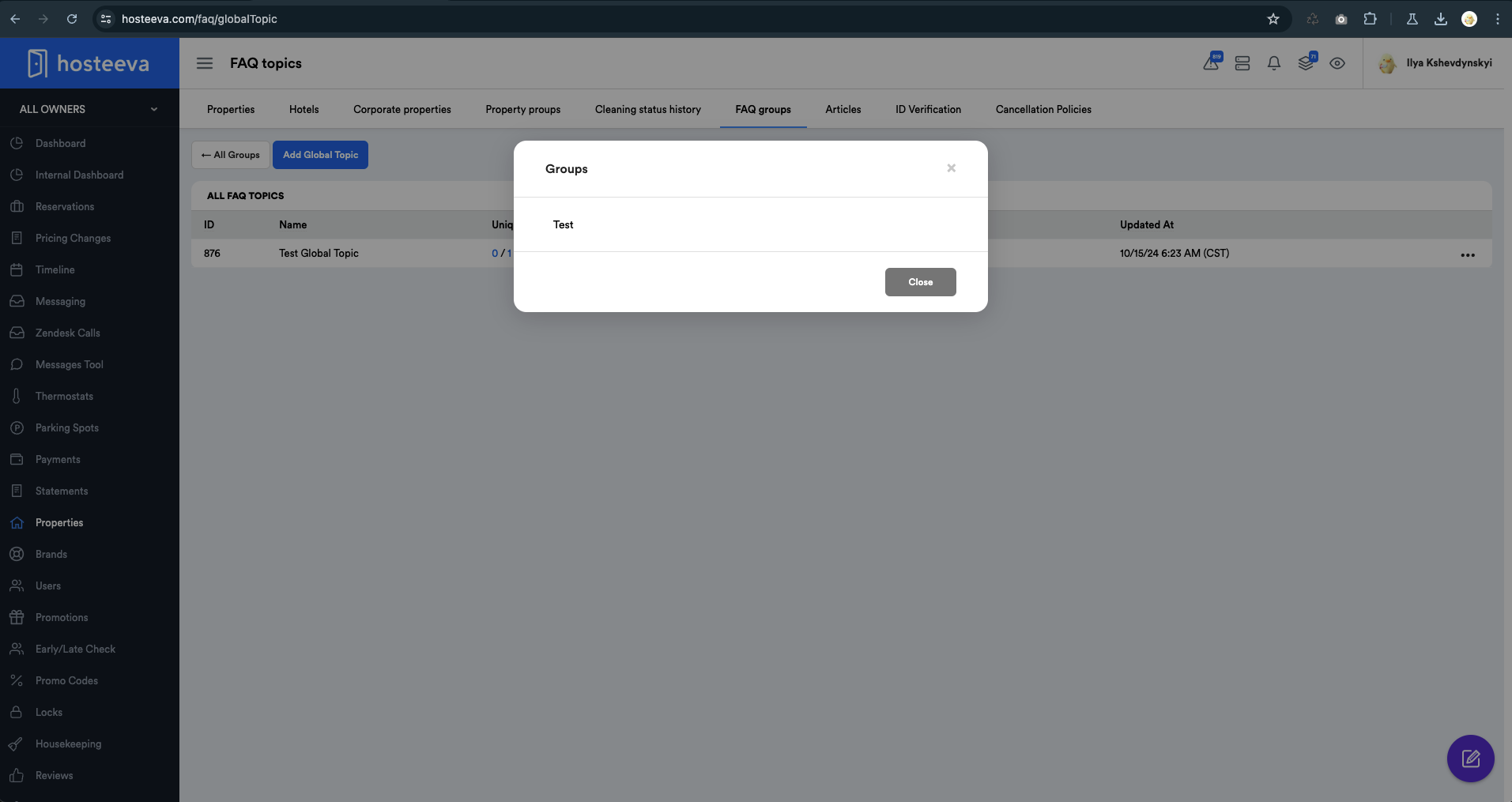
The Global Topics feature includes a column for Unique Topics / Mixed Topics. Unique Topics refer to the number of groups where all questions exclusively share this topic. Conversely, Mixed Topics indicate groups that have a Global Topic assigned, but only to some of the questions.
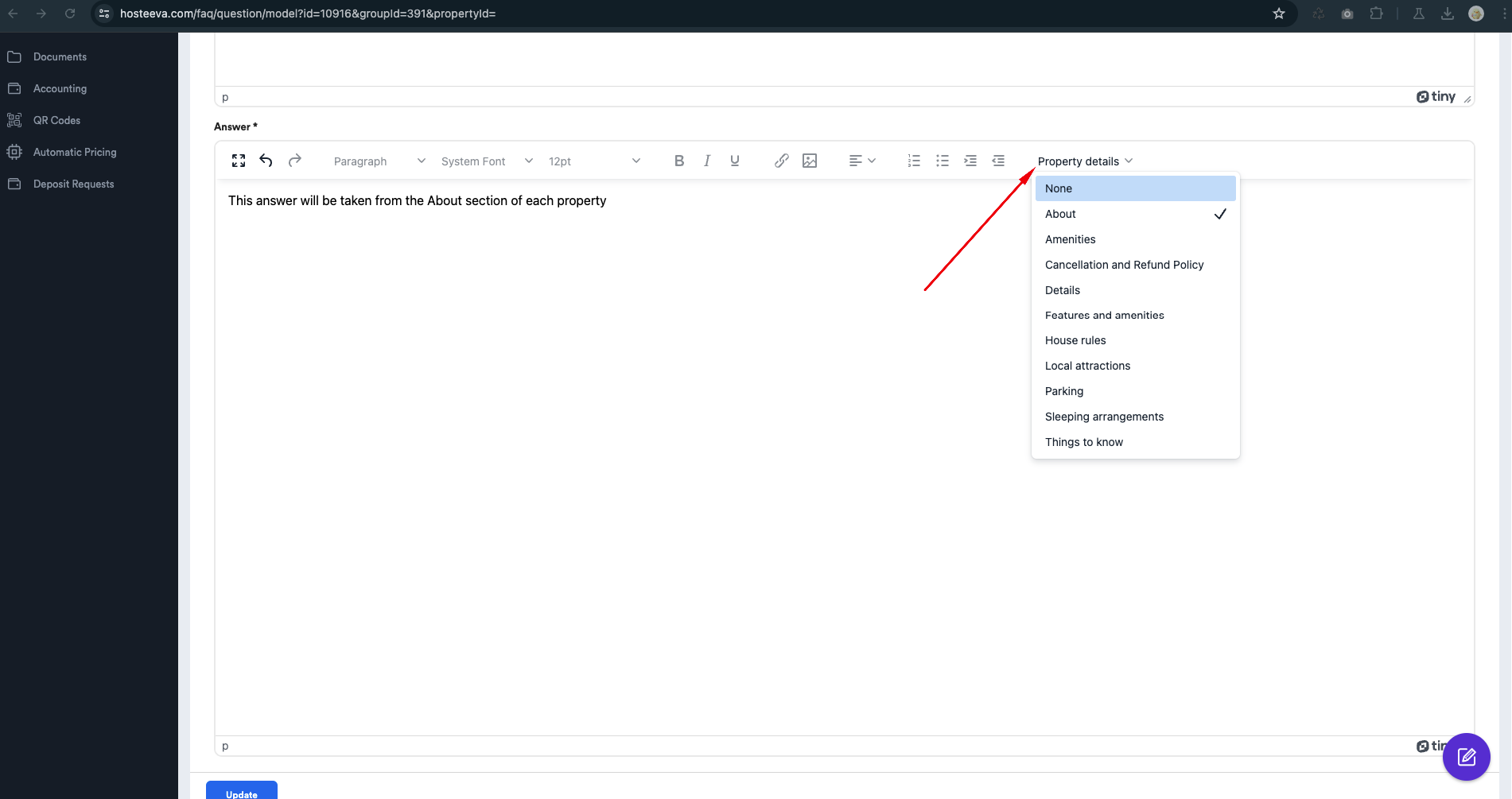
Answers Based on Information from the Property Details Page
If you need the answer to a question to be automatically populated from the property details page for each individual property, this can be done during the update or creation of the question.
To set this up, navigate to the answer section of the question and select the specific part of the property details from which the answer will be drawn. This allows for a seamless integration of relevant property information into your FAQ responses.
Note: These questions will have unique answers for each property, regardless of whether they were imported or inherited. This ensures that each property provides accurate and pertinent information tailored to the specific inquiries of users.