Step 1: Log in to your Expedia account. Find your property by searching for its ID or name. From the left sidebar, select Property details.
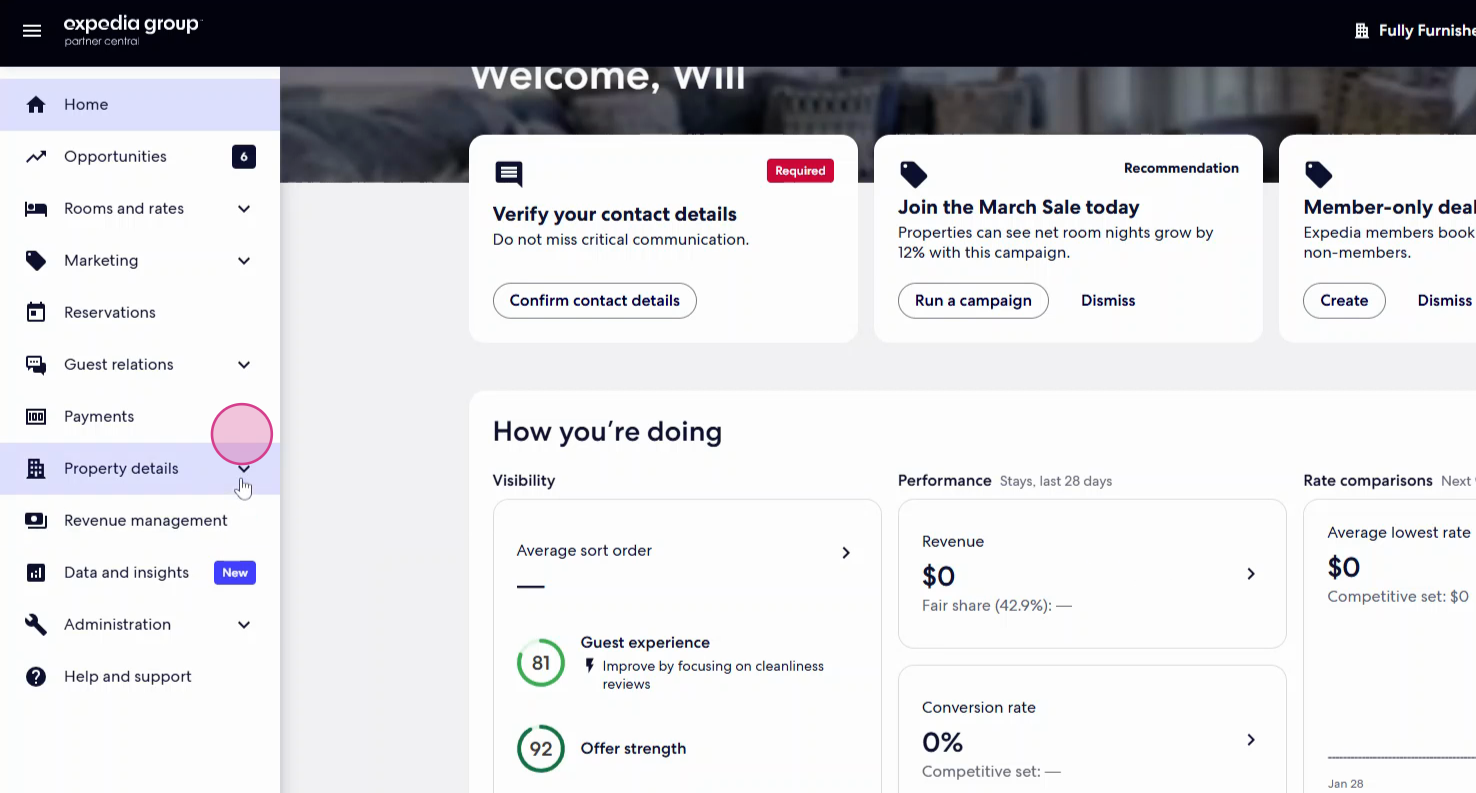
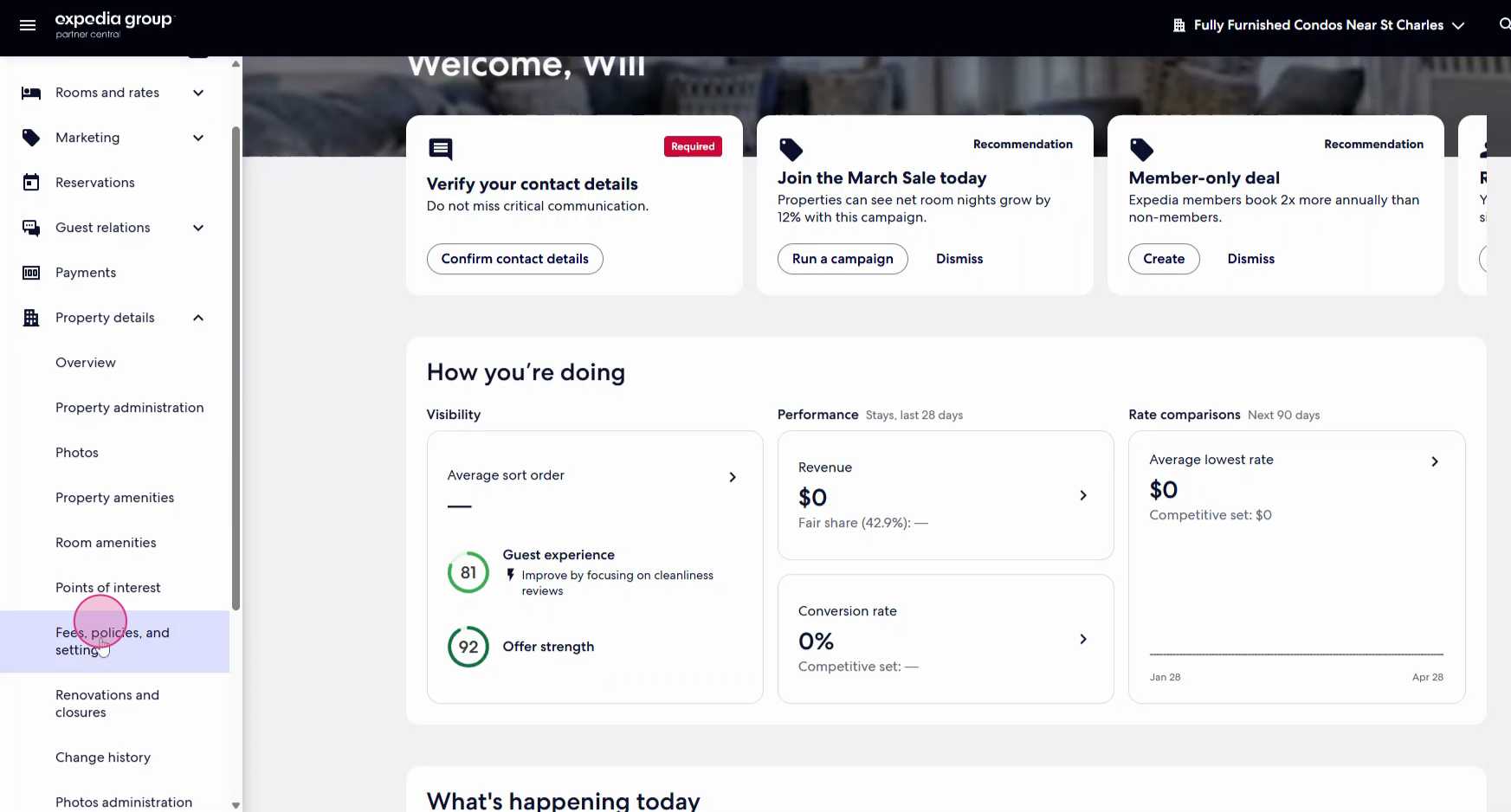
Step 2: From drop down, select Fees, policies, and settings.
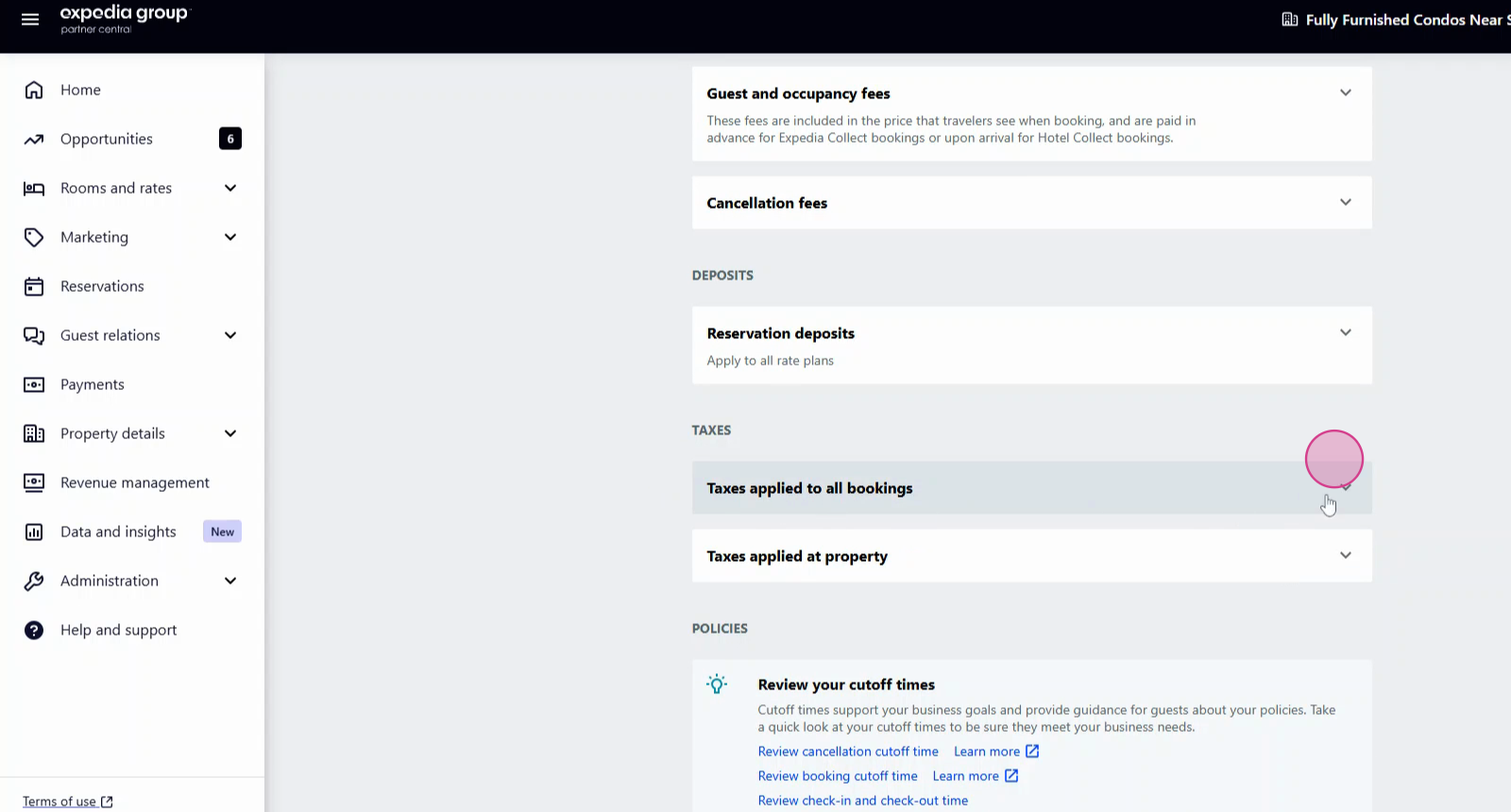
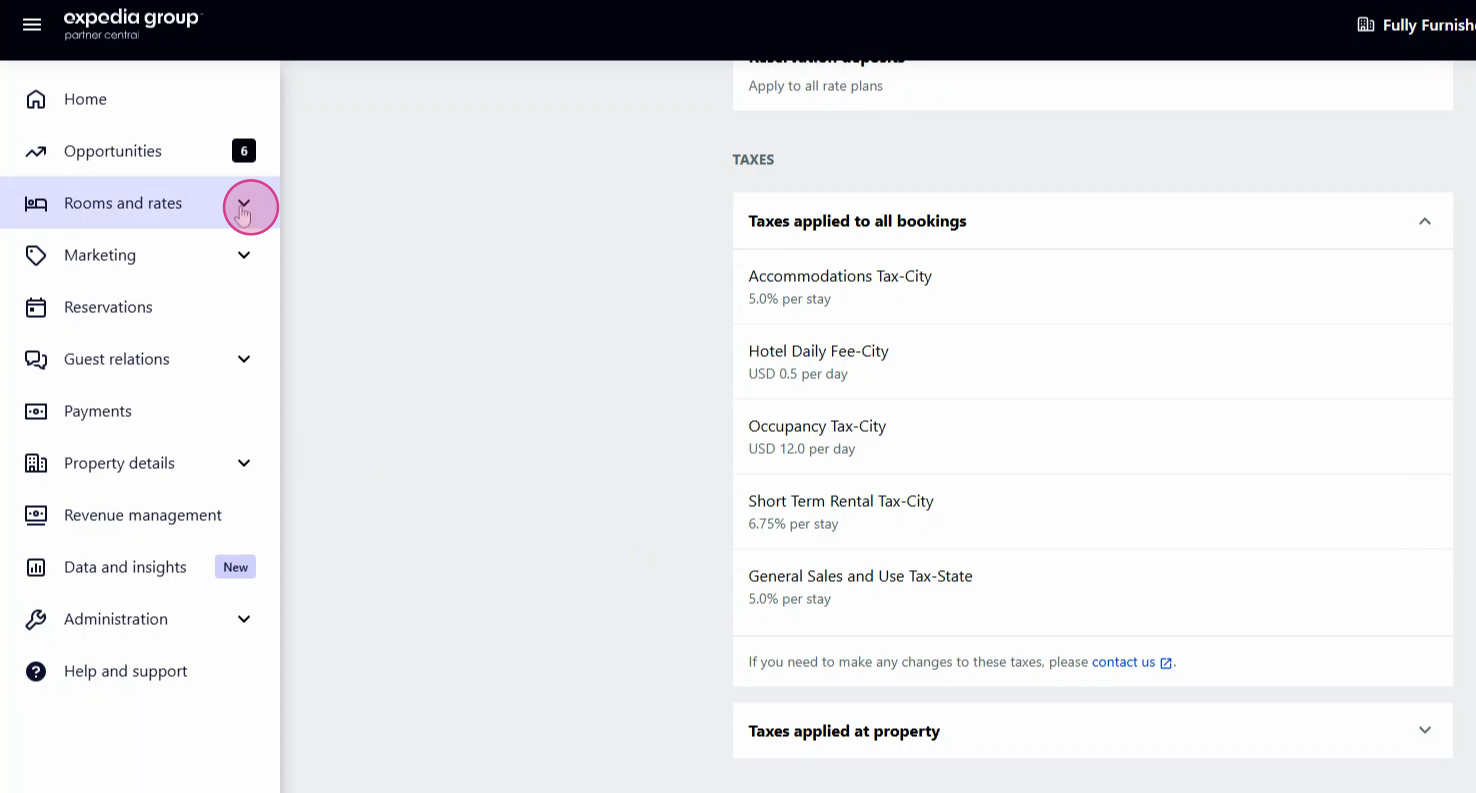
Step 3: Under "Taxes," look for Taxes applied to all bookings. Click the dropdown to review currently applied taxes.
Step 4: If you spot missing or incorrect taxes, contact Expedia at hoteltaxupdate@expedia.com. Attach an official document or link as proof to support your correction request.
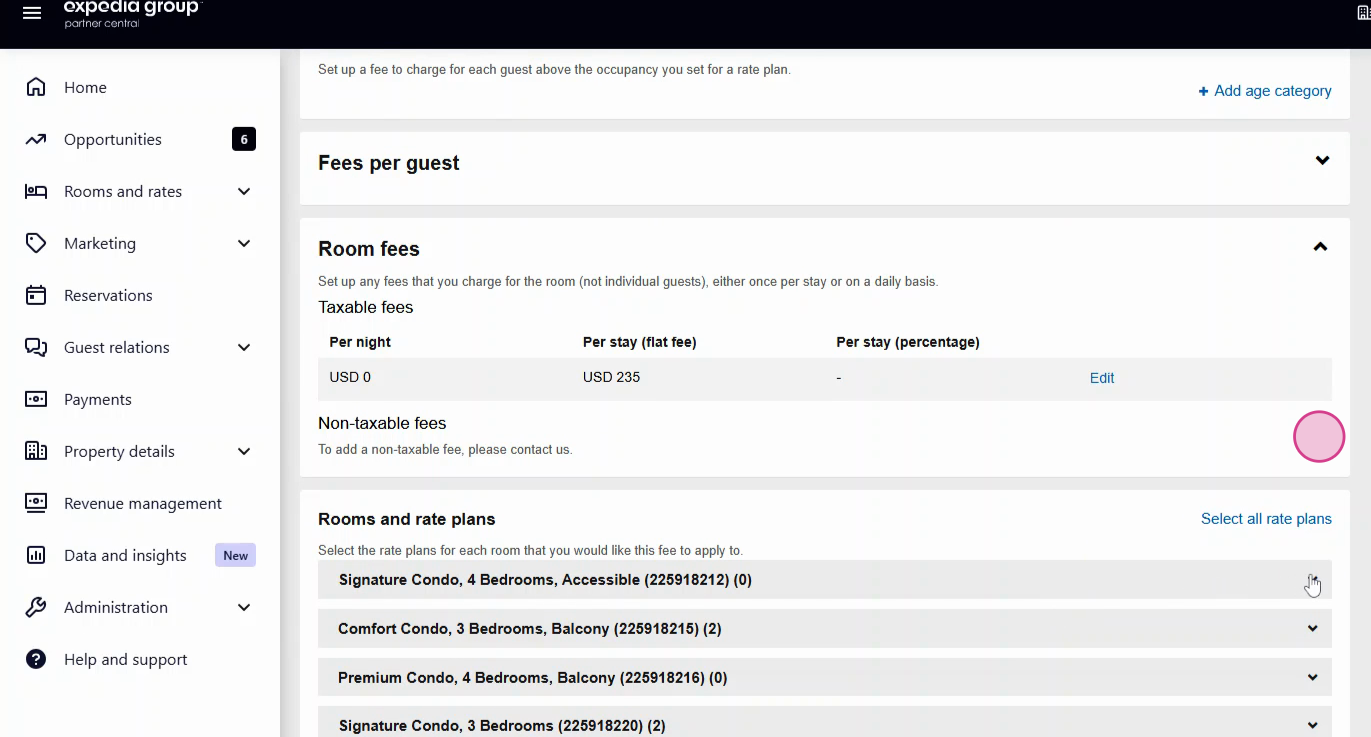
Step 5: To check or create a fee setup applied during reservations, go to Rooms and rates.
Step 6: From drop down, find the Guest and occupancy fees section.
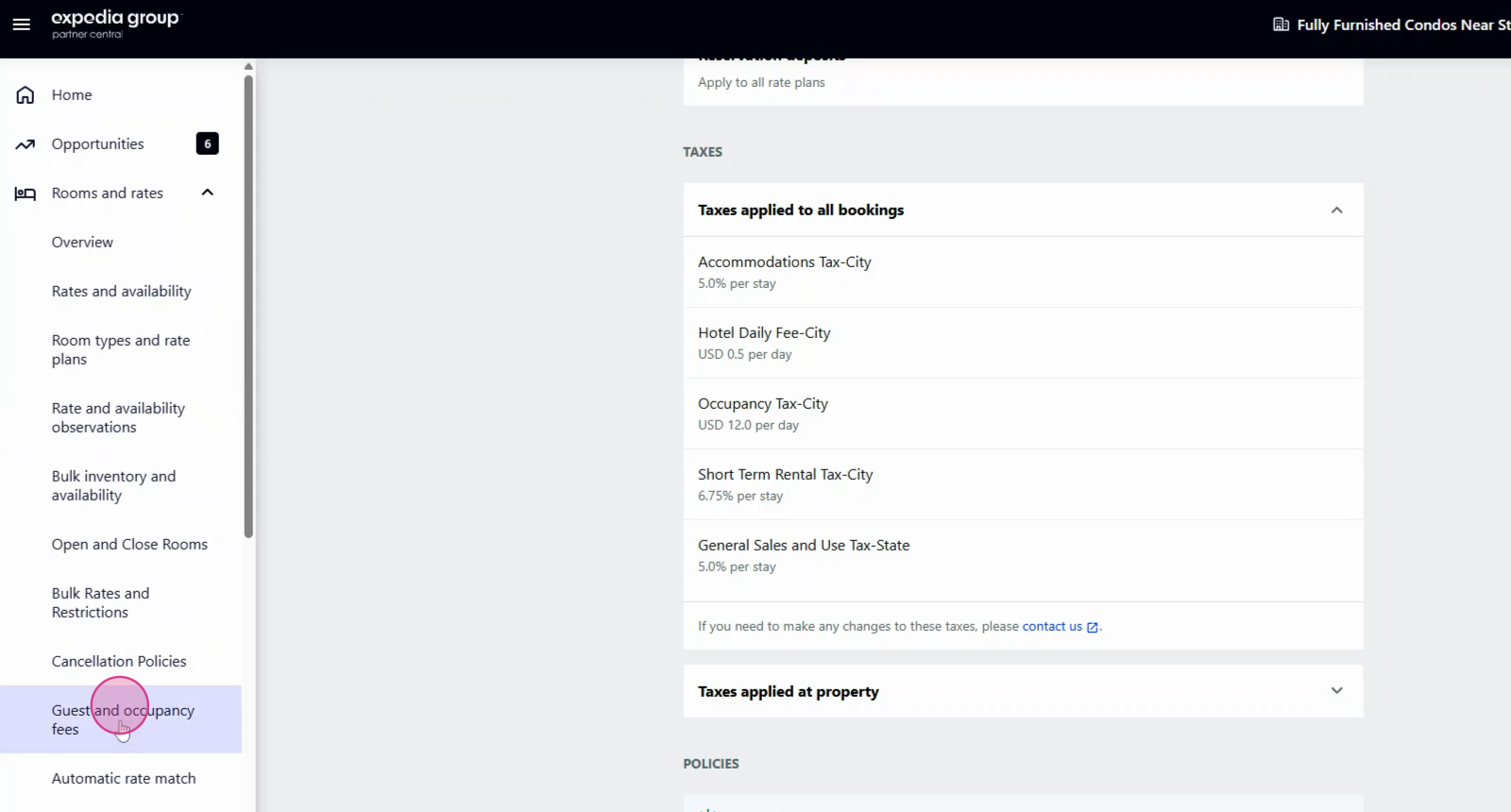
Step 7: Click on Actions next to edit an existing fee, or hit Create new fee to add a new one.
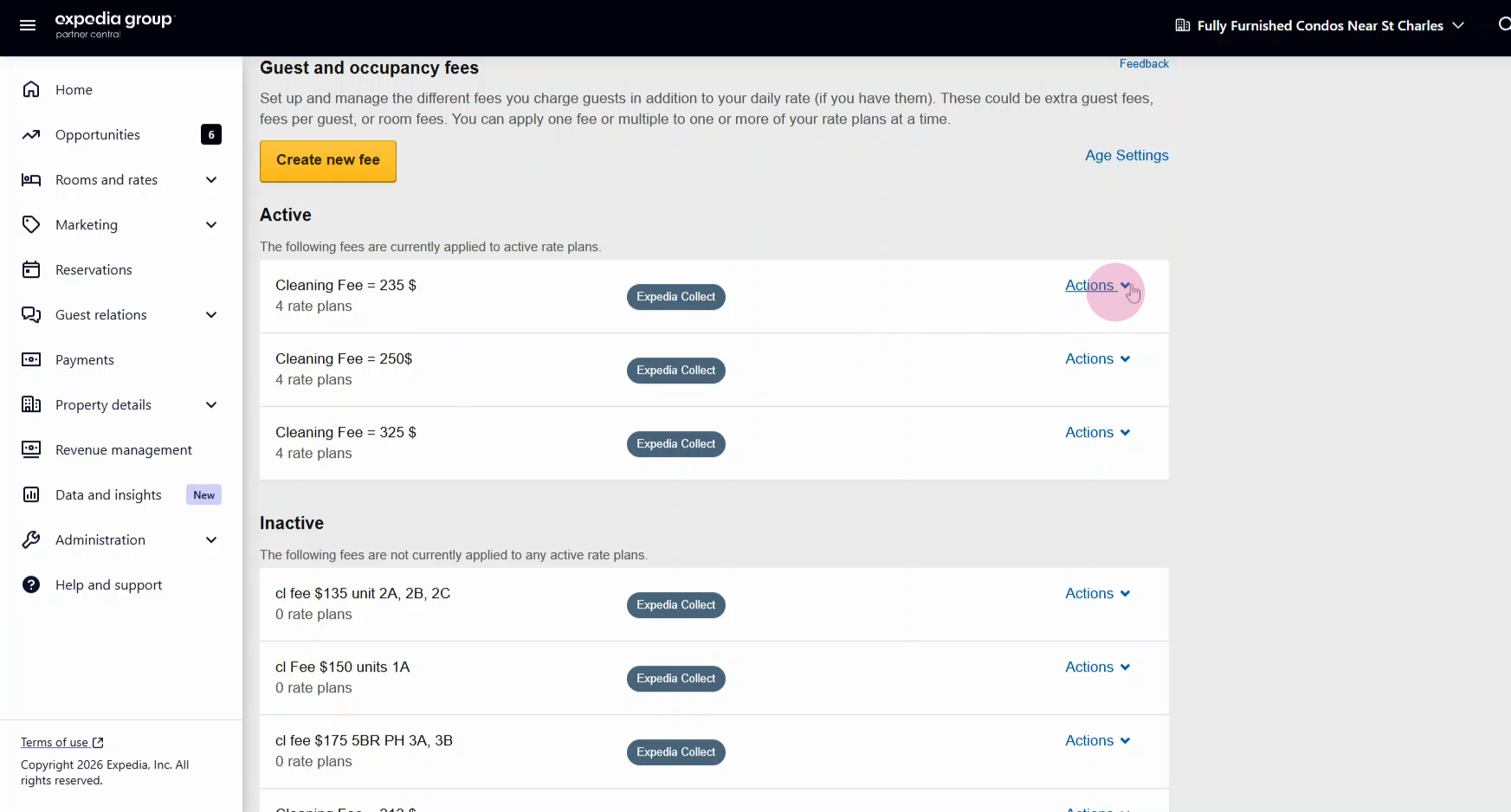
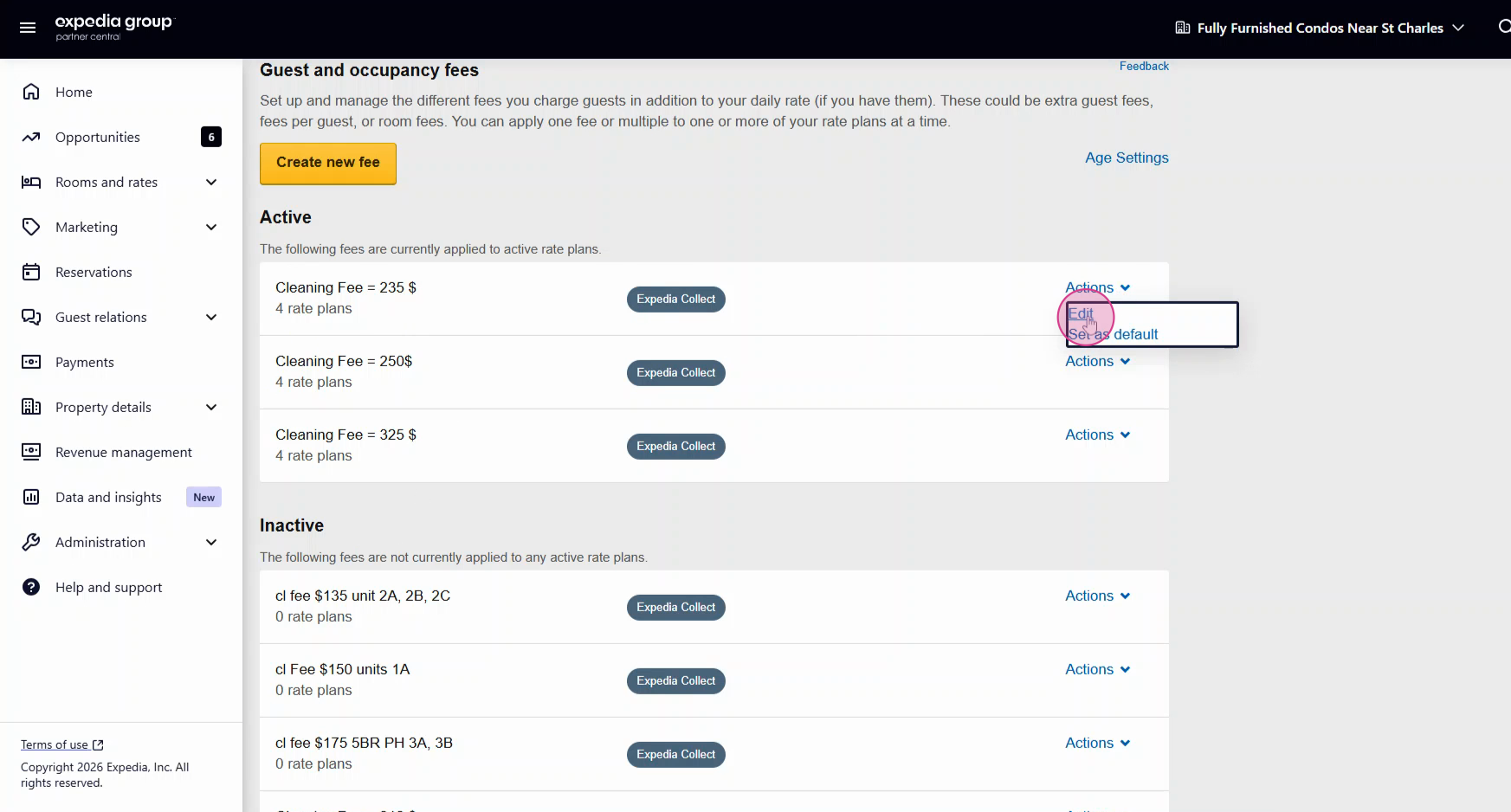
Step 8: Choose the type of fee: daily flat fee, per-stay flat fee, or per-stay percentage fee. If you need both flat and percentage fees for the same rate plan, set them within the same room setup section. Always attach all rate plans to the new or updated fee.
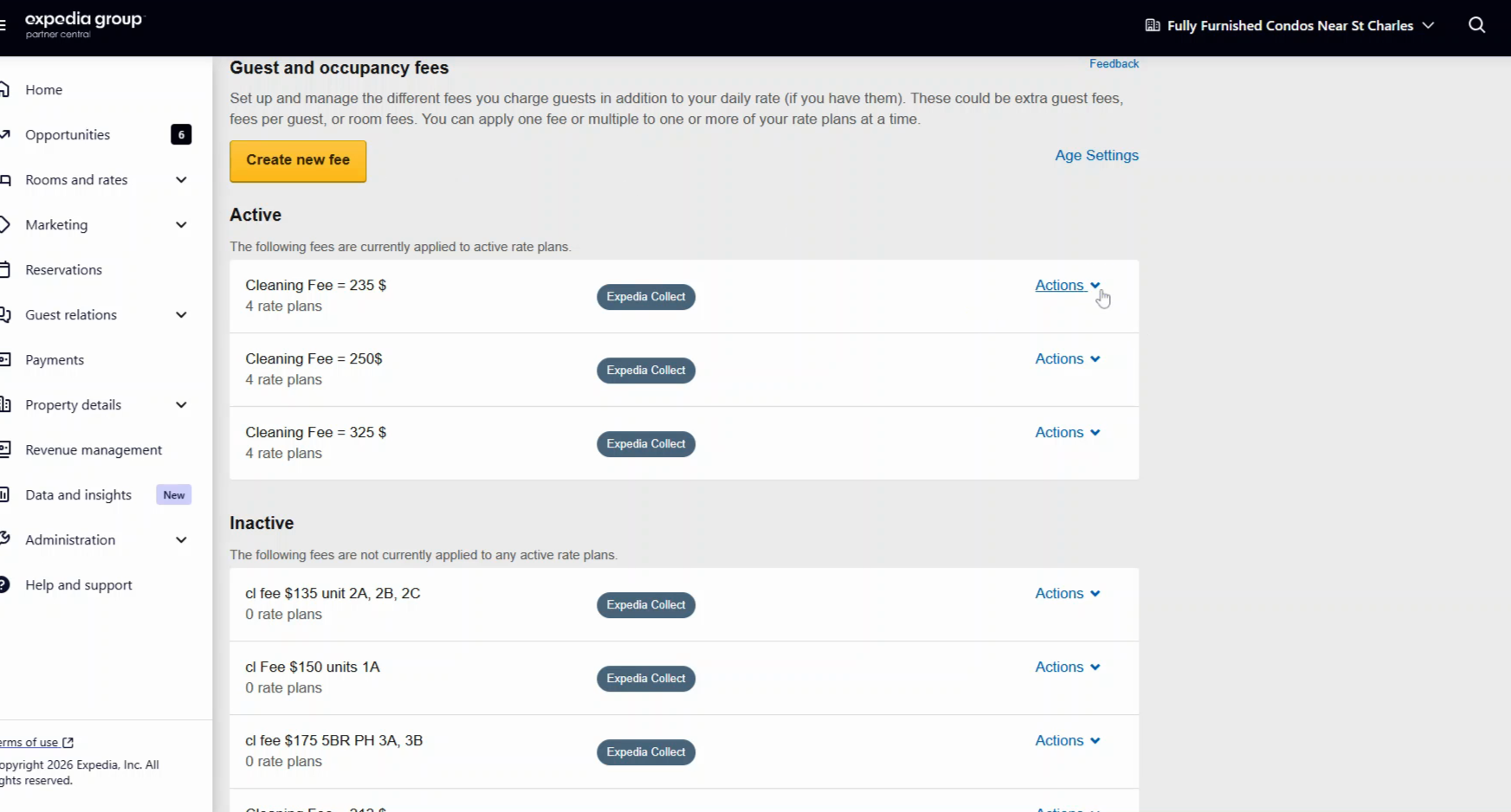
Step 14: For rooms with multiple cleaning fees, ensure each rate plan gets linked to the correct fee and room.
Thank you!