Gift Card Functionality Added
● Guests are now able to book a gift card.
● They can also use a gift card as a payment method when booking.
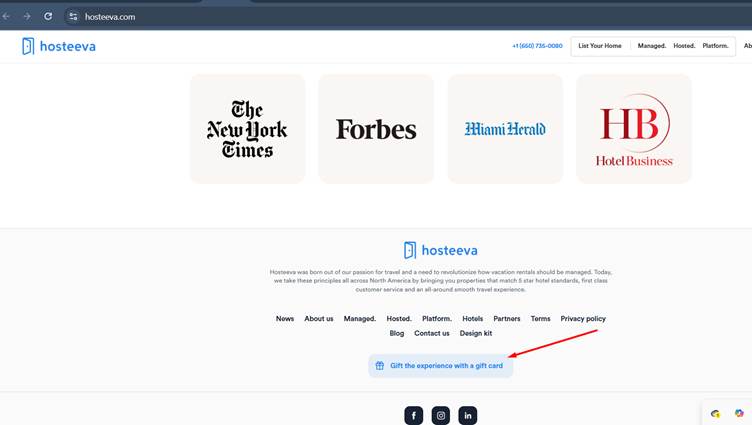
● On the Traveller Portal, you’ll see the option: “Gift the experience with a gift card.”
● 
● When the guest clicks this button, they’ll be taken to a screen where they can fill in the required fields.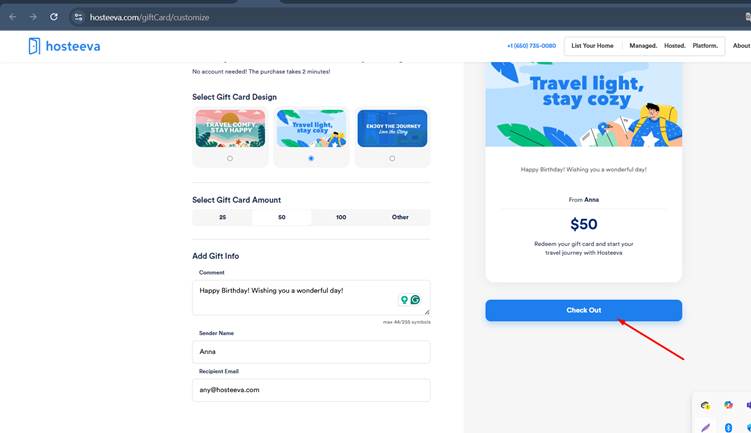
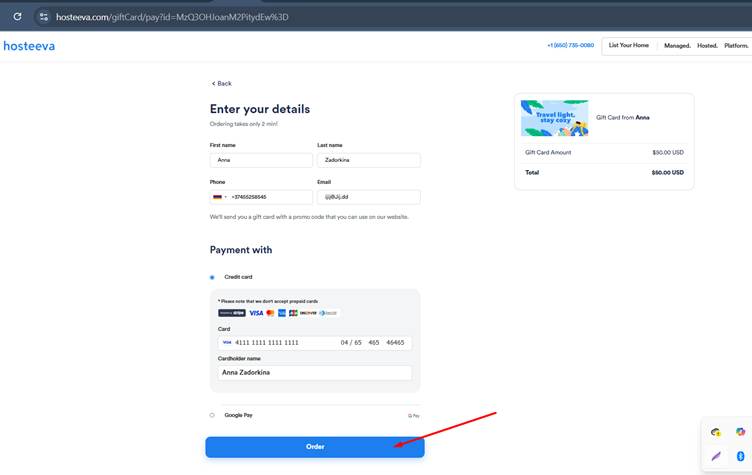
● After completing the form, they can pay for the gift card and proceed.
● 
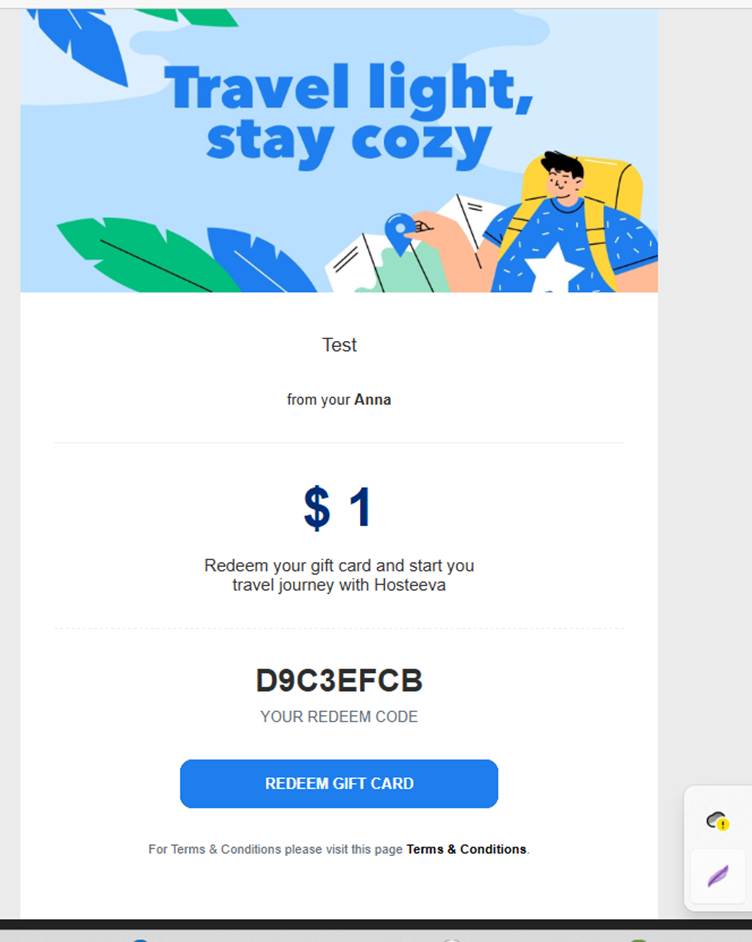
Admin Functionality for Gift Cards
● To view all gift cards, go to the “Payment Credit” page.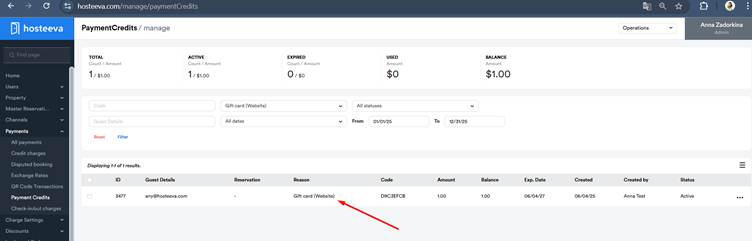
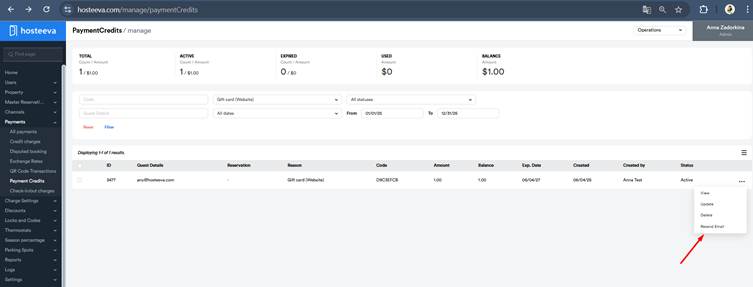
● In the options menu, you can choose “Resend Email” — this will send the guest updated information about their gift card.
● 
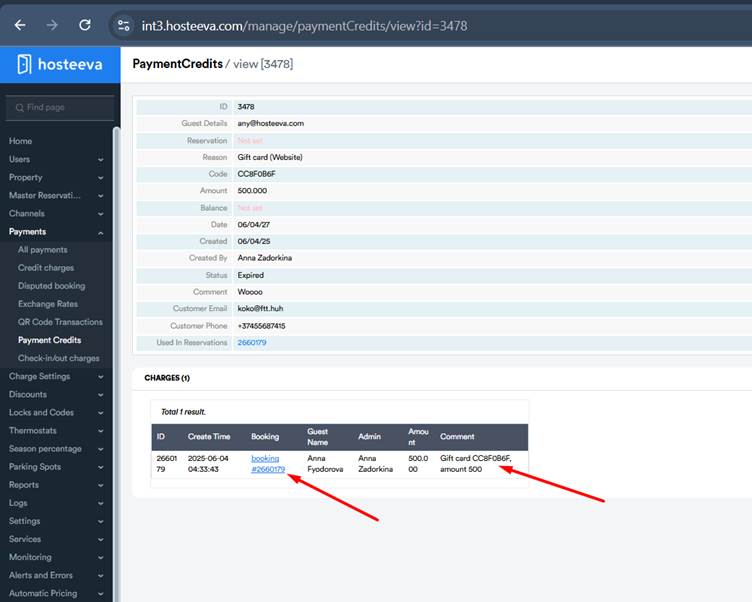
● In the View section, there’s a persistent table showing where and how the gift card has been used.
● 
Reservation Example:
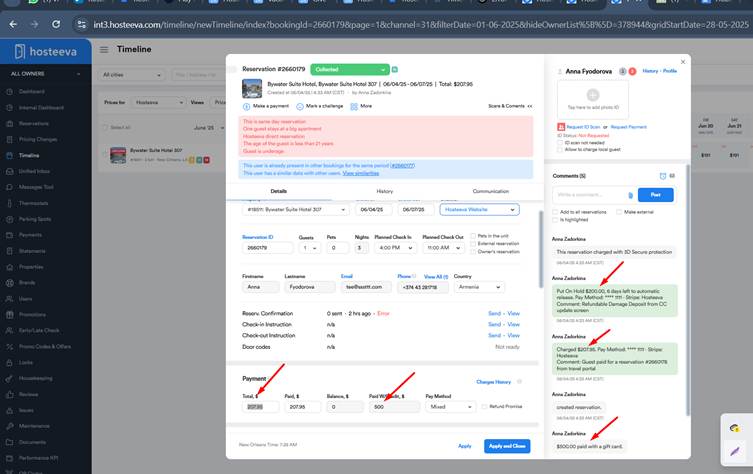
● In my example:
○ $500 was paid using a gift card.
○ $207 was paid by the guest because the gift card amount wasn’t enough to cover the full booking.
○ $200 was paid for RDD.
● If a gift card fully covers the stay, the RDD fee is still charged separately, since it is refundable.