This article will guide you through managing challenging cases and review related tasks in our system. By the end, you'll know how to filter, review, and resolve these cases effectively. Start by reviewing Urgent Challenge and Force Majeure cases, which are followed by Challenging and Attention Needed cases. After these, we transition to the review-related tasks.
Step 1: Filter the cases. For this tutorial, we're focusing on challenging ones. Navigate to the Reservations tab.
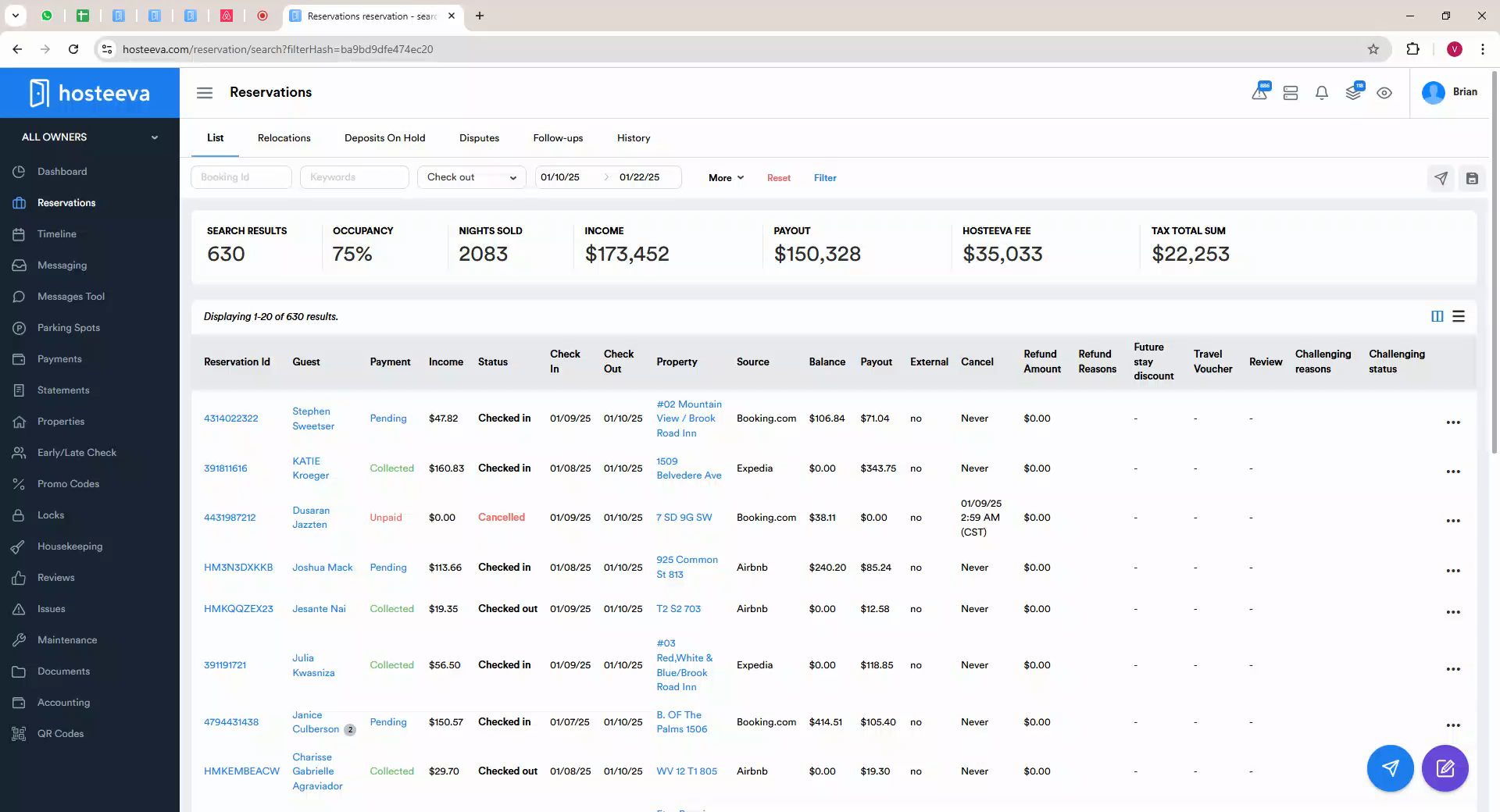
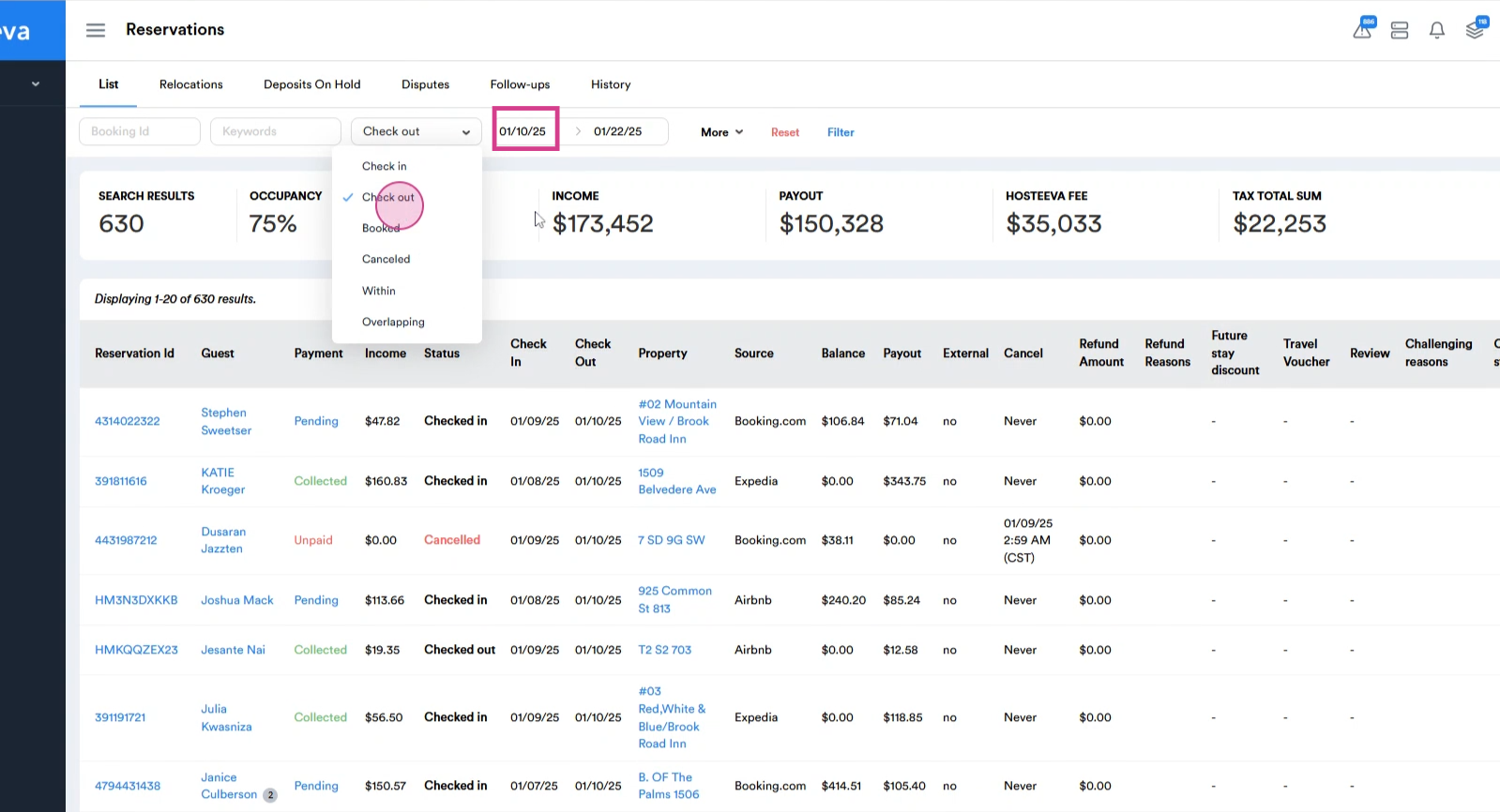
Step 2: Set the filter to display cases by checkout date, using the first day of the previous month as the starting point.
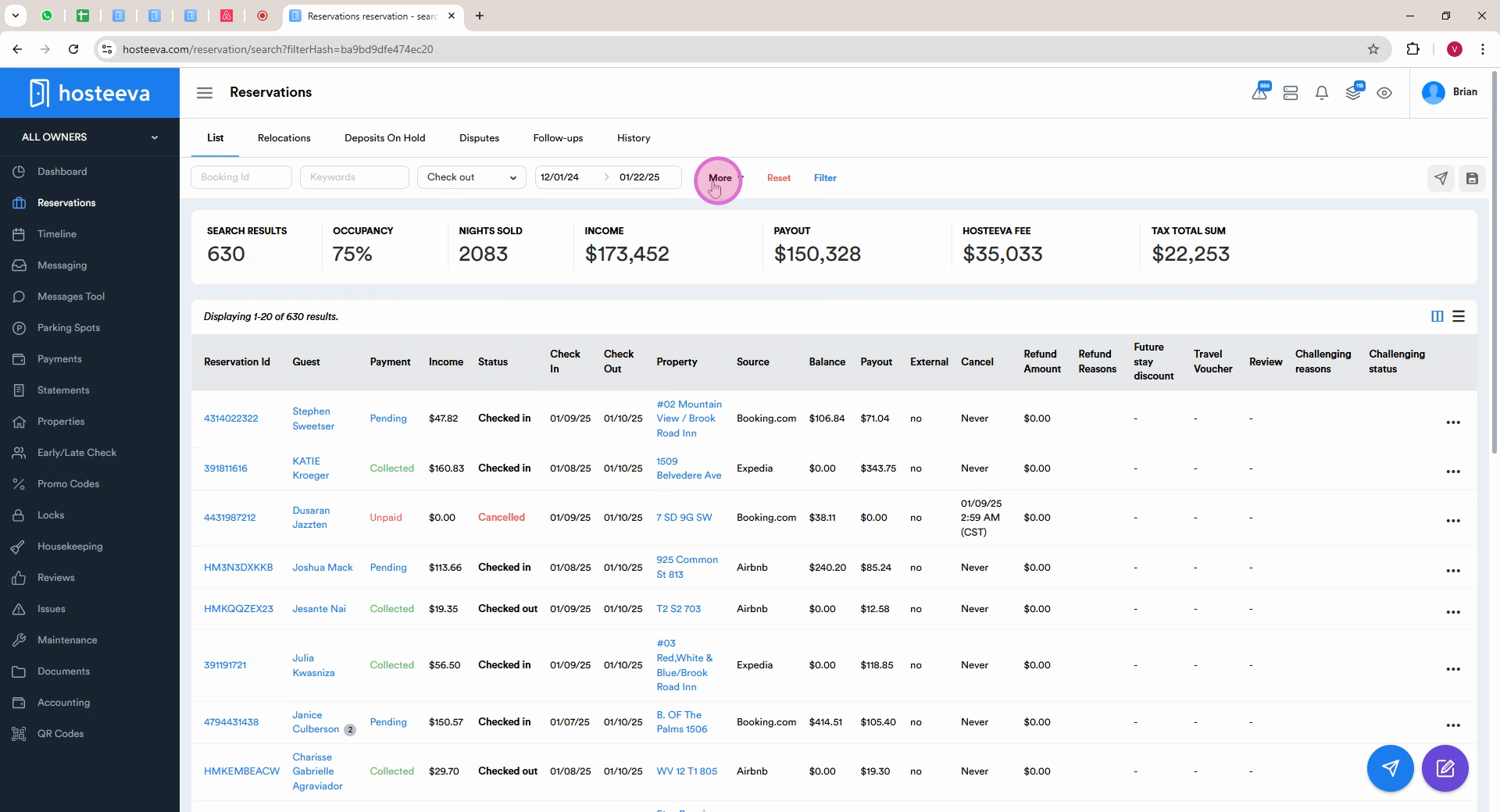
Step 3: Select the case status. Click on More.
Step 5: Navigate to all challenging categories and choose Challenging.
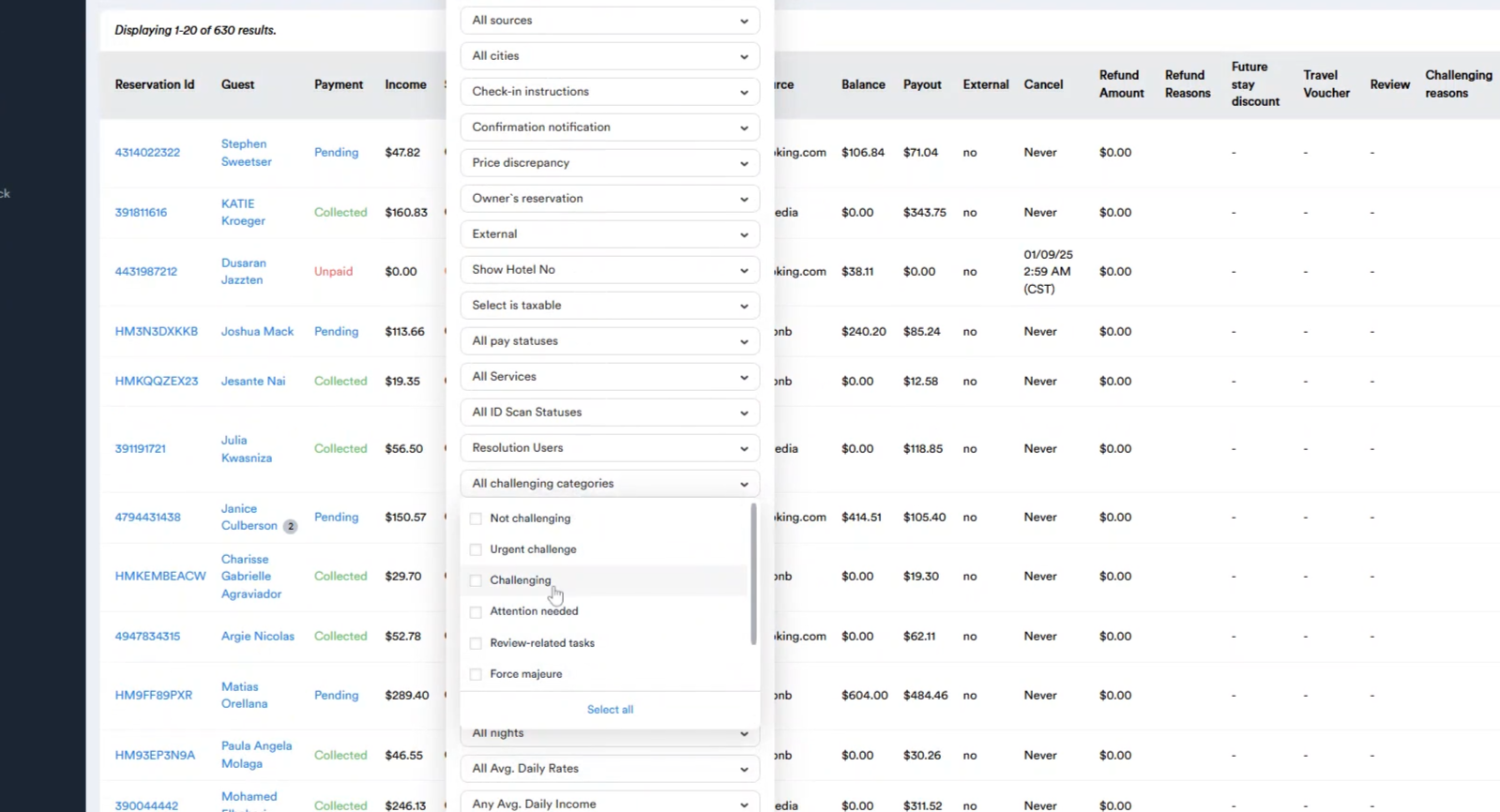
Step 6: Under all Challenging Statuses, select Pending.
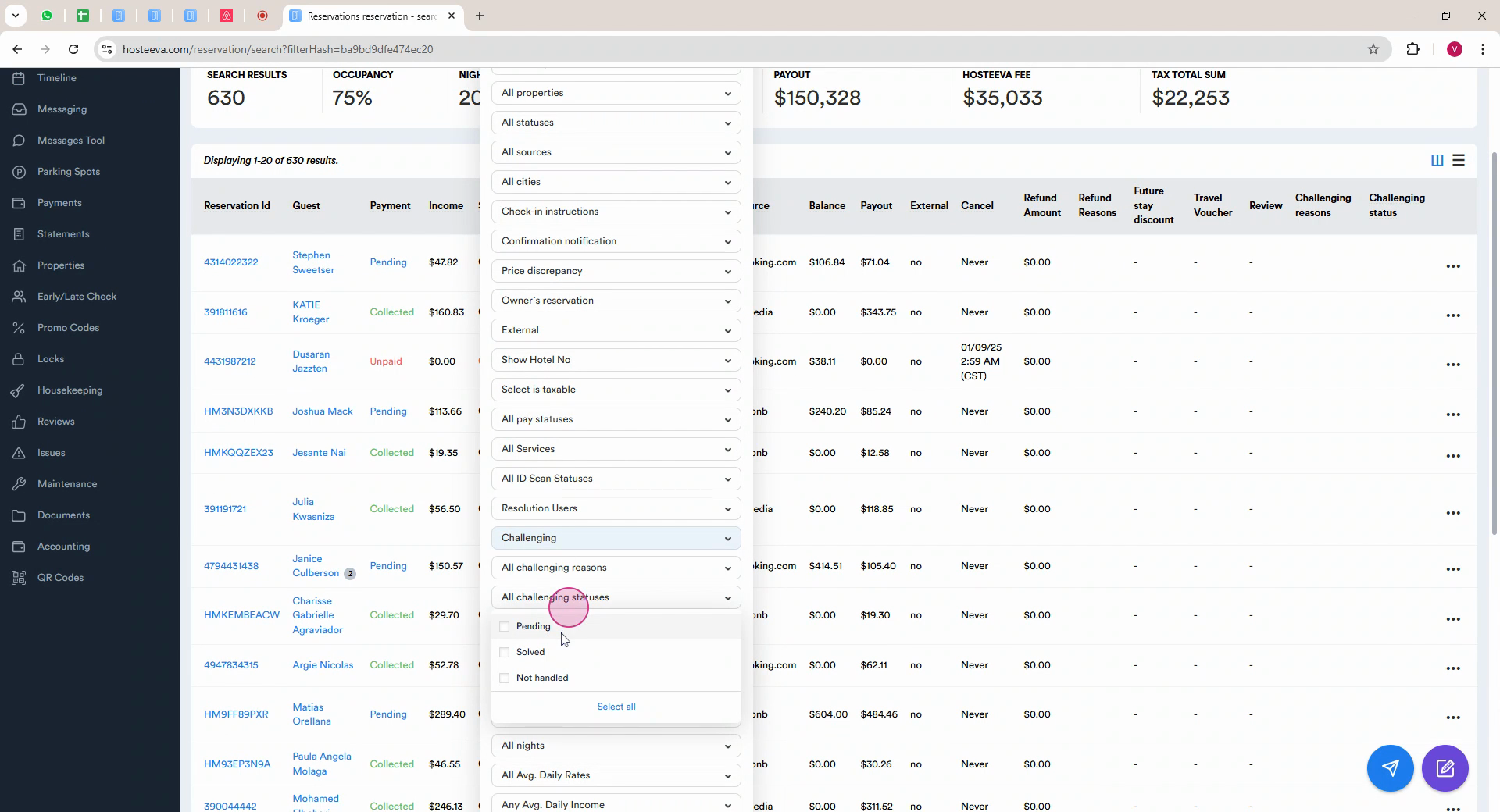
Step 7: Click on Filter to update the page with relevant cases.
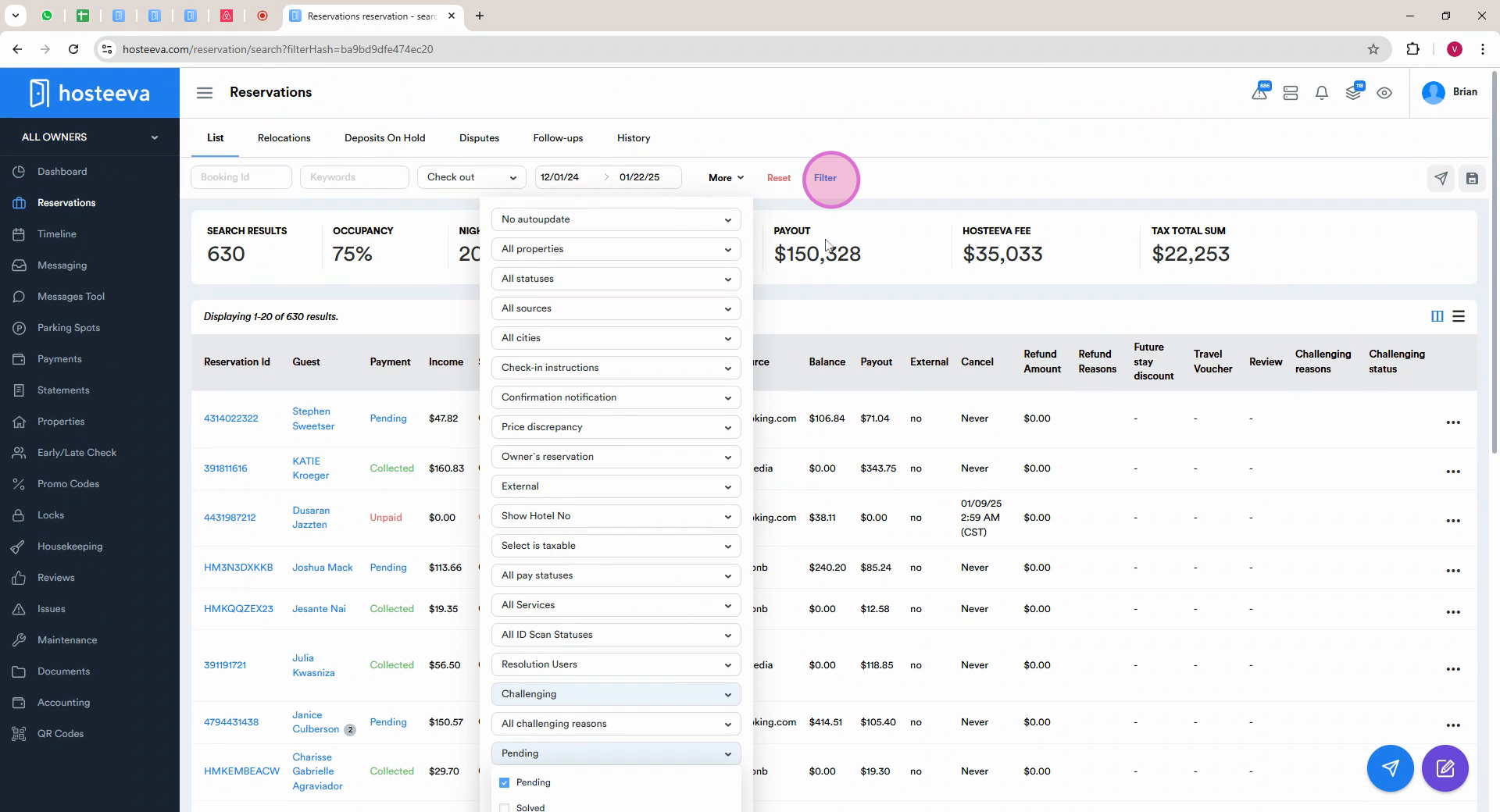
Step 8: Carefully review the details of each case. Click the ellipsis next to the reservation and select View to open it.
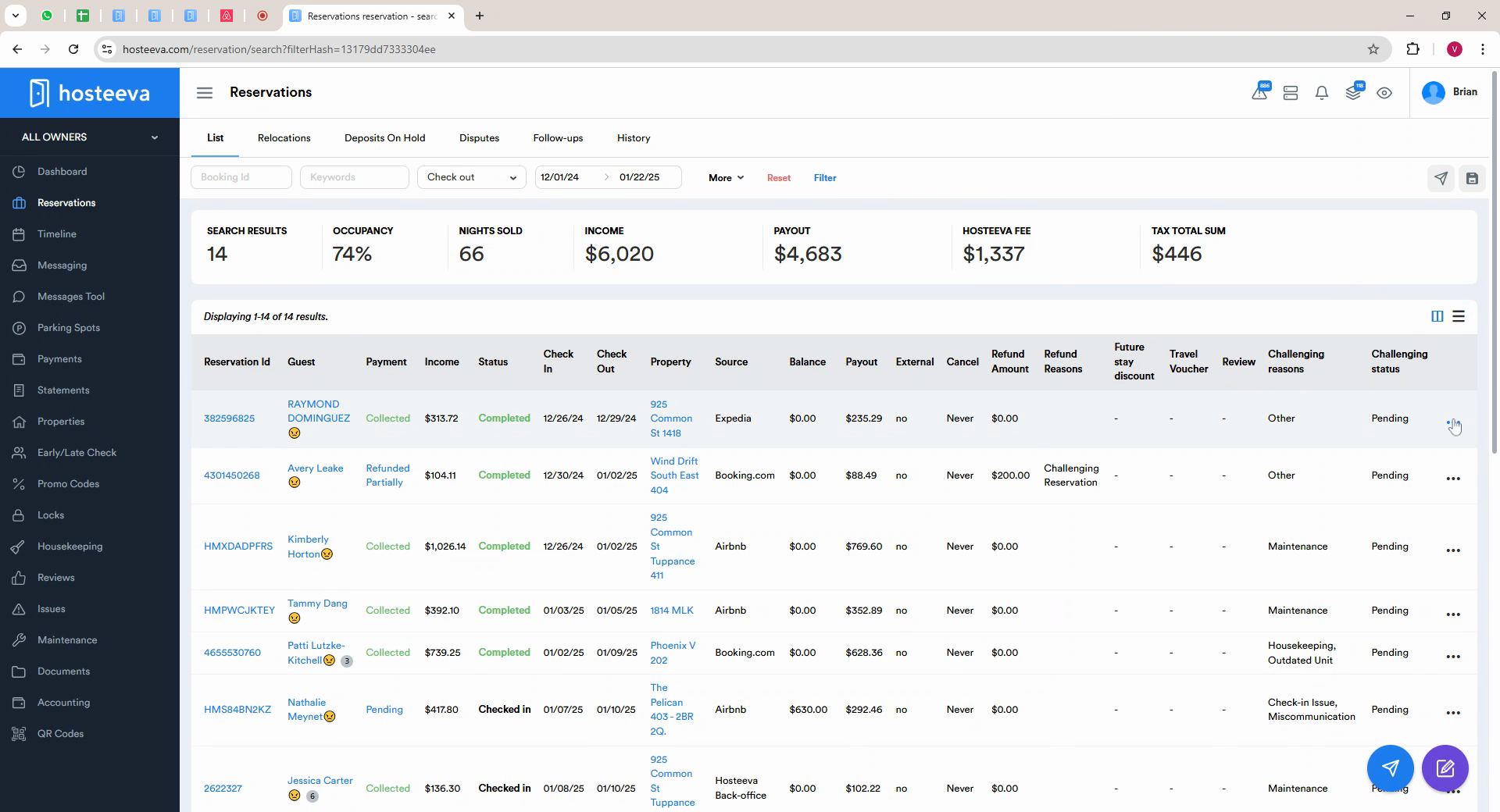
Step 9: Examine the details of the case, including comments and guest communication.
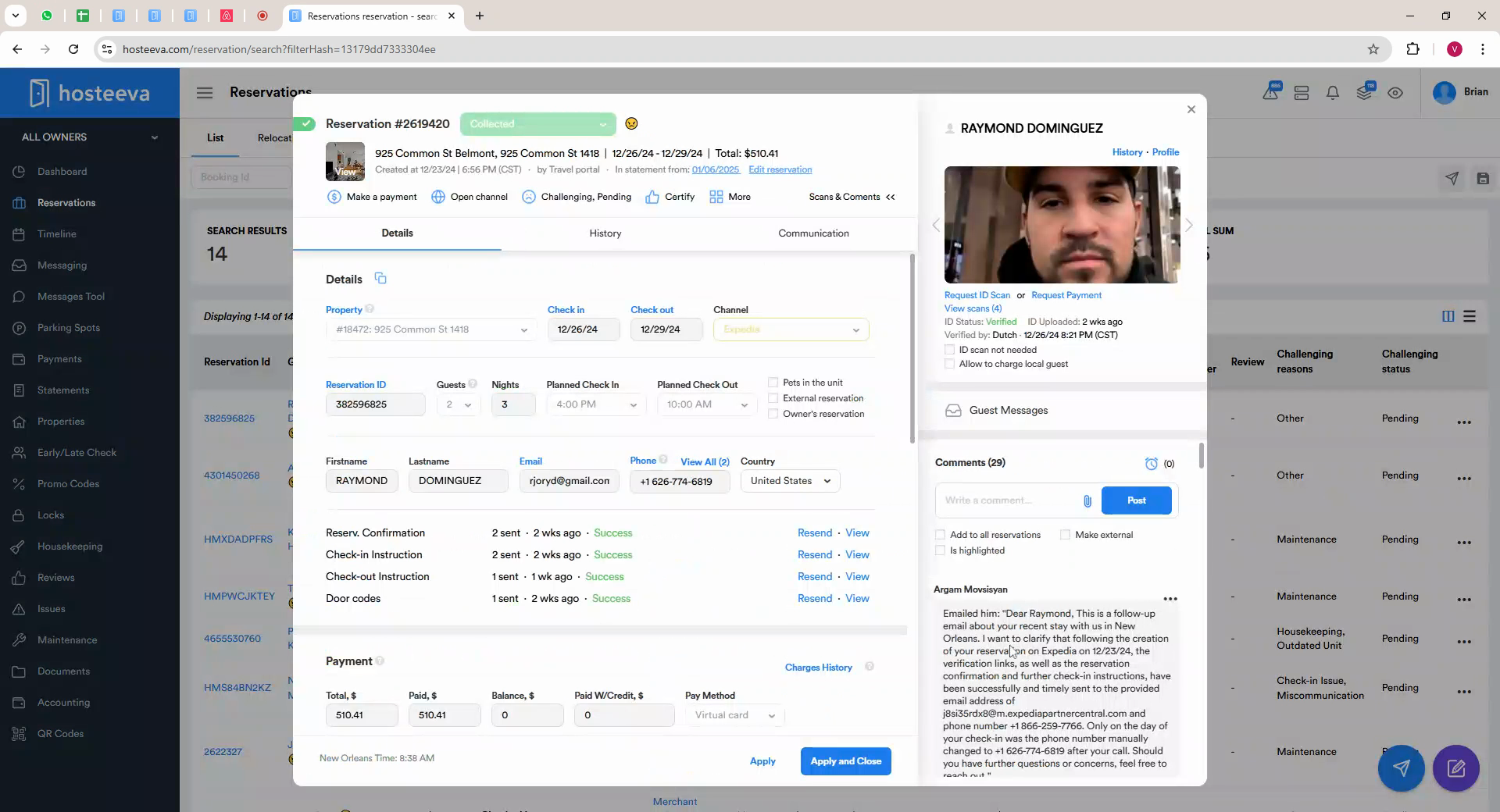
Step 10: Login to the OTA and check if there has been a review left in a blind period. Copy the guest Name and search WhatsApp chats for updates that may not have been logged in the comments.
Step 11: Once you have a comprehensive understanding of the case, contact the guest to discuss the details. Check their local time before calling.
Step 12: If the guest does not respond after three attempts, resolve the case as it is.
Once a resolution is agreed upon with the guest, proceed based on the specific resolution type.
For the monetary compensations:
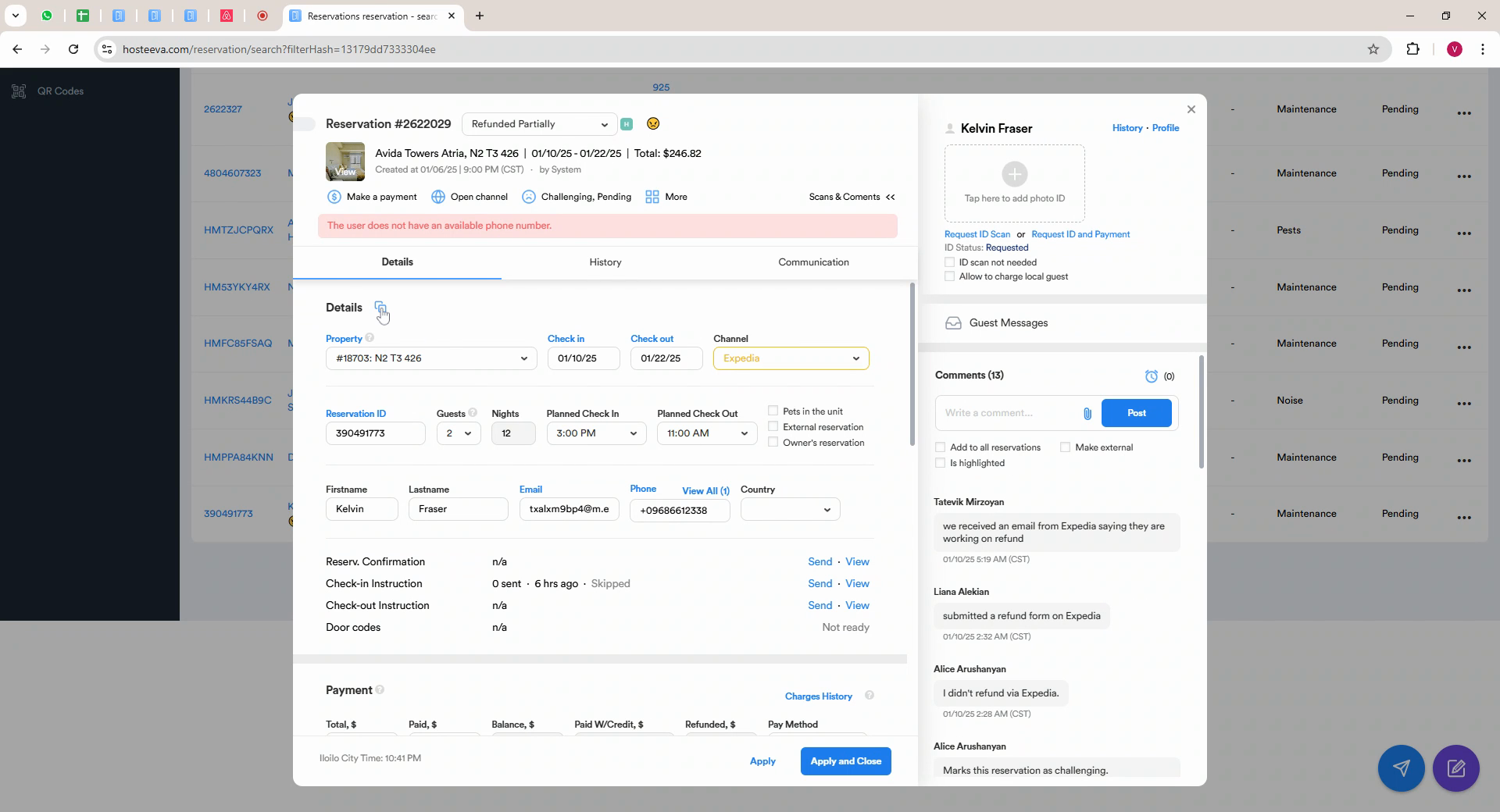
Step 1: Copy the reservation information by clicking the Details icon in the reservation dialog.
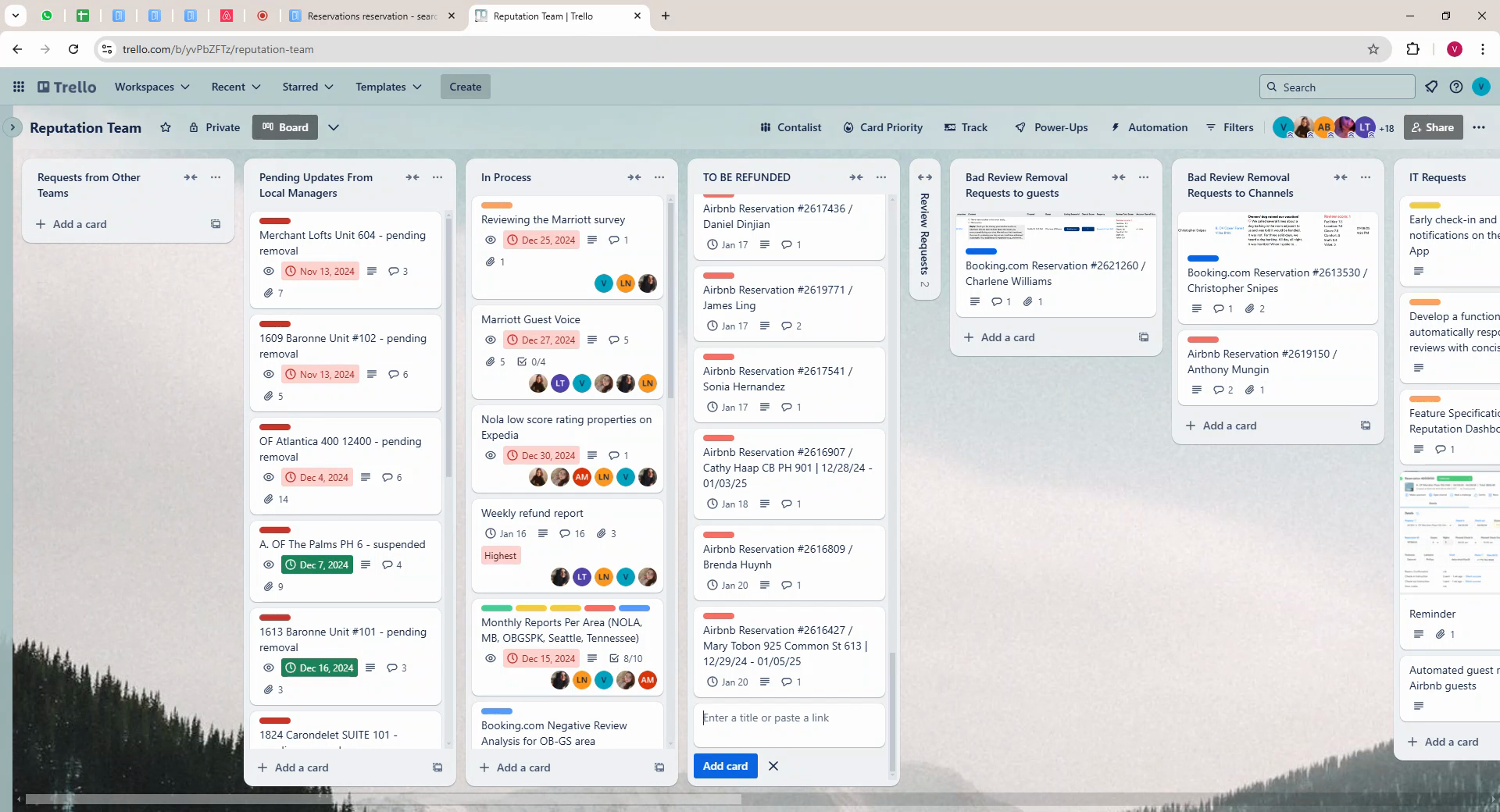
Step 2: Open Trello and proceed to our board. Locate the to be refunded list and add a new card. Use the guest's full name as title.
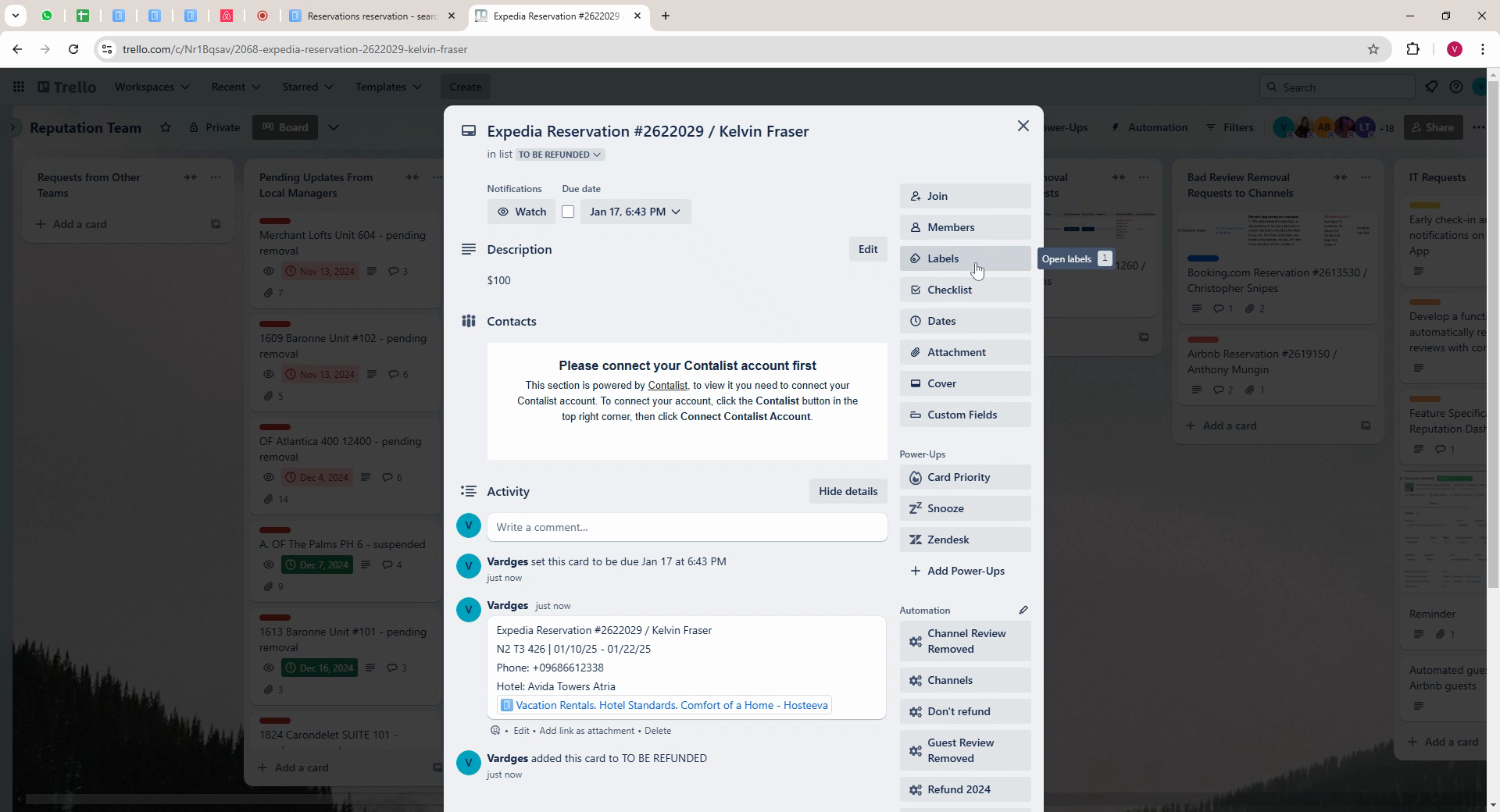
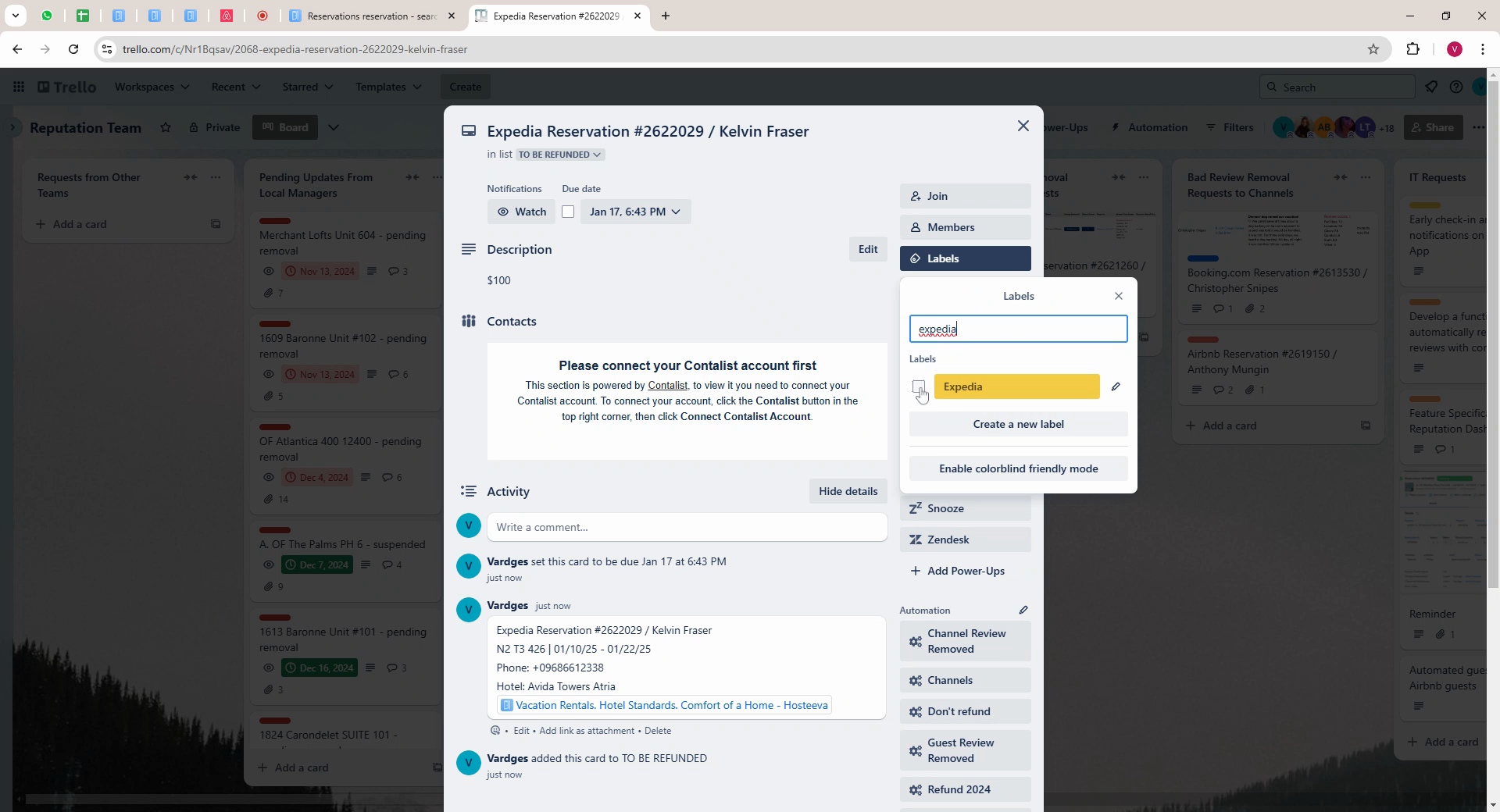
Step 3: Open the ticket, include the refundable amount in the description line and paste the previously copied reservation details in the comment section. Set a due date and set the label.
Step 4: Close the ticket and manually position the ticket alongside others with the same date.
Step 5: Return to Reservation dialog. Hover over more.
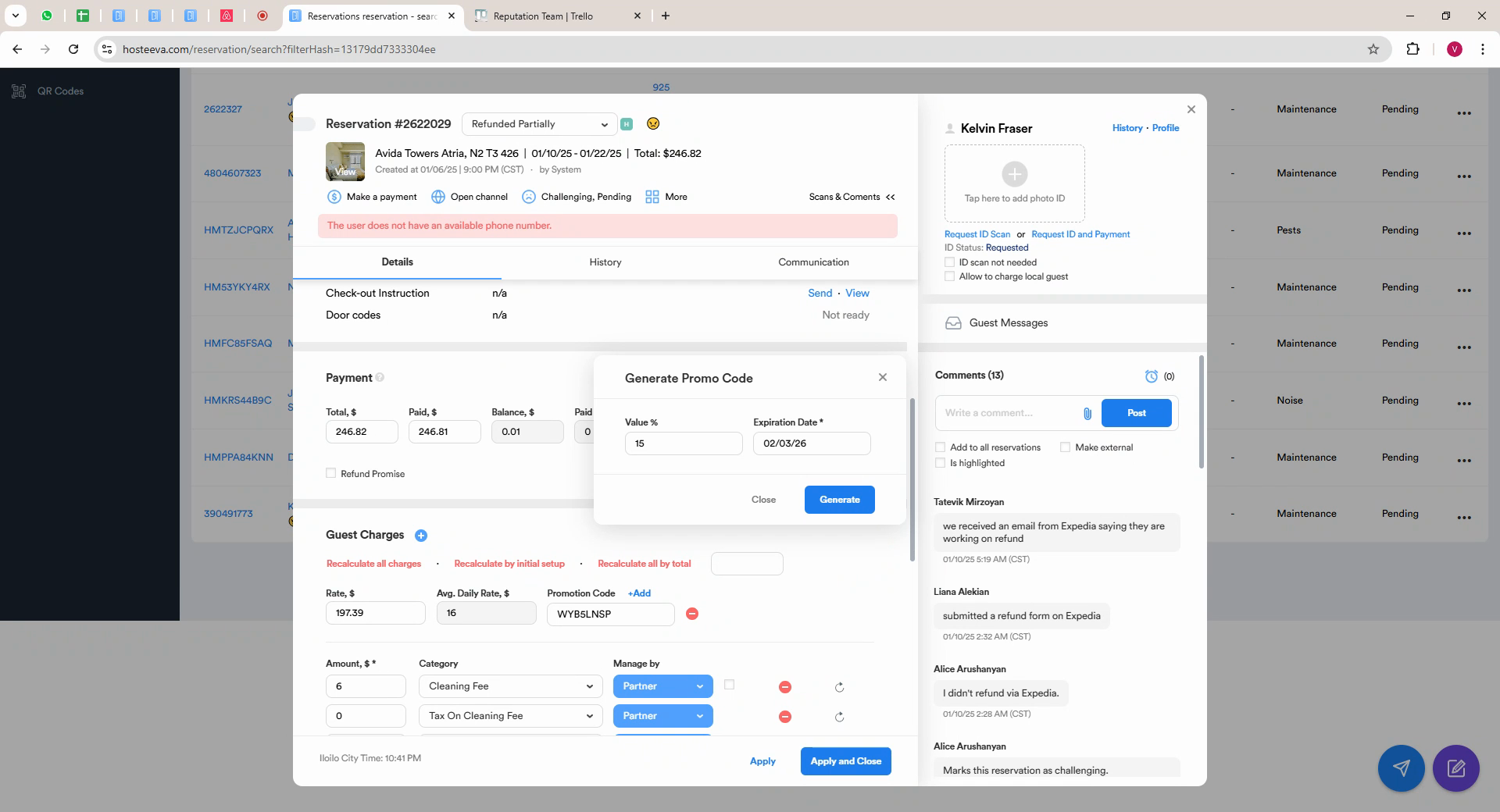
Step 6: Click Generate Discount, select the discount percentage, select the expiration date needed, and click Generate.
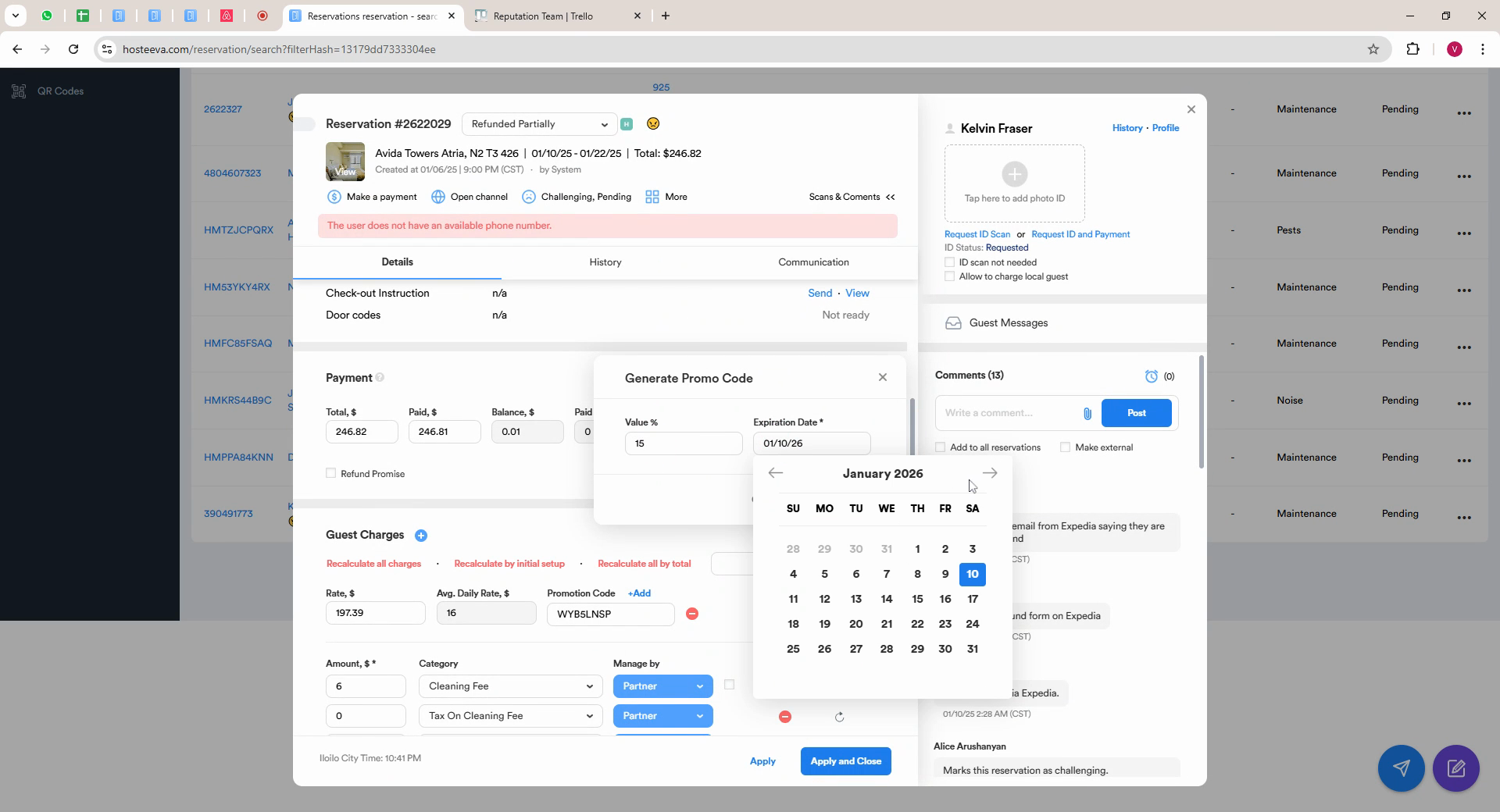
Step 20: The reservation window will refresh and the generated code will appear in the comments. Copy the code and set it to the guest using the agreed communication method.
For travel vouchers:
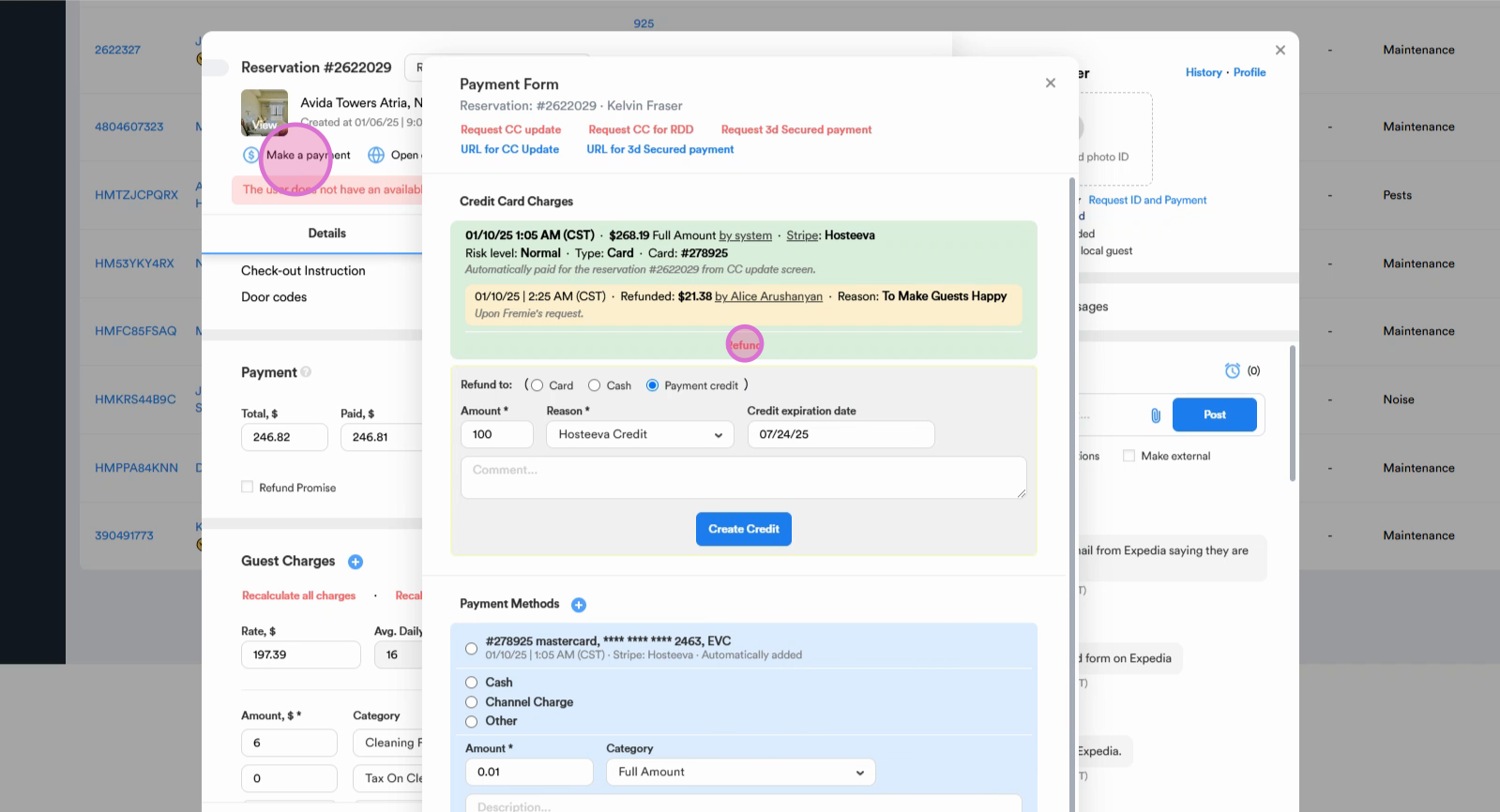
Step 1: Click Make a Payment, then select Refund.
Step 2: Choose Payment Credit as the type, Enter the amount, select the expiration date needed, and leave a brief comment. Then click Refund.
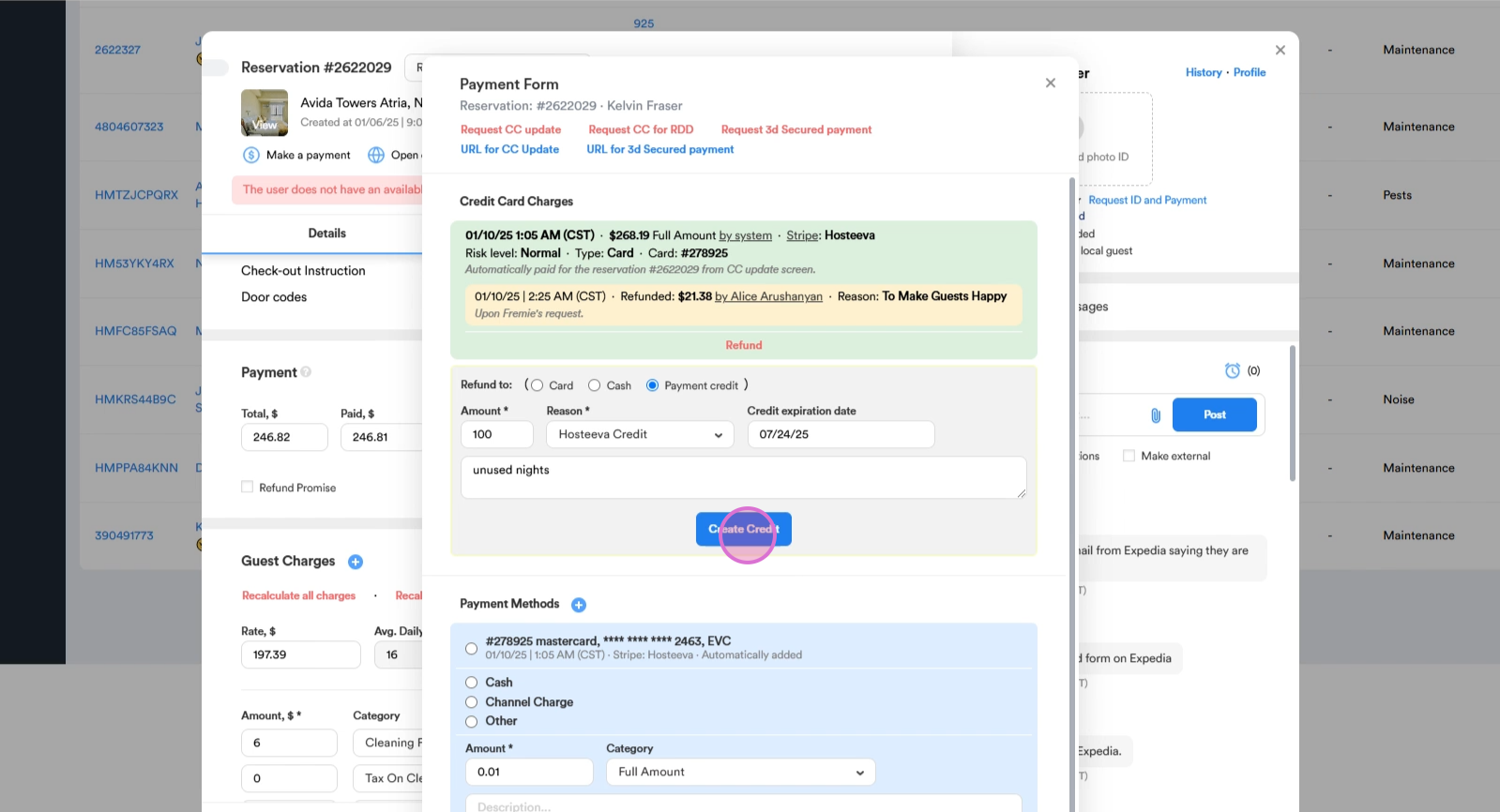
Step 3: Click Create Credit to generate the code. Copy the generated code and send it to the guest.
Once all the necessary steps are taken, we will need to solve the case.
Step 1: Click on the Reservation status.
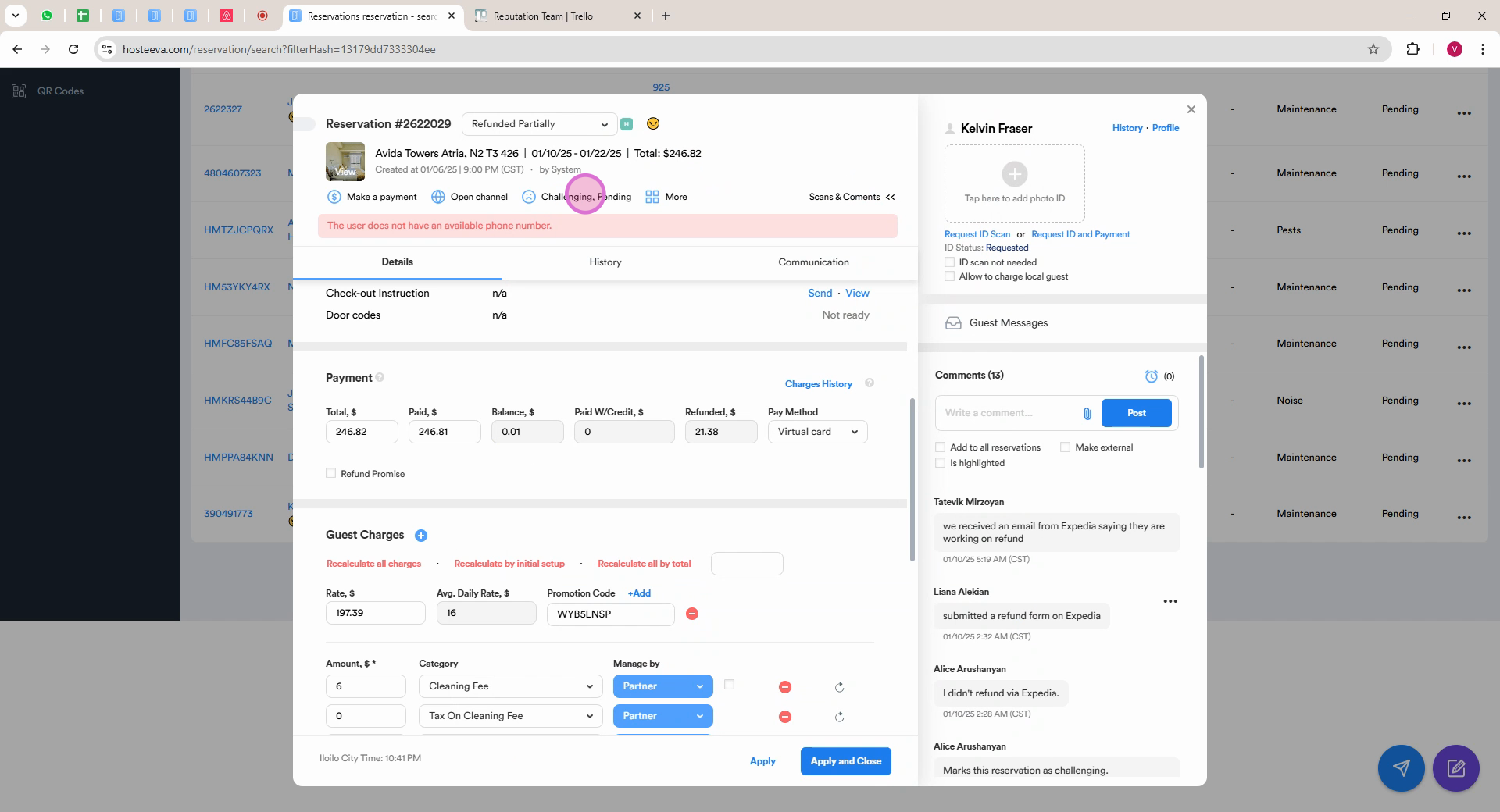
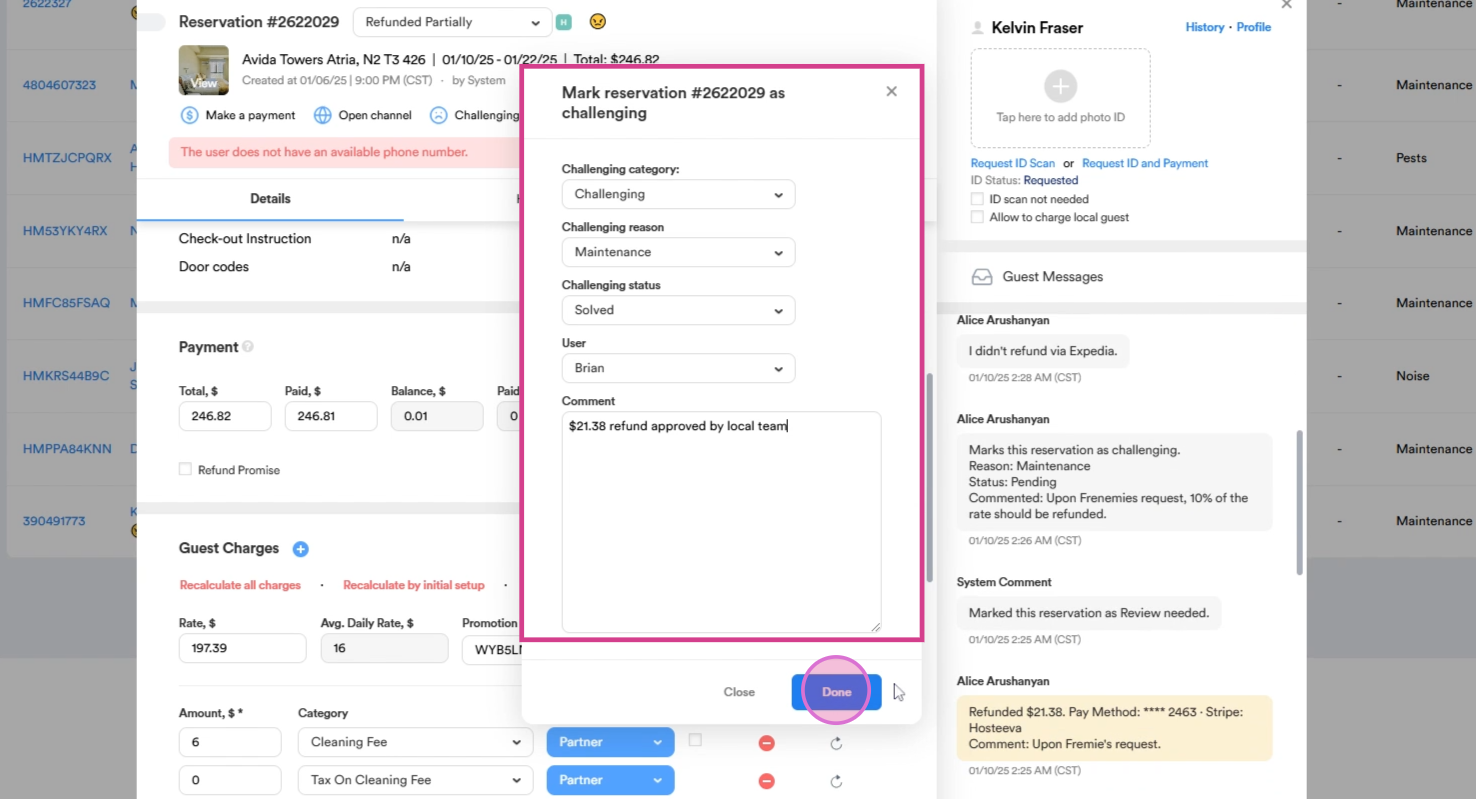
Step 2: Change the challenging status to Solved. If you were the one who gave the resolution, select yourself as the resolution user. Also leave a brief comment regarding the resolution, then click Done.
The same procedure applies to review related tasks, except one small detail in case the review related task has been opened. For the review request, make only two communication attempts. If there is no answer from the guest, simply solve the case. Also ensure you log all actions in our daily document.