
GR Email and Text communication SOP
In this short article, we will showcase the instances where the Guest Relations Department uses emailing and texting (SMS) outlets in our daily tasks.
While the communication between the Guest Relations department and our guests is done majorly through telephone conversations conducted via Zendesk, we also rely on email and, less frequently, text communication, when it comes to reaching out and following up with our guests and partners.
The Guest Relations Department's official email address is guestrelations@hosteeva.com.
As our main mailing platform, we use Rackspace.com, and it is crucial to stay logged in to guestrelations@hosteeva.com on Rackspace at all times during work hours - having this tab pinned in our browser for easy access and convenience.
Aside from receiving emails from guests and partner channels, this email address is also attached to our accounts on most of our partner travel websites (such as Expedia Partner Central, Booking.com, etc.), as well as other review-oriented websites such as Trustpilot, Google, and Yelp, in order to be up to date with any important information that would be valuable in maintaining our online ranking and reputation.
See Rackspace's interface below:
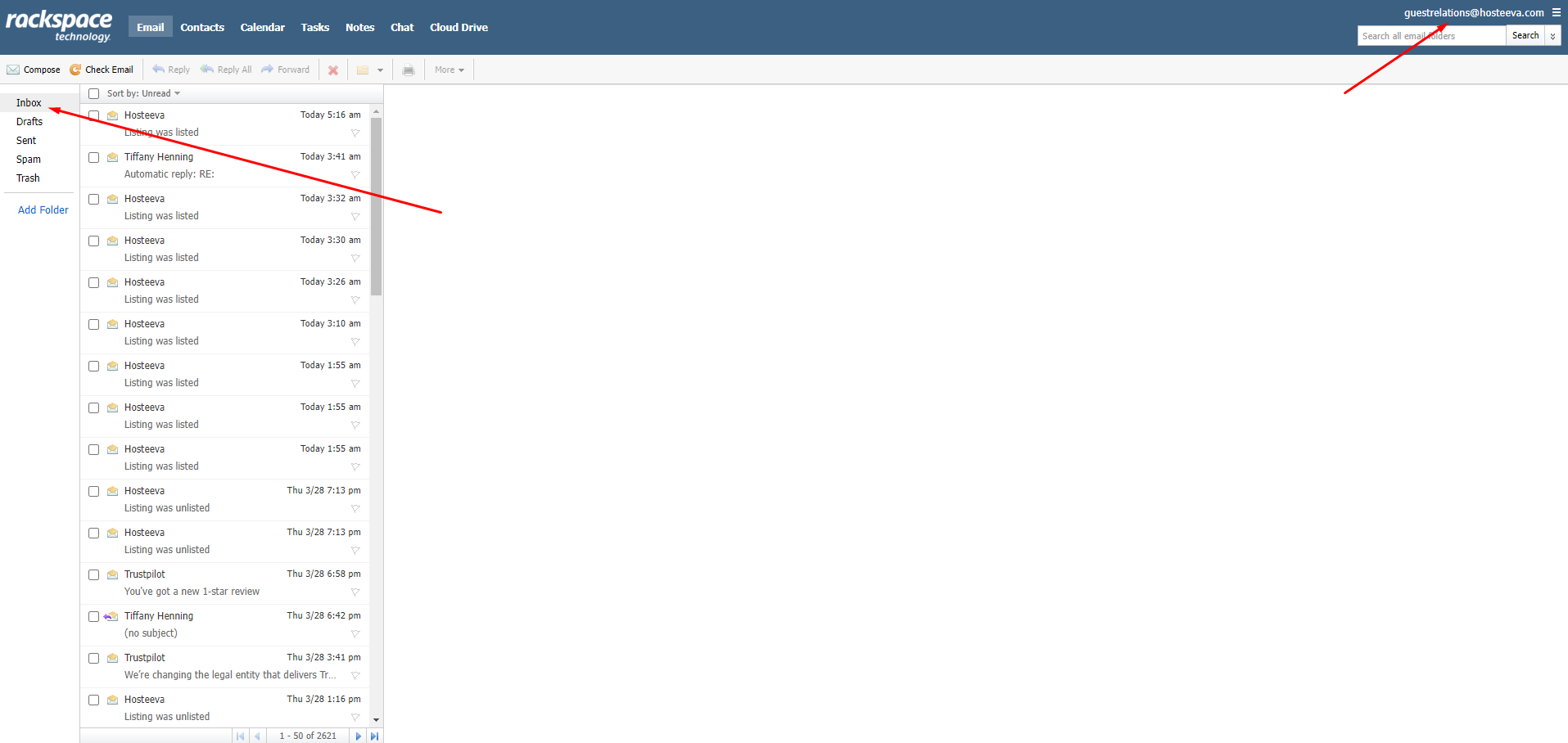
The user-friendly and simplified interface in Rackspace makes it easy to filter out new emails in the Inbox or compose an email to be sent.
Another aspect that makes emailing easy is that Rackspace has been linked with our internal system at Hosteeva.com, which allows us to compose emails straight from the reservation dialogue, simply by clicking "Email" above the guest's email address, if they have provided one.
See an example below:
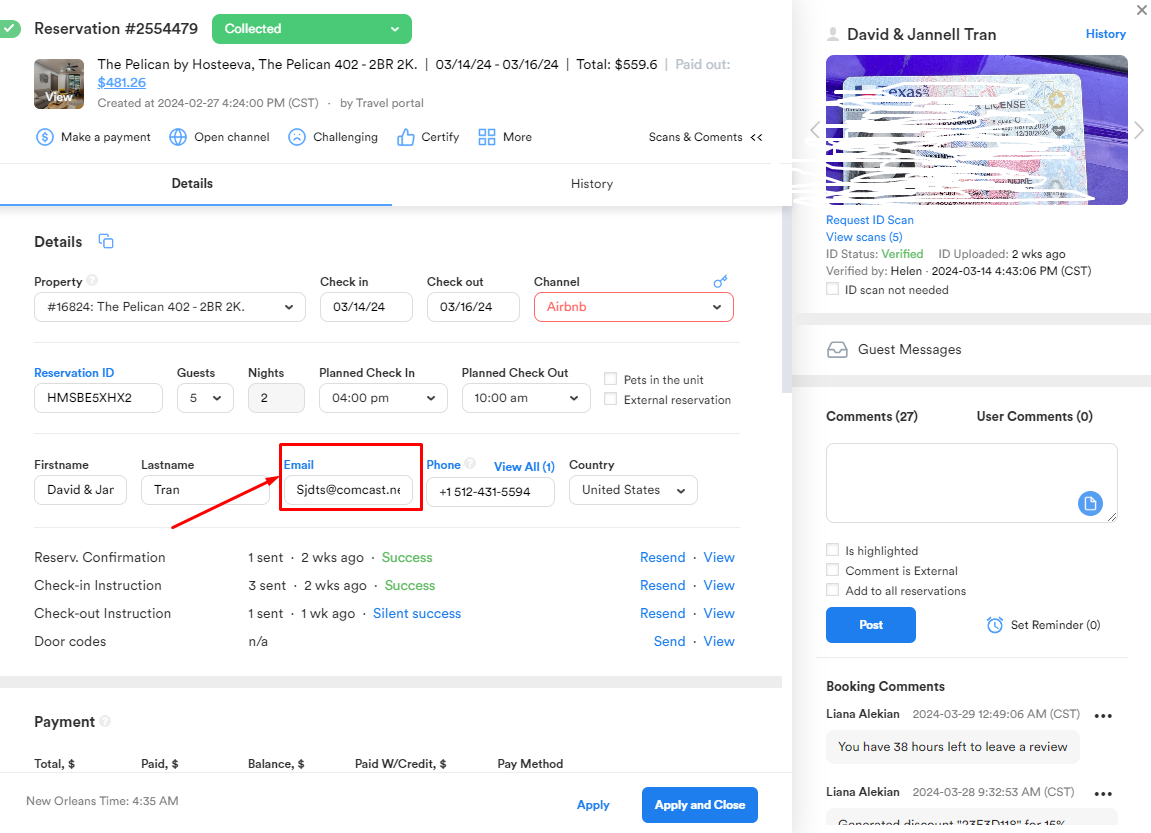
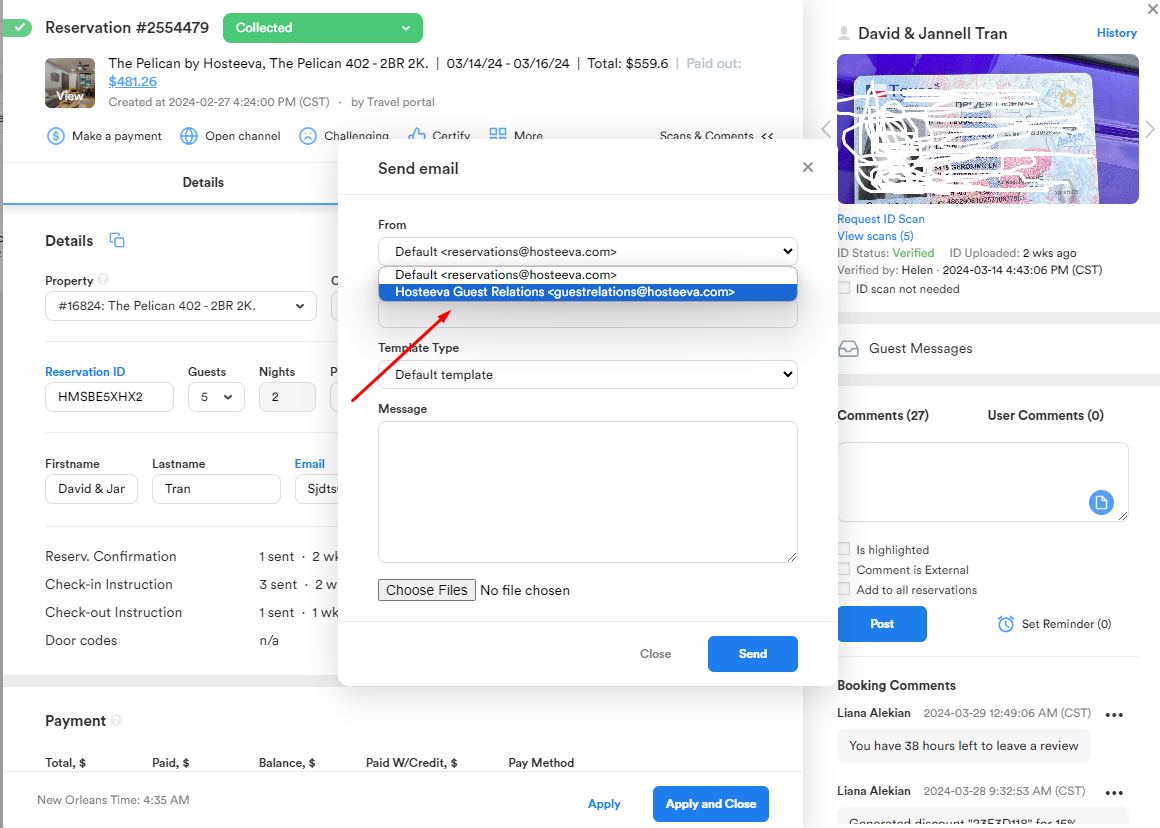
By clicking on the "Email" button, a small window will open, where we can select the GR dedicated email address, and compose our email.
Here we have a selection of email templates to help us automate the process.
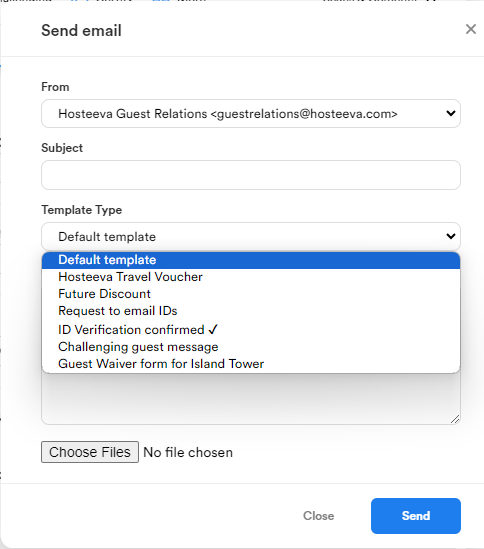
Once we've composed our email and sent it, we can track it in the "History" section of the Reservation Dialog, and be able to see whether or not it has successfully been sent, and if the guest has opened the email.
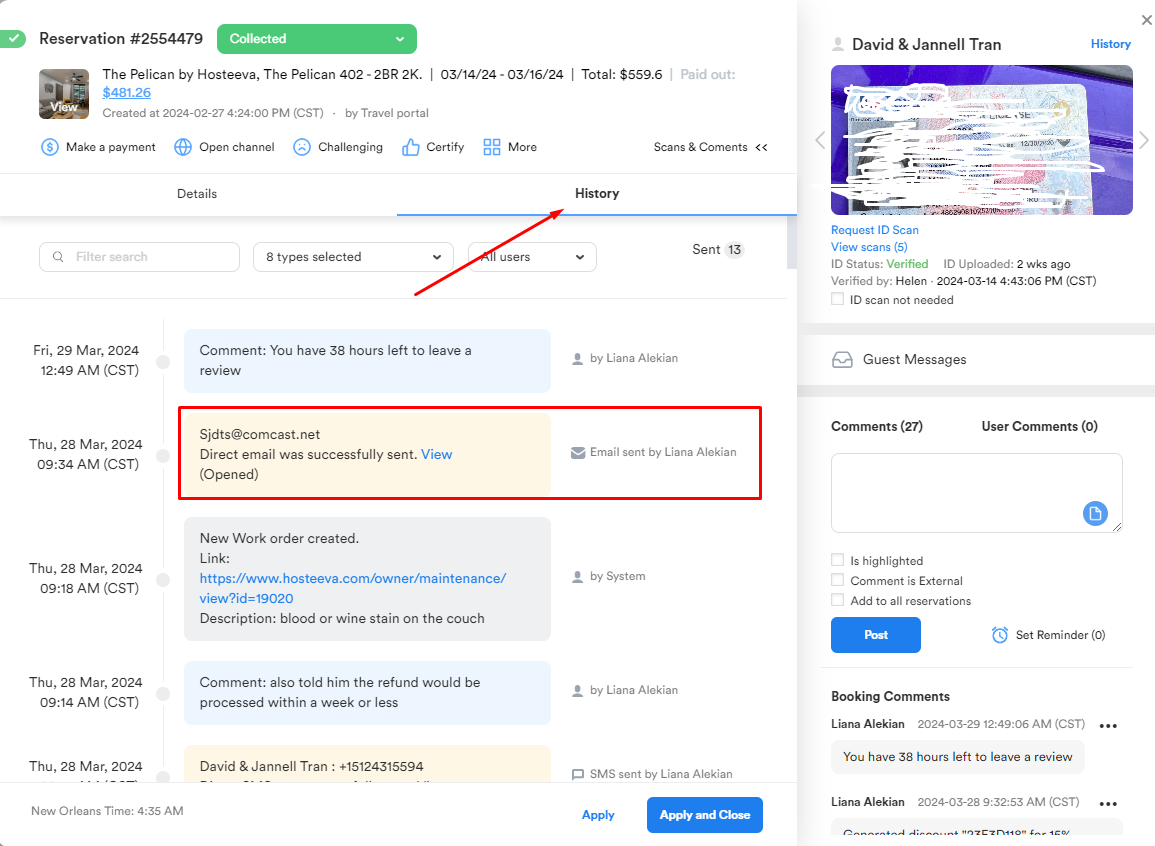
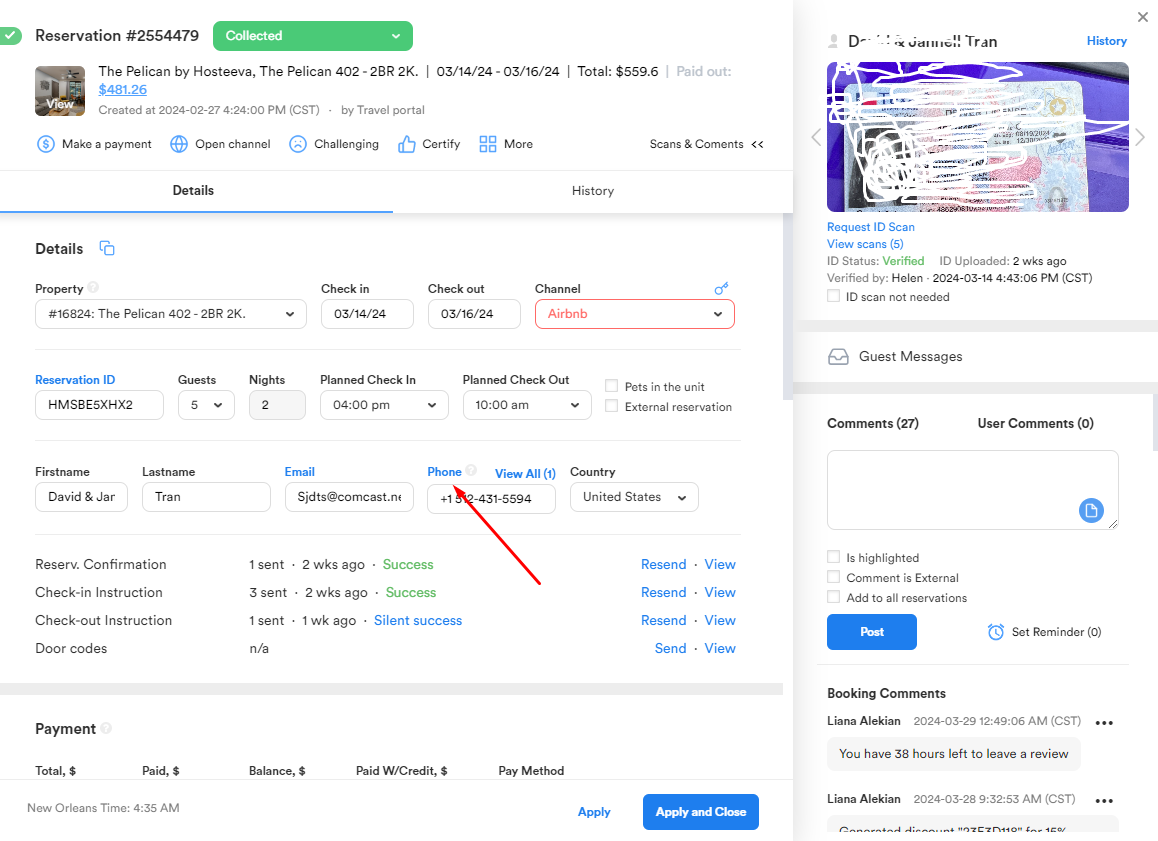
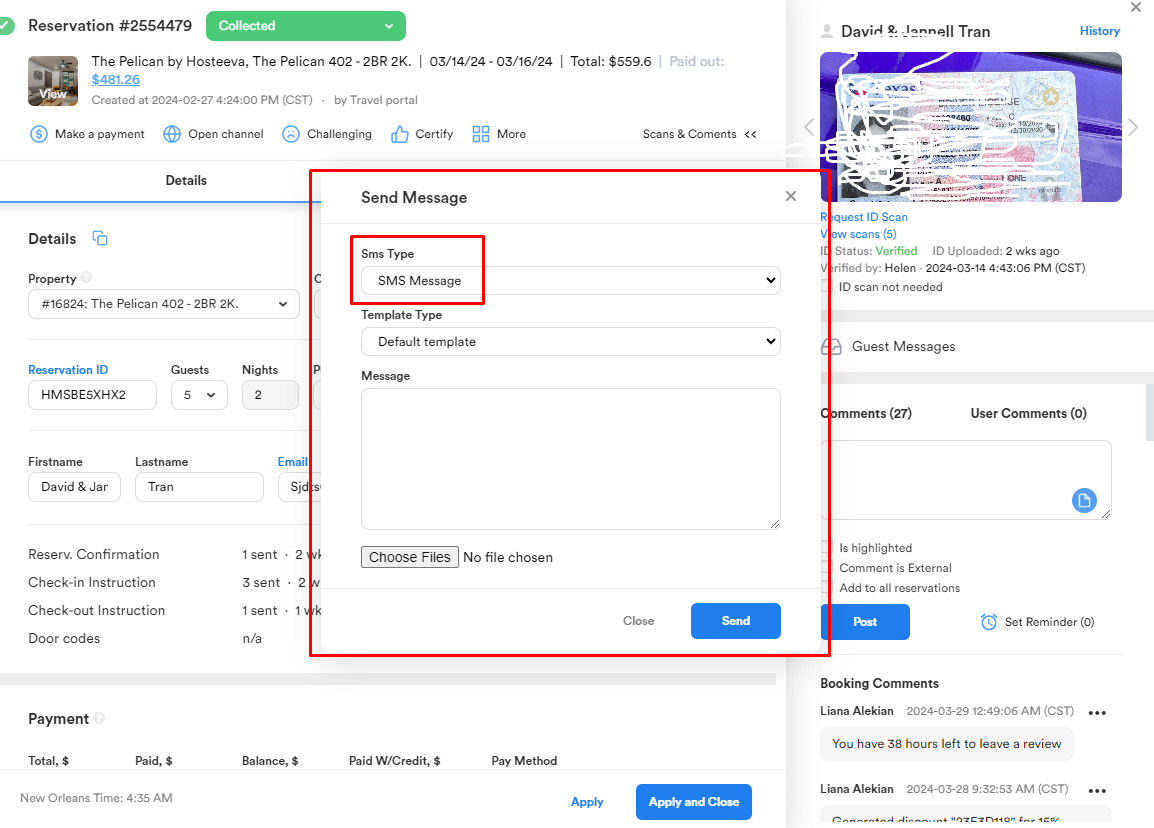
The same principle works with text (SMS) communication - we simply click on "Phone", and a similar window opens for us to compose and send a message.
On top of the text and email bars being linked with our internal Hosteeva system, the two are also linked with Zendesk: text messages are received in the "SMS / Kaba / Abandoned" tab, and SOME emails may come to the "Reviews" tab.
*It is important to note that when dealing with any form of written communication with the guests, it is highly advised to refrain from mentioning any specific refund/compensation offer amounts or any other sensitive information such as asking the guest for a good review or the opposite - NOT to write a negative review :) This type of communication, ideally, is tactfully done during our phone conversations.
Another nuance that goes without mentioning is to always keep professional and courteous language in both written and verbal communication with guests and partners, making sure to address them with their correct name, not forgetting to sign our messages with something like "Best regards, [agent nickname] Team Hosteeva", etc.