
How to handle challenging cases
Objective:
Reservations are marked as challenging by both our CC and GR teams upon receiving reports of complaints or issues through surveys, phone calls, emails, or text messages. We check on our guests to ensure their concerns needs are being attended to, collaborate with our local teams throughout their stay, and follow up with guests after checkout to make sure their concerns were addressed.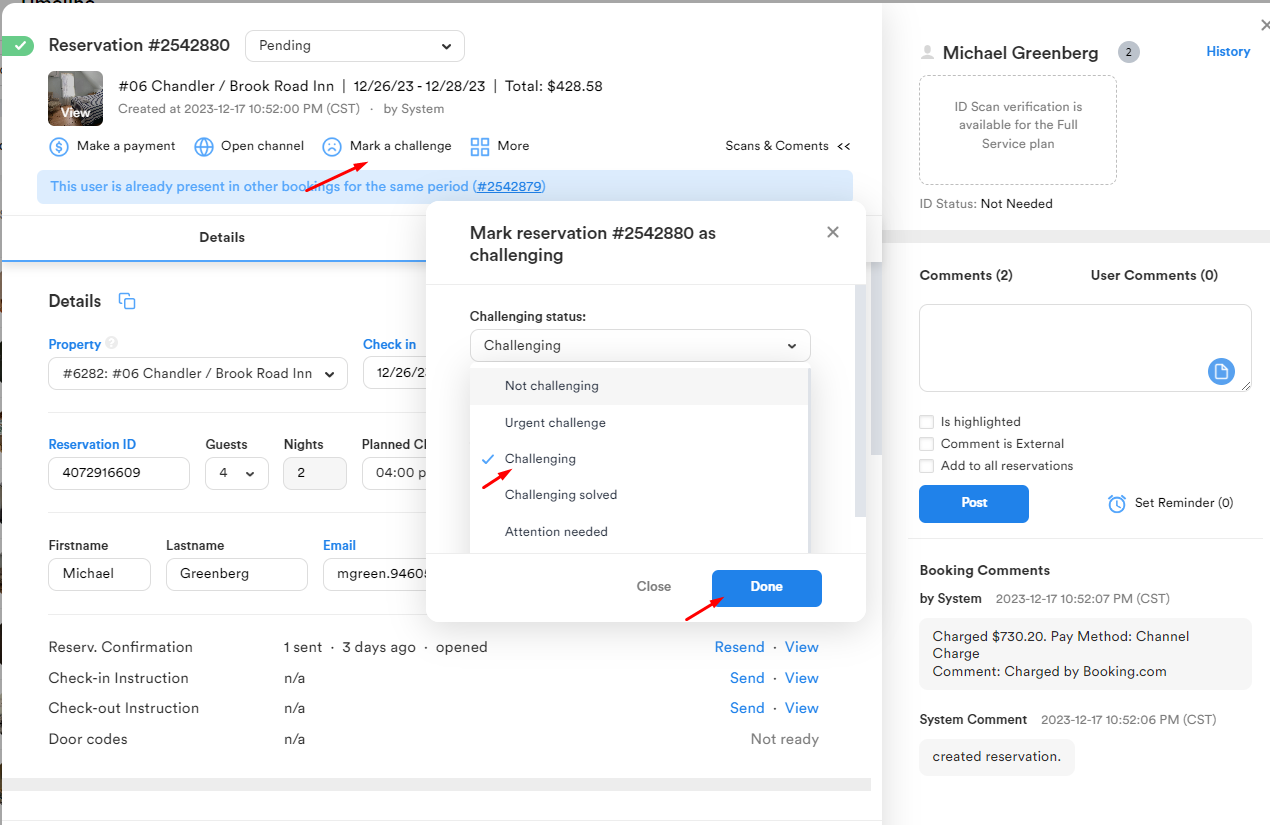
Cases are subdivided into
1. Attention needed - when guest report minor issues during the stay,
2. Challenging - when guest experience serious issues that are normally taken care of by the local team ans CC team,
3. Urgent Challenge - when guests face severe issues requiring immediate assistance and resolution.
How to Filter Challenging Cases
Challenging cases are handled by the evening shift (from 3:30 pm to 12 am) The area time zone (for current guests) and the residence time zone (after stay) should be considered by all means not to bother the guests during quiet hours. The last one can be discovered by hovering over the provided phone number.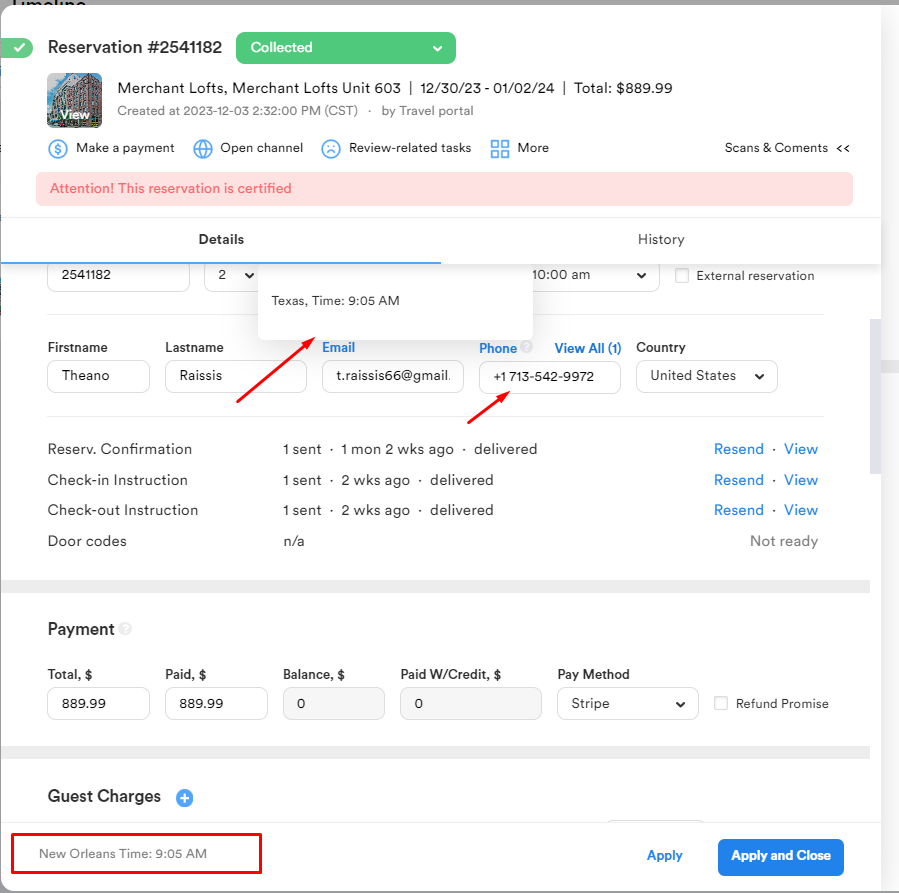
To filter the cases you need to;
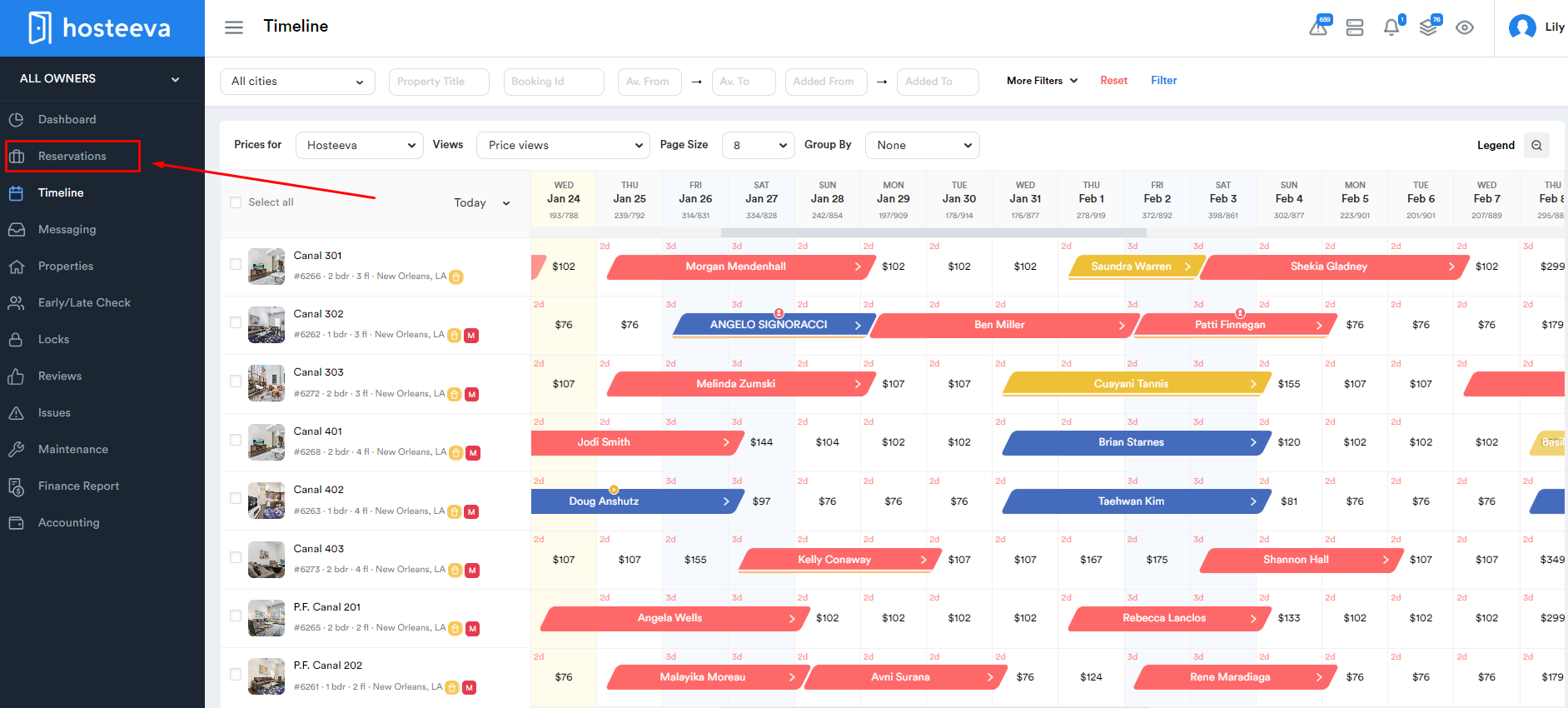
- Go to Reservations tab.
2. Choose the preferred dates, location, and challenging statuses by accessing the "More" button.
3. Press "Filter" to have the desired list.


Before reaching out to the guest, ensure all communications with the guest and the local team regarding the issue have been reviewed. Upon initial contact, introduce yourself and allow the guest to express their concerns without interruption, even if there are differing opinions. Take thorough notes on the guest's feedback and promptly generate a Work Order if a new issue is reported, ensuring the team is informed.
Once you've gathered all details from the guest, sincerely apologize for the inconvenience and propose a resolution in accordance with our Standard Operating Procedure (SOP) for Compensation. However, refrain from providing a final resolution to guests before checkout. Instead, update them on the steps our team will take to address their concerns and reassure them of our continuous support during and after their stay.
Always collaborate closely with the local team to ensure accurate updates are received before finalizing the resolution of the case.
Compensations are provided through- Future Stay Discounts,
- Hosteeva Travel Vouchers,
- or Refunds.
1. To Create a Travel Voucher
a) Go to Make a Payment

b) Click on the Refund Button

c) Select Payment Credit, enter correct the amount and expiration date, then click on the Create Credit button

d) The details will appear under the Payment Form

2. To create a FSD ( Future Stay Discount )
a) Click on Generate Discount Under More

b) Enter the desired value and expiration date

c) Click on Generate

d) A detailed comment will appear in the comments section

3. To Make a Refund
A task should be created on Trello as typically refunds are not processed right away

Reservation details, due date, the partner channel name (under Labels) and all necessary comments should be added in the card

Note: Due date mostly depends on the partner channel. The guest should be notified on the scheduled date of the refund to set the right expectations. Only Airbnb has a review period of 14 days, after which neither guest nor host can post a review so we normally send refunds to Airbnb guests outside that window. For other channels the due date is generally set in 5-7 days. Booking.com guests have three months to complete their review. On Vrbo hosts and guests have 180 days to post reviews.
4. To Solve a Case
Once the above steps are completed, and the guest sounds happy we can proceed with solving the case.

If a guest still ends up leaving a review after a resolution has been offered or we failed to reach the guest for some reason or other, we mark the reservation as review-related to contact the guest and figure out how we can rectify the situation for them. (See SOP for Review-related tasks in the relevant article)