This guide provides steps on how to update the calendar on Hosteeva, including adjusting availability and rates.
Updating Availability
Step 1: Navigate to the Hosteeva timeline.
Step 2: Locate your property and calendar.
Step 3: Highlight the dates for which you want to change the availability.
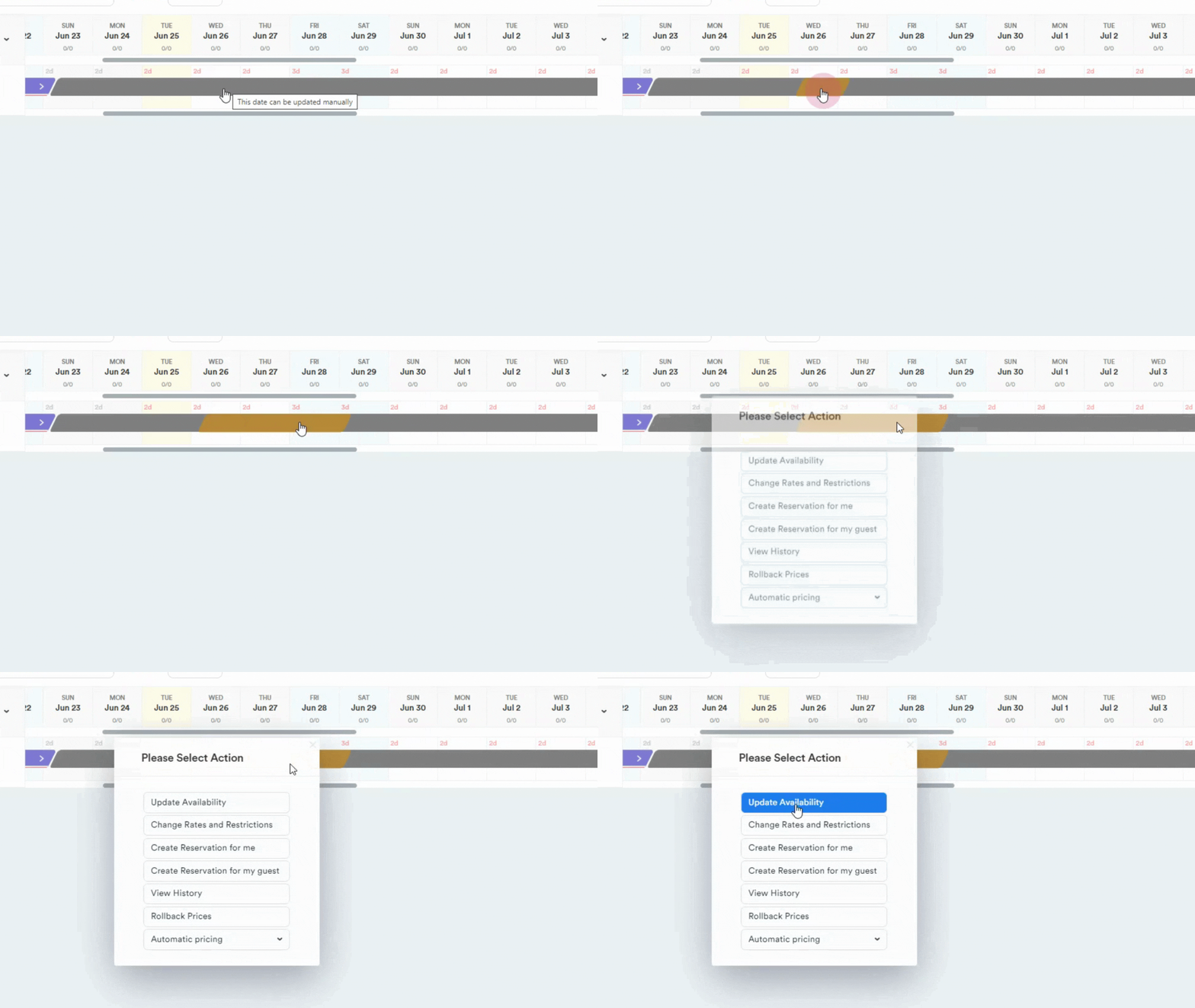
Step 4: Click on Update Availability.
Step 5: Adjust the date range as needed.
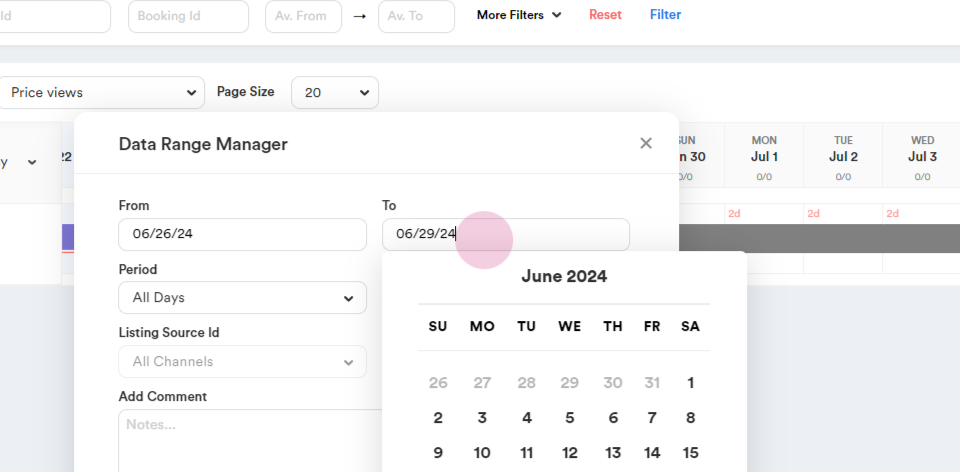
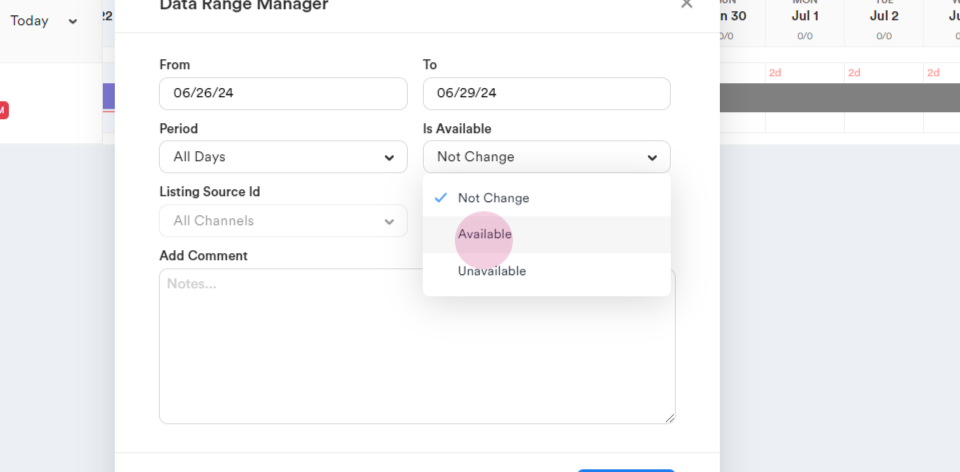
Step 6: Select your desired action from the Is Available dropdown.
Step 7: Choose the availability status. For example, to make dates available, select Available.
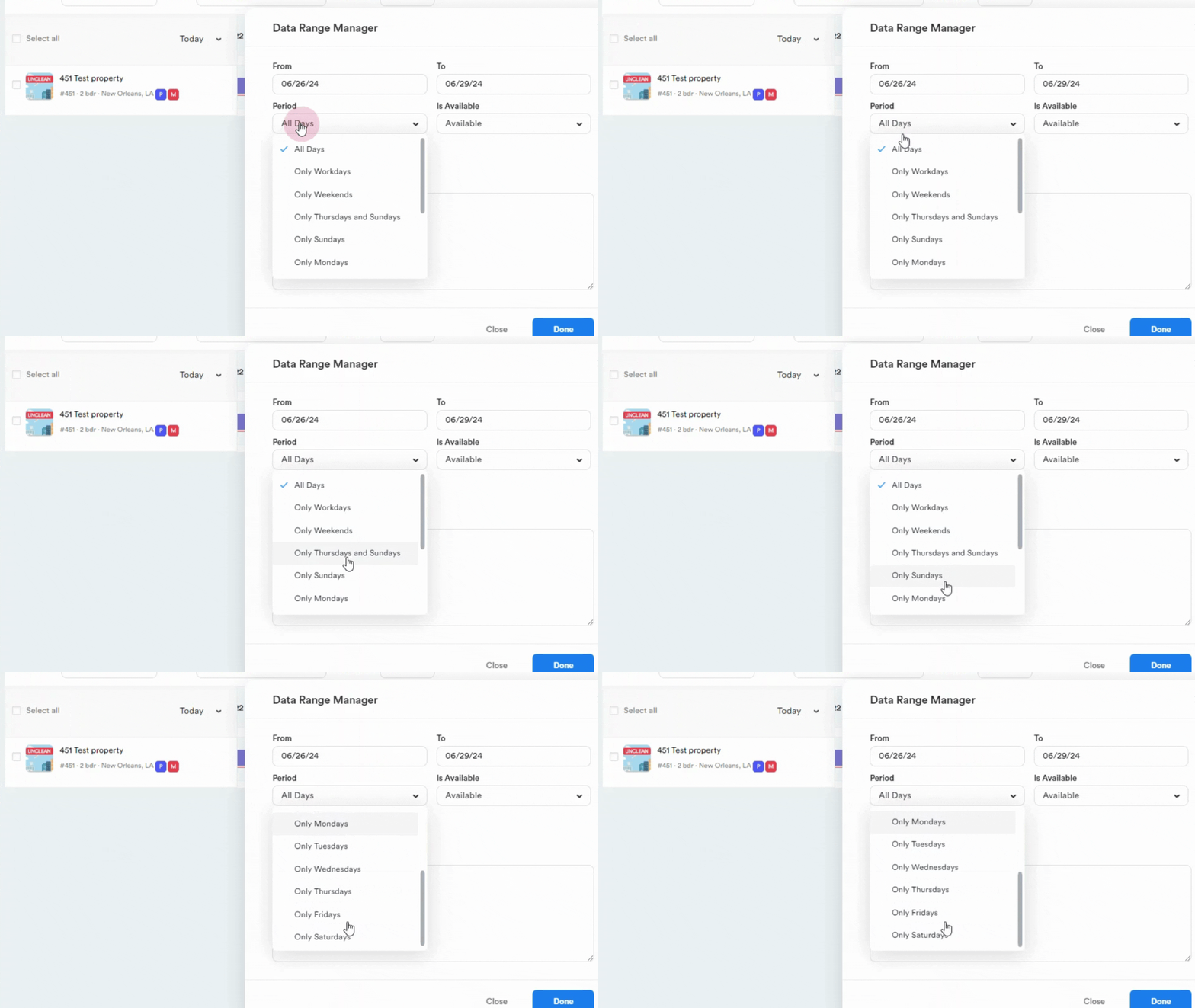
Step 8: Specify the days of the week for this availability or let it stay All Days if al days should be updated.
Step 9: Select the Airbnb channel if you want to change availability only on Airbnb.
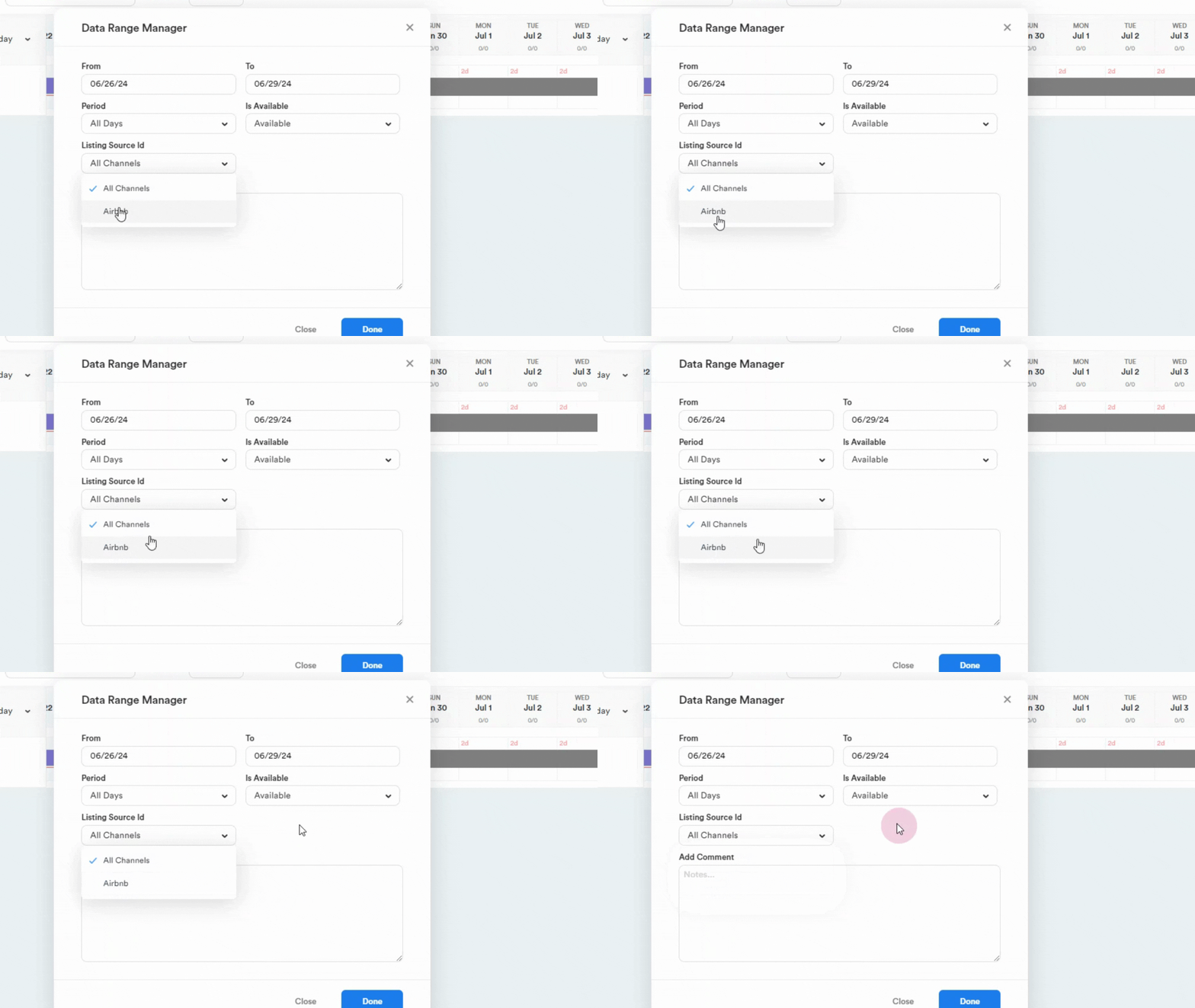
Step 10: Leave a mandatory comment before proceeding and click on the Done button.
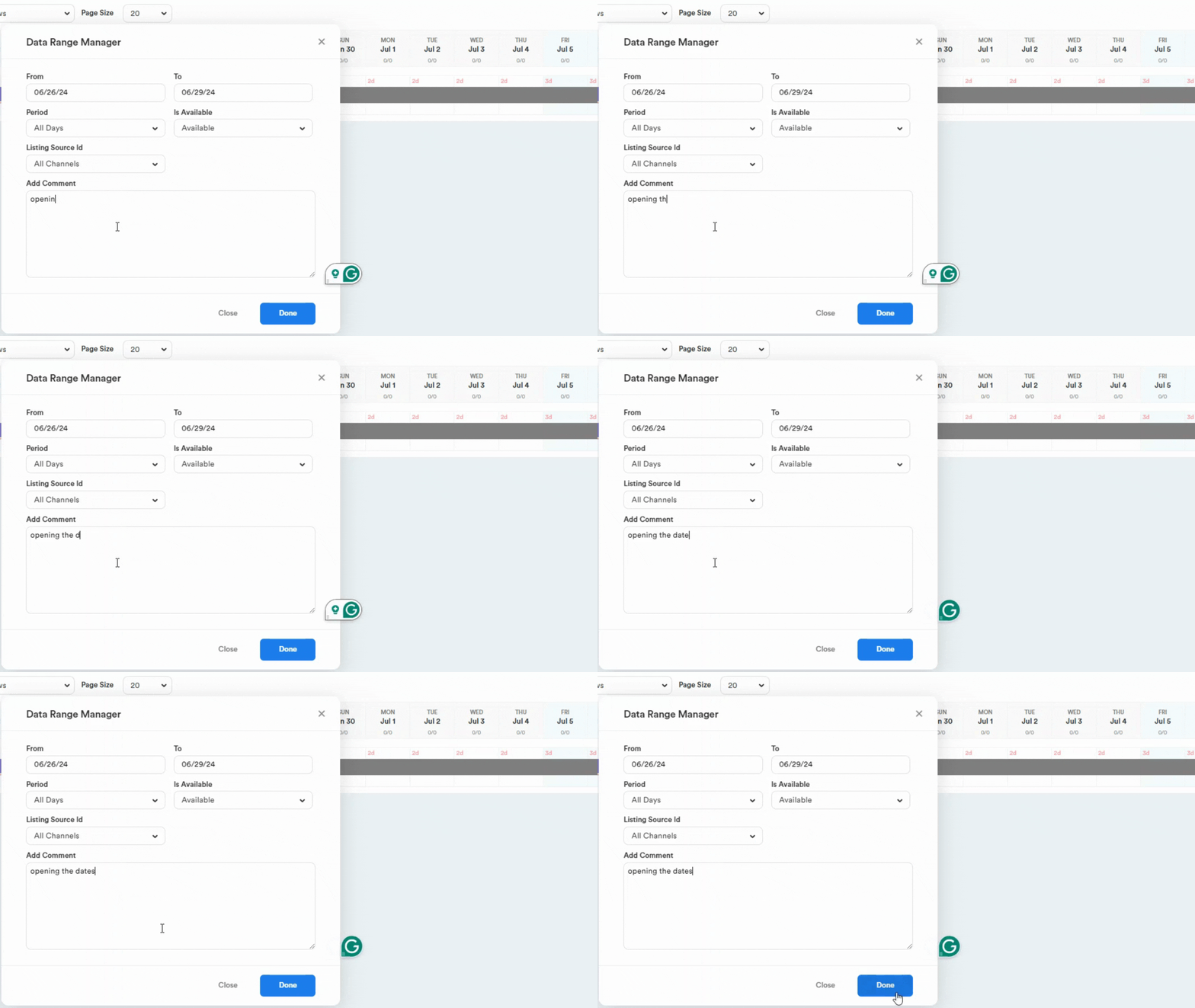
Step 11: Confirm that your dates are now available.
Updating Rates
Step 1: Highlight the dates and choose Change Rates and Restrictions.
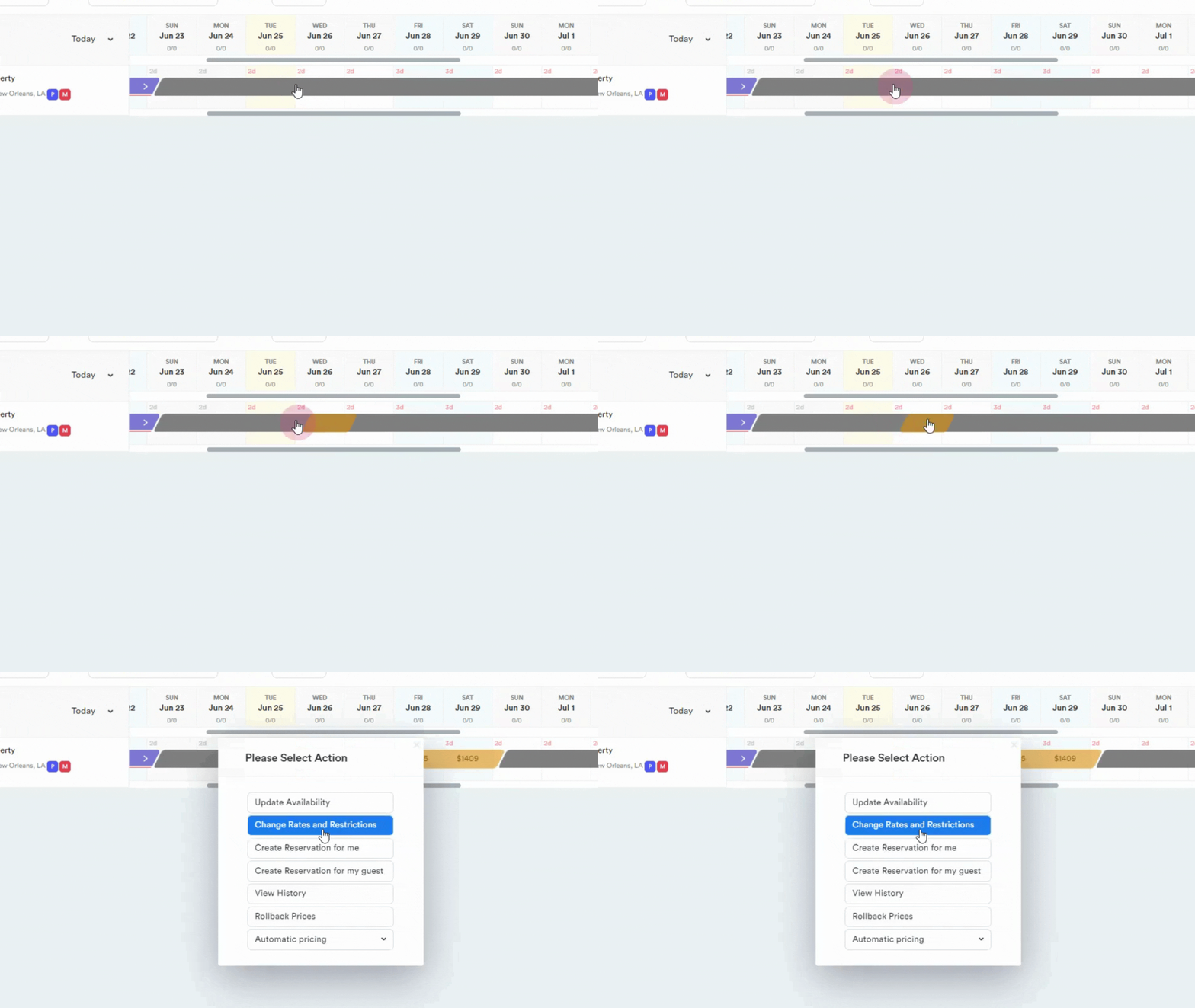
Step 3: Adjust the date range if necessary.
Step 4: Select the weekdays for this date range.
Step 5: Choose your desired pricing option, such as fixed price, increase by percent, decrease by percent, or set to default.
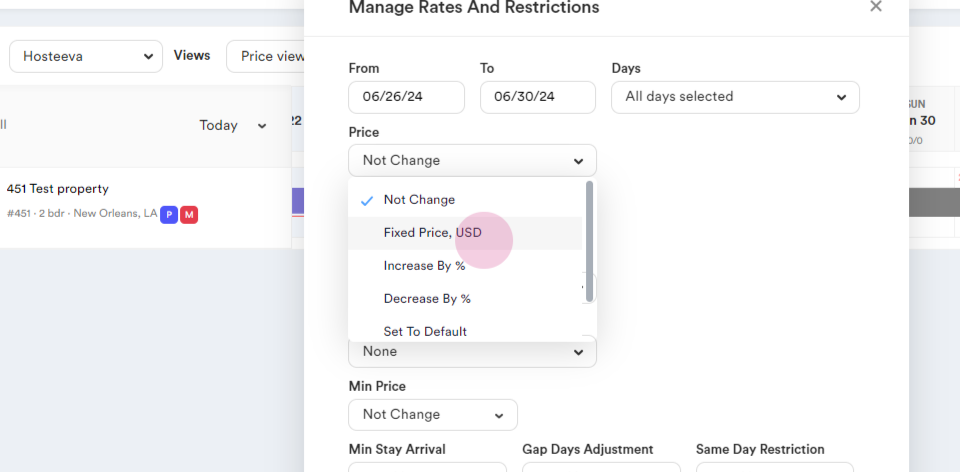
Step 6: If choosing a fixed price, enter the price if choosing a percent set Percent.
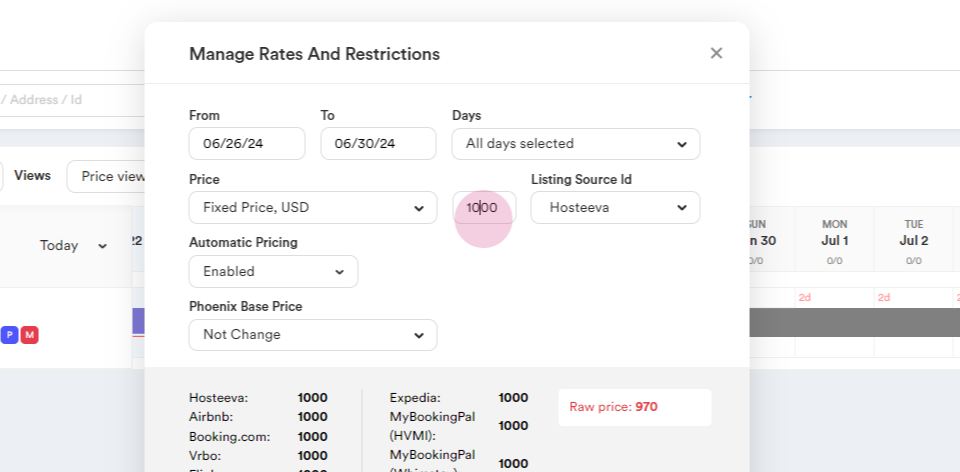
Step 7: Choose the channel for this rate change. But the rate will be updated on all channels.
Step 8: Note that the raw price is the price without the price markup.
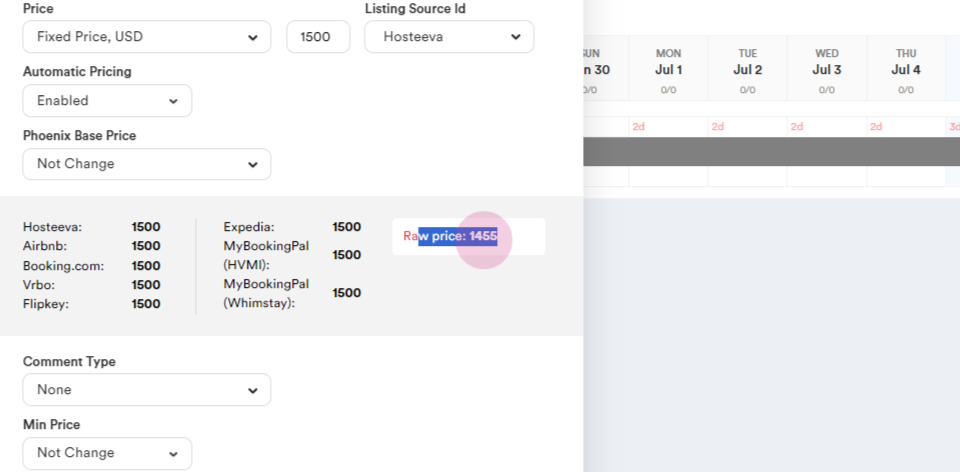
Step 9: Choose a comment from dropdown menu such as "open the rates" or any other reason.
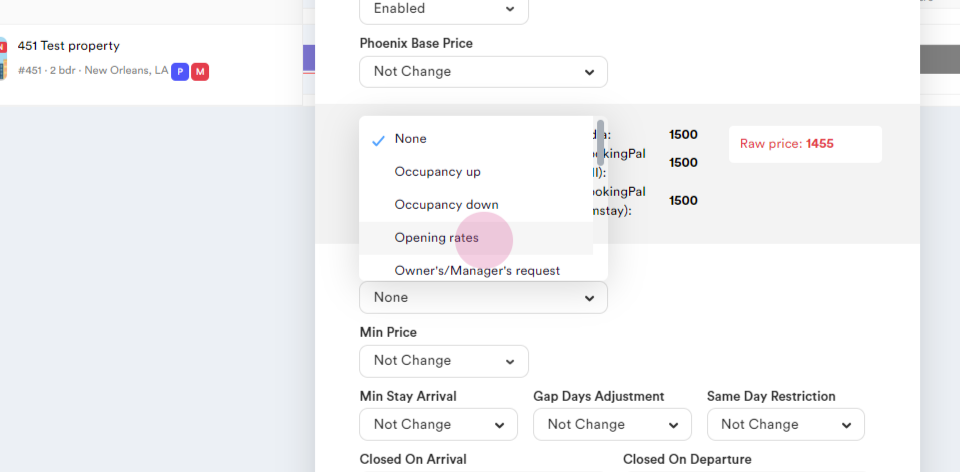
Step 10: Adjust the minimum price if necessary. It won't let the Automatic pricing lower the rate than the minimum rate.
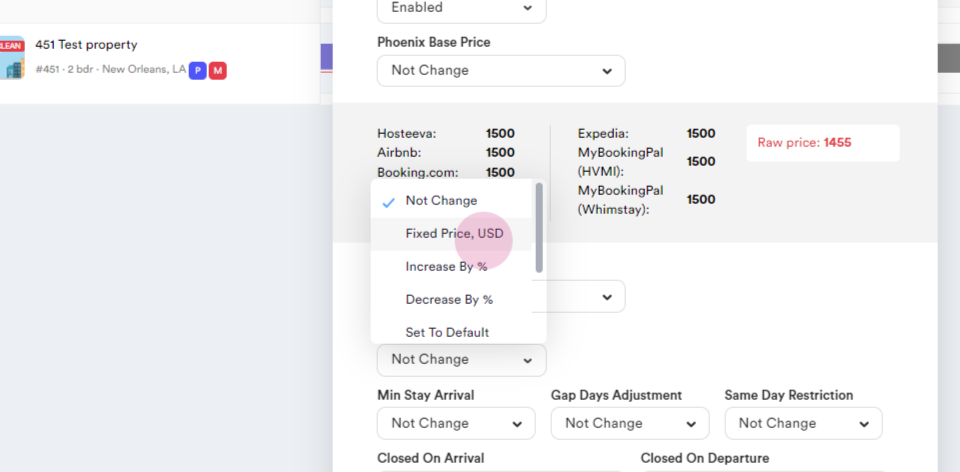
Step 11: Set a minimum stay of arrival if desired.
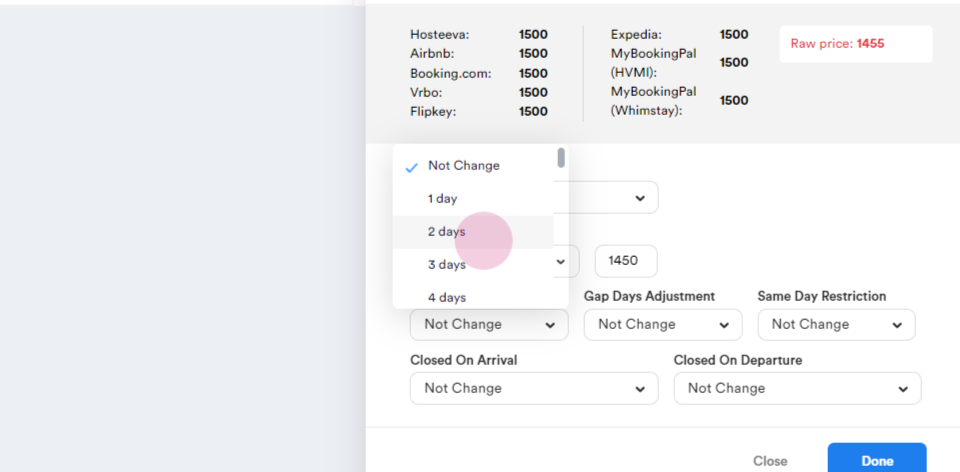
Step 12: Apply same-day restriction if needed.
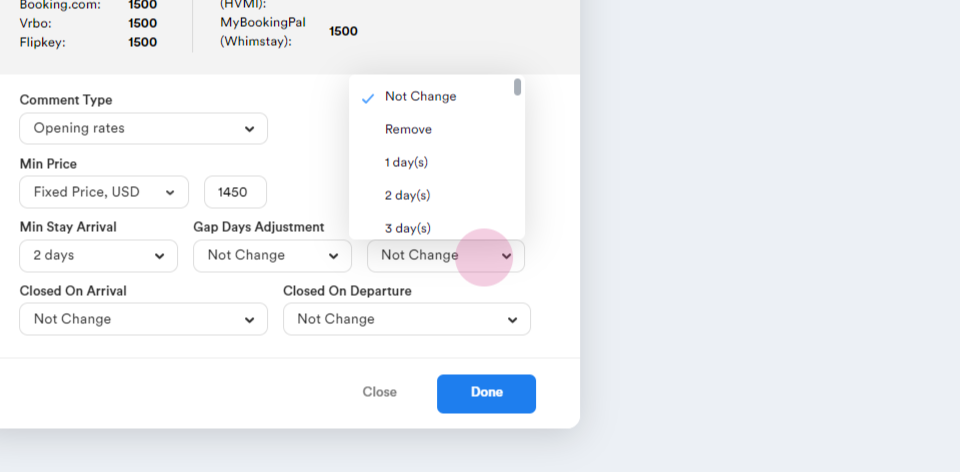
Step 13: Set the close on arrival and departure if necessary.
Step 14: Click Done to save changes.
Step 15: Confirm that the dates and rates have been updated on the Timeline.