Reservations: View and manage all your property reservations in one place. This is where you can check guest details, booking statuses, and more.
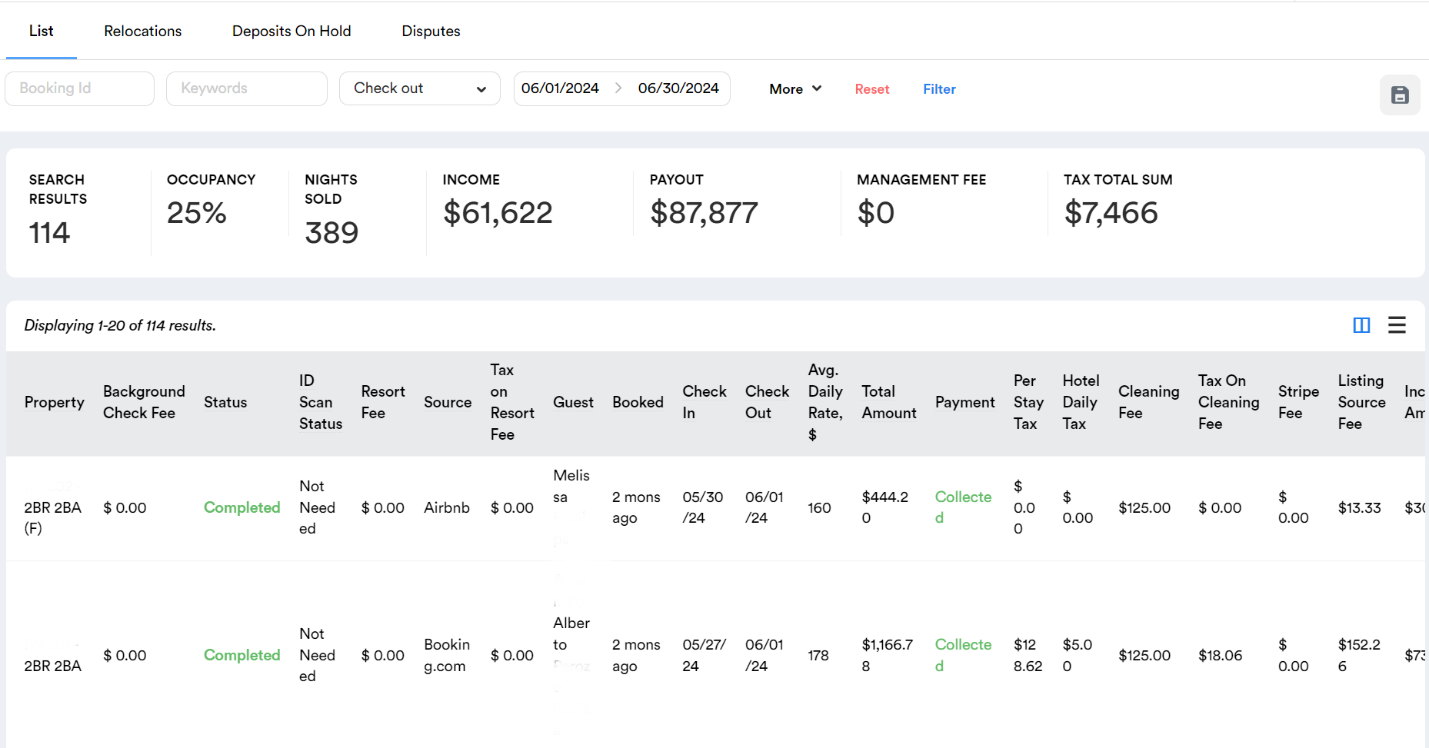
What You’ll See in the Reservations Tab:
Search Results: The total number of reservations made for that month.
Occupancy Rate: The percentage of occupied nights during the month.
Nights Sold: The total number of nights sold during that month.
Income & Payout: The total income and expected payout for the selected month.
Detailed Reservation Data: Each reservation’s details, including property name, guest information, check-in, and check-out dates, average daily rate, the total amount collected, and various fees (e.g., cleaning, resort, taxes), and much more.
This feature allows you to drill down into specific reservations, enabling you to review individual booking details and overall performance. It's an excellent way to analyze how each reservation contributes to your monthly and overall revenue, helping you make informed decisions on pricing, promotions, and other property management strategies.
Accessing Reservation Details
To gain a more in-depth understanding of a specific reservation, the Hosteeva Dashboard allows you to easily access detailed information with just a few clicks.
How to Access Reservation Details:
-
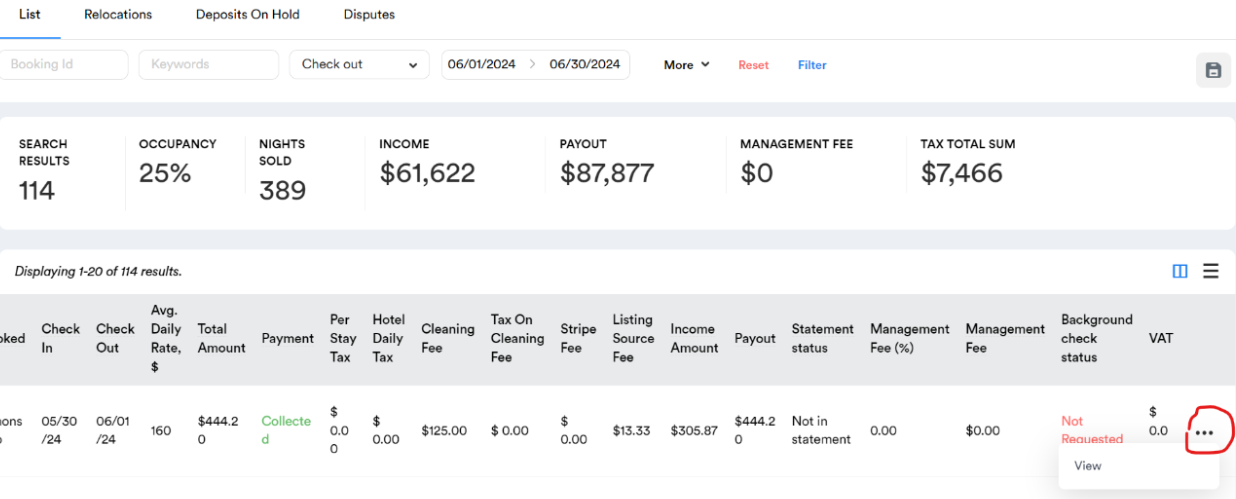
Click the Ellipses (...): On the right end of the reservation row, you’ll find an ellipses icon (three dots). Clicking on this icon opens up more options for that specific reservation.
-
Open the Reservation Dialogue: After clicking the ellipses, select the "View" option from the dropdown menu. This will open the reservation dialogue, providing you with detailed insights about that particular booking.
What You Can Expect to See:
-
Guest Information: Detailed data about the guest, including contact details and any special requests.
-
Payment Status: Information about payments made, outstanding balances, and payment methods.
-
Fees and Taxes: A breakdown of various fees and taxes associated with the reservation, such as cleaning fees, resort fees, and any applicable taxes.
-
Additional Details: Any other specific details related to the booking, such as special arrangements, notes, or communication history.