Employees can use eSELFSERVE.com (eselfserve.com) to review their personal information, pay stubs, tax deductions, and other details, as well as download their pay reports and W-2 forms.
After Adding the direct deposit information for the employees you can invite them to eSELFSERVE.com (for this we need employee’s E-mail address)
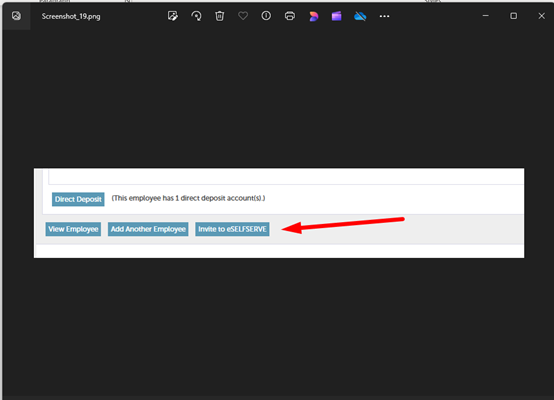
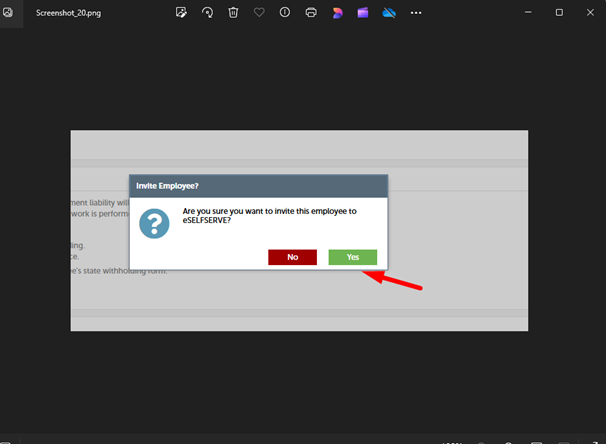
Click yes to invite the employee to eSELFSERVE.com.
Employees can view their pay reports by logging into eSELFSERVE.com. Login instructions are sent to them when they are added to the system, and this information is included in the onboarding documentation. If an employee has trouble logging in, we can reset their login information.
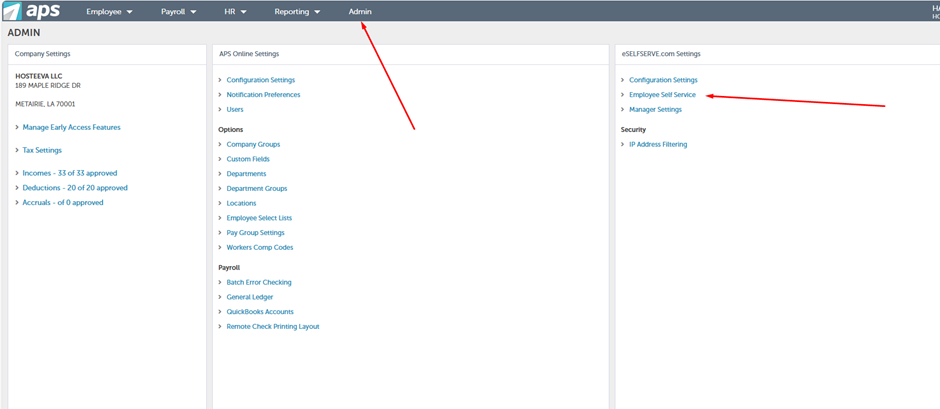
Resetting Employee Login Information
- Access Admin Tools: Click on "Admin," then select "Employee Self Service."
- Find the Employee: Type the employee’s name or choose from the list. For terminated employees, use the filter to include inactive ones.
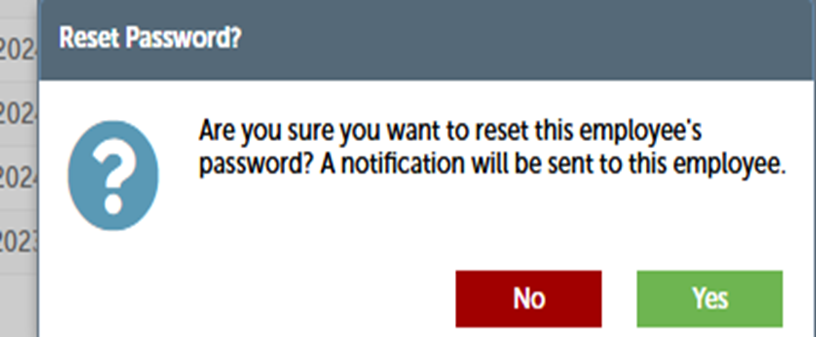
- Reset Login Information: Click "Reset." The system will send a new password to the employee’s email address.

Accept login request changes only from employees or their managers.