Go to employees’ list, click on the employee’s name and navigate to the 'Details' section. Click on 'Direct Deposit.'
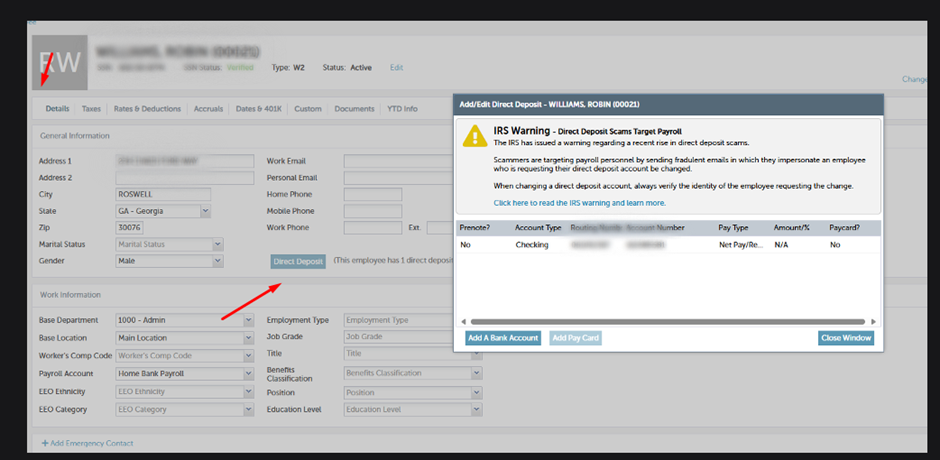
Double-click on the account and routing numbers to make the necessary changes. We can also delete and add a new bank account.
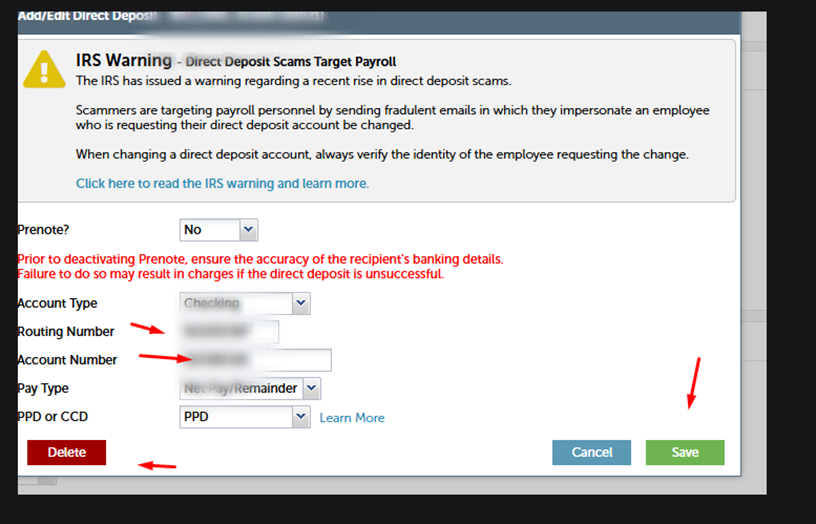
Employees can add multiple accounts in their direct deposit information section. However, please note that at least one of the accounts must have 'Net Pay Remainder' as the payment type to avoid generating a check
If you want to add a new bank account alongside an existing one, click on "Add Bank Account"