Step 1: Log in to Your PriceLabs Account
Step 2: Click “Add/Reconnect Listings" button. This will open a new window.
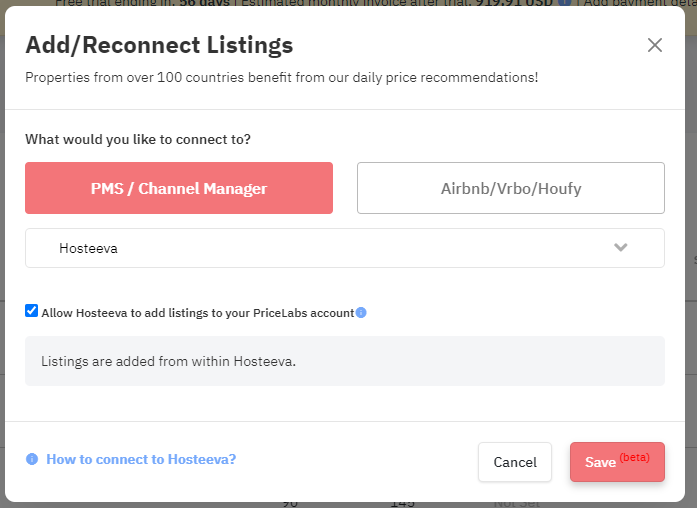
Step 3: Click the “PMS / Channel Manager" button and select "Hosteeva" from the PMS dropdown.
Step 4: Check the box "Allow Hosteeva to add listings to your PriceLabs account” and click "Save."
Step 5: Once you have completed Step 4, please notify the Hosteeva support team that you have connected to PriceLabs and give the email address for your PriceLab account. This is essential so that we can enable PriceLabs for your account.