Preparing Pay Reports
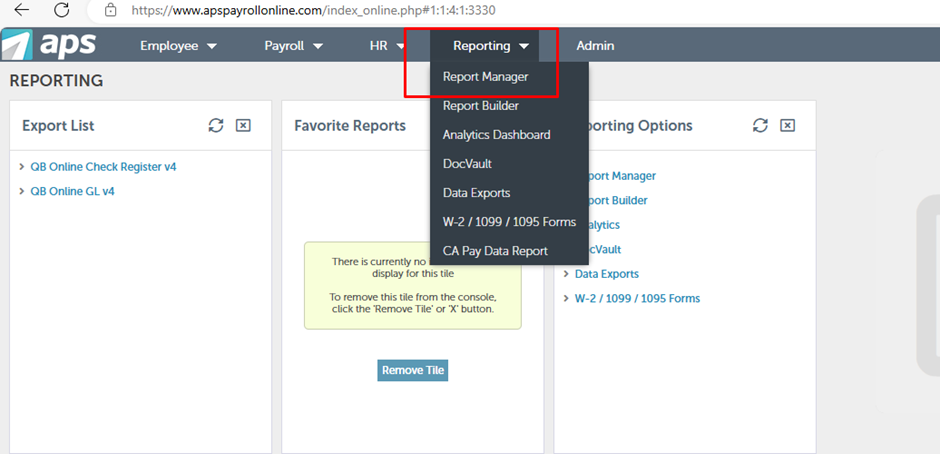
Access Reporting Tools: Click on "Reporting." Choose "Report Manager" from the available options.
Double-click on "Payroll."
Scroll down and choose "Payroll Summary (Audit).
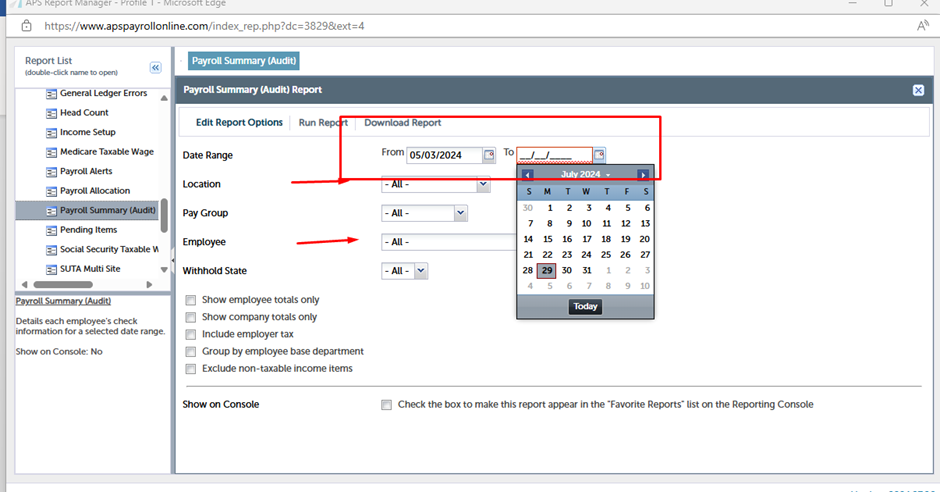
Choose the payroll period(s) for which you want to generate the report.
- For Single Employee: Type the employee’s name.
- For Single State: Type the state name.
- Other Criteria: Enter any other relevant details as needed.
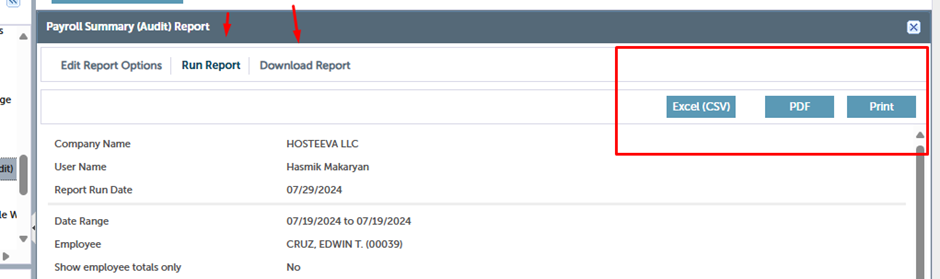
Run the report, you can download in PDF or Excel (CSV) and send as requested.