This guide provides a detailed walkthrough on how to collect and manage refundable damage deposits (RDD) from guests. It also covers how to automate some of these processes.
RDDs are charged to secure the property from potential damages during a guest's stay. They're automatically refunded three days after checkout, giving the housekeeping team ample time to check the unit and report any issues.
Collecting RDD and Credit Card Details
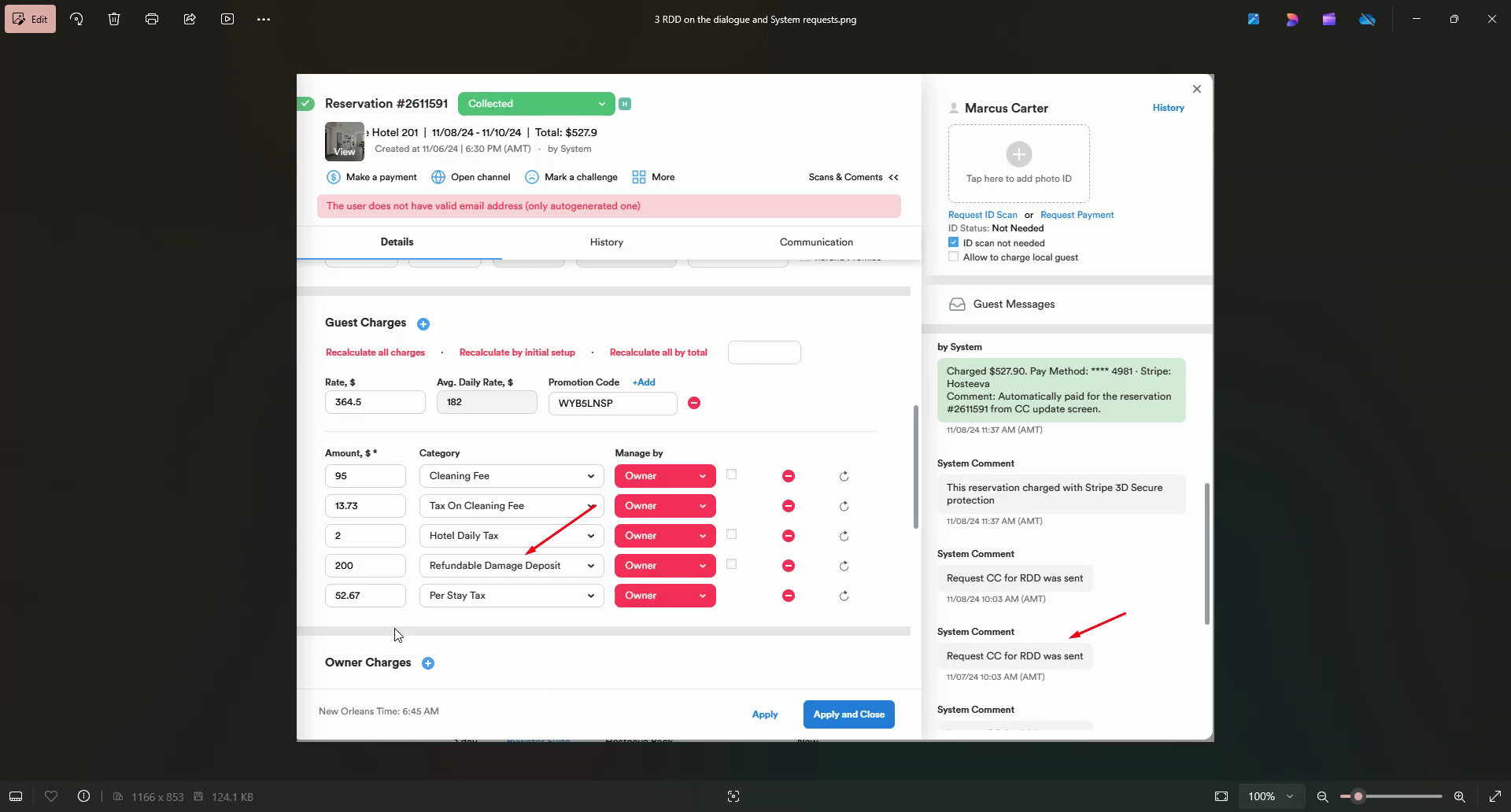
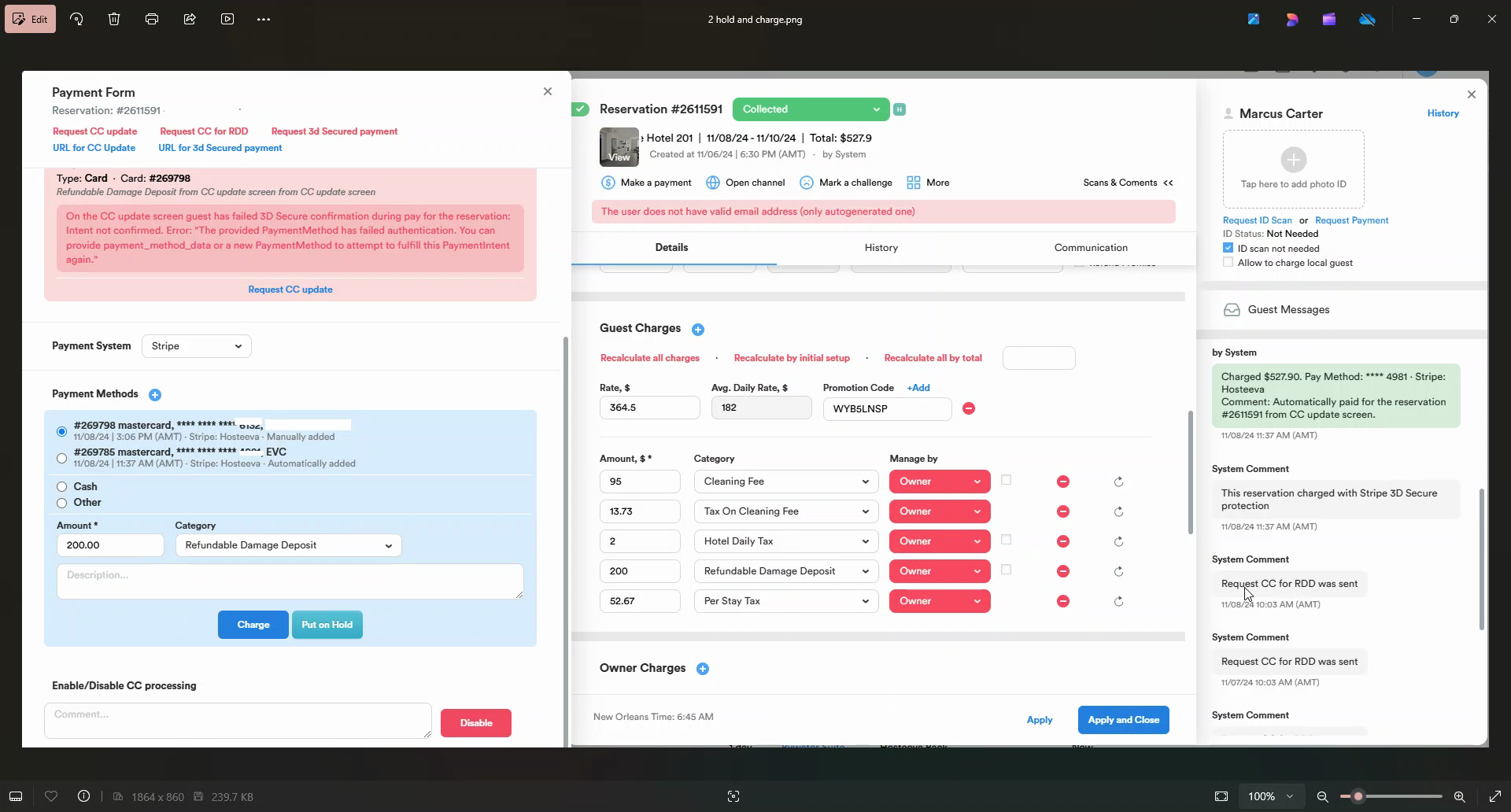
Step 1: Request the guest's credit card details for the RDD. This is done via a "CC for RDD request." (Request Credit Card for Refundable Damage Deposit)
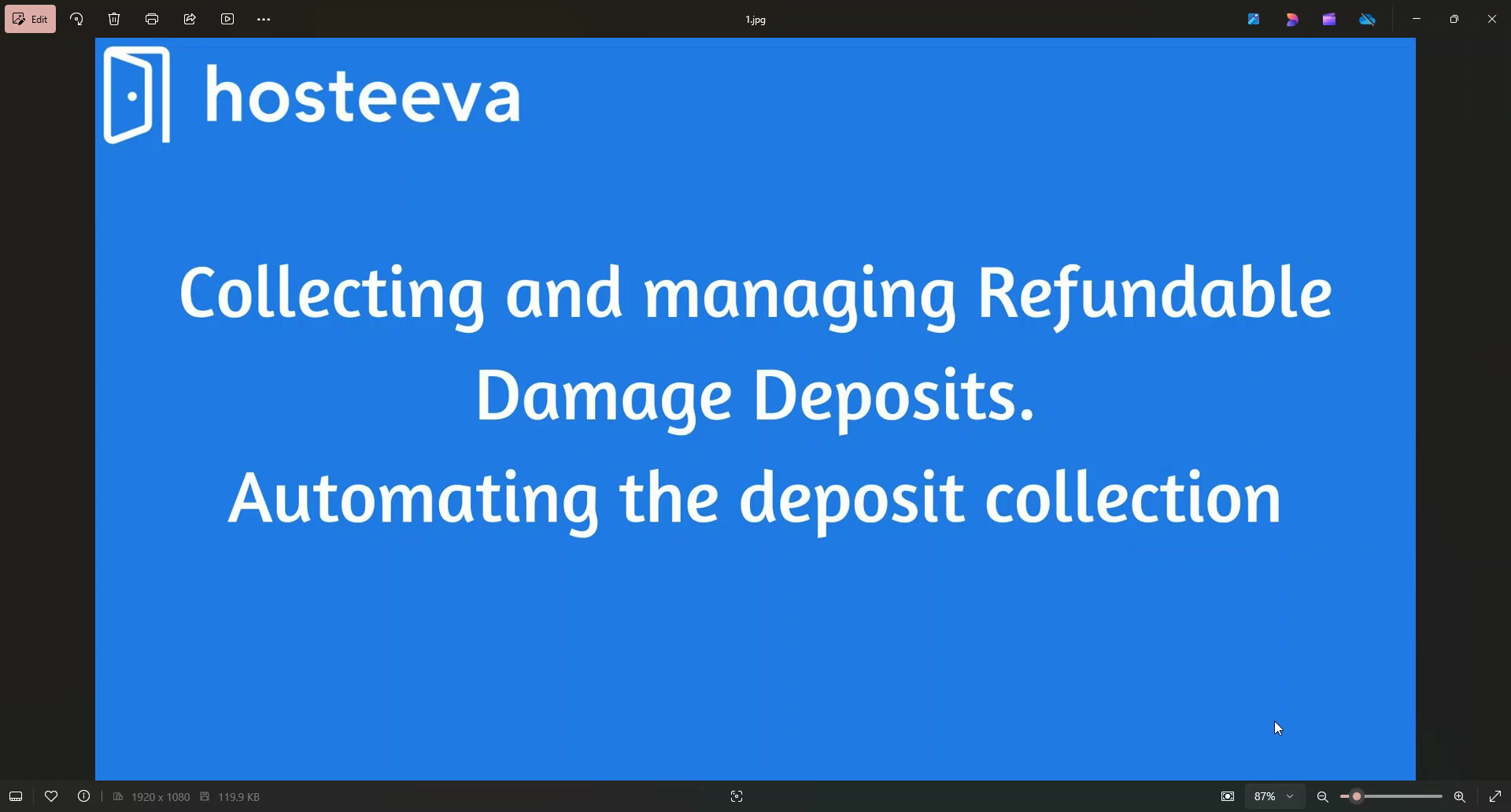
Step 2: Approve the request from the guest's side. This action will add the credit card details.
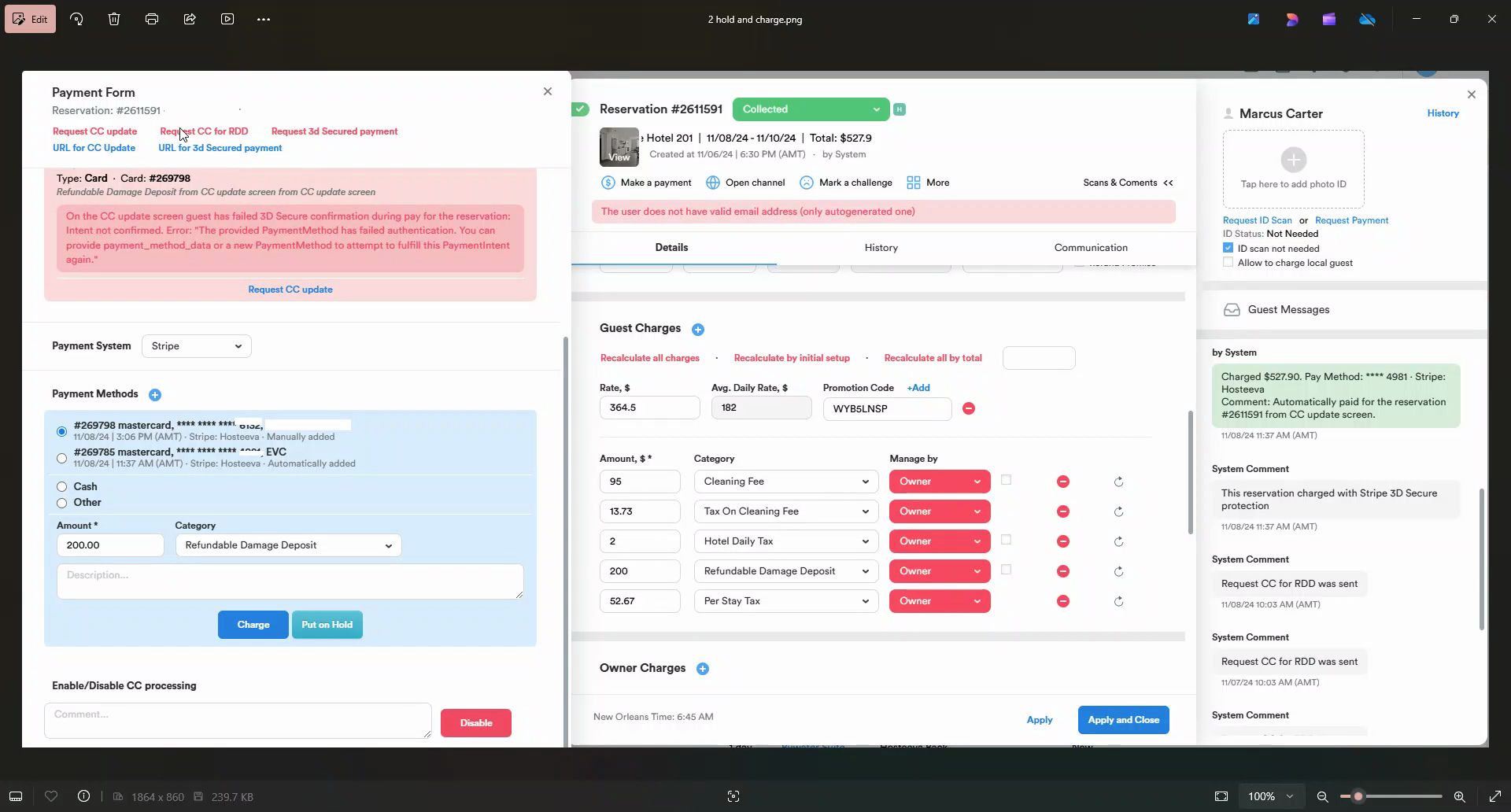
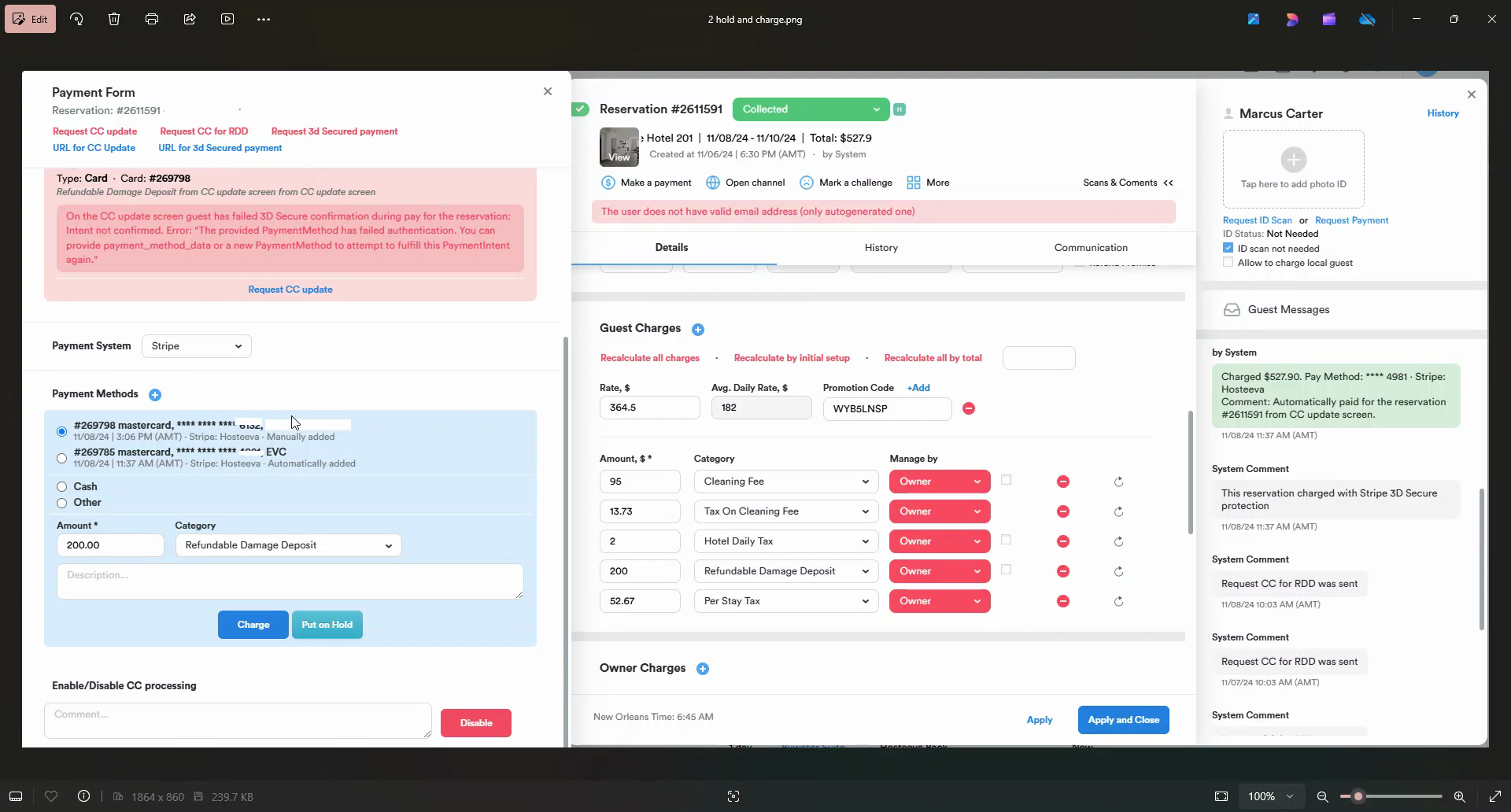
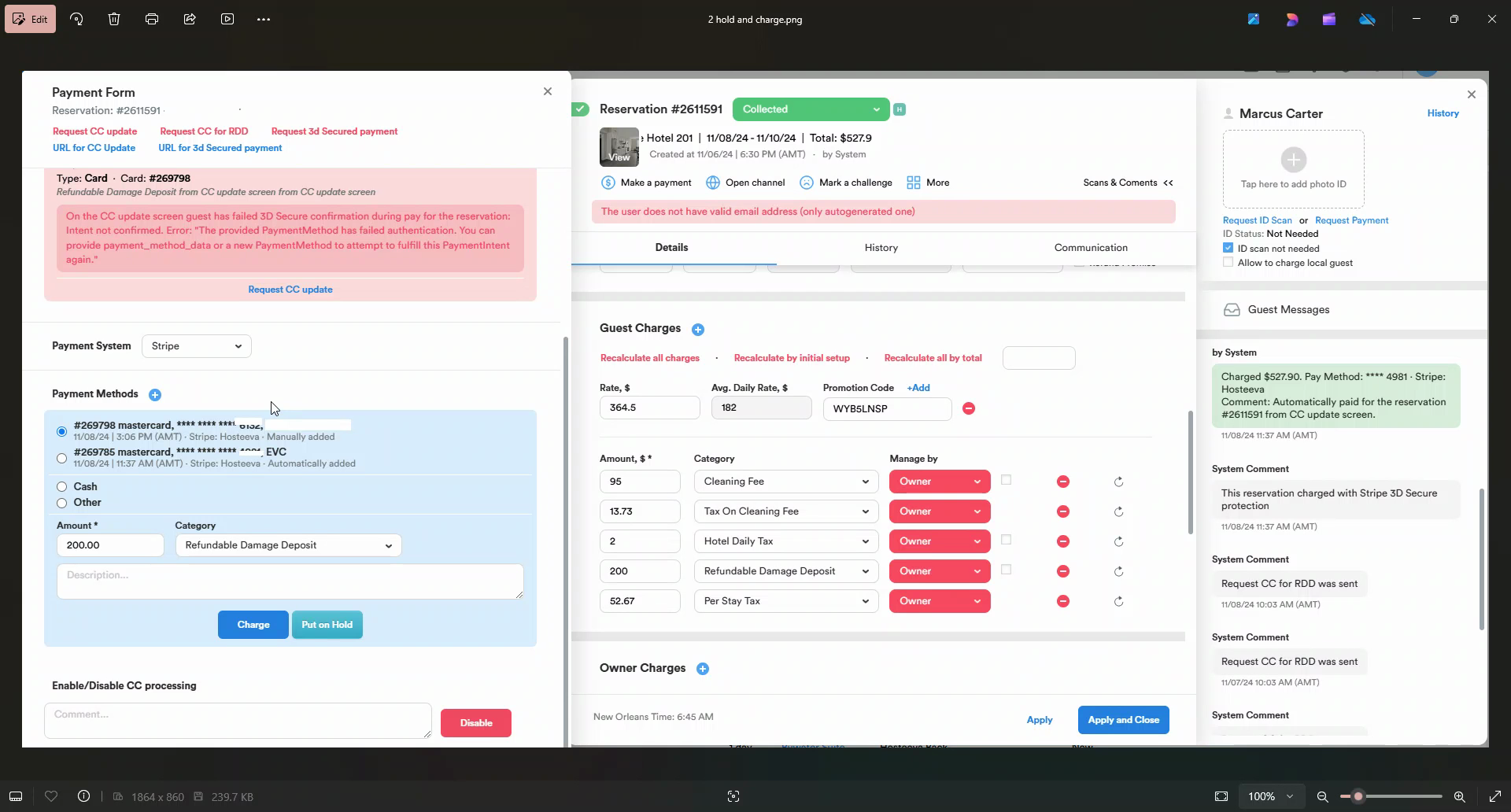
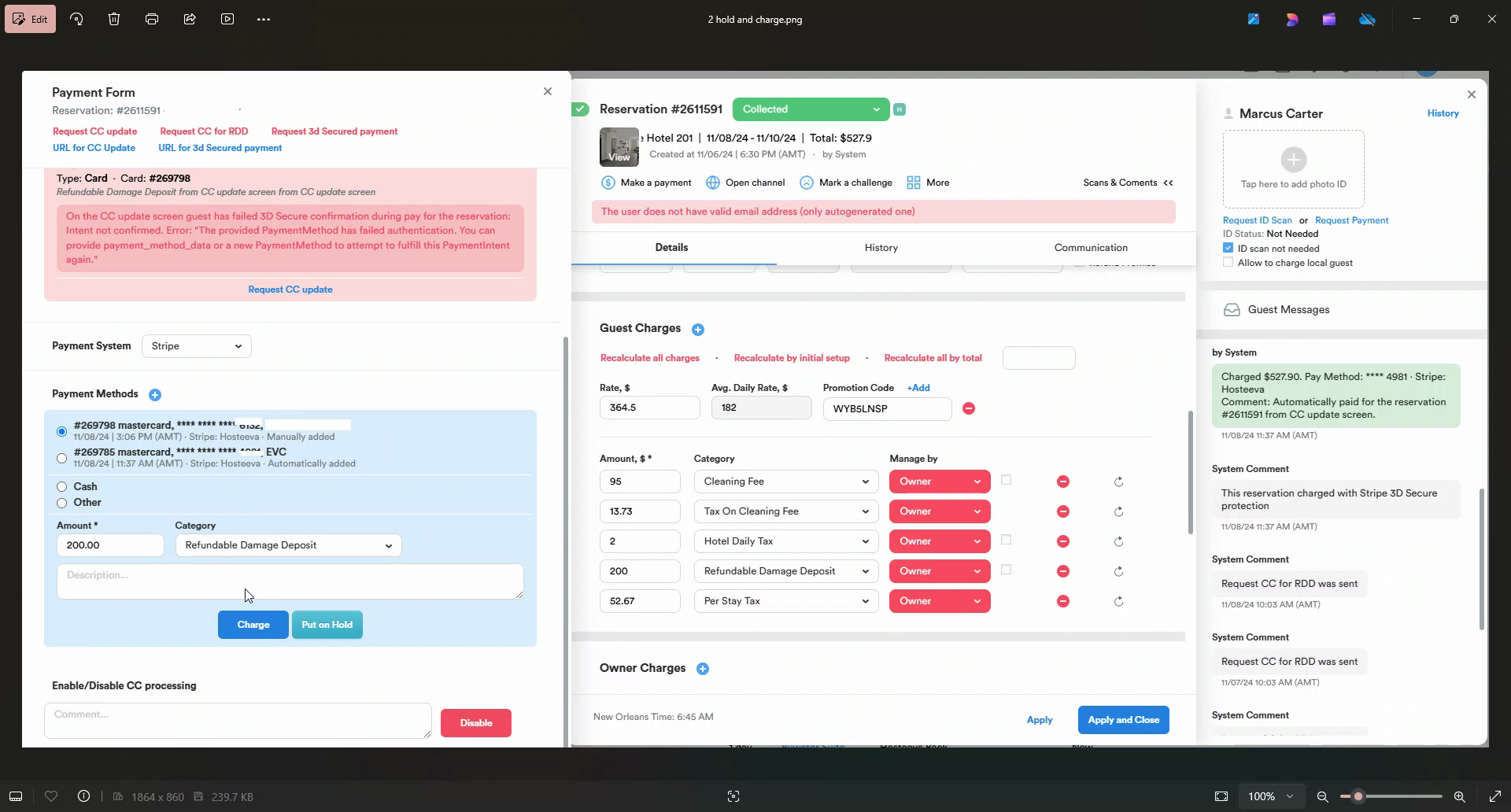
Step 3: Edit the credit card details and hold the RDD. This process is automatic, but only if the guest proceeds with the request.
Setting RDD for Different Platforms
For Airbnb reservations, it's possible to get compensation for damages caused by guests. Therefore, there's no need to set an RDD.
For Booking.com reservations with a bank transfer payout option, it's possible to request a $200 if Booking.com guest guest causes damage.
Setting RDD as a Default Fee
Step 1: Set the RDD as a default fee for the property. This action will automatically apply it to all newly created reservations.
Step 2: Alternatively, manually add the RDD wherever needed by notifying the guest about the added deposit.
Holding the RDD
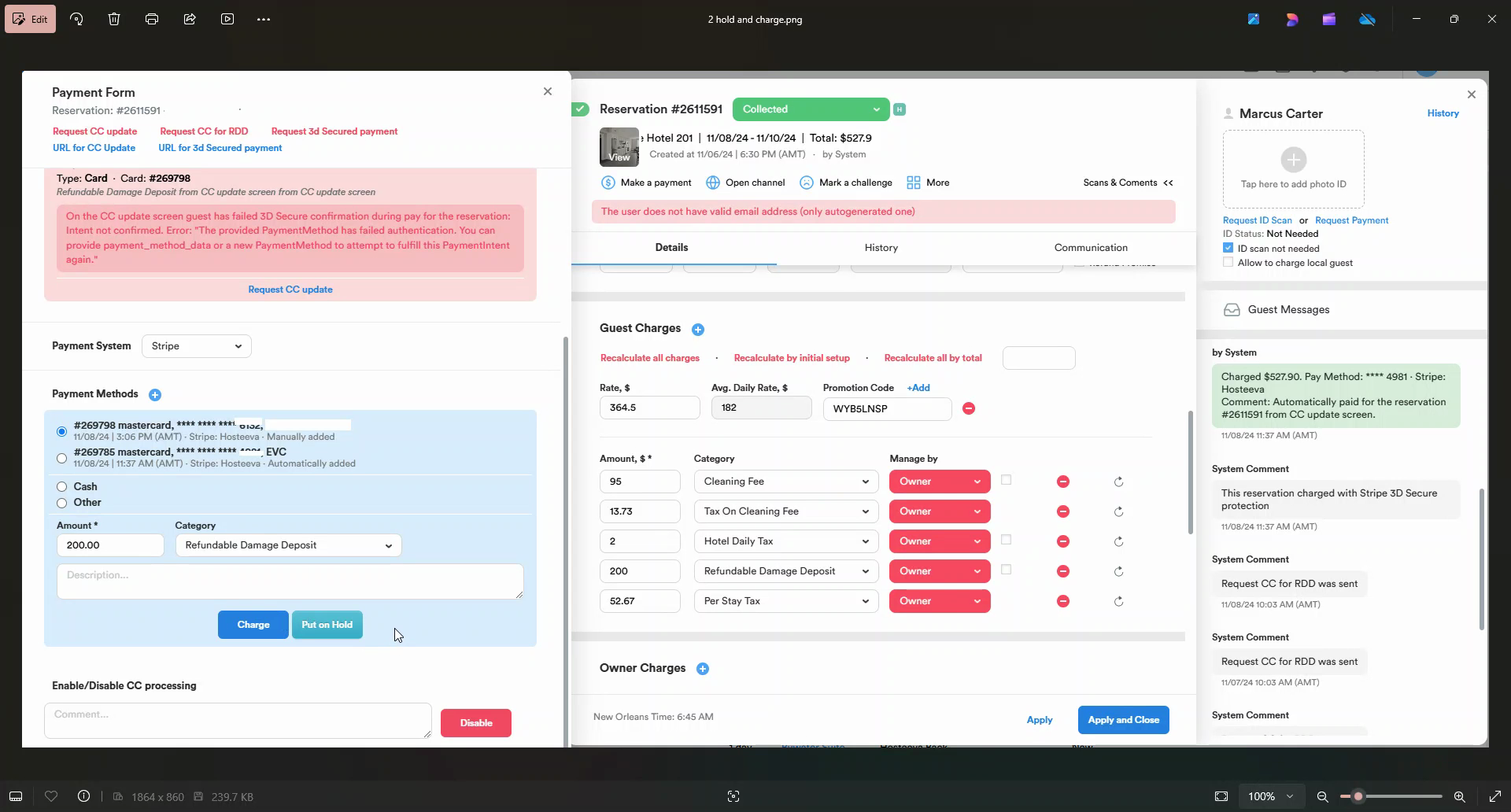
If there's any issue at the property, the manager can charge to cover the damages. This should be done to prevent automatic RDD refund by the System.
Mentioning RDD in Property Listing Rules
RDD should be mentioned in the property listing rules so the guest understands the amount that will be kept from their credit card. If not, they might dispute the charge.