This guide explains how to reset a forgotten password on Hosteeva.com.
Start by navigating to the Hosteeva webpage.
Step 1: Access the login page.
Step 2: Locate the Sign In at the top right corner of the screen.

Step 3: Click on Sign In to proceed to the login page.
Step 4: On the login page, find the link labeled Forgot Password below the password field.
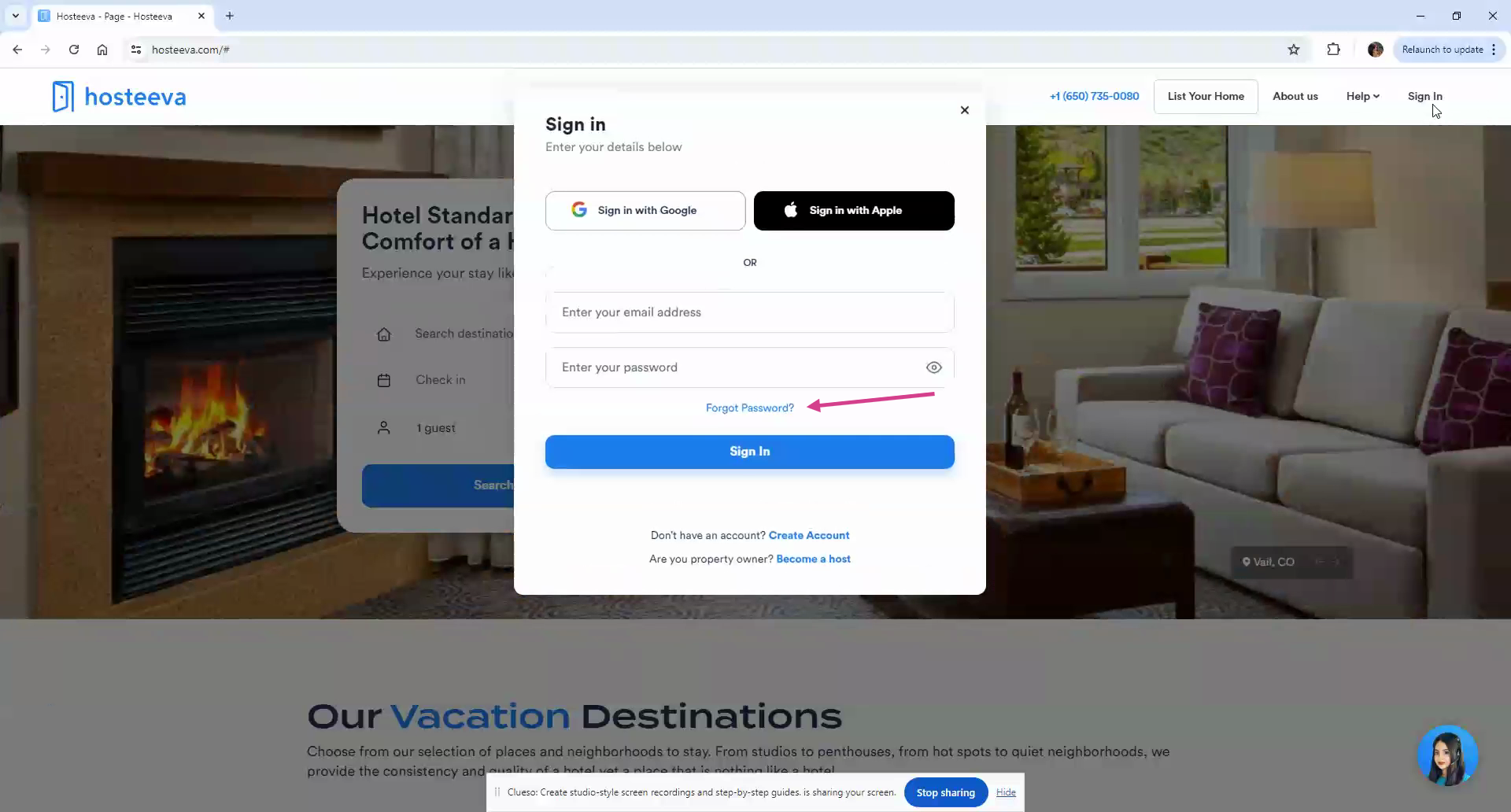
Step 5: Click on the Forgot Password link to start the password reset process.
You'll be redirected to the Forgot Password page.
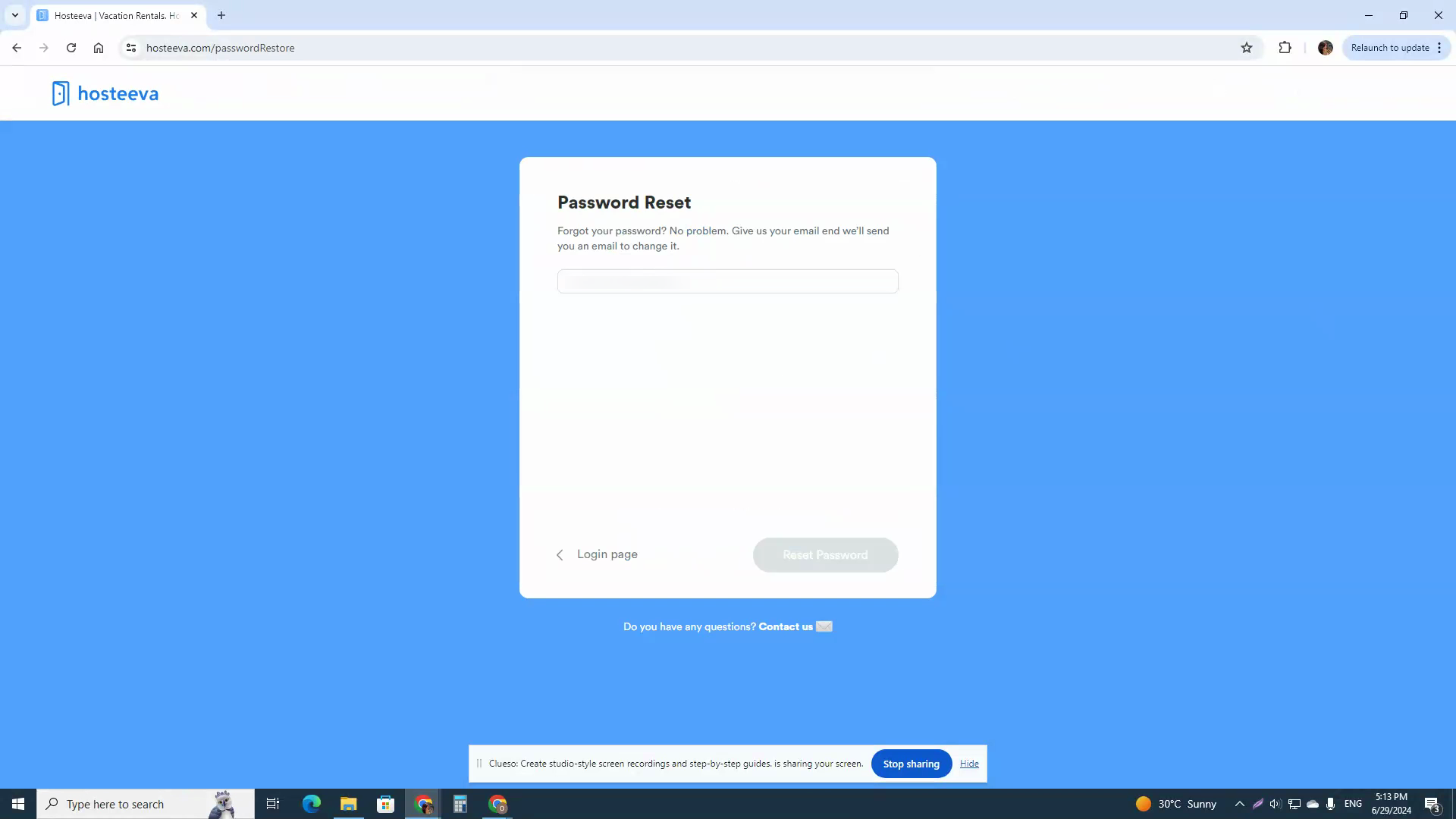
Step 6: Enter the email address linked to your Hosteeva account in the provided field.
Step 7: Click on Reset Password.
Step 8: Check your email for a message from Hosteeva.
Step 9: Click on Reset Password in the email.
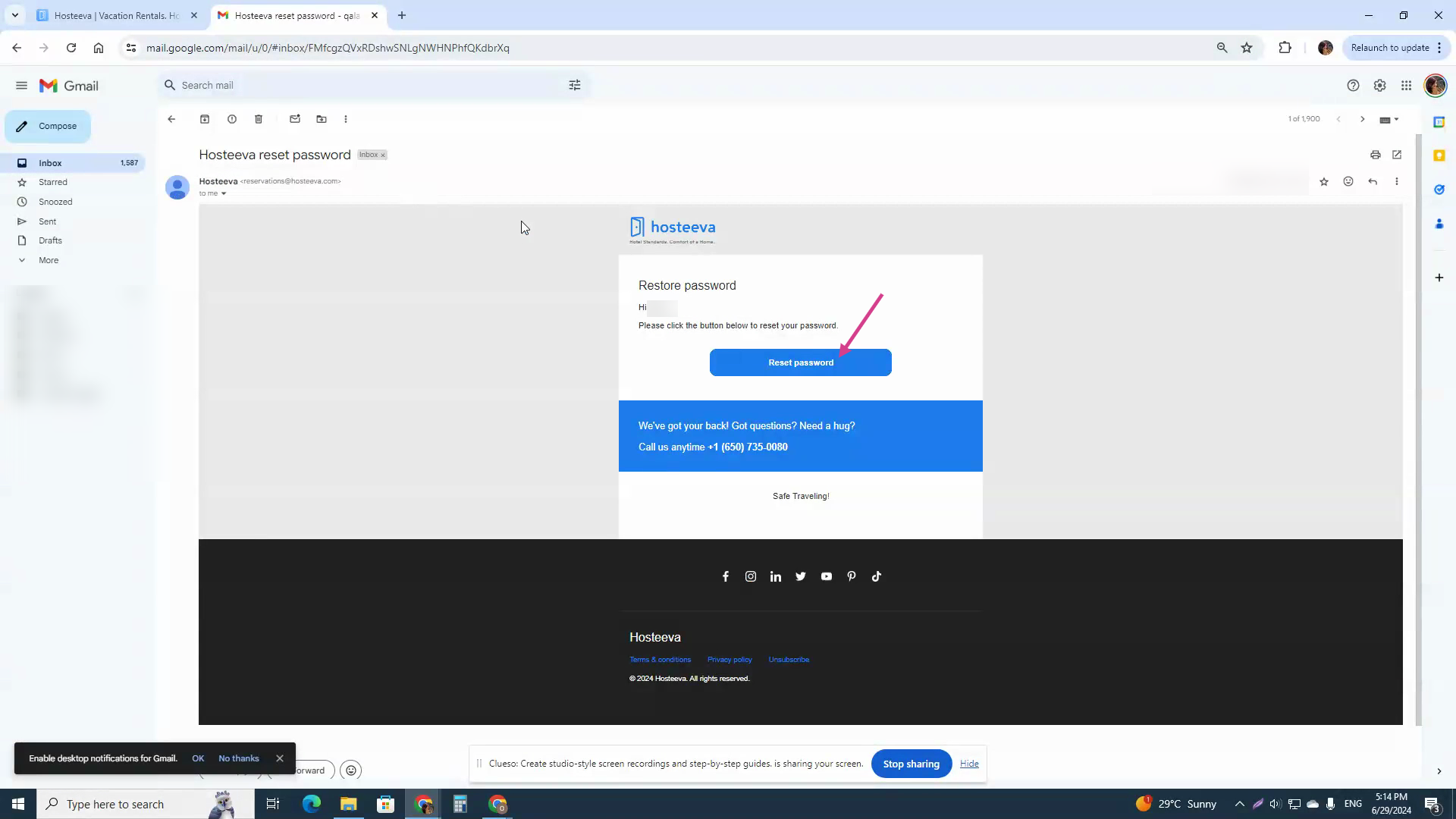
You'll be redirected to a secure page to create a new password.
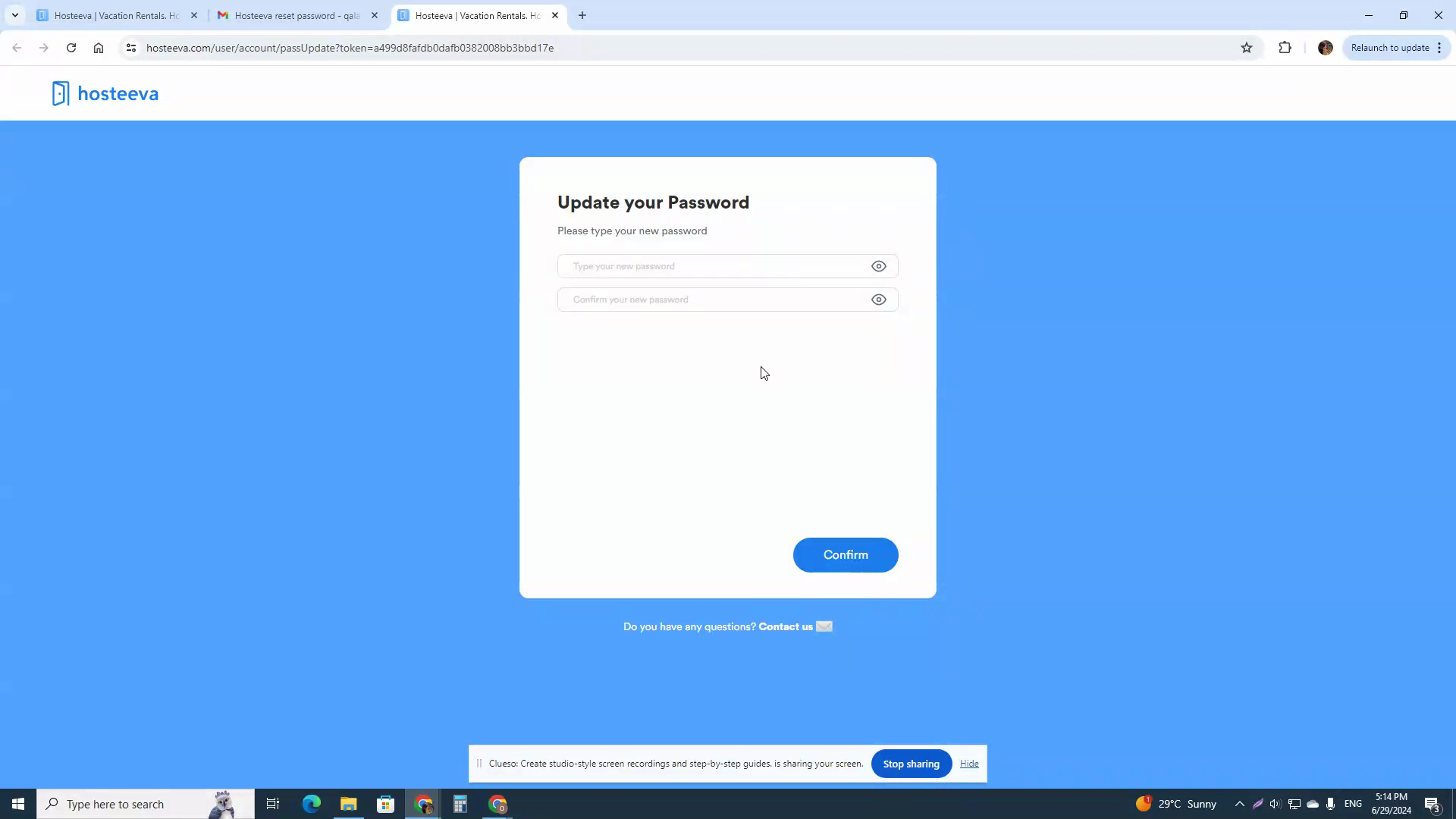
Step 10: Enter your new password.
Ensure your new password is strong and secure.
You'll see a confirmation that your password has been changed successfully.
Step 11: Return to the Hosteeva login page and log in with your new password.
Need Help?
If you encounter any issues or require further assistance, our support team is available to help, don't hesitate to contact your Hosteeva representative.