In this article, you'll learn how to use the personalized email campaign tool to send out targeted emails to your guests.
In this article, you'll learn how to use the personalized email campaign tool to send out targeted emails to your guests.
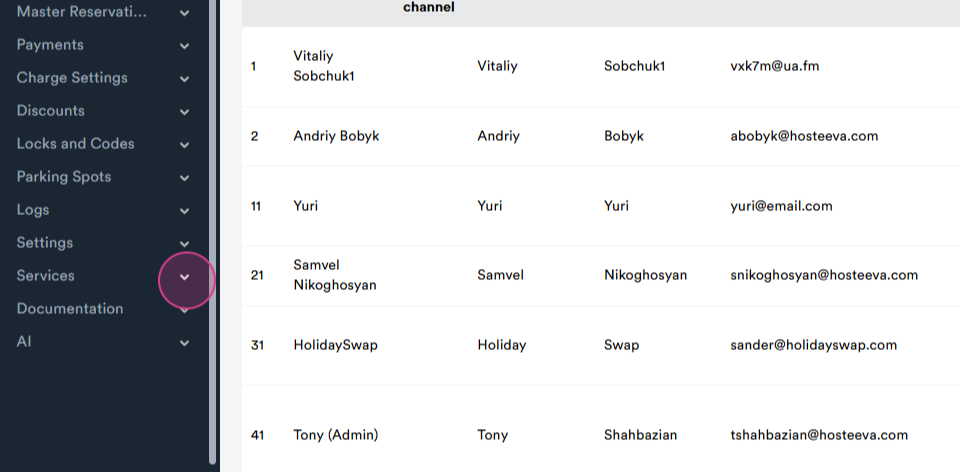
Step 1: Start by navigating to services from the admin portal.
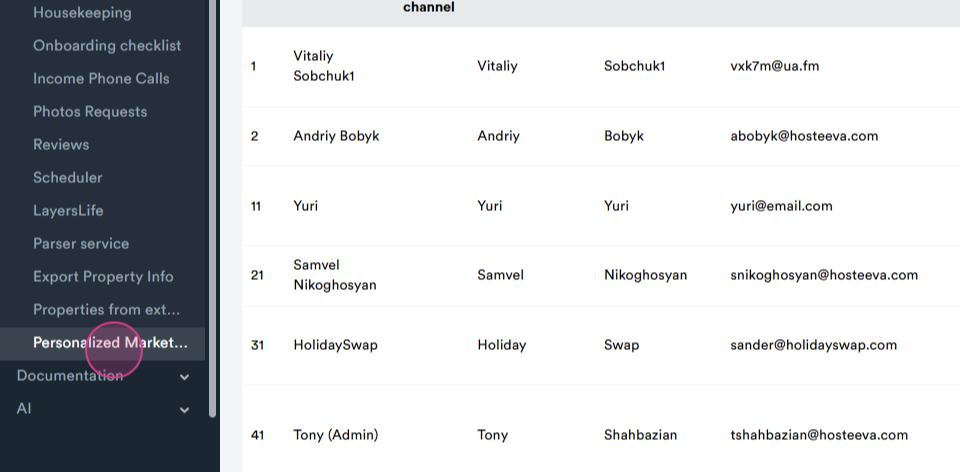
Step 2: Select the personalized market section from the dropdown menu. You'll be redirected to the personalized email campaigns page.
Step 3: Use the search function to find a guest. You're able to send them a personalized greeting email with a 10% discount offer. Apply filters to narrow down your search. For instance, search for guests from Myrtle beach who stayed with us. Choose the option to filter guests who have left surveys or reviews. Use the birthday month filter to find guests with birthdays in a specific month.
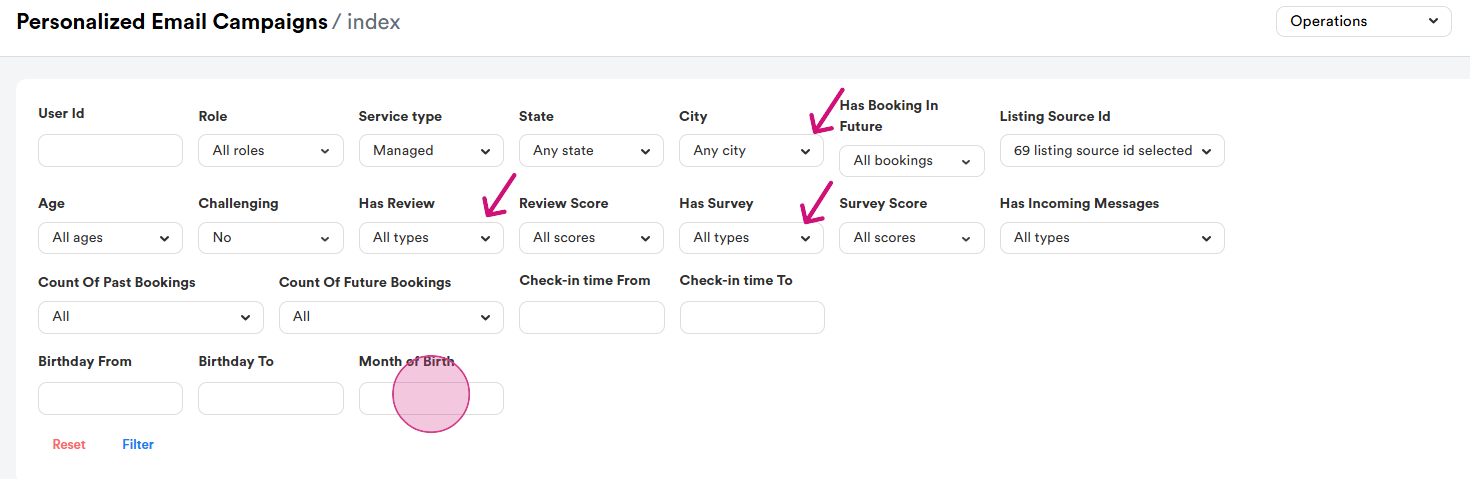
Step 4: After selecting all the necessary filters, click filter. You'll get a list of guests who meet your criteria.
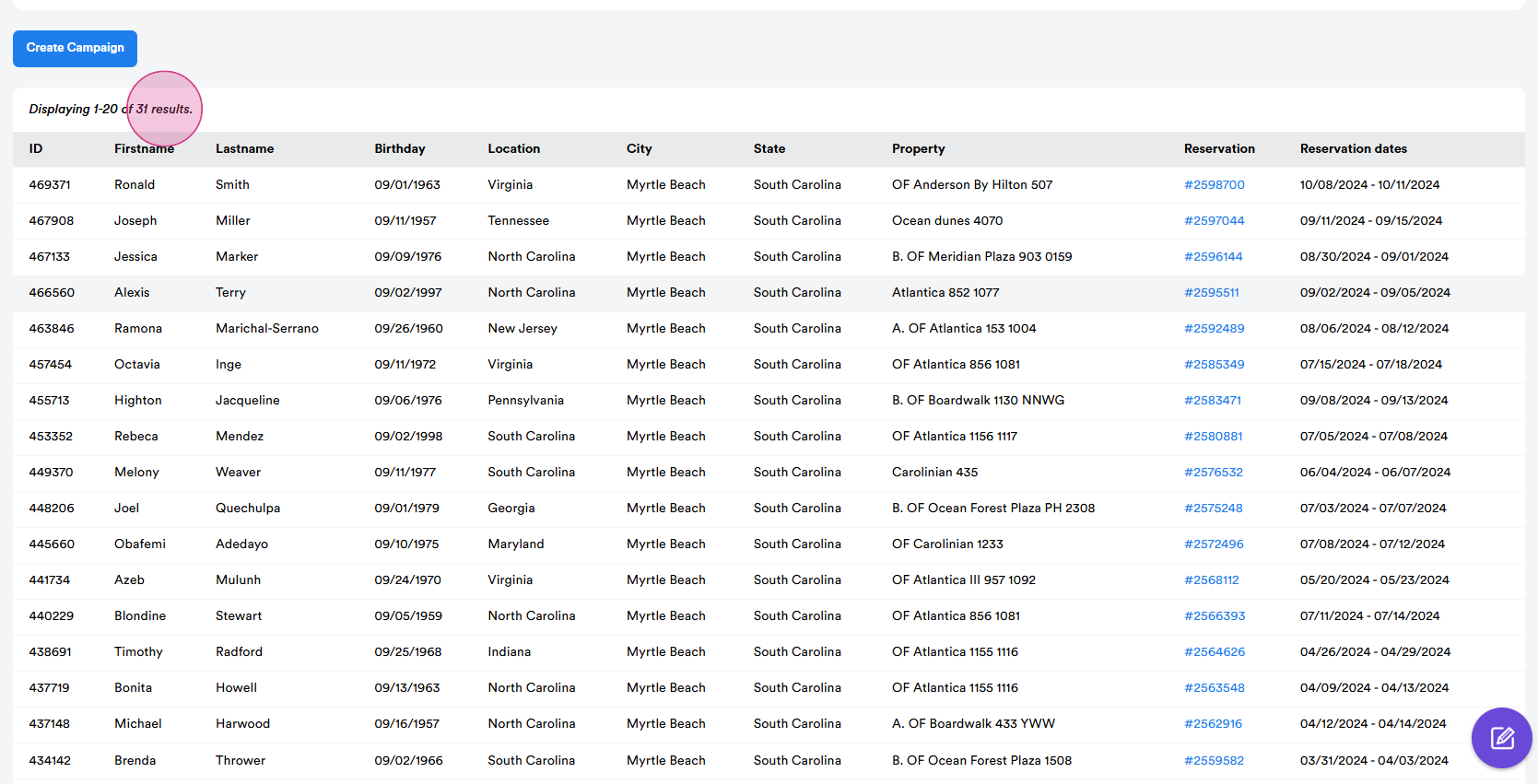
Step 5: Navigate to the create campaign page.
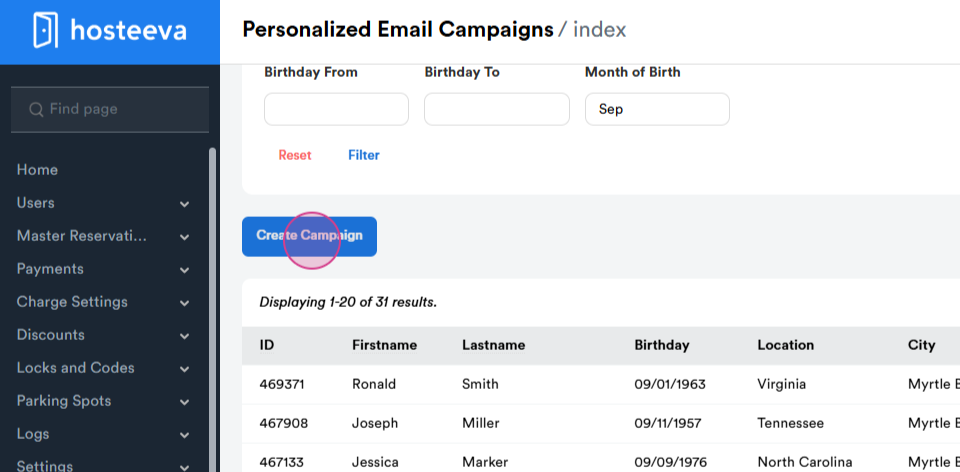
Step 6: Fill in the relevant boxes to create your email. The preview of the email is on the right side.
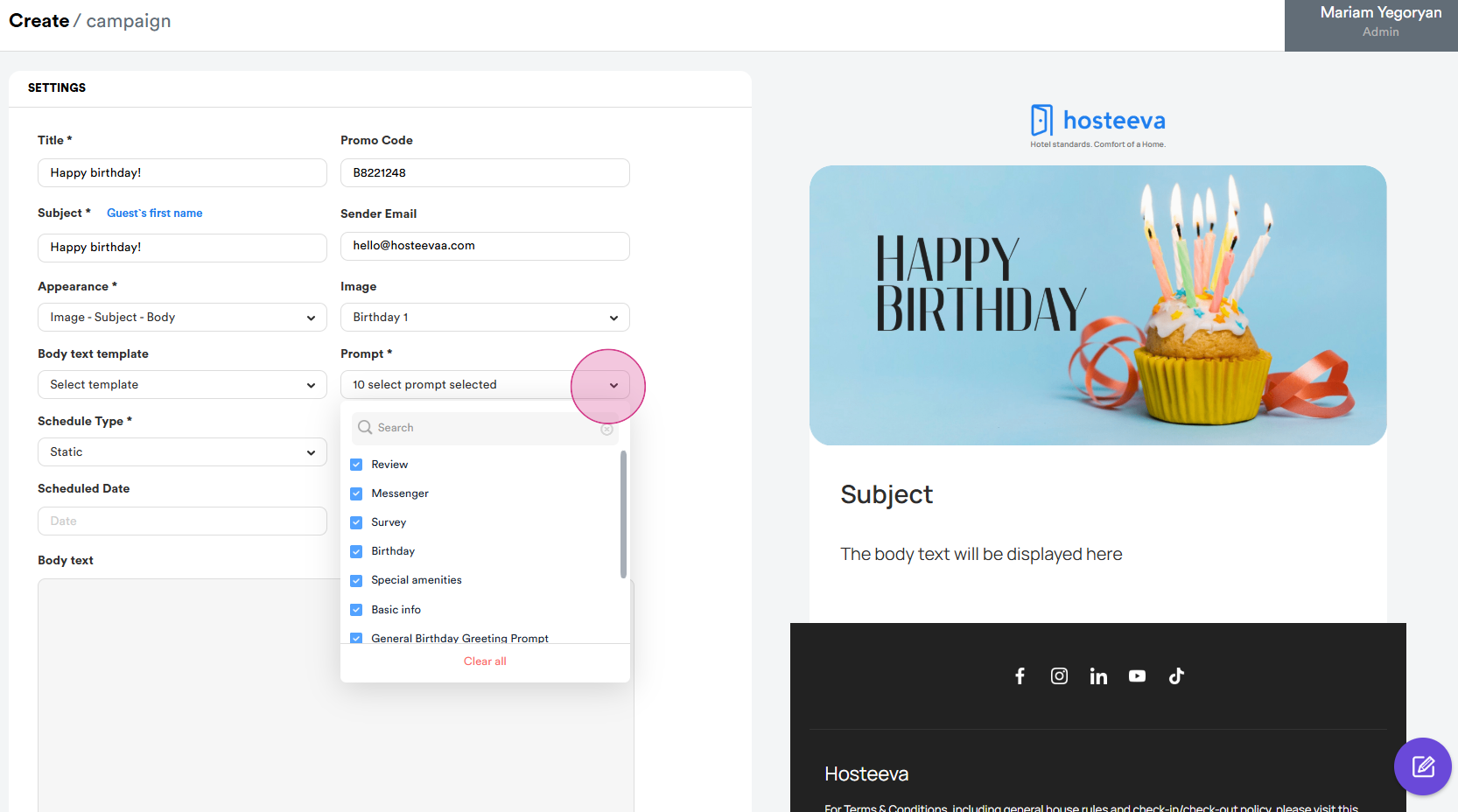
Step 7: Choose a title for your email, for example, "Happy Birthday". The subject line can be the same as the title. Add a promo code. In this case, we're using a test promo code with a 10% discount offer. The sender email is always hello@hosteeva.com. Choose the structure of your email. Choose an image for your email. Choose the sequence of your email. For instance, you can start with an image, then the subject, and so on. From the body text template, use the templates available. Choose all the prompts. This helps the AI generate a better email. Set the scheduling date and time.
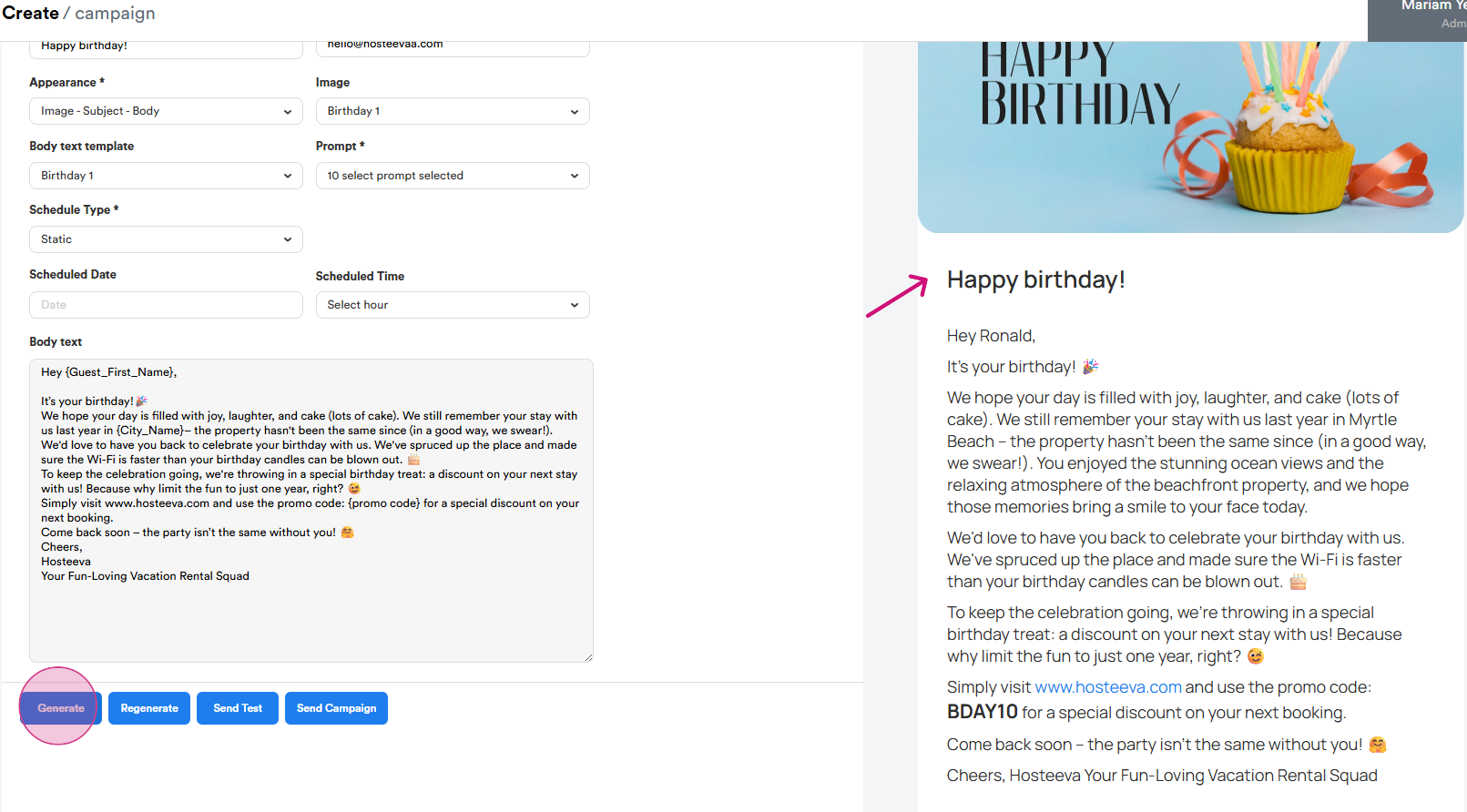
Step 8: Once everything is filled, click generate. The AI will generate an email based on the information from the surveys and the prompts.
Step 9: Use the next and previous guest buttons to send emails to the respective guests in the list.
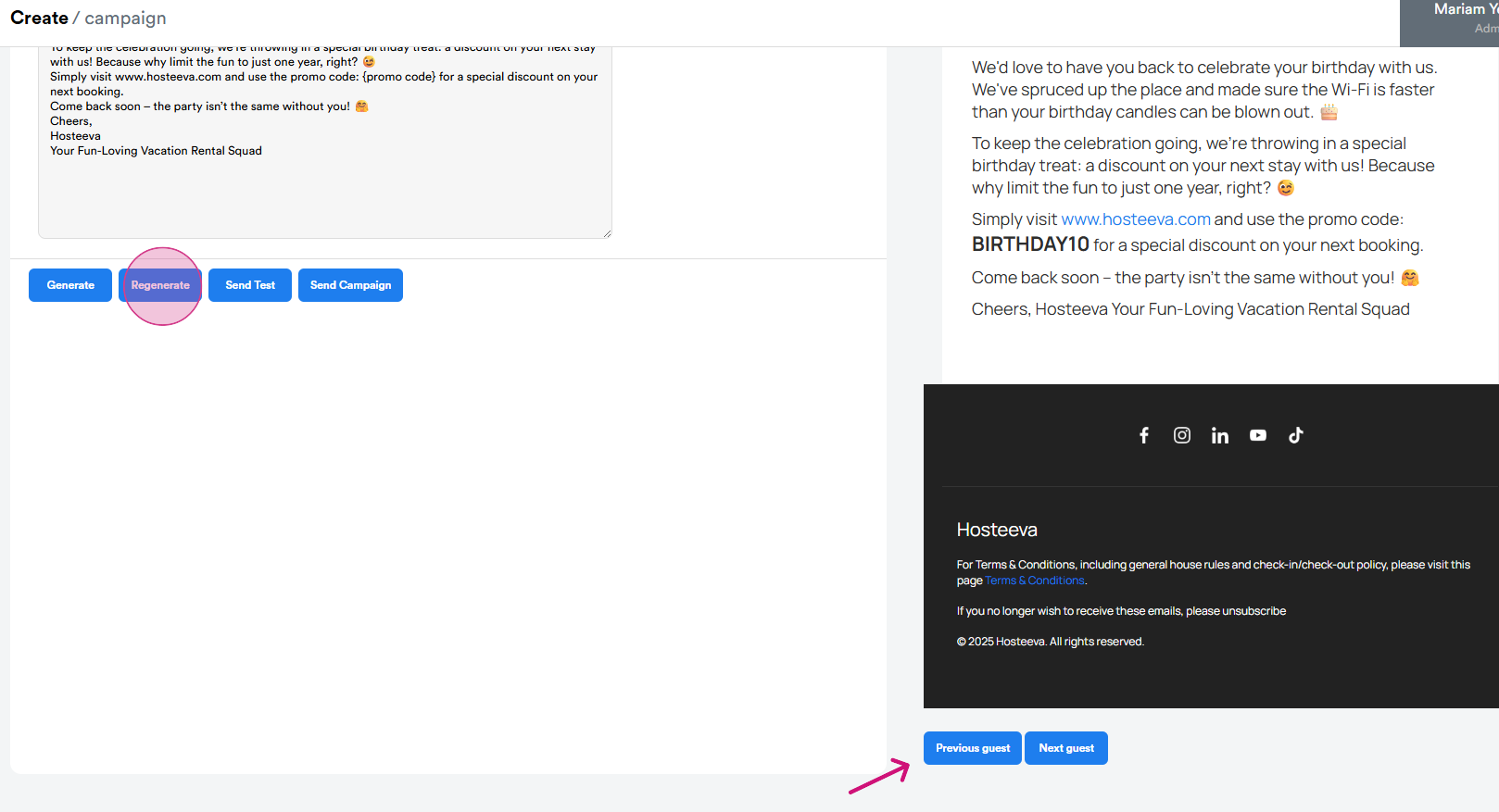
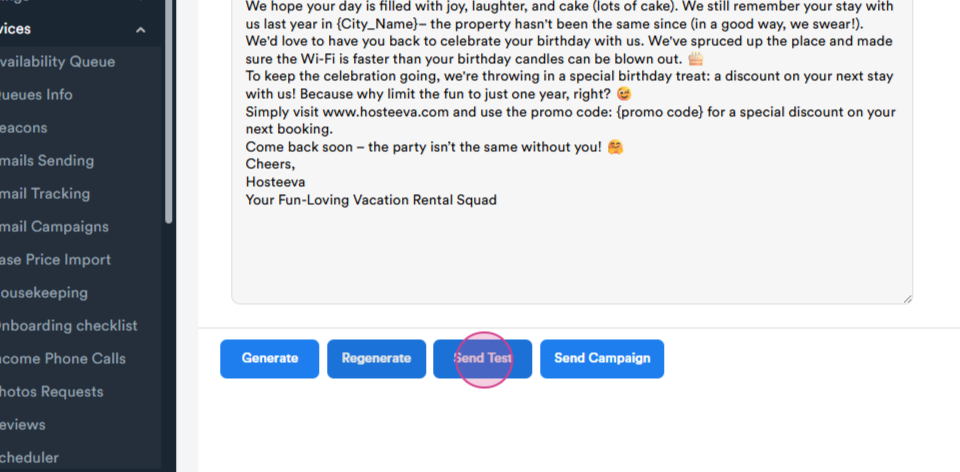
Step 10: Send a test email to your personal email address to see how it looks.
That's it! You've now learned how to use the personalized email campaign tool.