In this article, you'll learn how to fill out and send the Portofino reservation form. This process ensures that Portofino representatives are informed about upcoming reservations, making the check-in process smoother for guests.
Step 1: Start by searching for the Portofino property. Note that there are only two properties available.
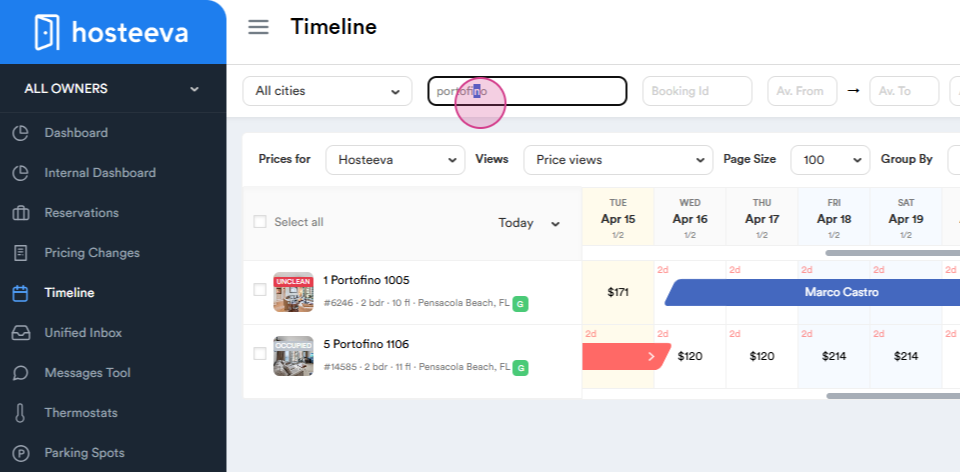
Step 2: Choose a specific reservation for which you want to send the form. Remember, we typically send the form three to five days before the guest's arrival. Navigate to the "Doc for Docs" section to find the form. Look for the Turquoise and Portofino document. Select "Portofino". Here, you'll find the email address to which you'll send the form. Note the additional CC email address for last-minute changes or bookings.
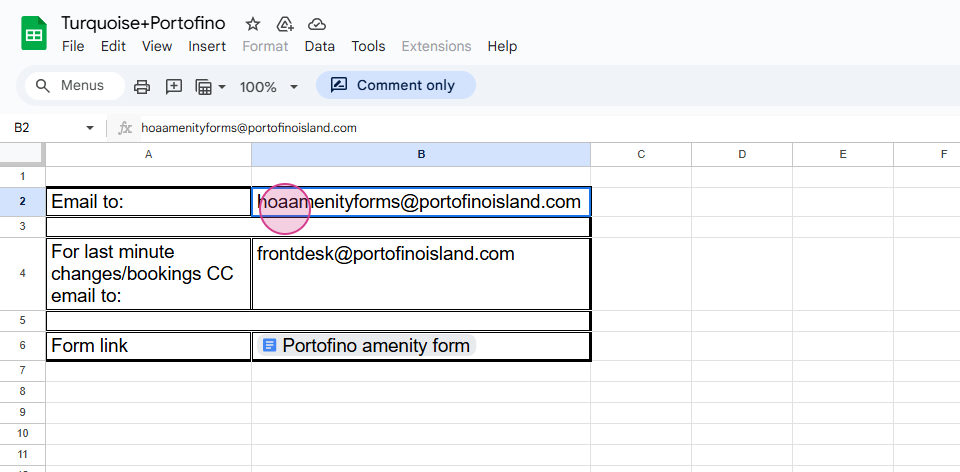
Step 3: Locate the Portofino amenity form. Fill out the form. See the form below.
https://docs.google.com/document/d/1tOABgRfWMMVMWo4_4CFX1qyOwRZXdV_HvCFBJ_AtBIU/edit?tab=t.0
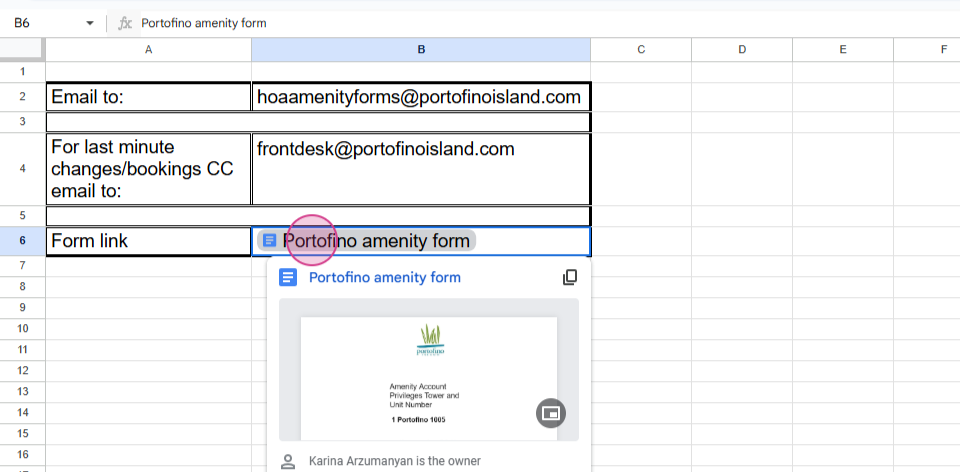
You'll need to provide the property name,
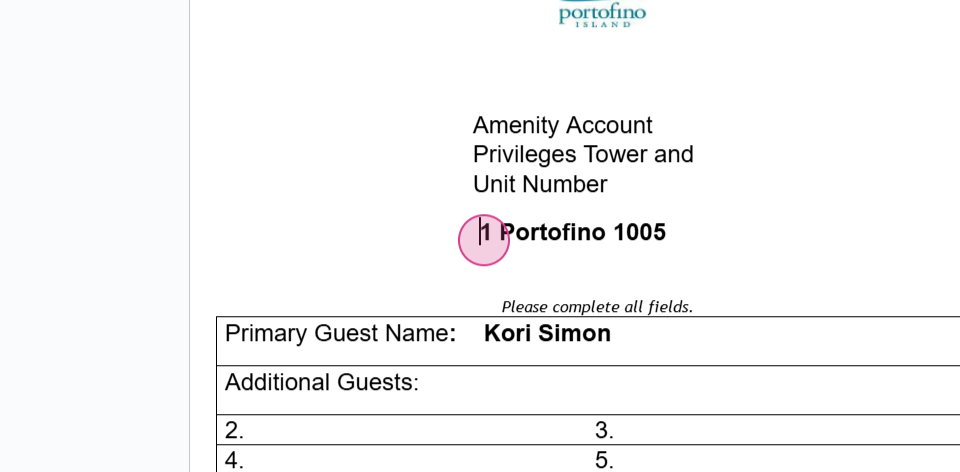
the guest's first and last name, and the check-in and checkout dates.
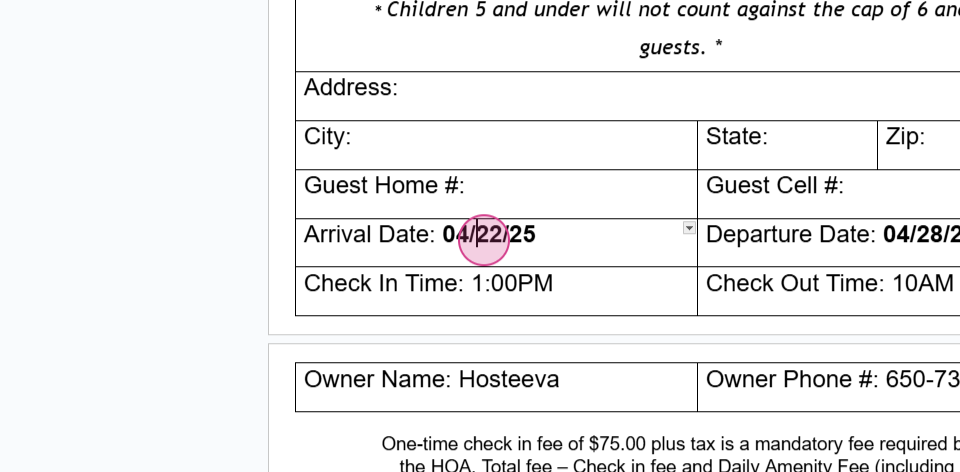
Step 4: Save the form and send an email through Rackspace.
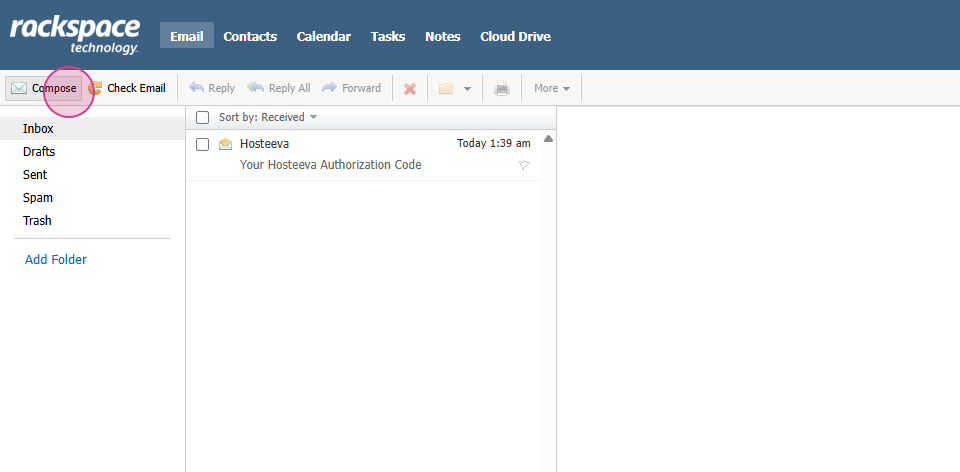
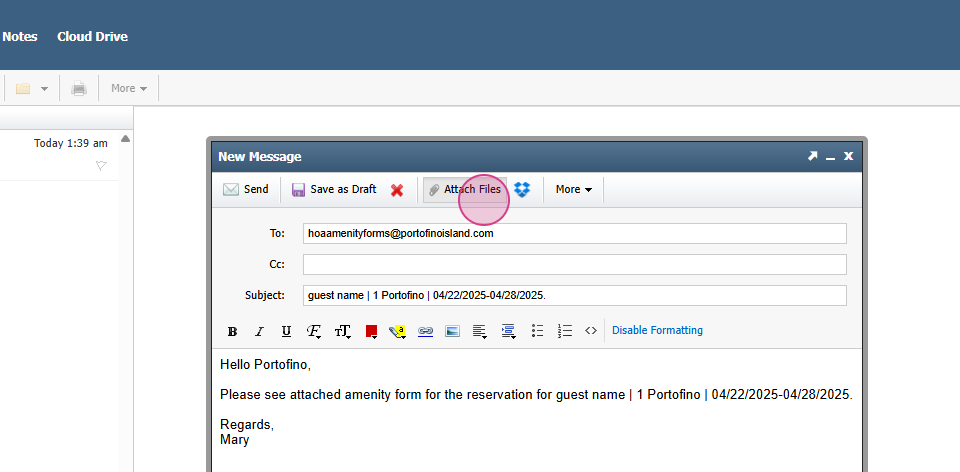
Step 5: The subject line should include the guest's first and last name. the property name, and the check-in and checkout times. Here's what it should look like: Compose the body of the email, attach the previously saved form, and send the email.
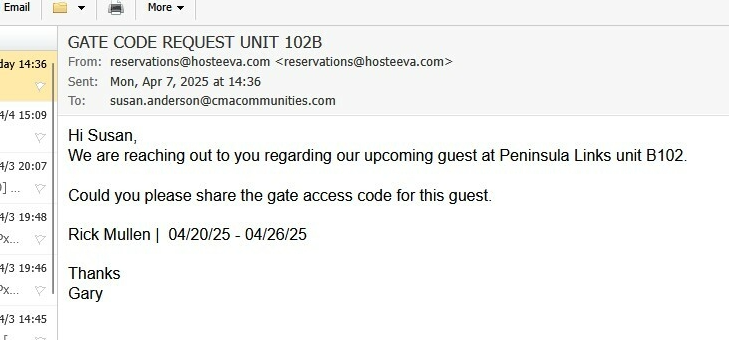
Step 7: For Peninsula Links B102 property, all renters are required to initially check in at the Peninsula guard house to obtain a temporary pass and information related to the Peninsula. The temporary pass must remain in sight while on Peninsula Property. The issued gate code is to be used between the hours of 10PM – 6AM only, in cases where the guest arrives later than their scheduled check-in time. We request the gate code up to 10 days prior to the guest’s arrival. This request is submitted via email to Suzan Anderson. The subject should be - GATE CODE REQUEST UNIT102BA sample format of the email request is attached below for reference.
Thank you for following along with this tutorial.