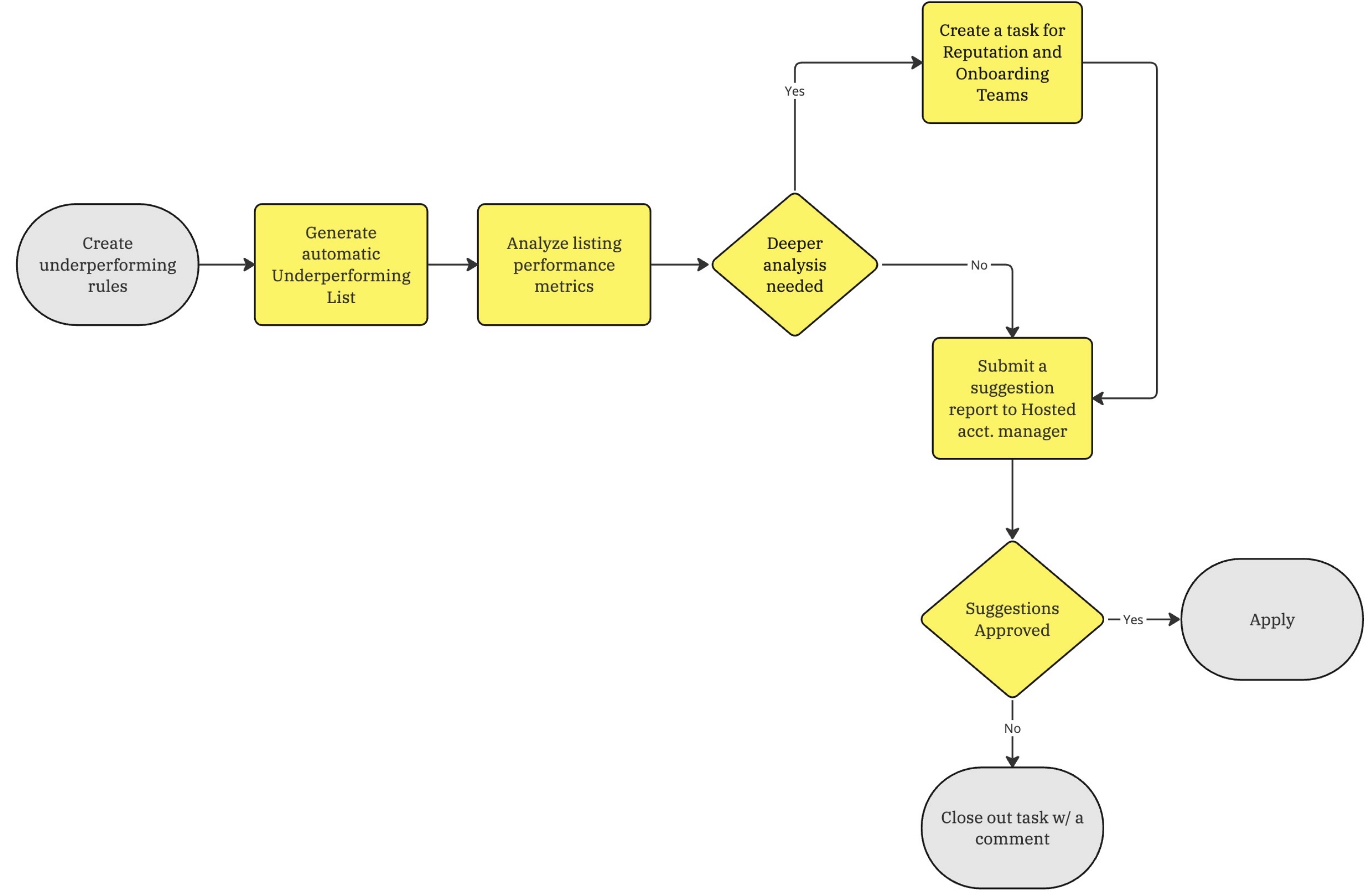
This help article decribes the process for addressing underperforming Hosted listings. Below are the outlined procedural steps:
- Create Rules
- Automatically generate Underperforming Report
- Review Report
- Review Hosted Underperforming Listings' Rates
- Create a Trello task for Listing Quality and Reputation Teams
- Submit price|discount and other suggestions to Hosted Senior Account Manager
- Send suggestions to Owners
- Apply all approved changes
- Track Performance Change
Create Rules
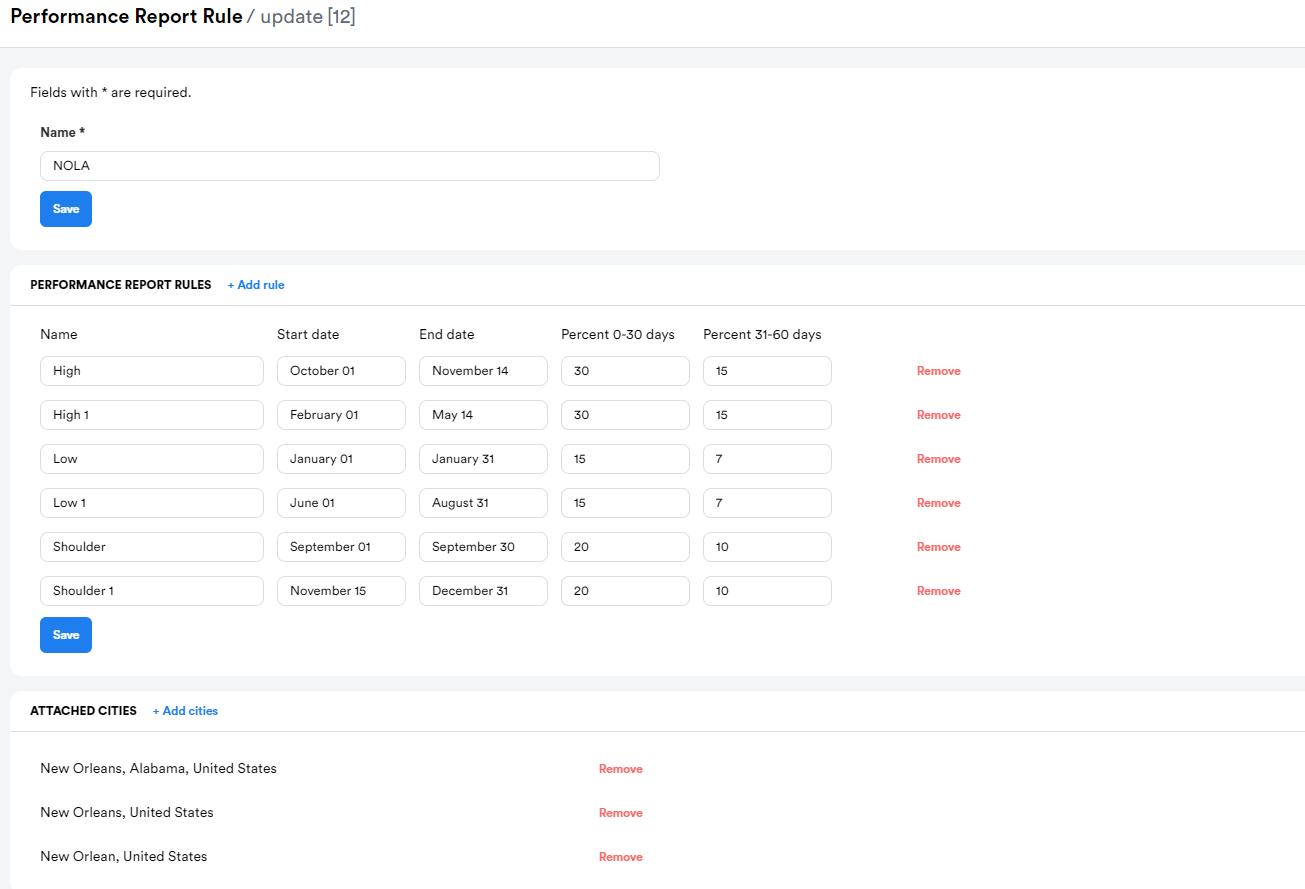
The properties included in this report should fall under either of the following criteria:
- During the high season the occupancy of the current 30 days is less than 30%, and for the next 30 days is less than 15%
-
During the low season the occupancy of the current 30 days is less than 15%, and for the next 30 days is less than 7%
-
During the shoulder season the occupancy of the current 30 days is less than 20%, and for the next 30 days is less than 10%
The seasonality rules are to be set by location/city to include date ranges. Date ranges will be set by the Pricing team manually.
Underperforming Report
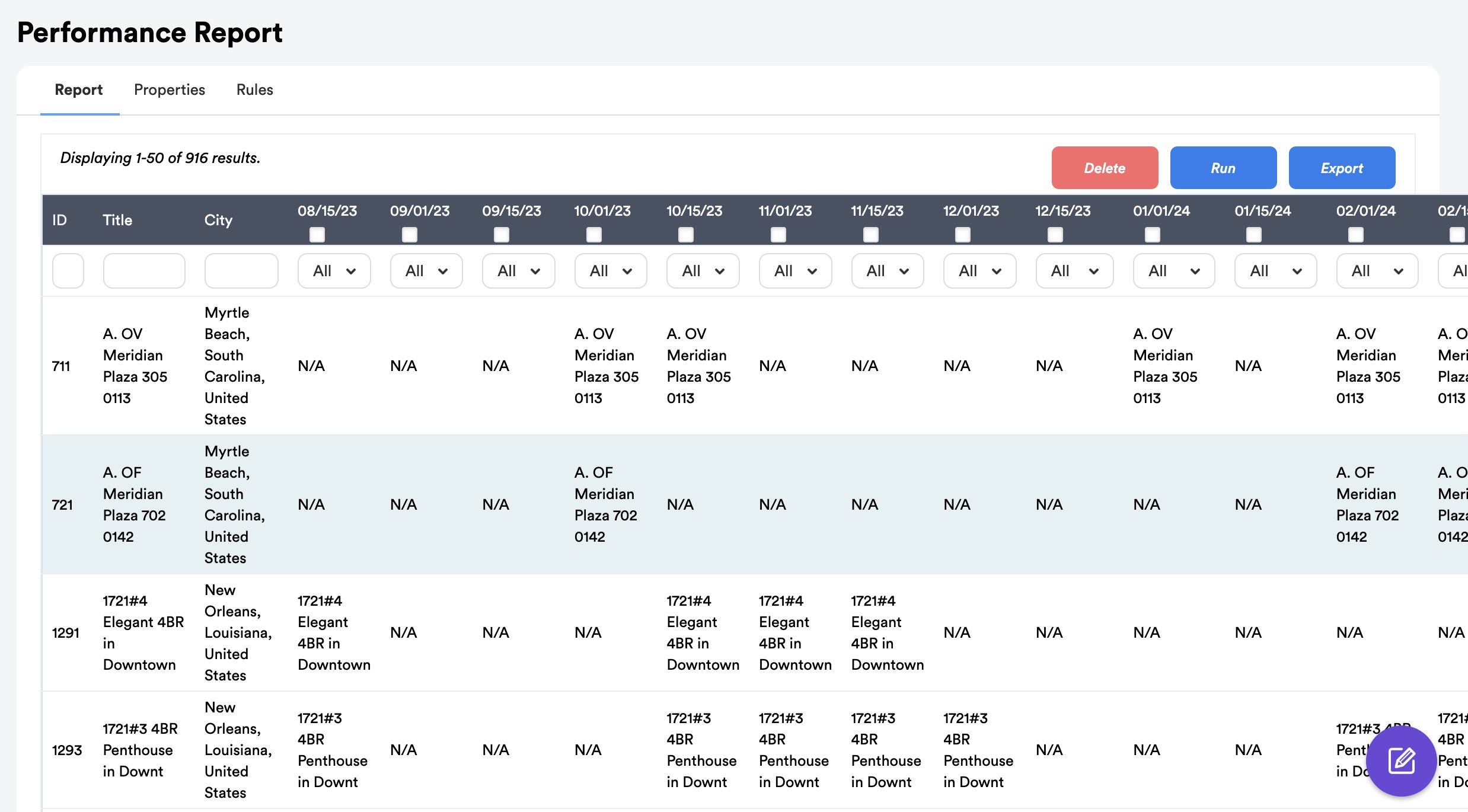
In accordance with predefined cadence (weekly, bi-weekly) and seasonality rules, the Hosteeva software autonomously generates a report.
The Underperforming Report is being generated on a weekly/bi-weekly basis (cadence adjustable)
Review Report
The Pricing Team Agent evaluates the listings featured in the report.
Based on their occupancy rate for upcoming 30-60 days (adjustable), underperforming listings land in the report below
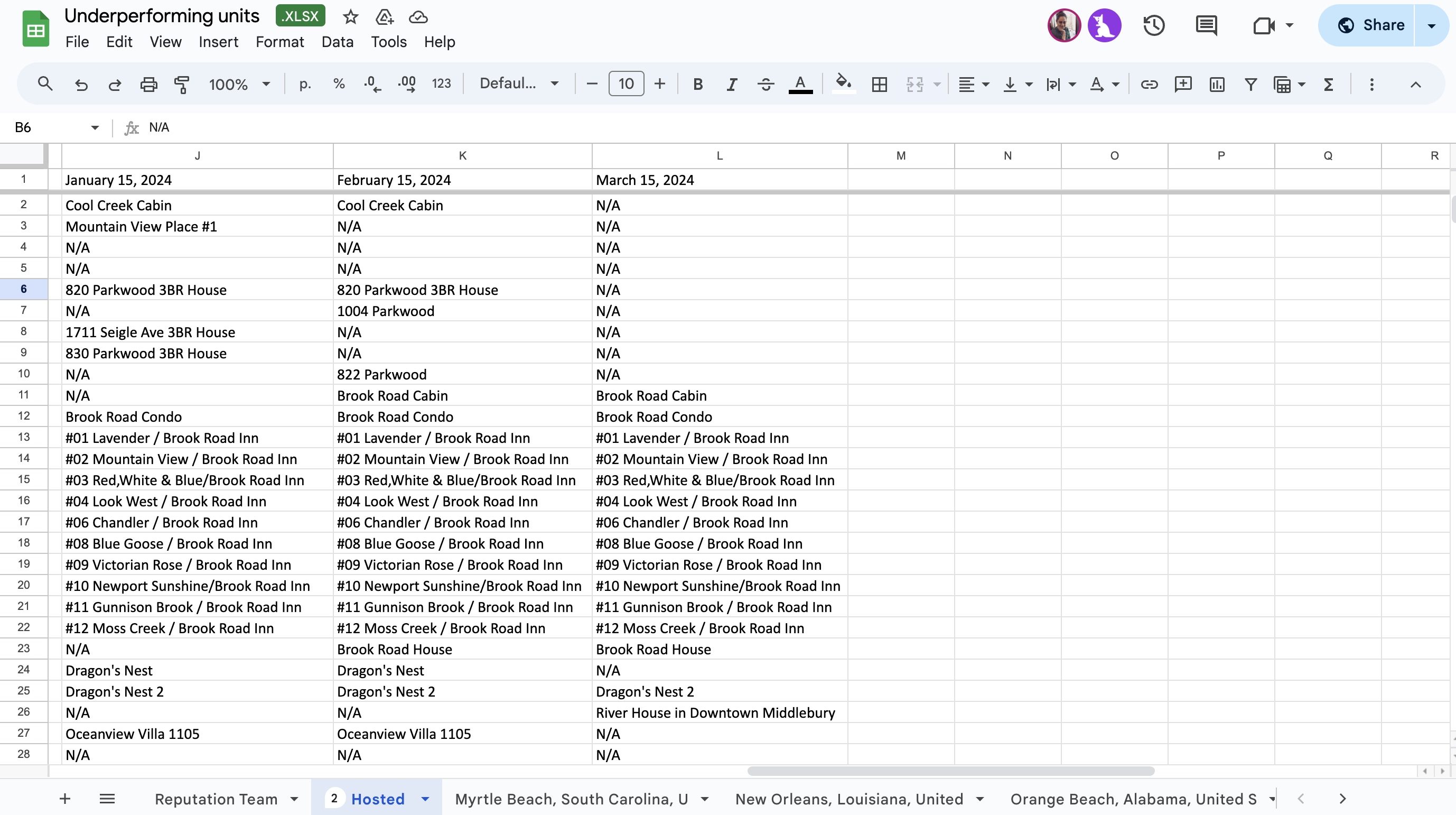
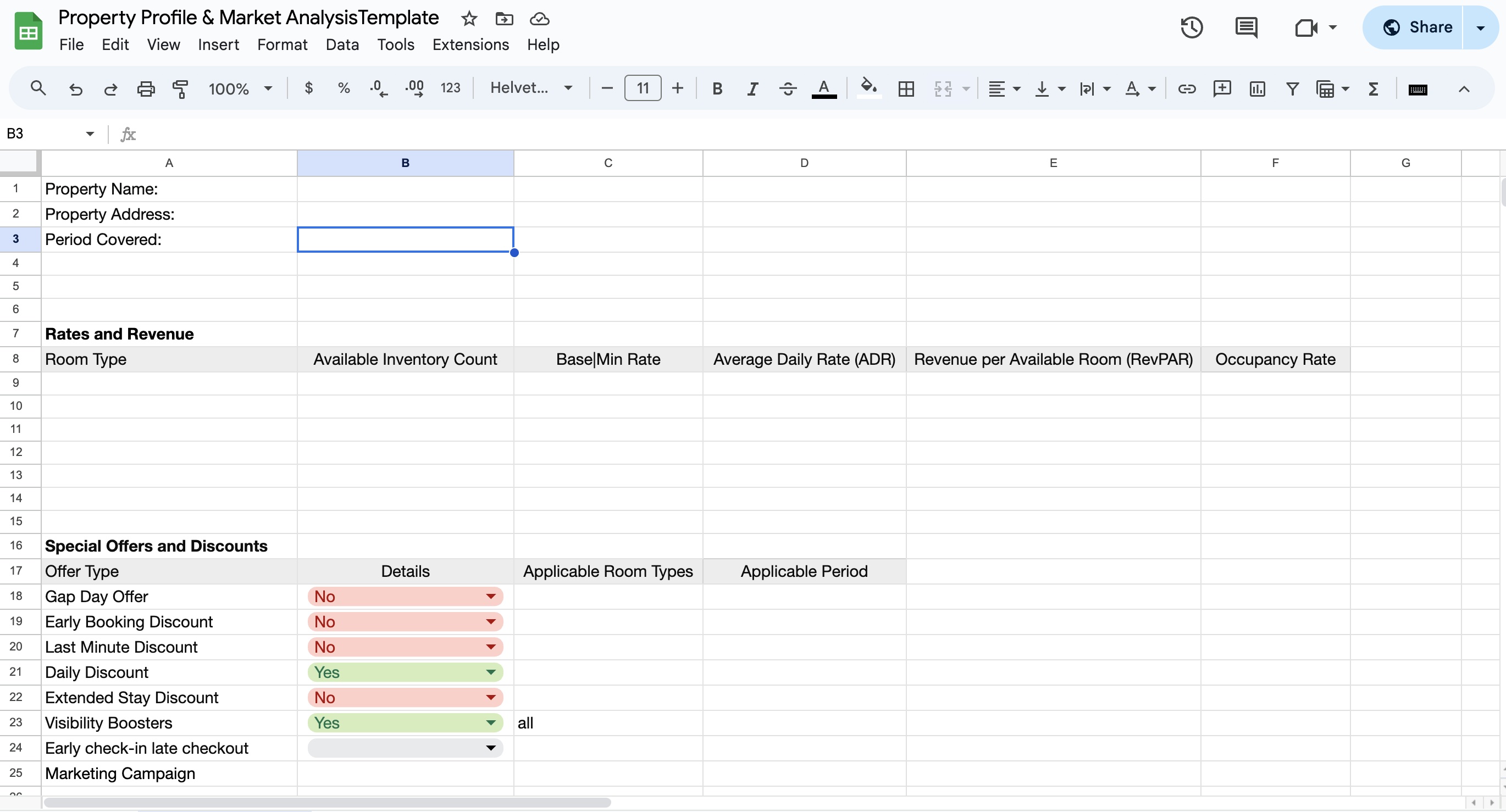
Property Profile Template
Each underperforming property (individual condo, hotel, vila, etc.) get the property profile filled in after ending up in property report
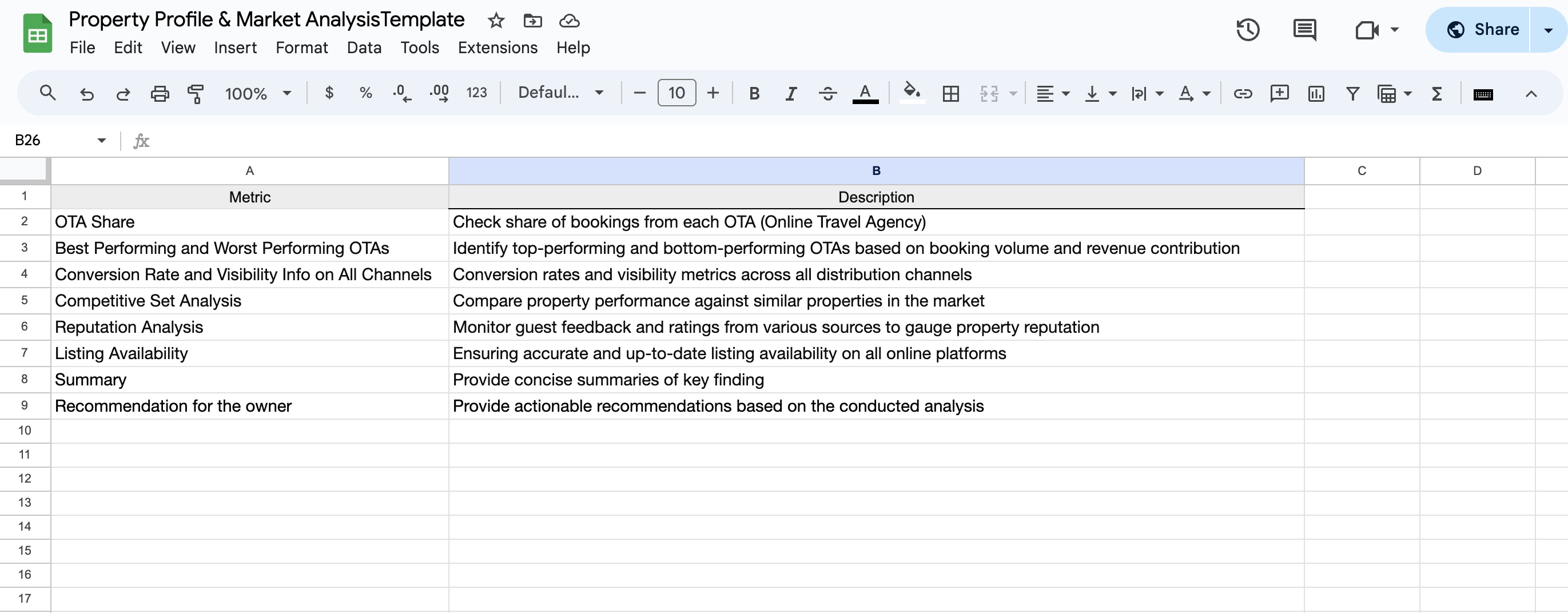
Market Analysis Template
The Pricing Team Agent uses the Market Analysis Template to make the final reporting more structured.
Review Rates of Underperforming Listings
The Pricing Team Agent conducts a comprehensive review of Average Daily Rate (ADR), Revenue per Available Room (RevPAR) seasonality trends, discount structures, OTA (Online Travel Agency) visibility booters, and other applicable performance metrics.
Create a Trello task for Listing Quality and Reputation Teams
The Pricing Team agent creates corresponding tasks for the Reputation and Listing Quality Teams if any issues/descrepancies detected.
Submit price|discount and other suggestions to Hosted Senior Account Manager
The Pricing Team Agent consolidates all feedback from other teams and submits a list of suggestions to the Hosted Senior Account Manager via Trello.
Send suggestions to Owners
The Hosted Senior Account Manager sends all suggestions/feedback to Hosted owners for approval.
Apply all approved changes
The Pricing Team Agent applies all pricing|discount related changes. Reputation and Listing Quality Agents apply their chages.
Track Performance Change
The Pricing Team Agent tracks the performance of Underperforming Listings and repeats the report cycle.