Payroll Creation
We use APS for payroll processing: APS (Automated Payroll Systems) is a payroll management tool that helps streamline payroll processing.
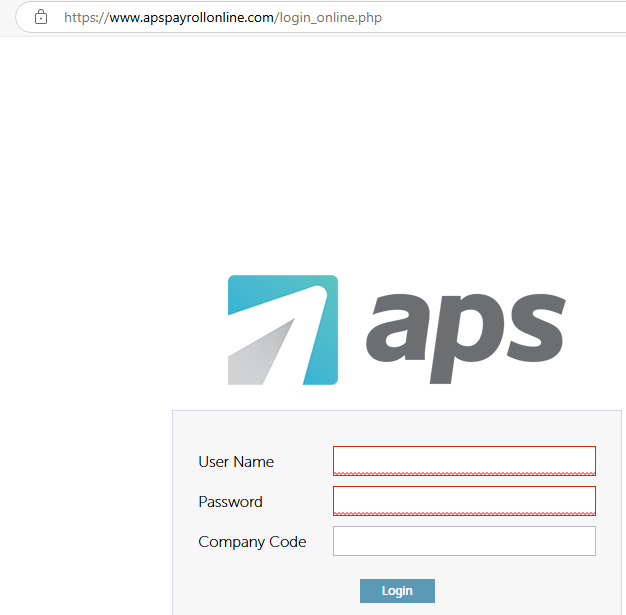
https://www.apspayrollonline.com/login_online.php
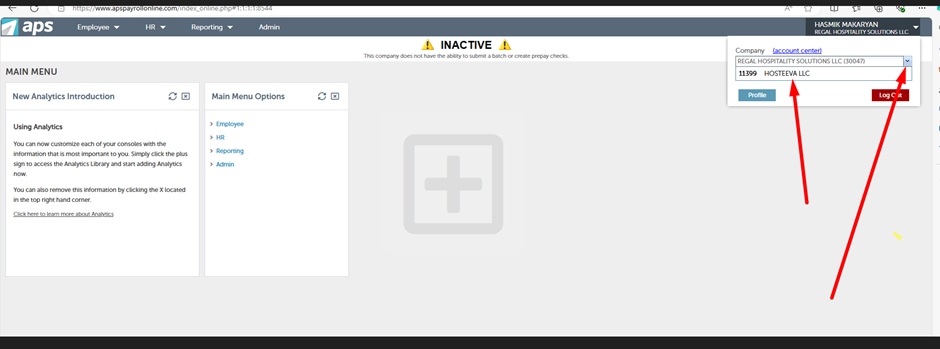
Log into APS, click on the right side (the white triangle), and select 'Hosteeva LLC' from the dropdown menu.
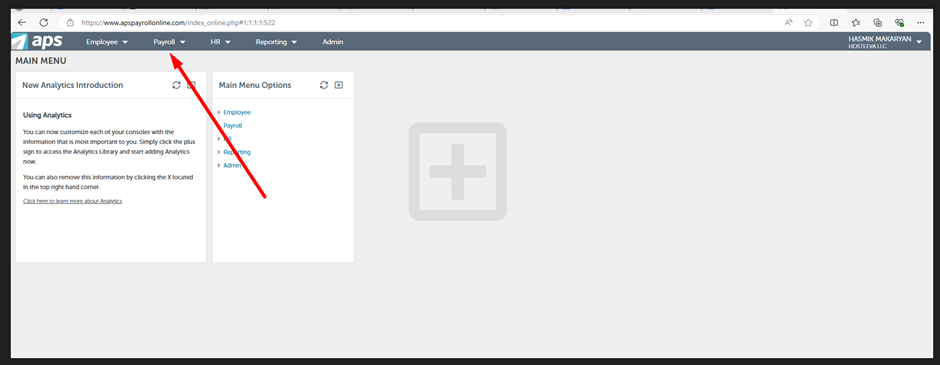
Click on 'Payroll,' then 'Create Payroll Batch.' Select the date (we pay our employees bi-weekly).
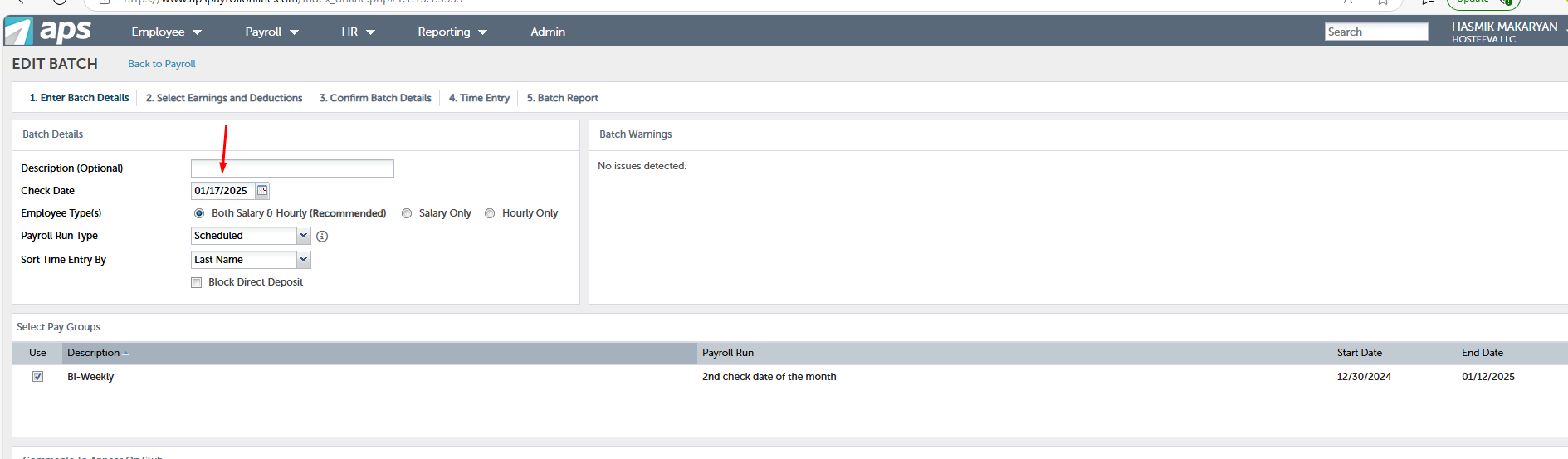
Please note we submit payrolls two days before the pay date, as the direct deposit process takes two business days. Ensure there is no non-banking day between the processing day and the pay date to avoid delays. For example, our previous pay date was on January 3 and the batch was submitted on December 31 as January 1 was a non-banking day. (APS usually sends holiday notifications and provides appropriate payroll days.)
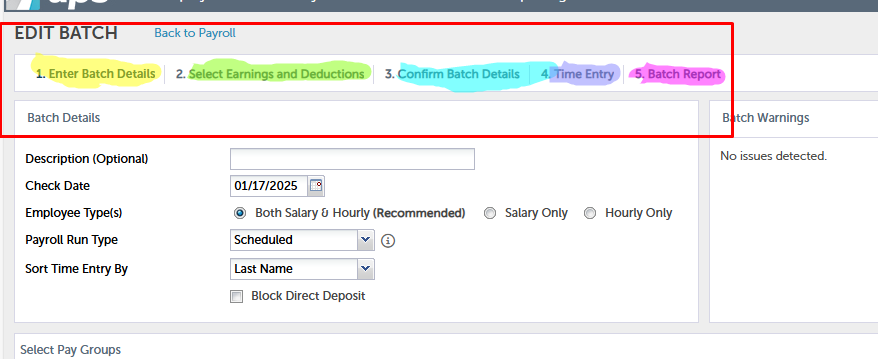
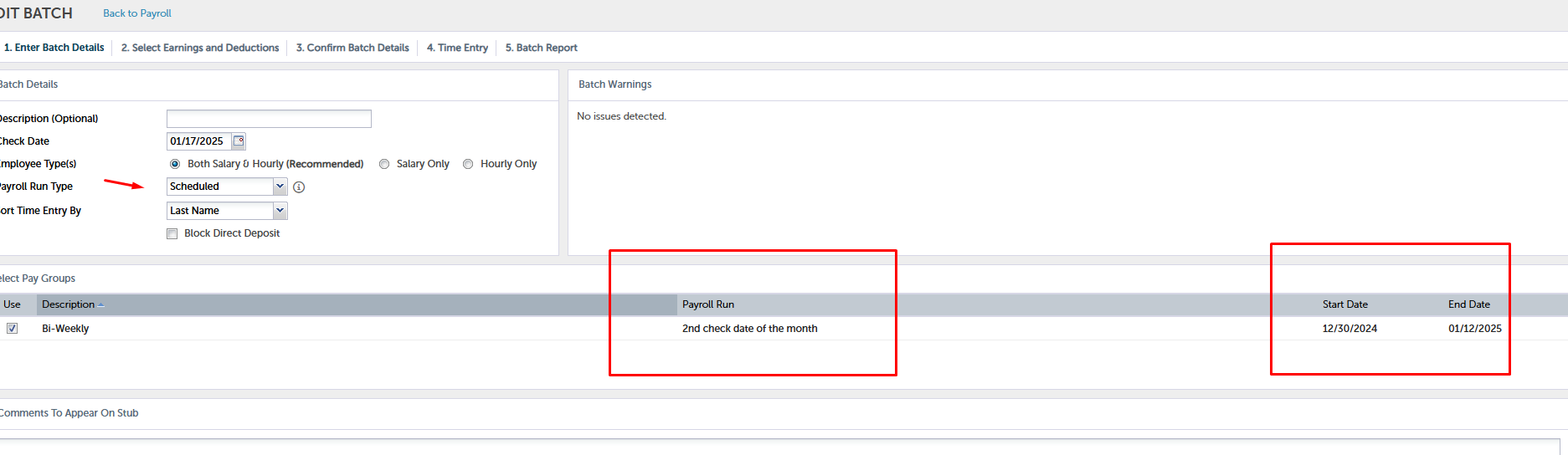
Choose 'Payroll Run Type' as 'Scheduled.
Don't block direct deposit; leave it as is. Go to 'Select Pay Groups' and click on 'Bi-Weekly.' Choose the payroll run type; in this case, it's our second check date of the month. You can also see the start date and end date of the current payroll period. Employees are paid according to these dates.
There are several actions required to complete the payroll process. Detailed descriptions for each step can be found in various articles.