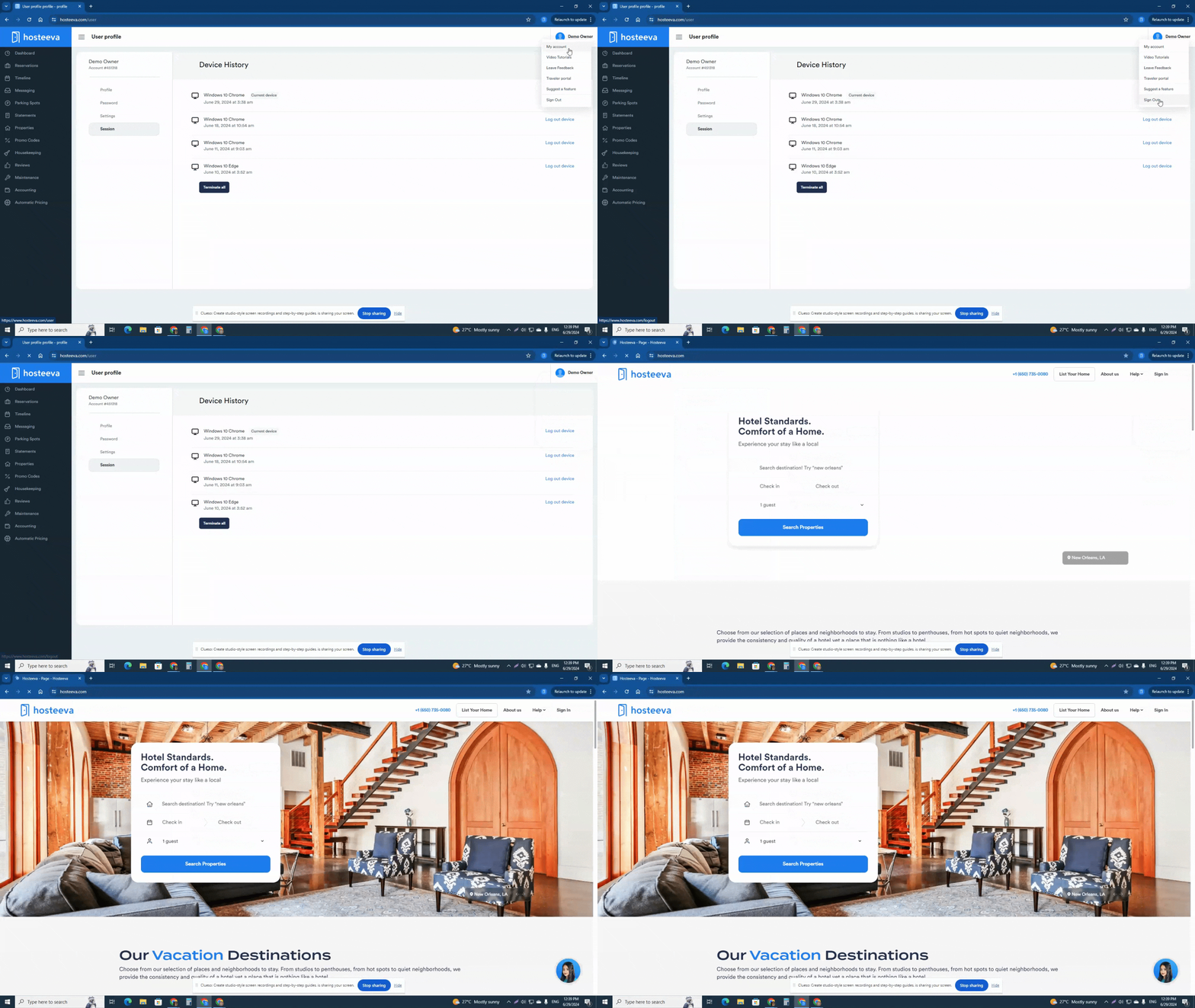
This guide provides instructions on how to log-in to a Hosteeva account, managing profile settings, and securely logging out.
Log-in Hosteeva Account
Step 1: Navigate to the Hosteeva website at hosteeva.com.
Step 2: Locate the Sign In option at the right corner of the Hosteeva homepage and click on it.
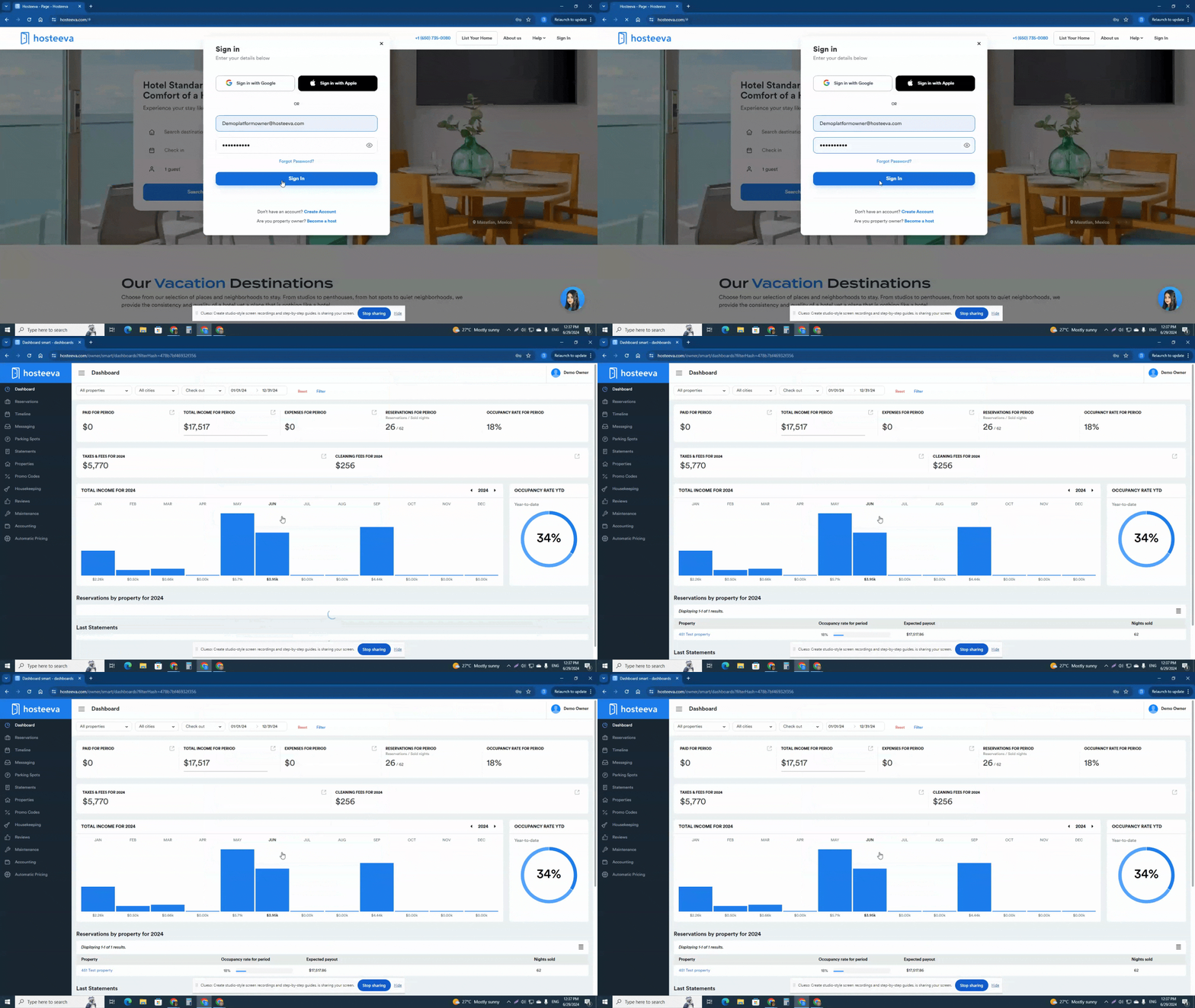
Step 3: Input the credentials provided by Hosteeva.
Step 4: Enter the email address and secure password.
Step 5: Click on the Sign In button. Ensure no extra spaces exist before and after the text. If the password and email are correct, it'll direct to the dashboard.
Managing Profile Settings
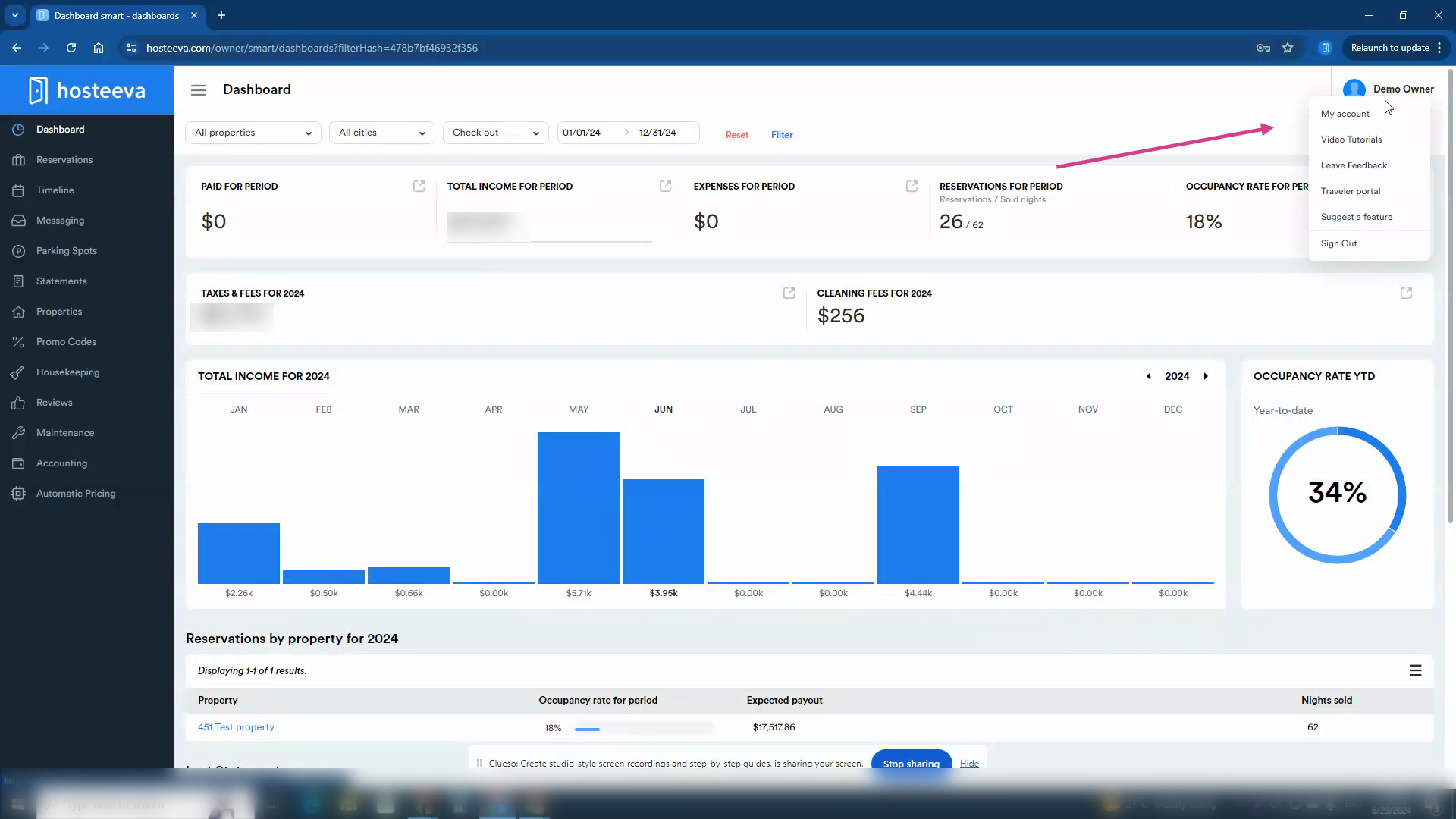
Step 1: Once in the account, click on the name located at the top right corner of the screen.
Step 2: From the drop-down menu, select My Account, which will open a new window with 4 sections.
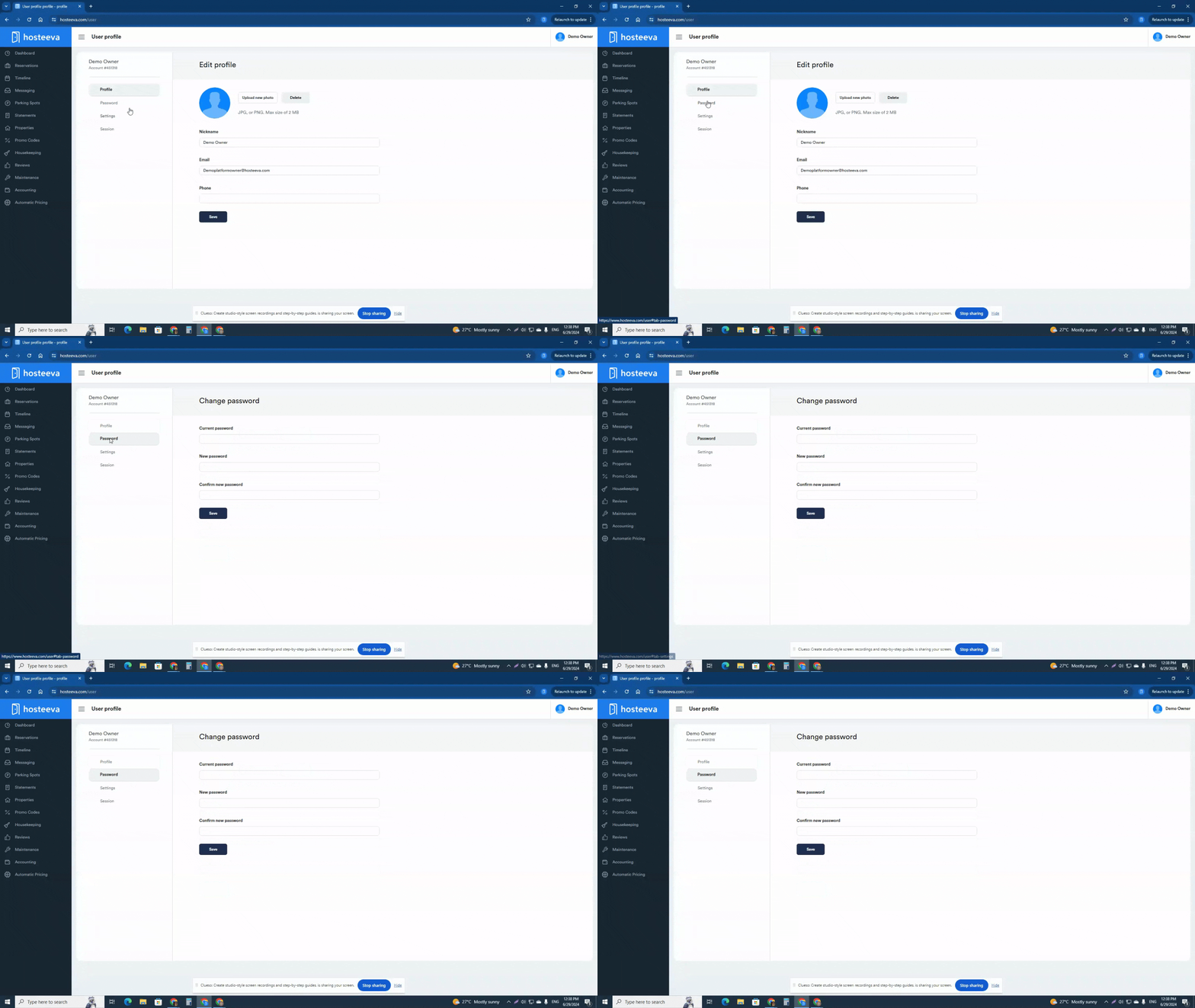
-Profile: Upload a profile picture here. Change the name, email address, or phone number if needed.
-Password: Manage the password here. To edit or reset the password, enter the current password and the new password twice, then click on Save.
-Settings: Manage notification preferences. Select cases and preferred methods of communication, such as email, SMS, WhatsApp, or push notifications.
-Session: View active sessions of the account for security monitoring.
Securely Logging Out
Step 1: Locate the name in the top right corner of the screen.
Step 2: From the drop-down menu, select Sign Out.
After this, redirection to the home page or the login page will occur, indicating a successful logout from the account.