This article will walk you through the process of capturing and releasing parts of a refundable damage deposit.
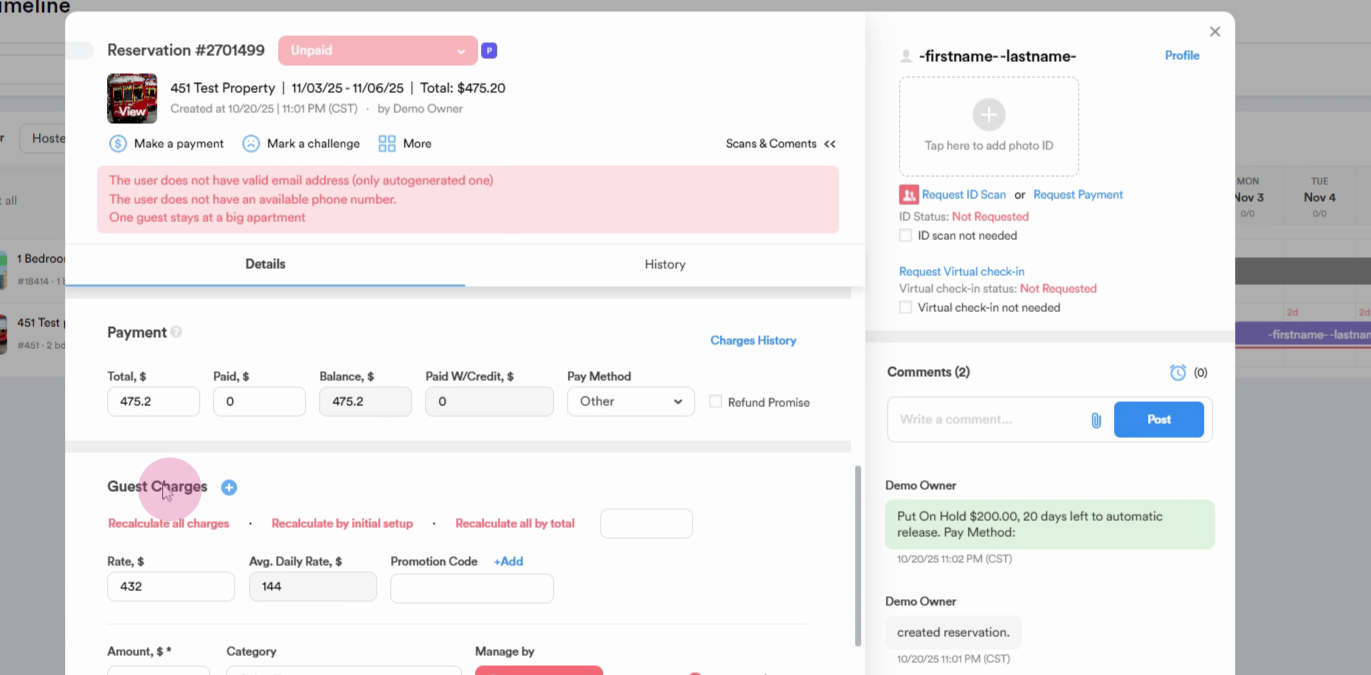
Step 1: Identify the location of the refundable damage deposit in the guest charges section.
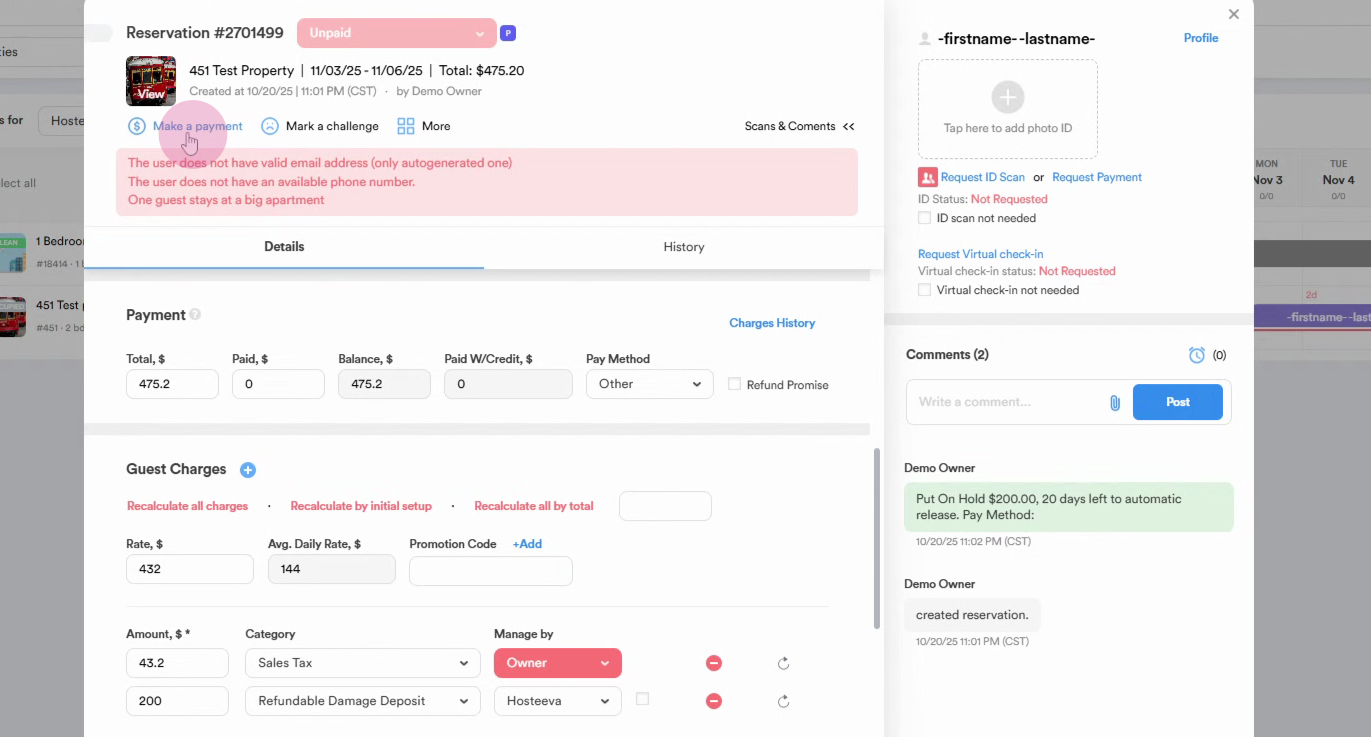
Step 2: Navigate to the 'make a payment' section to put the refundable damage deposit on hold.
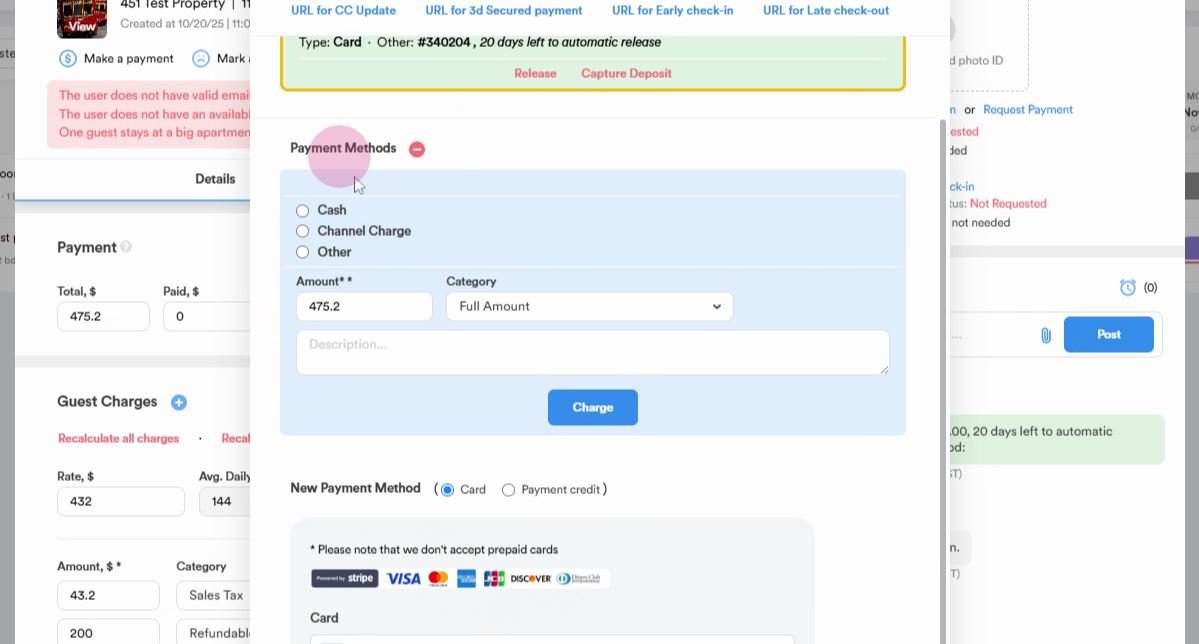
If the deposit isn't already on hold, proceed to the 'Payment Methods' section.
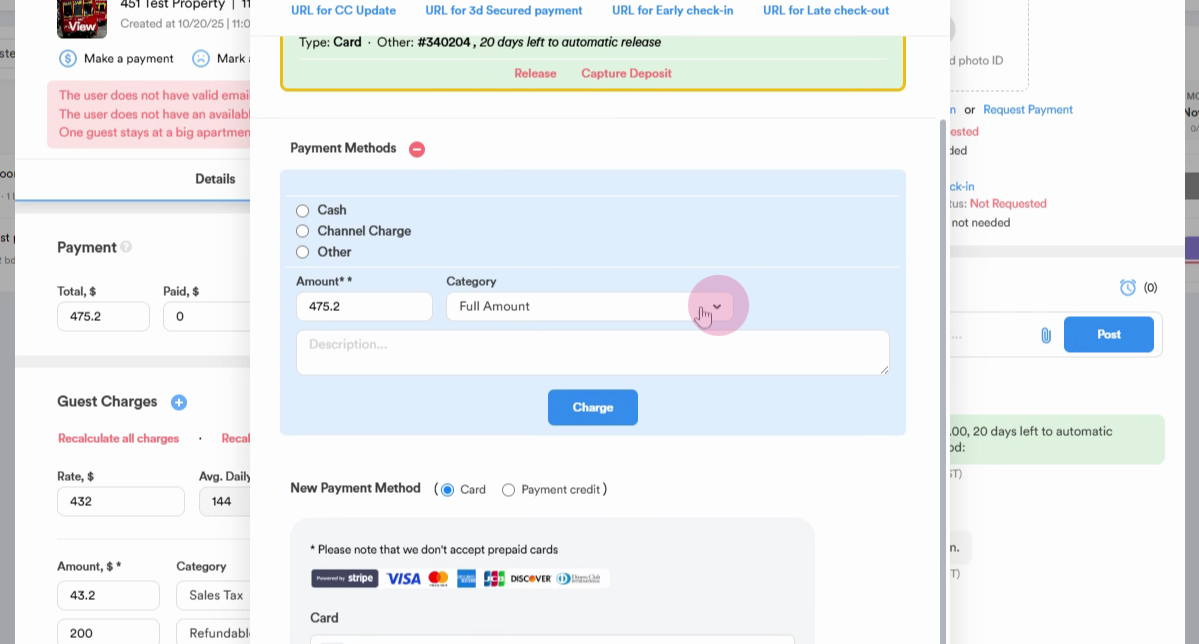
Step 3: From the 'category' drop-down, select 'refundable damage deposit'. The amount will automatically populate in the amount section.
Step 4: Click on 'put a hold'.
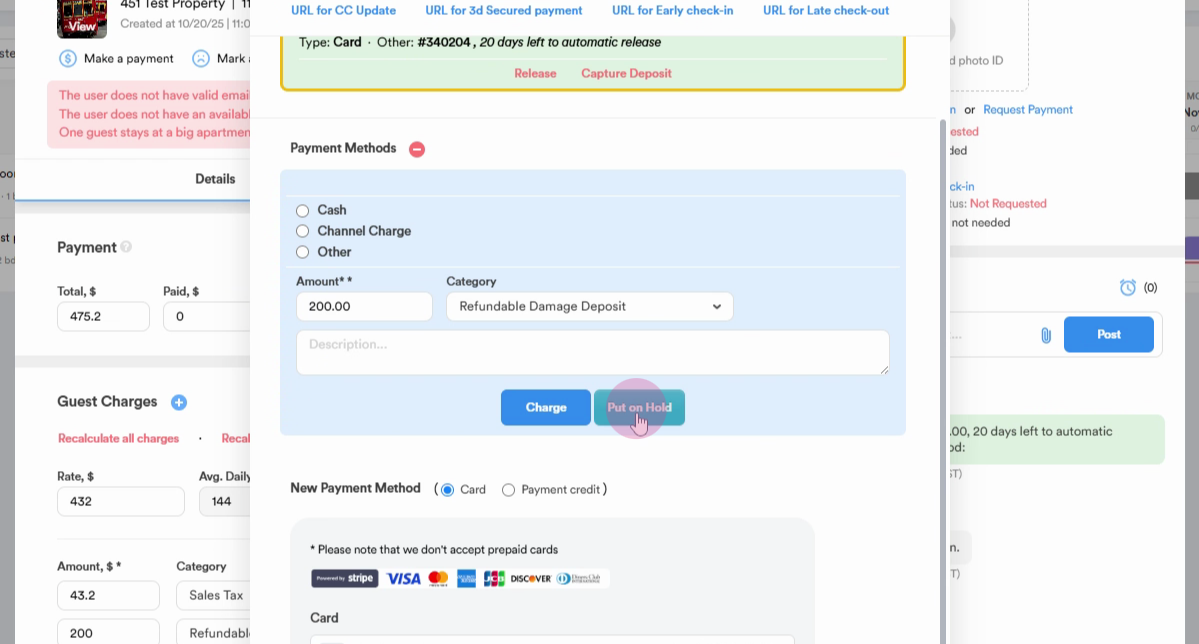
Once you've put the deposit on hold, it will remain so until the guest checks out. If no damage is found by the housekeepers, the deposit will automatically be released within 72 hours of the guest's checkout.
If damage is found after the guest's checkout, you'll need to capture a portion or the full amount of the refundable damage deposit.
Step 5: Click on 'capture deposit'.
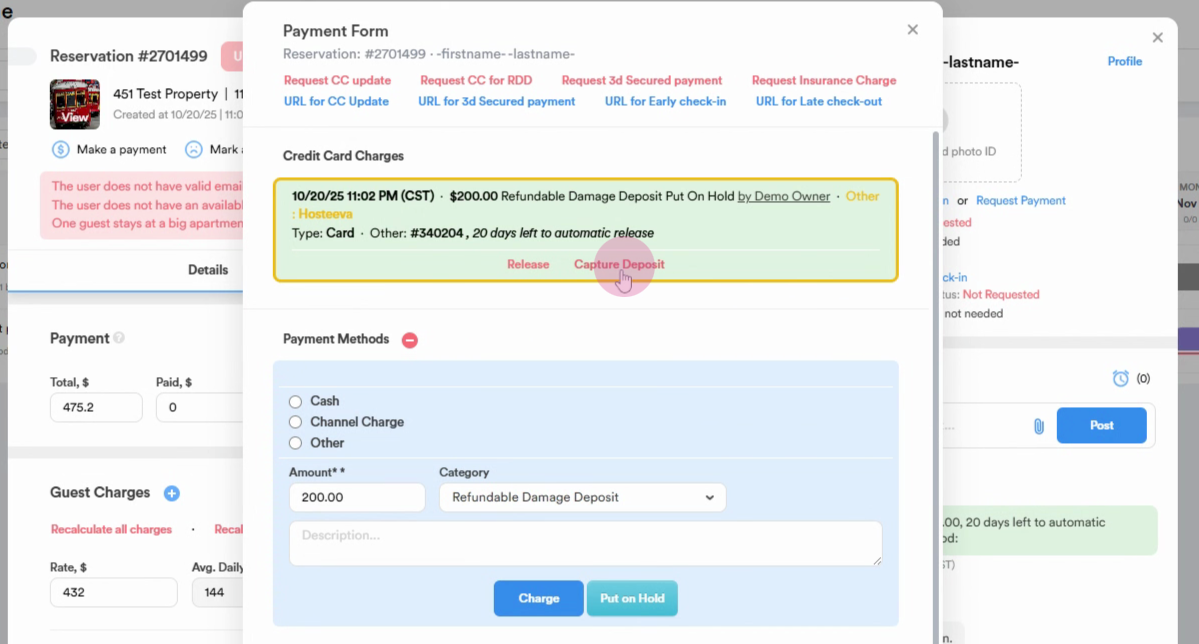
Step 6: Enter the amount to be captured.
For example, if a guest caused $100 worth of damage, input $100.
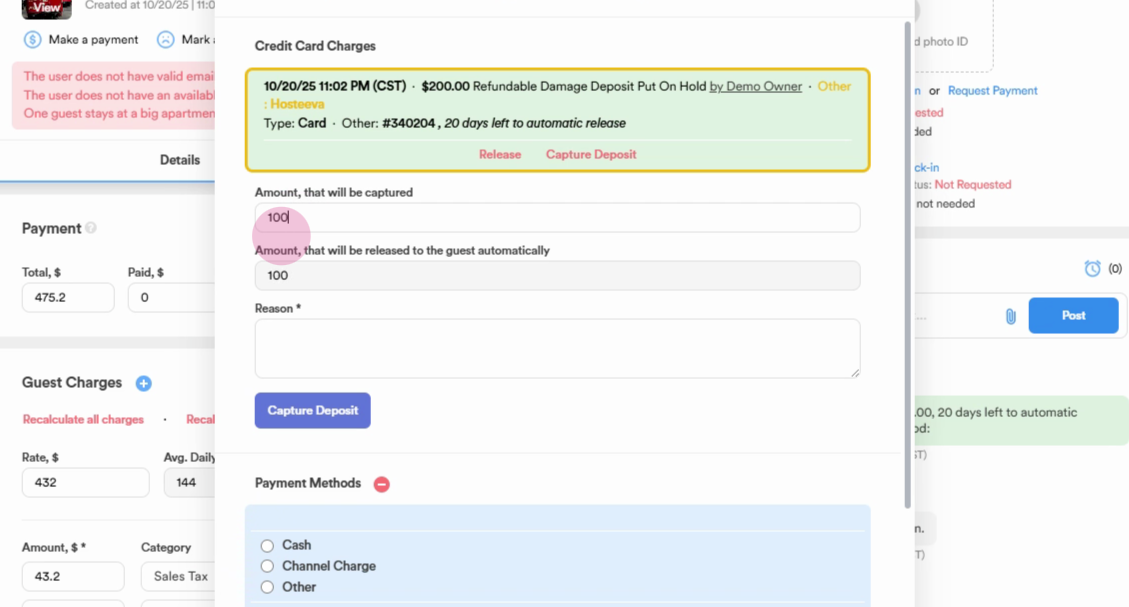
The remaining amount will be released.
Step 7: Type the reason for the capture. Click on 'capture deposit'.
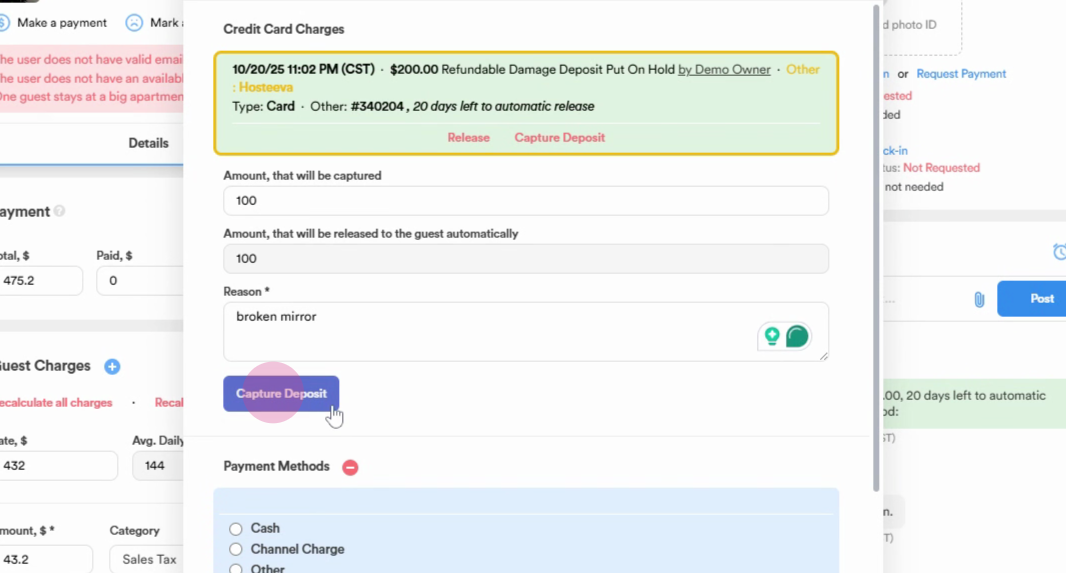
Once you've done this, $100 will be captured, and the remaining $100 will be released.