Exporting Reservations Report to Excel
To further analyze your data or keep a backup, you can export your report to an Excel-compatible format.
How to Export:
-
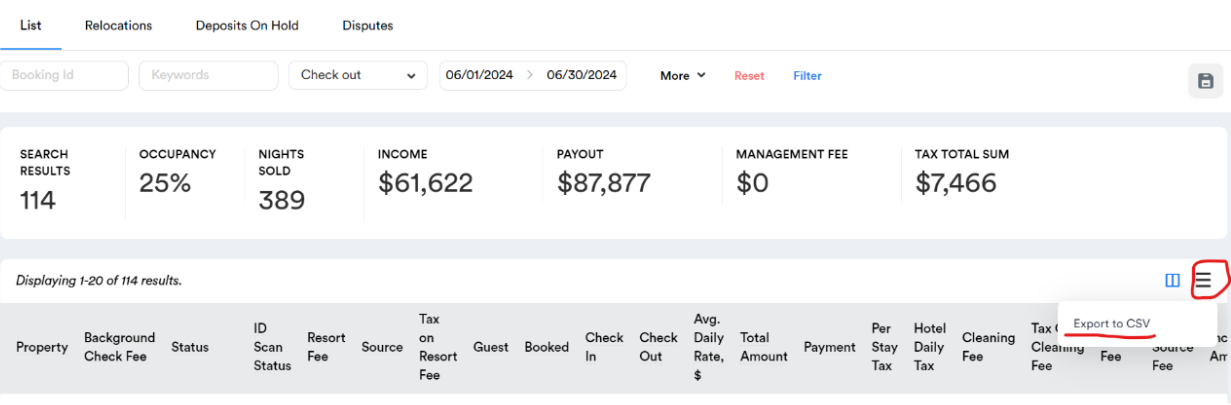
Click the Menu Icon: On the right side of the report, you’ll find a menu icon (three horizontal lines). Clicking this icon will open a dropdown menu.
-
In the dropdown menu, select the "Export to CSV" option. This will download your report in a CSV format.
Why Export?
Exporting your data to Excel allows you to perform more complex data analysis, create custom reports, and keep records of your property performance. It also provides flexibility in sharing the data with others or integrating it with other tools you might use.
This feature is a great way to ensure that you have full control over your data, whether for detailed analysis or record-keeping purposes.