Dive into the intricacies of payment collection by exploring the reservation payment details.
Step 1: Observe the reservation dialogue in the screenshot. It displays the reservation total, which is the total amount to be charged to the guest for the reservation.
Step 2: Notice the green notes. They indicate the amount paid by the guest along with detailed information. They also show when the guest made the payment.
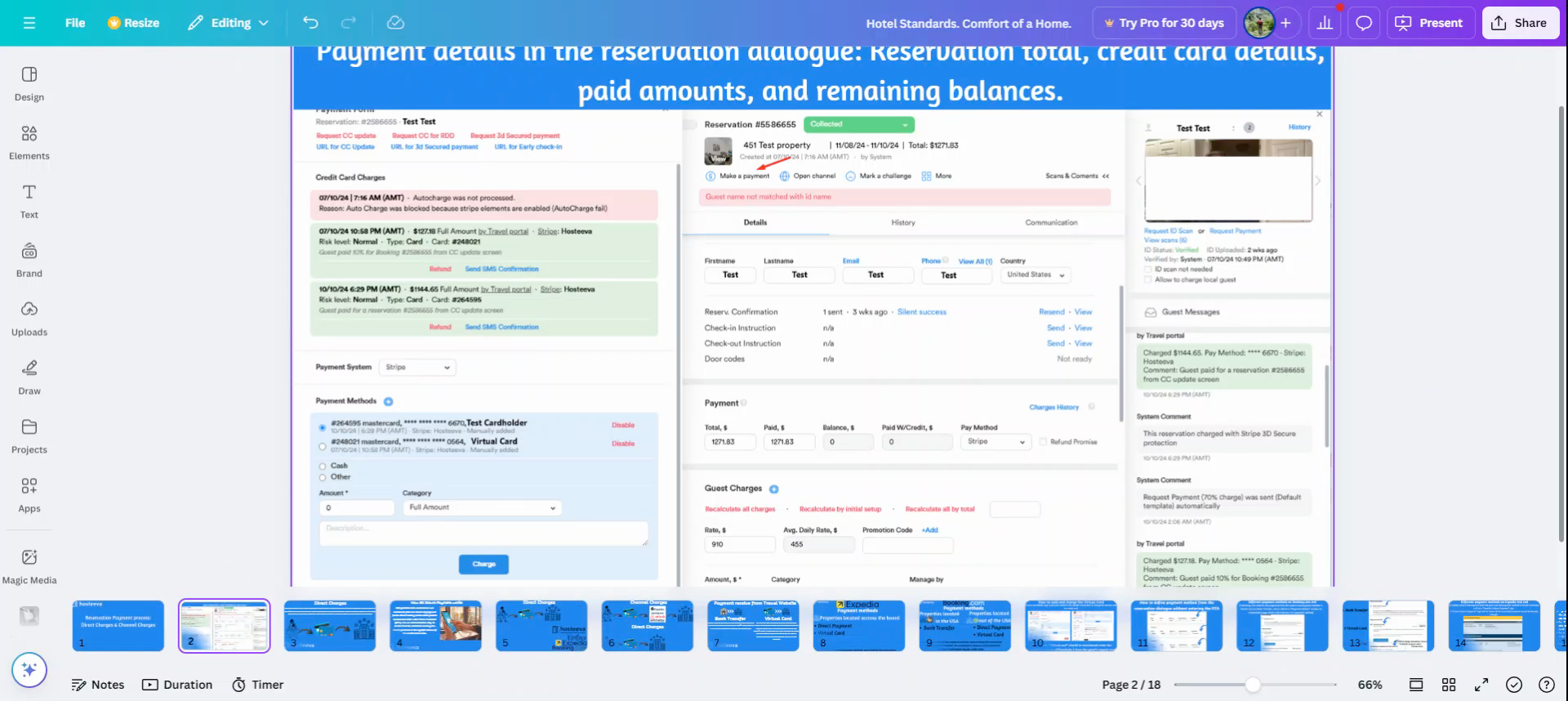
Step 3: Understand that the "Paid amount" field adjusts to display the total amount and the remaining balance the guest needs to pay.
Step 4: For reservations where payment is received through bank transfer, the "Paid amount" field updates automatically after checkout. Note that the green notes won't appear for these reservations because they use a direct payment method. The larger the paid amount, the smaller the balance the guest needs to pay.
Step 5: Locate the guest's credit card details.
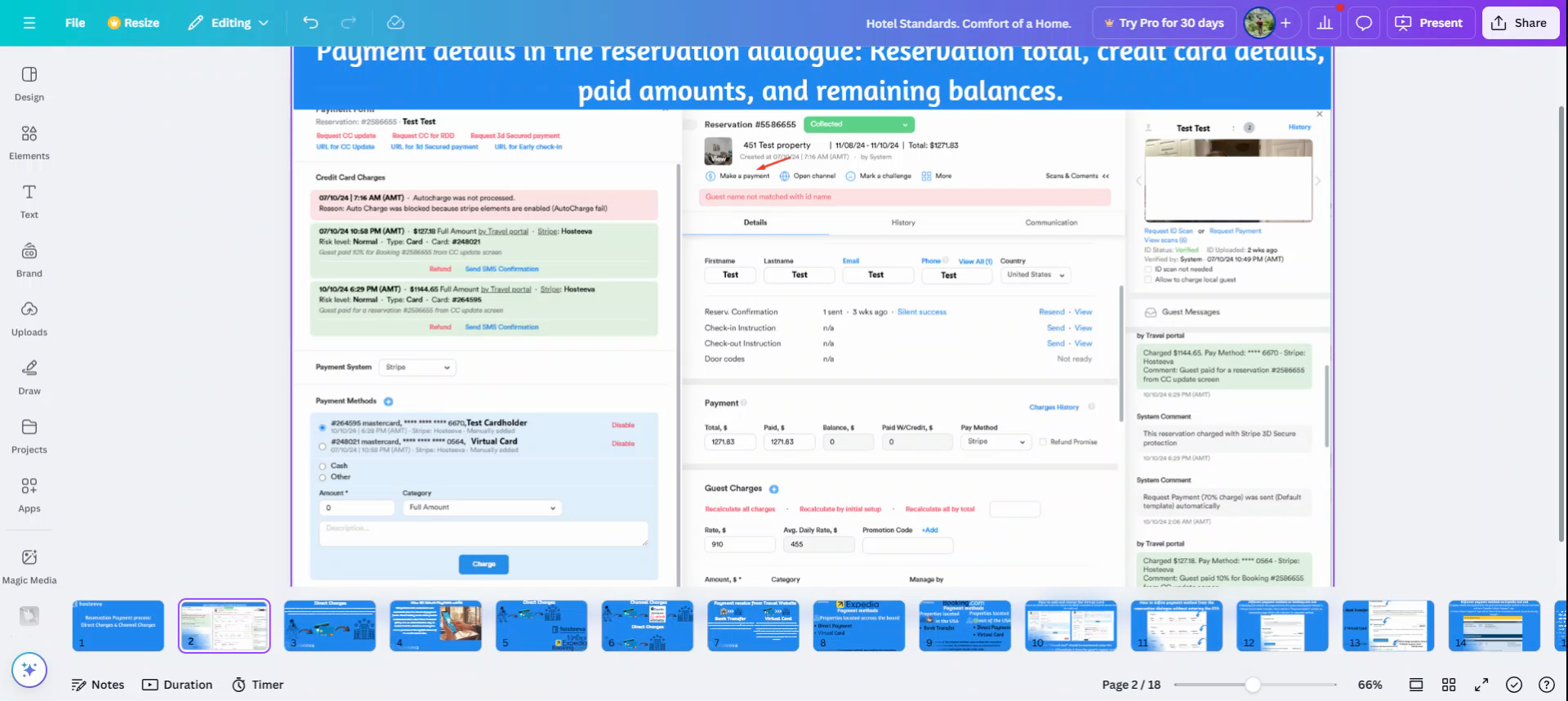
Step 6: Identify the type of credit card - Mastercard, Visa, Amex. Also, find the cardholder's name, the last four digits of the credit card, the expiry date, and other details.
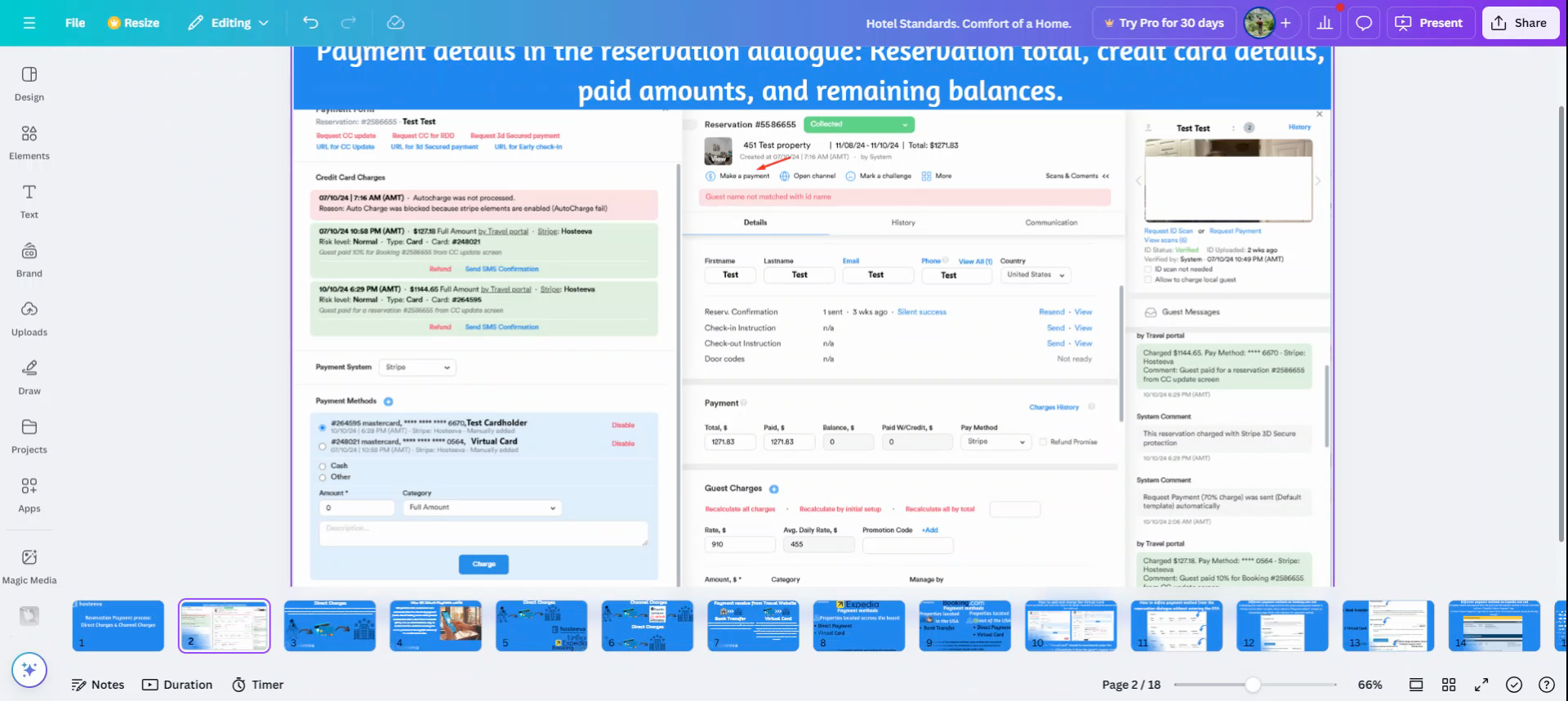
Adding Credit Card Details Manually
Step 1: Understand that it's possible to manually add guest credit card details to the online payment process.
Step 2: Learn that when a guest pays directly through the 3D secure payment, it enables sending the payment request credit card details. These details are automatically added upon payment, eliminating the need to manually add the credit card to receive payment from the guest's credit card.
Step 3: Note that in most cases, guest credit card details are added automatically. However, in some cases, the manual addition of credit card details is necessary.
Credit Card Payment Processor Company.
The payment method in the reservation dialogue indicates Stripe or Square to show the payment processor company that will process the guest's credit card. The processor company is attached to the specific property as a main payment method. So if the reservation dialogue's payment method is initially set as Stripe, we should not change it to Square Up.
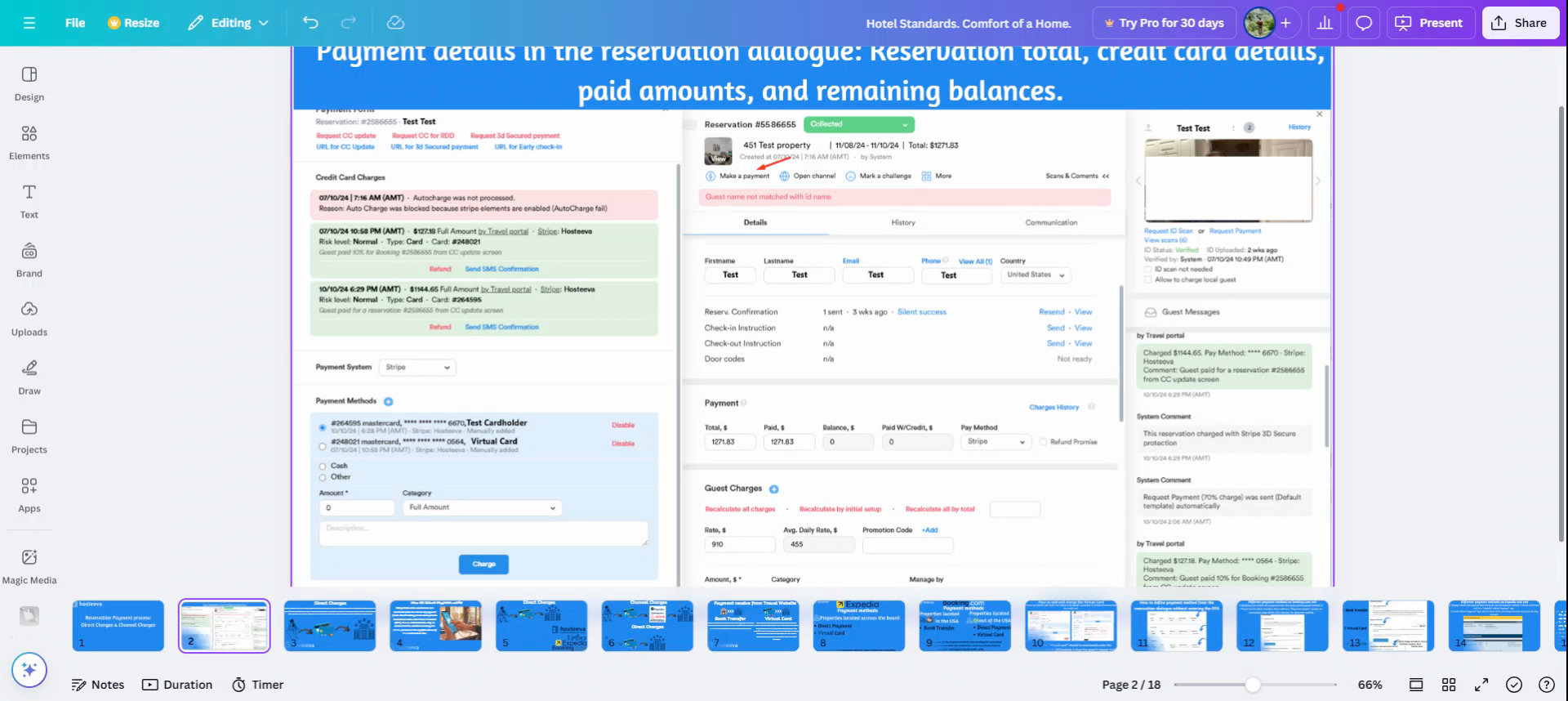
For instance, manual addition is required for virtual card reservations.