Resetting the password for Hosteeva owners by Hosteeva managers. Follow these steps to update the password and unlock the account if needed.
Step 1: Log in to your Hosteeva account. And navigate to the Users tab.
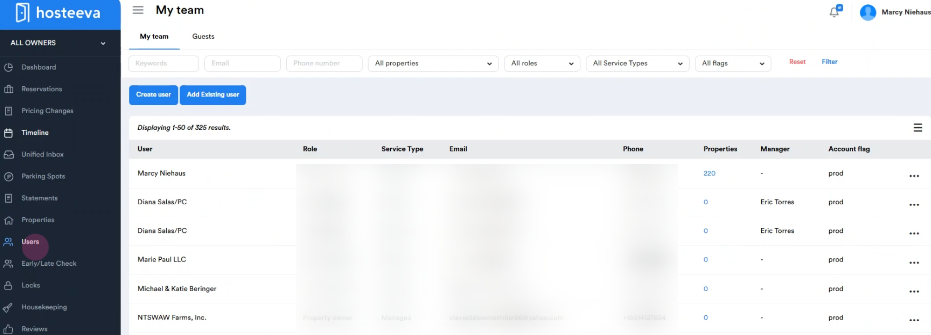
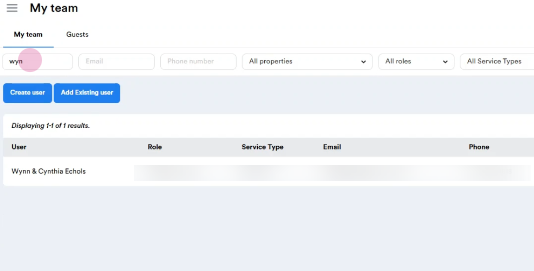
Step 2: Under My Team, search for the owner’s name using the keywords field.
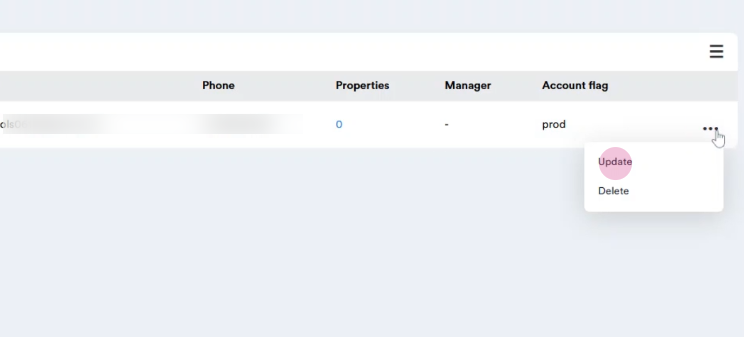
Step 3: Click on the three dots next to the user’s name. Select Update.
Step 4: On the Basic Details page, find the Password field. Enter the new password.
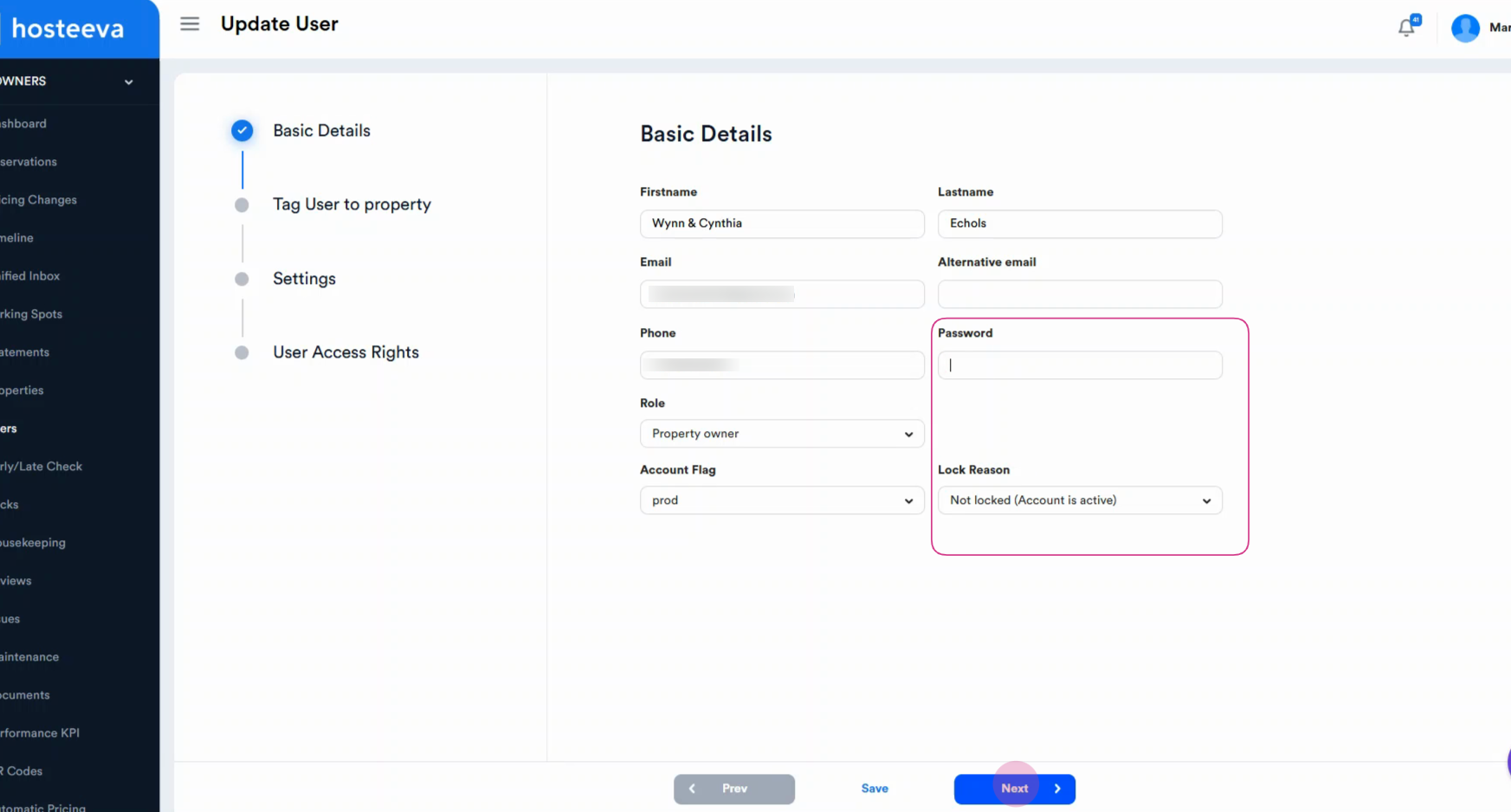
Step 5: If the account is locked, click the Lock Reason dropdown and choose Not Locked (Account is active). Click Save to apply the changes.
That’s all it takes to reset the password and unlock a Hosteeva owner’s account. This process ensures owners can get back to managing errors without any delay.