
Review-related Tasks and how to deal with them
One of the main tasks completed by the Guest Relations Department is the "Review-related tasks".
The "Review-related tasks" classification is placed on certain reservations for tracking purposes; to either
- request the guest to write a review - Review Request
- request the guest to remove their review - Review Removal Request
- request the channel to remove a review left by the guest - Review Removal Request / Report Attempt
- or simply to keep track of an already written review while it is still in the blind period and is not yet visible on our end, to later decide if any further action is needed concerning said review - Review Tracking
- Where to find and how to filter out Review-related tasks?
The Review-related tasks can be found in the Reservations Tab:
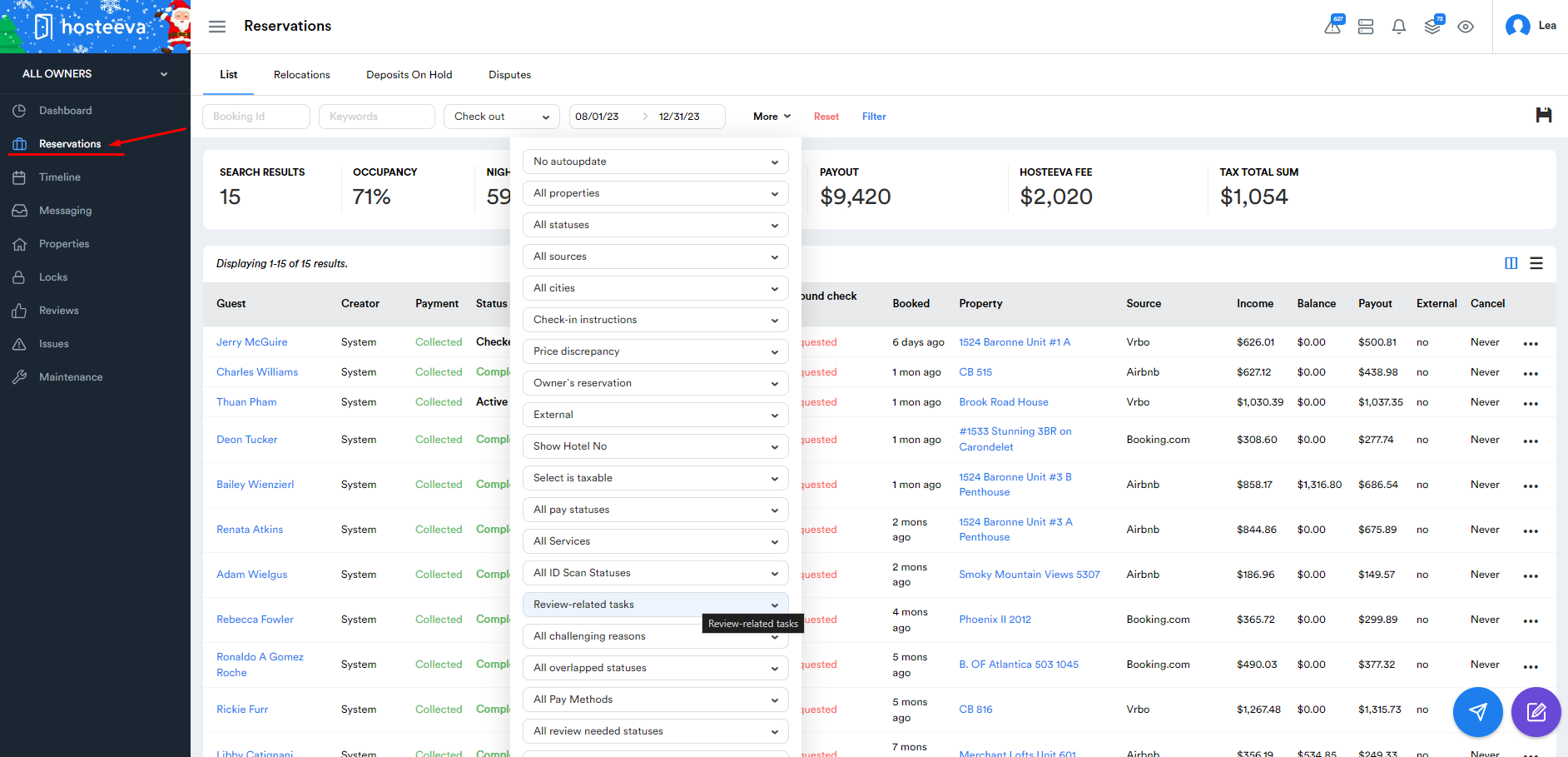
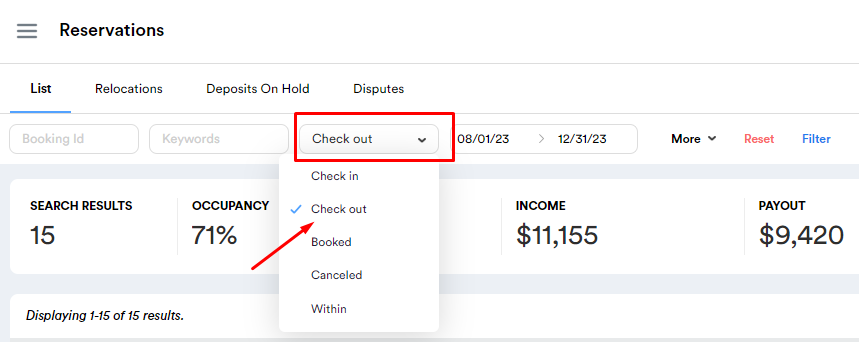
After opening the Reservations Tab, we must filter by Check out, Date, and by Challenging Status:
- Select "Check out",
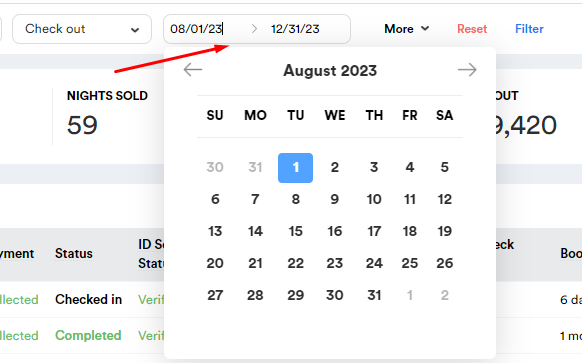
- From the date/calendar section, select the interval of time that you need (typically the previous month and the current month),
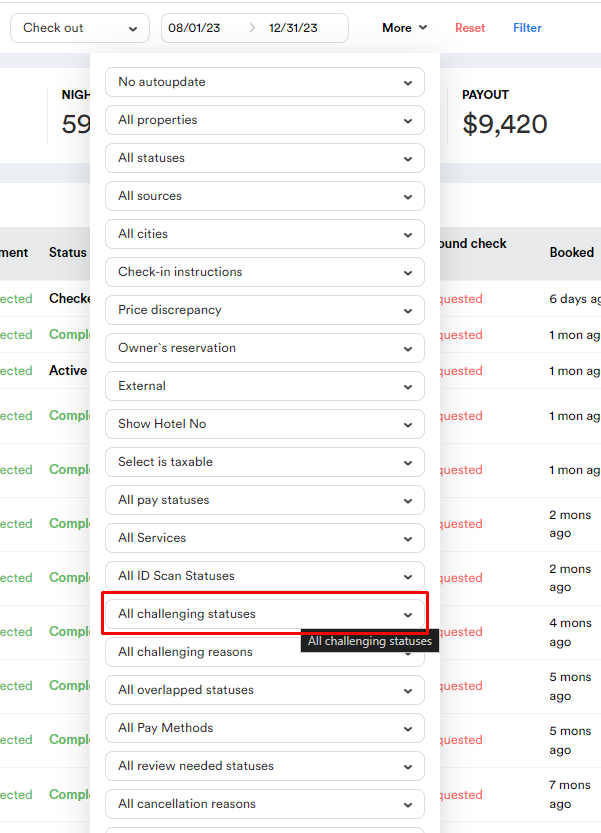
- Click "More" to open more filter options,
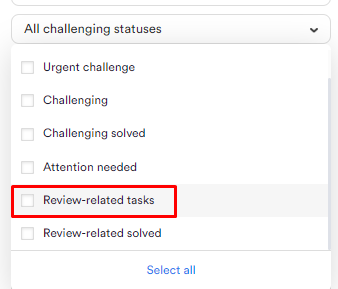
- In the dropdown from the "More" section, scroll down to find the "All Challenging Categories" filter, and select "Review-related tasks",
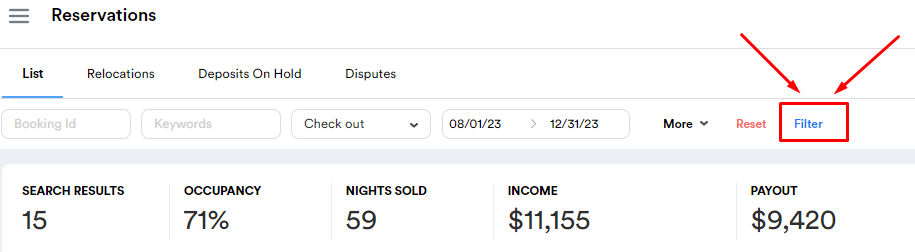
- Scroll back up and click "Filter" to have all the previously selected filters applied.
1) 
2) 
3) 
4)
5) 
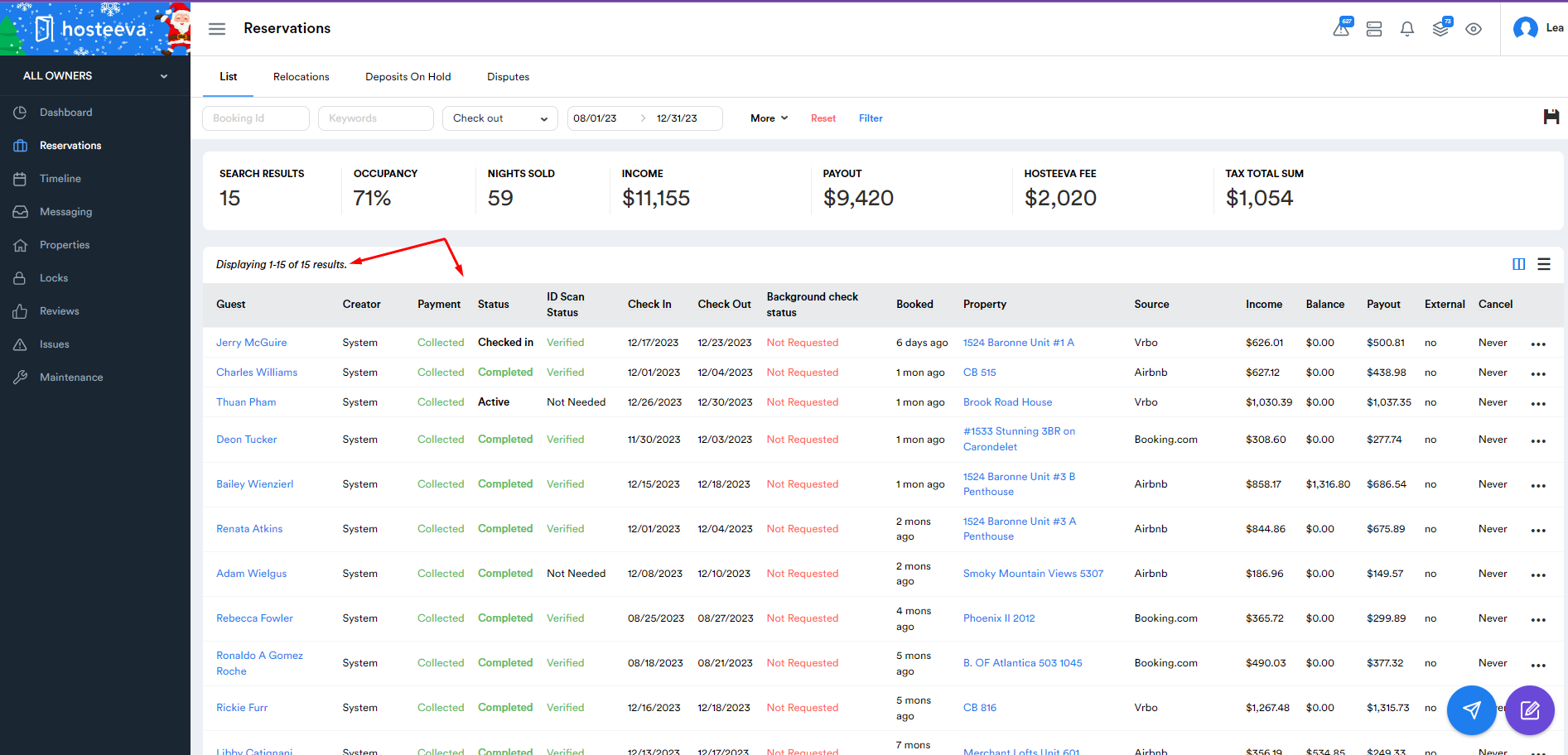
After successfully filtering out the Review-related tasks, our screen should look like this, displaying the list of the reservations that have been marked as "Review-related tasks":
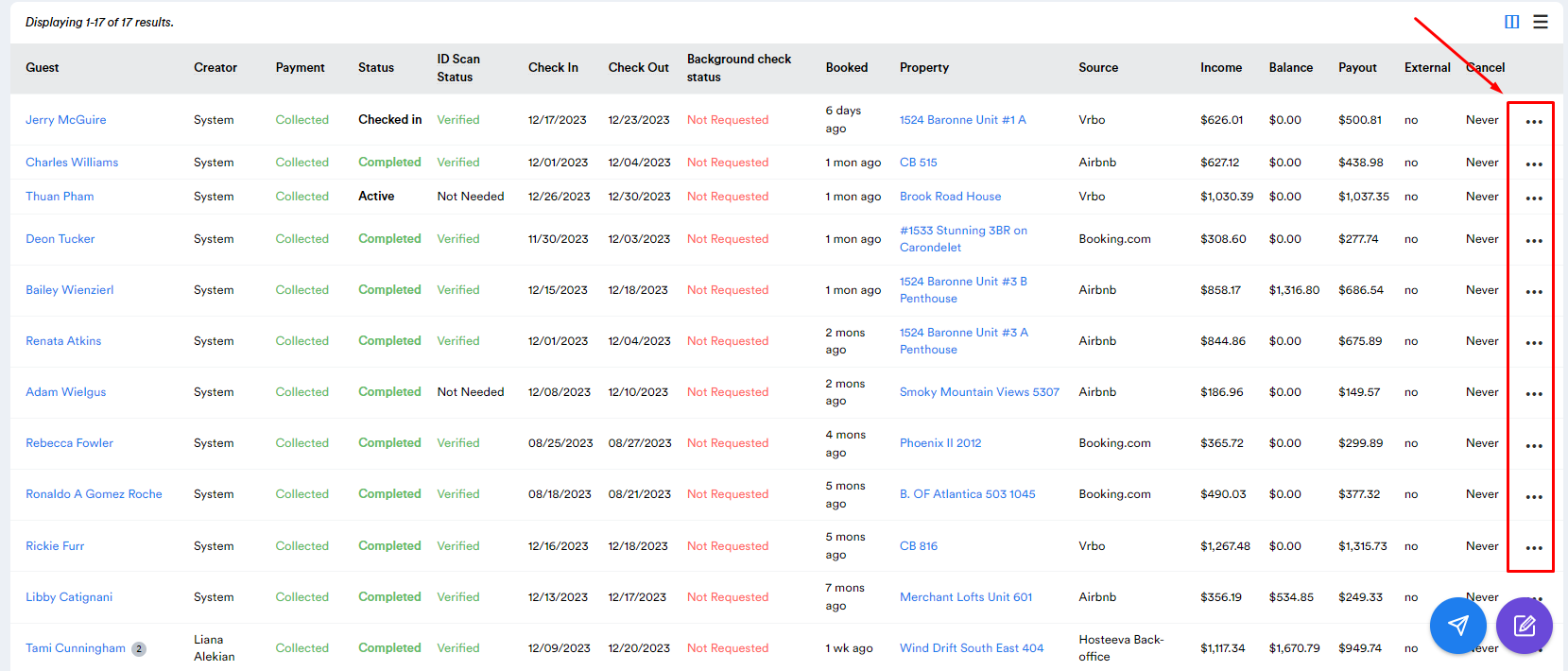
Once we have the list of the "Review-related tasks" in front of us, we can examine each reservation by clicking on the three dots "..." on the right side of the screen and selecting "View" or "View on Timeline":

After clicking "View" on one of the reservations from the list, we will be able to open the Reservation Dialogue and see the details that we need, such as the reason why and by whom the reservation was marked as "Review-related tasks", the reservation history, comments, and other crucial information that will guide us in completing the task.
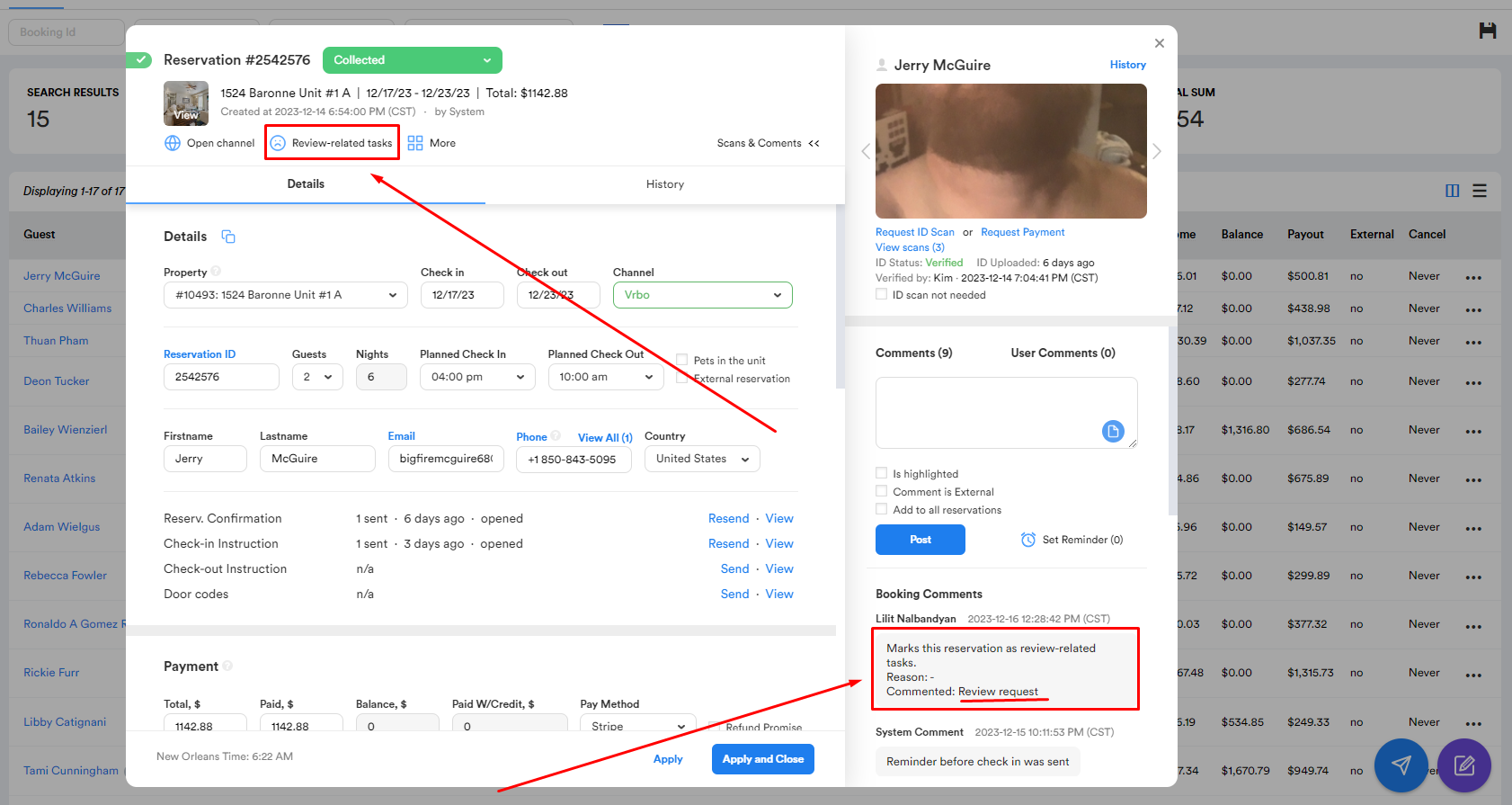
As seen in the screenshot above, the reservation at hand was marked as review-related with the comment "Review request" by a Guest Relations representative, which means we must contact this guest AFTER their check-out, to ask them courteously how their stay went, and if they share positive feedback with us on the phone, we must tactfully ask them to share that feedback online, hence, ask them to write a review on the channel where they booked their stay, in this instance, on VRBO.
Review Requests
Review Requests are done to boost the overall review score of certain listings on certain channels/websites.
So, for instance, if the Guest Relations team or the local management team of a Hosteeva property notices that the listing score of said property is below the desired score number due to previously received negative reviews, our team will get a task to "boost" the listing score, by tracking all check-outs at the said property on the desired platform, marking those reservations as "Review-related tasks", and following up with those guests in order to gain positive reviews.
Review Request possible scenarios:
1) If the guest does not pick up the call - do NOT leave a voicemail, but rather hang up and try again another day.
2) If the guest does not pick up the call the second/third time - close the case.
3) The guest picks up and says they had a positive experience - ask them to share their experience online by writing a review on the channel where they booked.
4) The guest picks up and says they had a negative experience - depending on the gravity of the issues they mention, treat the reservation as a "Challenging case" (see in a related article) and try to prevent the guest from writing any review.
Review Removal Requests / Report Attempts
Review removals / Report attempts are also done as a means to "boost" / "repair" the review score of the property on certain channels/websites.
We can either "request" the guest to take down a review that they wrote, or report the review to the channel and request them to take the review down if it falls under the specific review guideline violation list that each channel has.
If we determine that there's a high possibility of the guest taking down a negative review they've written in return for some monetary compensation / future-stay discount / another form of resolution, we may mark the reservation as "Review-related" and take our chances in removing the existing negative review linked to that reservation.
See more on Review Removals in a related article (Review Removal SOP).
***
Review-related solved:
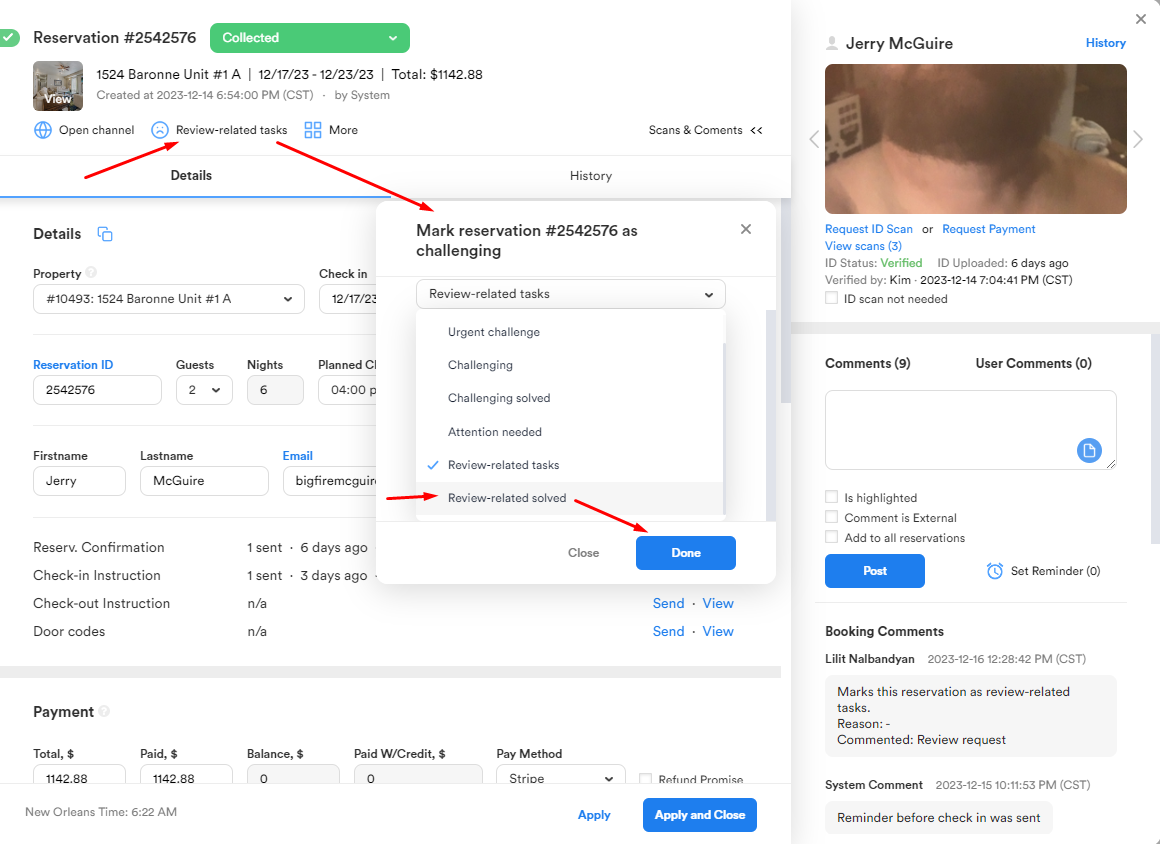
After completing the review-related task in hand, whether the outcome was a brand-new positive review or a removed negative review, feel free to mark the reservation as "Review-related solved" and pat yourself on the back :)