In this article, you'll learn how to use the new "Send All" button to simultaneously send emails, SMS, and messenger messages.
Step 1: Navigate to a reservation. For this example, we'll use an Airbnb reservation. In the reservation dialog, you'll find the reservation confirmation, check-in instructions, and check-out instructions. Here, you'll also find the "Send" button. Click on the "Send" button. This allows you to send the confirmation or check-in/check-out instructions to the guest via their phone number, email address, or messenger. After clicking the "Send" button, you'll have the option to send the information previously mentioned. You can choose to send the information separately, such as only via email, only via text message to the phone number, or only to the Airbnb messenger. Alternatively, with just one click, you can send the confirmation to all channels - email address, phone number, and messenger.
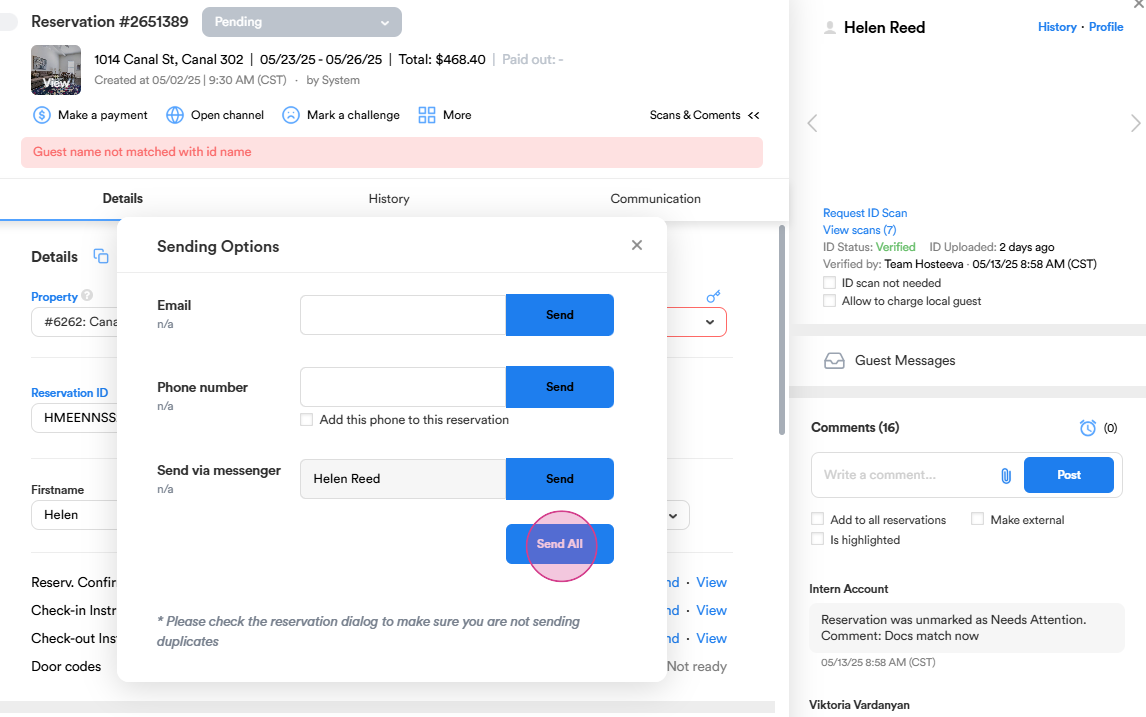
That's it! You've now learned how to use the "Send All" button. This was the main update. Thank you for your attention.