Send an Invitation to Host Your Main Booking.com Account
Inviting a Hosteeva representative to manage your main Booking.com account lets them assist with setup and ongoing management. Here’s how to send the invitation securely and set proper access.
Step 1: Log in to your Booking.com account.
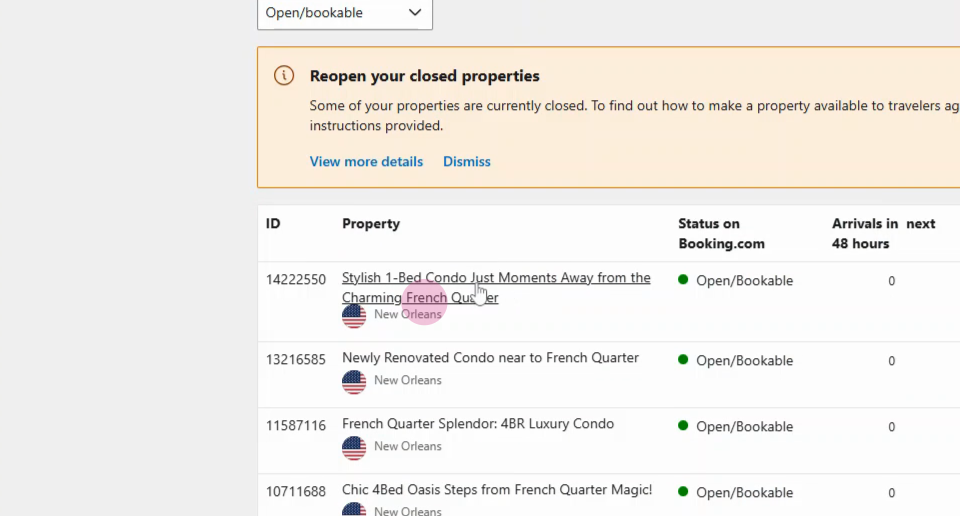
Step 2: Find your property listing and click on it to open the details.
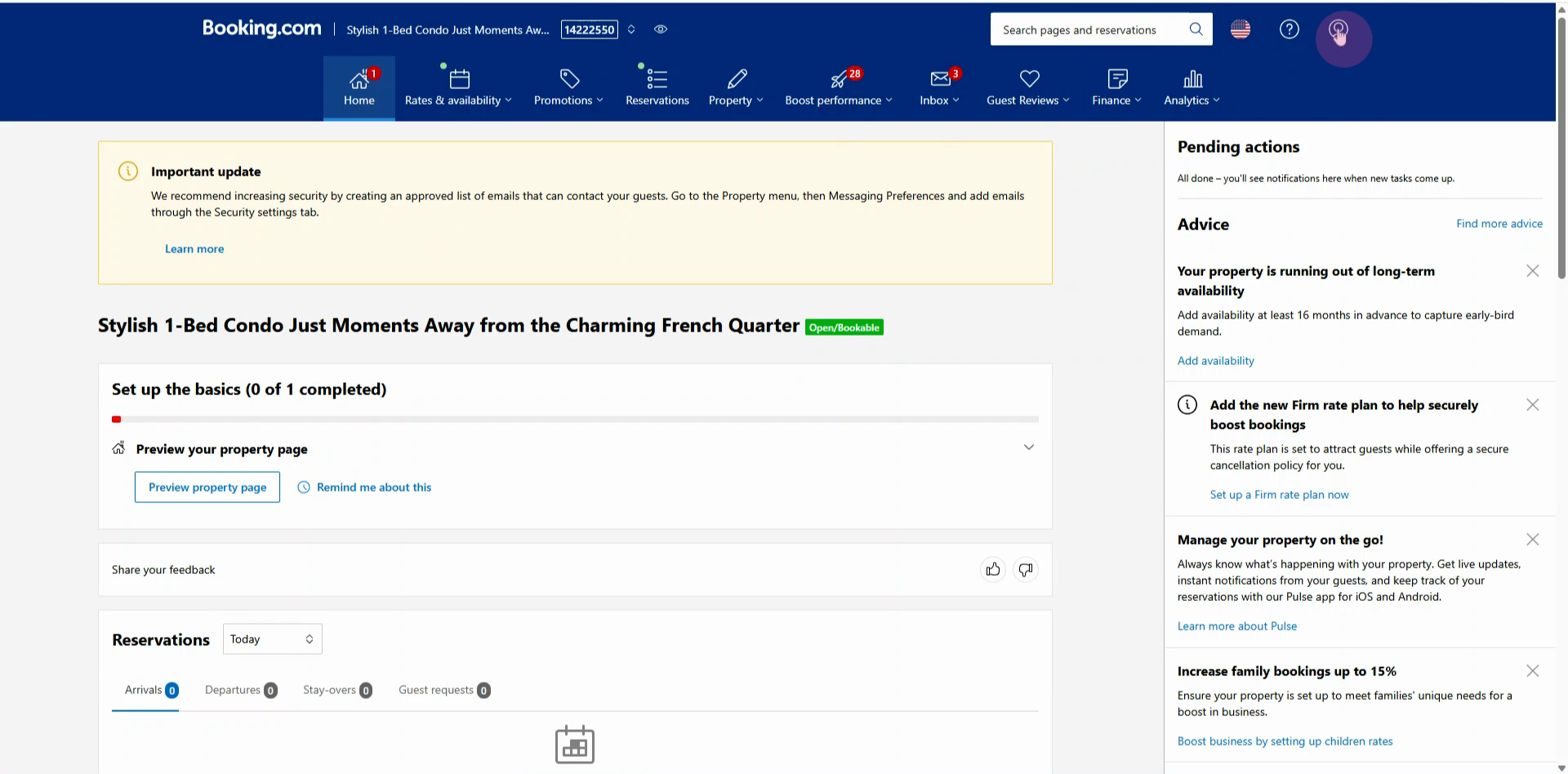
Step 3: Go to the Account Center.
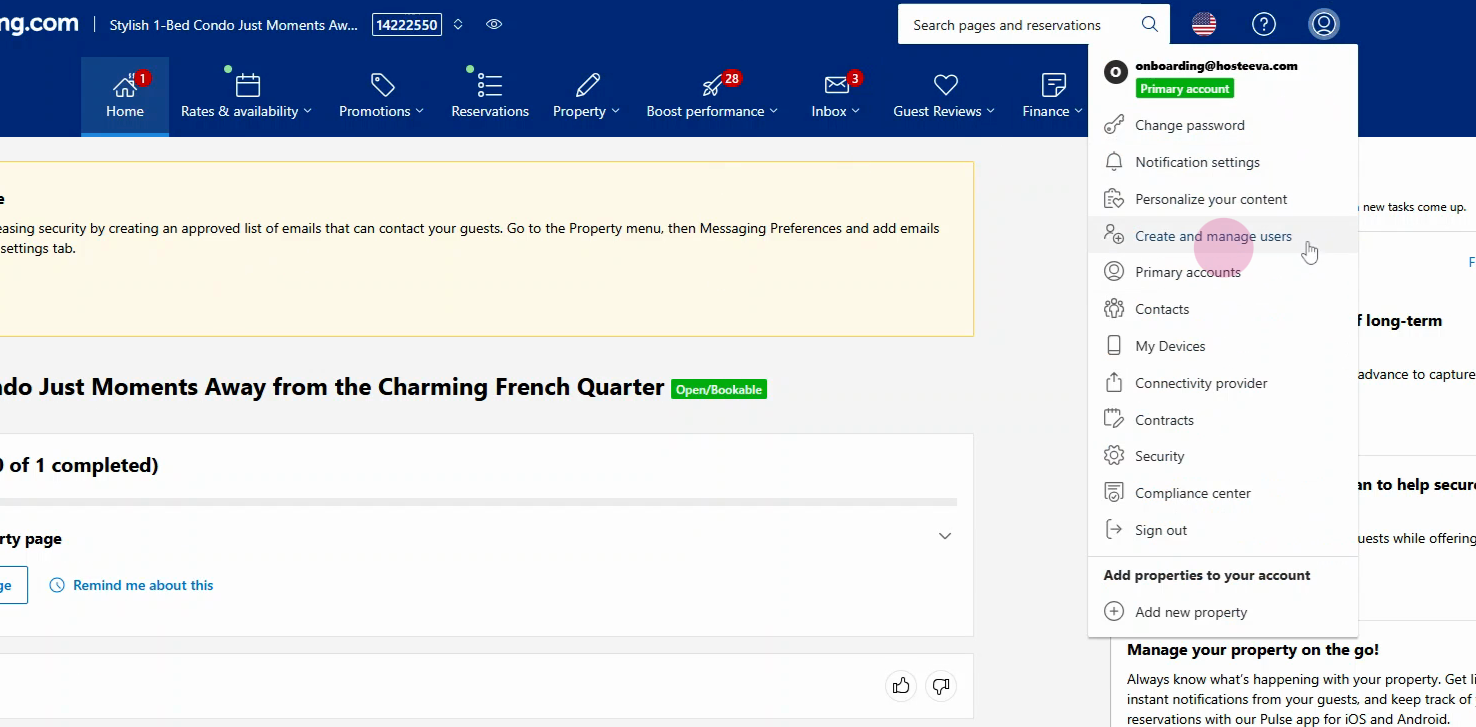
Step 4: Select Create and manage users.
Step 5: Click the Invite a new user button.
Step 6: Choose the existing user to proceed. Then, enter the Hosteeva main account details:
-
Email: platformonboard@hosteeva.com
-
Username: platformonboarding
Get these credentials from your Hostiva representative.
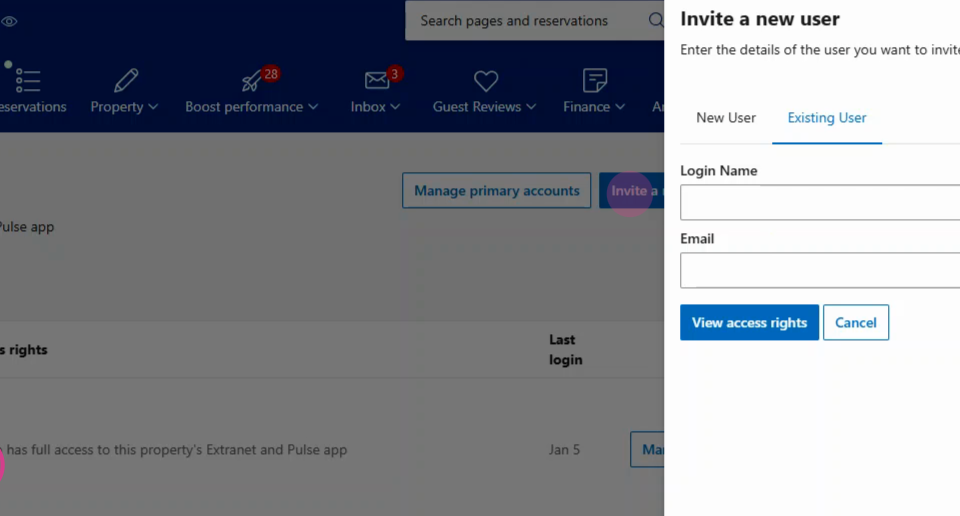
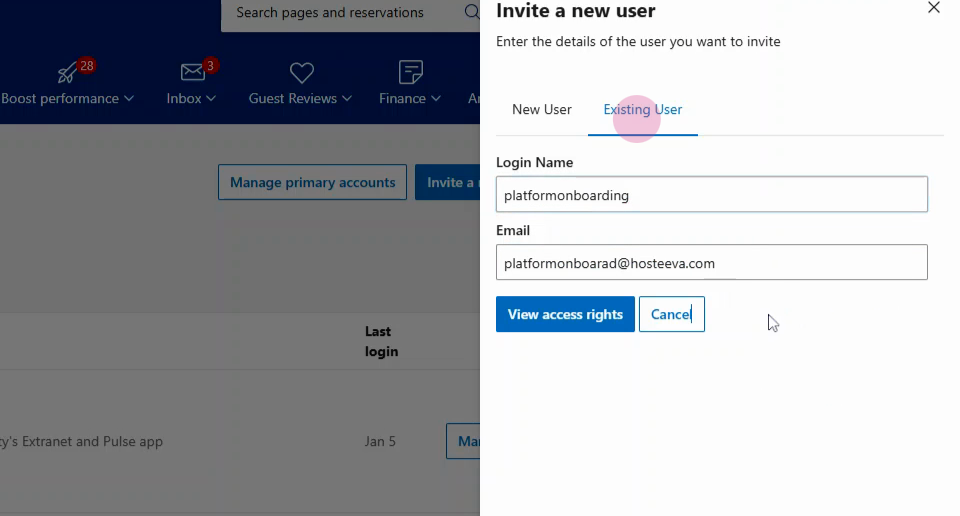
Step 7: Click View access rights.
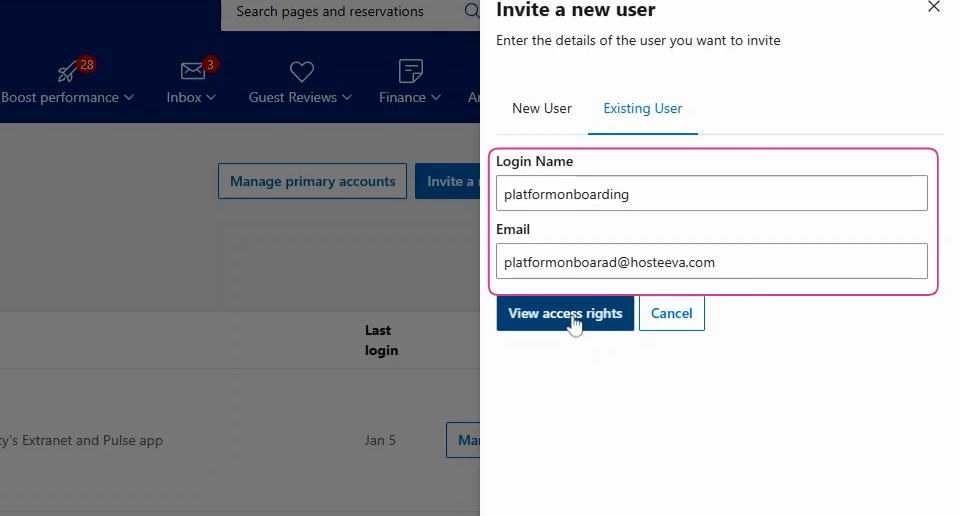
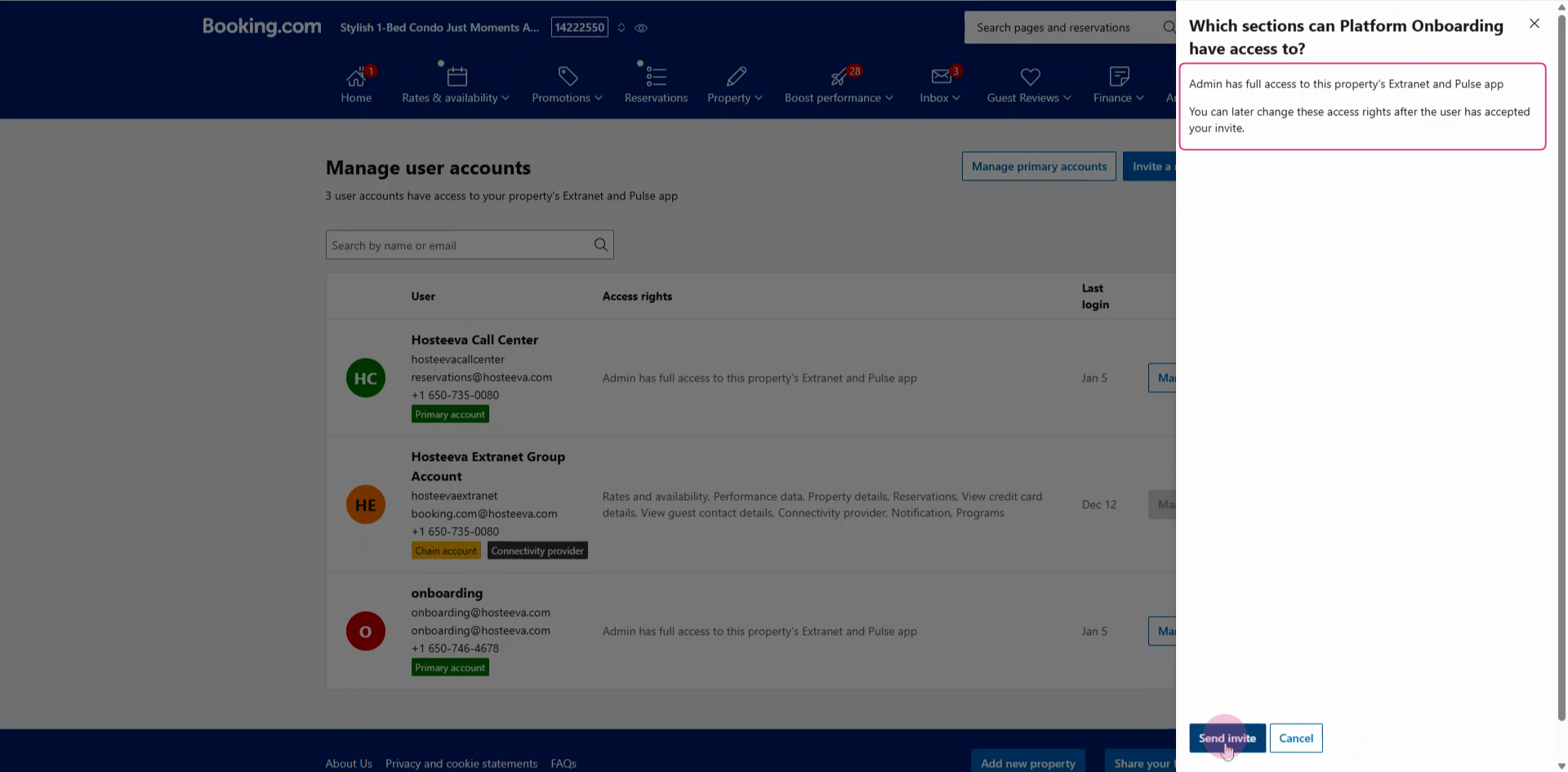
Step 8: Set the user as Admin to give full access.
Step 9: Click Send invite.
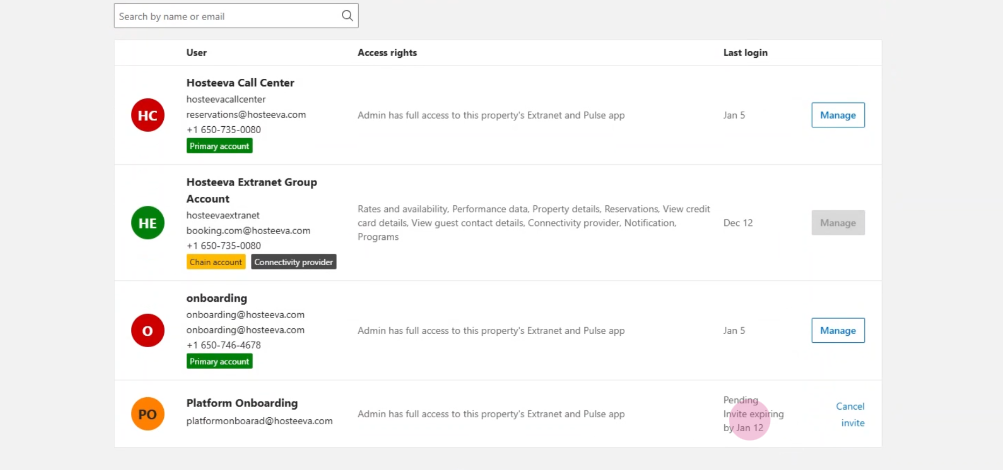
Step 10: You’ll now see the platform onboarding user listed, with the status “pending invite.” The Hosteeva representative will accept the invitation to complete the process.
Inviting Hosteeva this way ensures they get the access needed to manage your account securely, while you retain control over permissions and can monitor activity.