What is Smart Pricing?
Algorithmic pricing is the practice of automatically setting the requested price for short-term rentals, to maximize the total revenue for each property for any calendar date.
Terminology
-
Base Rate - The rates to which the system applies all the changes (normally opening rates)
-
Raw rate - The rate that doesn’t include any fees/taxes. All the adjustments are made on this level
-
Selling Rate / Channel Rate - the rate published on the channels that is the raw rates + markup
-
Min Rate - Min rate of a unit/group of units below which the system will never set the rates
-
Property group - a number of units grouped together to which all the rules are applied
-
Template - the set of rules and policies that are going to be applied
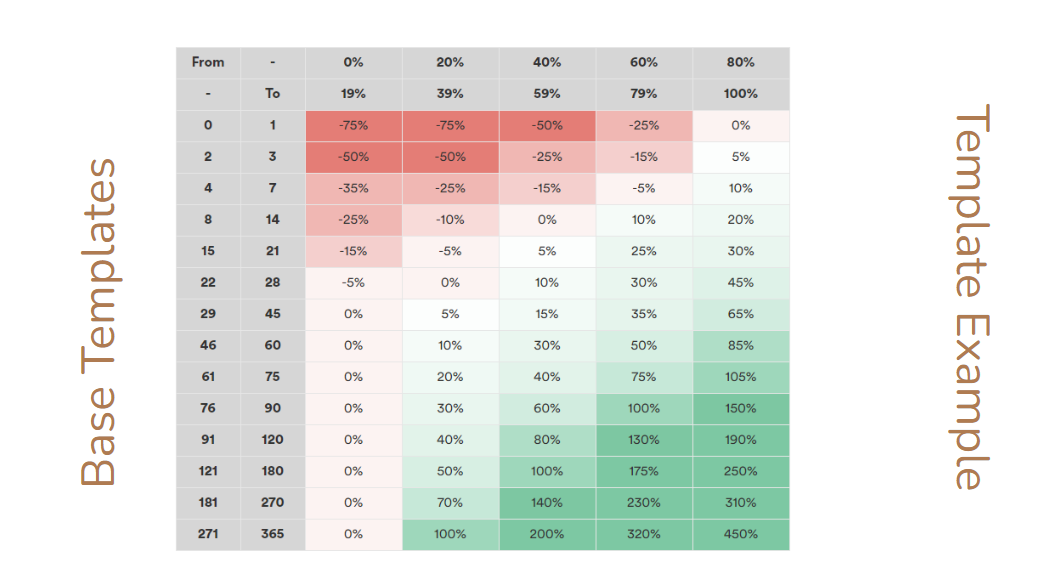
Example
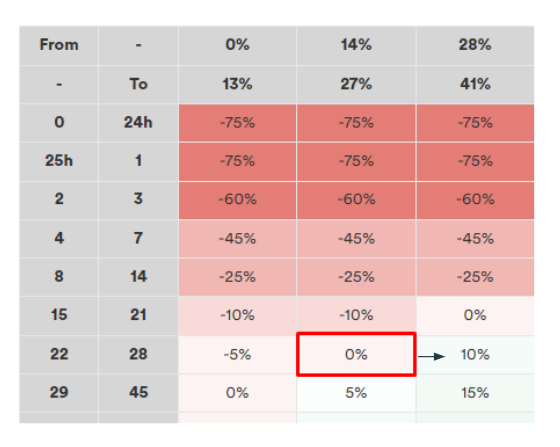
If the base rate is $100, then the raw rate = $100 = $100+0%.
When the occupancy is 15% in the interval of [22-28 days] (marked cell)
if the occupancy increases to 30% within the same date range of [22-28 days] (shift one cell to the right)
The raw rate will become $110 = $100 base rate +10%
Algorithm in action: Rate change logic
-
Occupancy changes
-
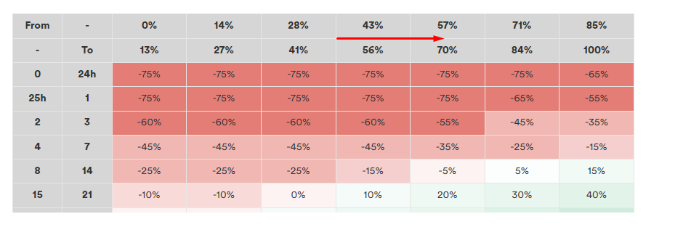
Up - Rate increases when occupancy goes up (received reservation) and the occupancy shifts to the next cell
-
Down - Rate decreases when occupancy goes down (canceled reservation) and the occupancy shifts to the previous cell
-
-
Date range change
Making occupancy-based changes (decreasing rates) while moving from bottom to top on the template, i.e. moving closer to the check-in date
Phoenix Template Settings
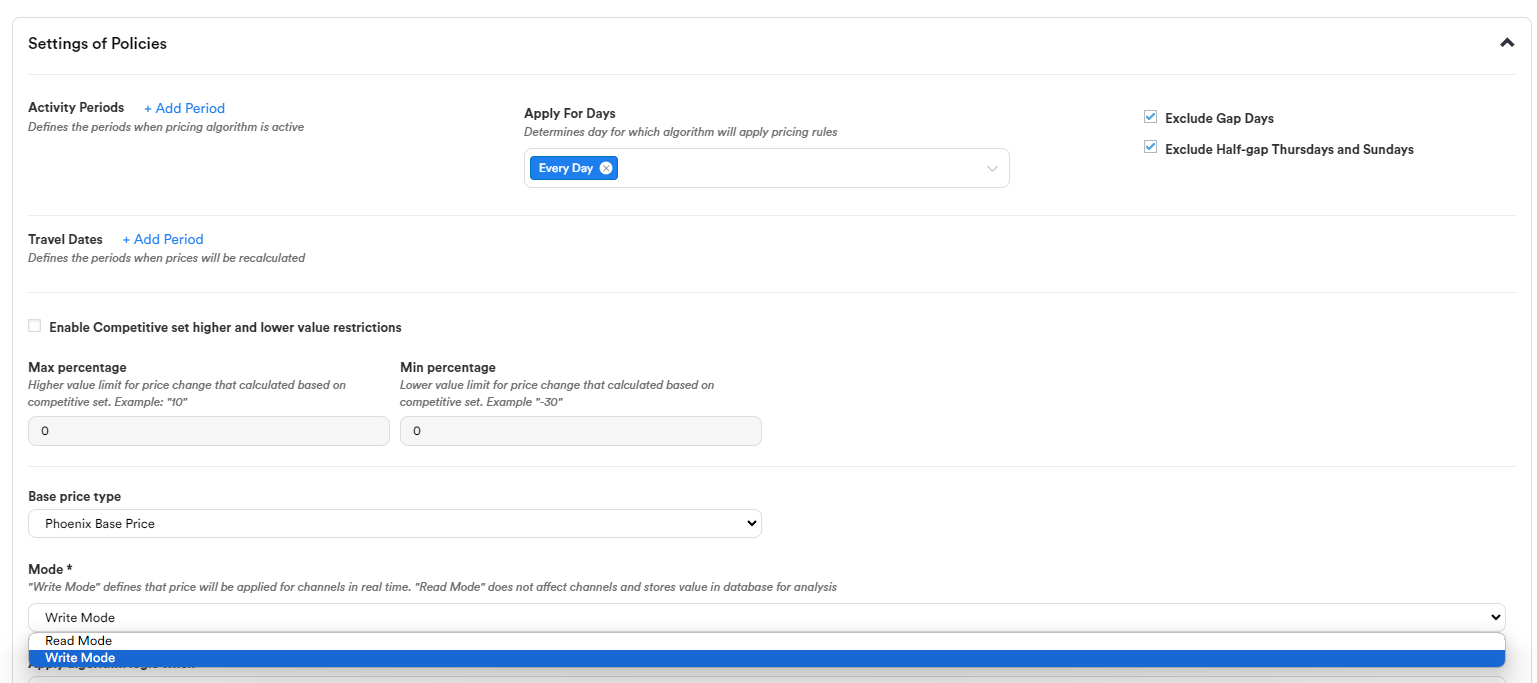
"Active periods" are the periods when the template will be Active.
"Travel dates" are periods for which the template will work.
That is, the period "August 1-30" means that if the availability change is on August 4, then the system will recalculate the prices for this date. If September 10, this availability change will not be recalculated.
Maximum percentage and Minimum percentage
These are additional minimum and maximum price ranges (percentage deviation from property competitive price ) that may be applied.
The price to be calculated is additionally checked for this deviation.
The prices will change according to the type on which the template works and will be compared with the competitive price of the property within the selected percentage deviations minimum and maximum.
Gap day pricing adjustment
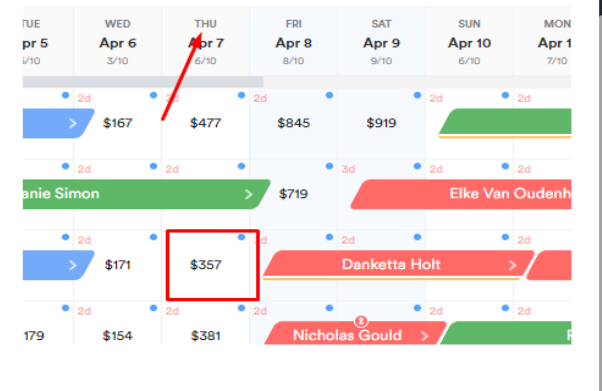
Skip occupancy change related to increases for Thursdays and Sundays when the weekend is booked for that specific unit but not for the whole group.
Property groups: criteria for groupings
Properties can be grouped based on the following criteria:
-
Properties under the same room type, e.g. 1br
-
Properties in the same building
-
Properties of the same owner
-
Properties in the same district/neighborhood
-
Properties in the same city
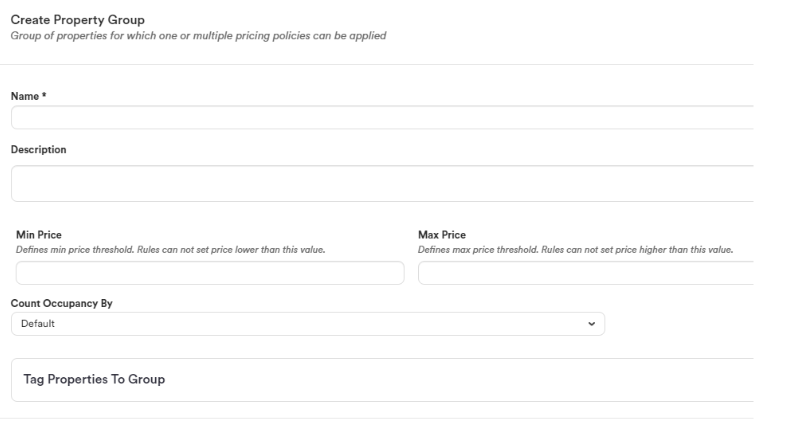
General settings/rules
-
Base Template - A new template can be created using any existing template
-
Read mode - The system will only suggest prices and won’t make any changes
-
Write mode - The system will automatically change the prices
-
Applicable periods - Ability to choose day/days of the week for which the algorithm will apply pricing rules
Manual Adjustments
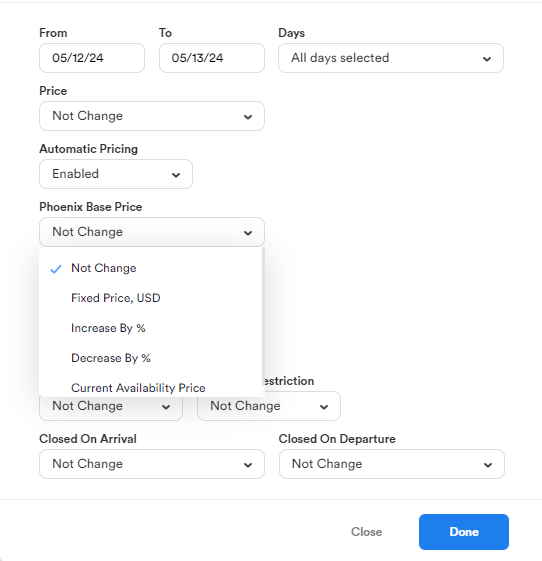
The Phoenix Base Price can be updated manually for certain dates.
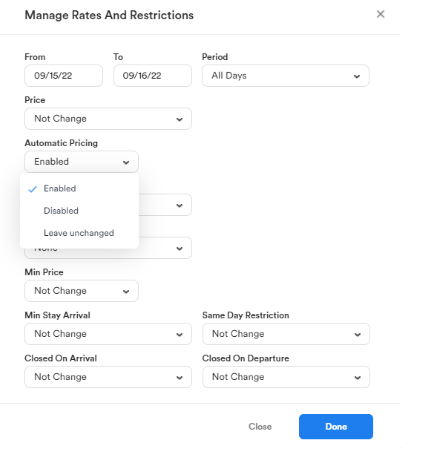
Option to disable/leave unchanged algorithm status for certain dates.