This guide outlines the process of setting up the markup for newly onboarded properties.
Markup refers to the percentage or amount added to a property's raw price to determine the final price that guests will pay.
It ensures that all operational costs, fees, and profit margins are covered when a reservation is made. In other words,
the markup is the difference between the raw rate and the selling rate.
The raw rate is the rate that doesn't include any fees and taxes, while the selling rate is the rate published on the channels.
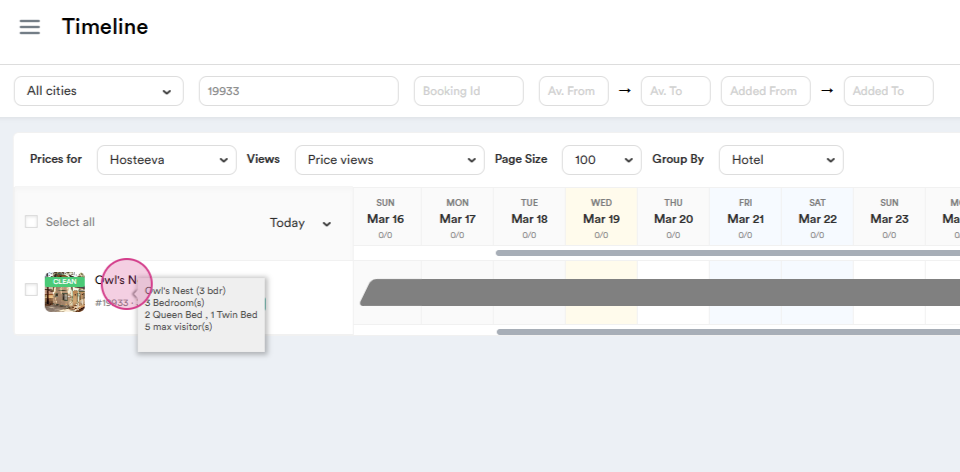
Step 1: Start by clicking on the Property.
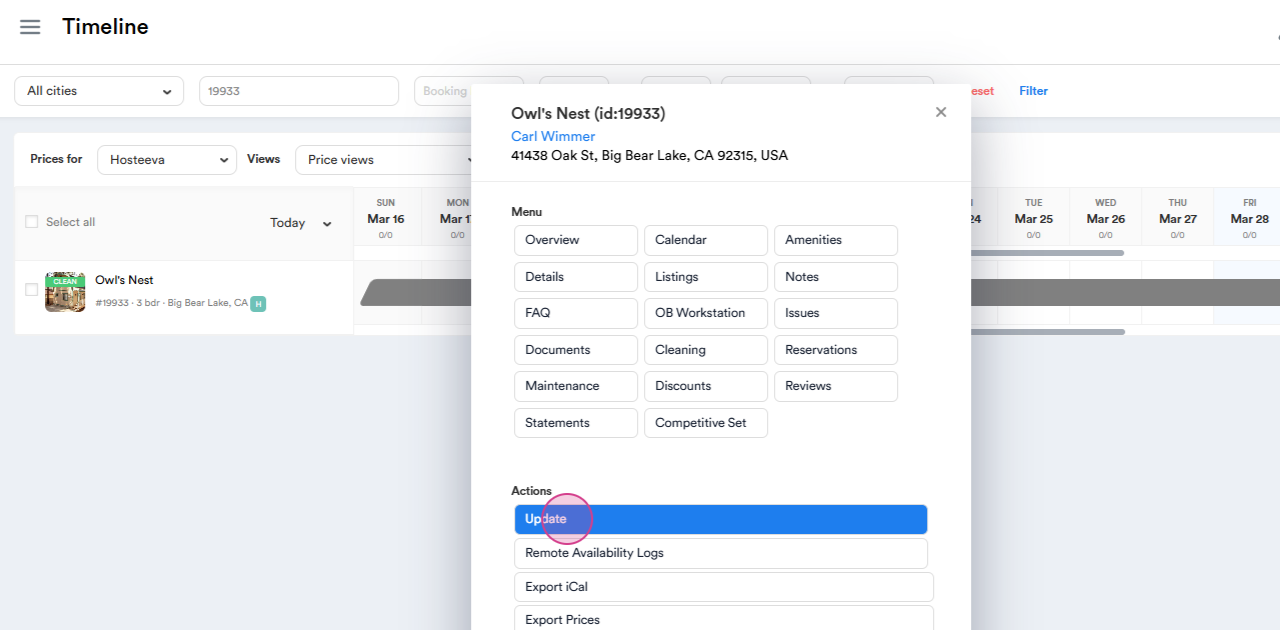
Step 2: Proceed to Update.
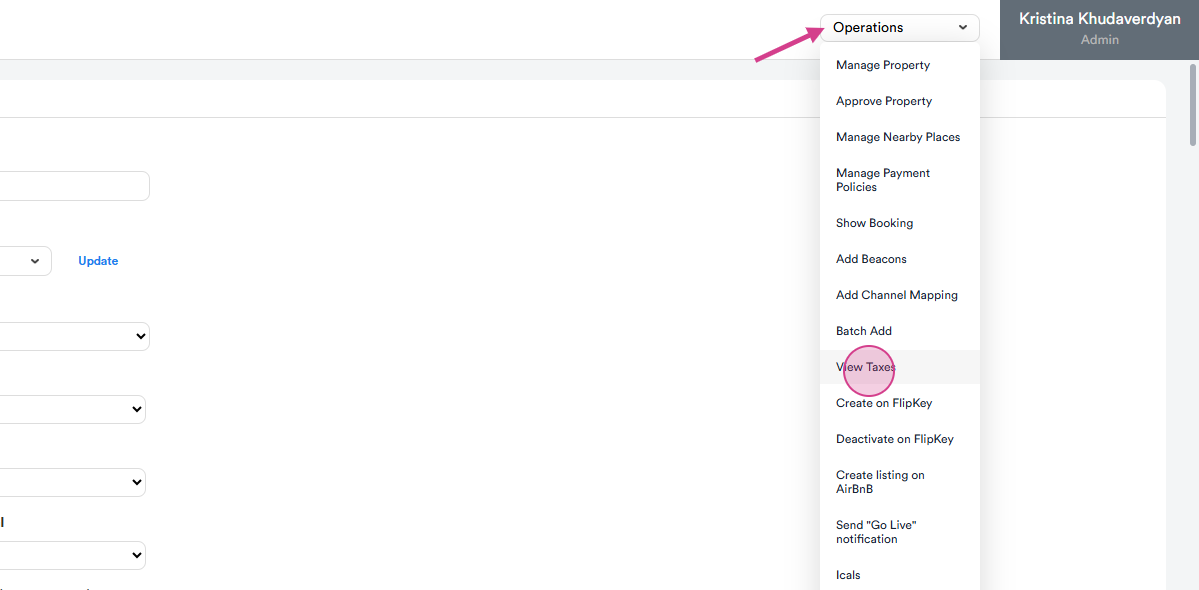
Step 3: Navigate to Operations and find View Taxes.
Step 4: Click on Submit to view the property taxes.
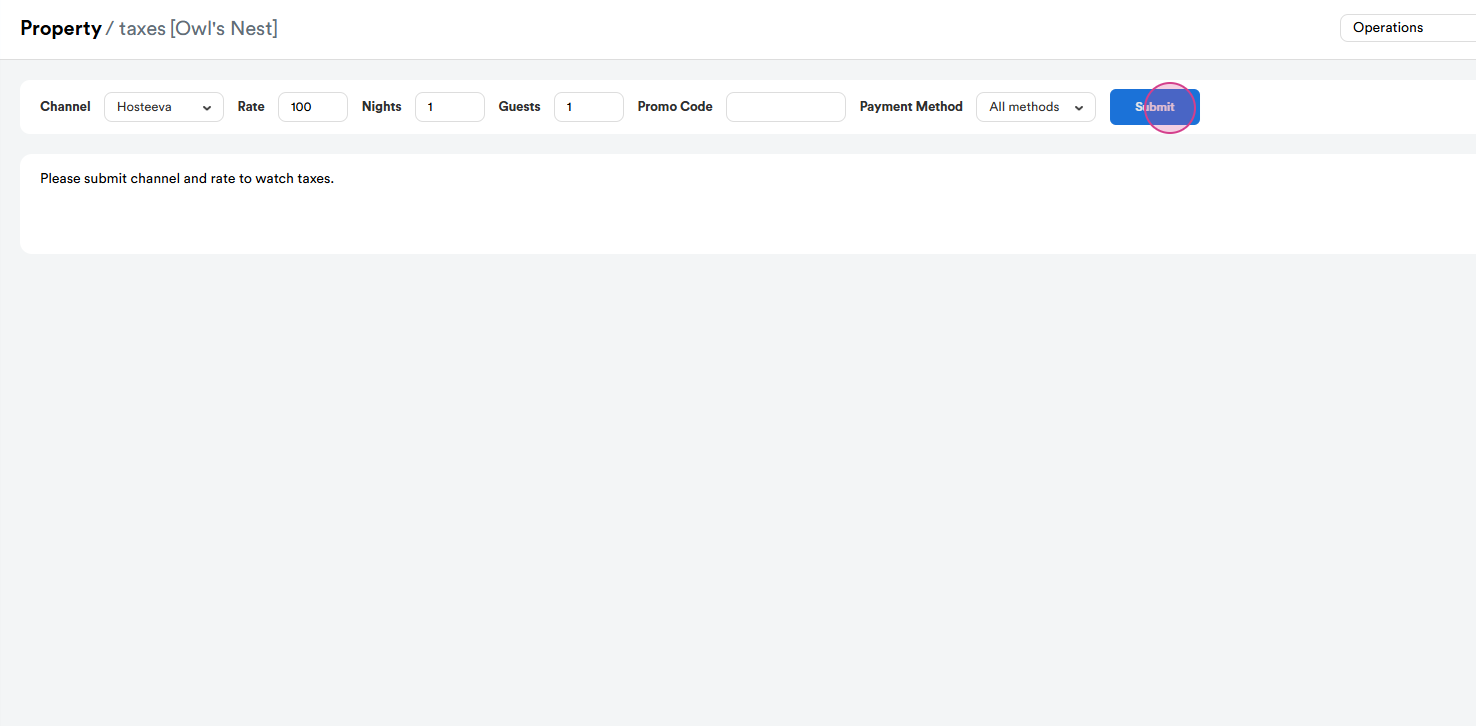
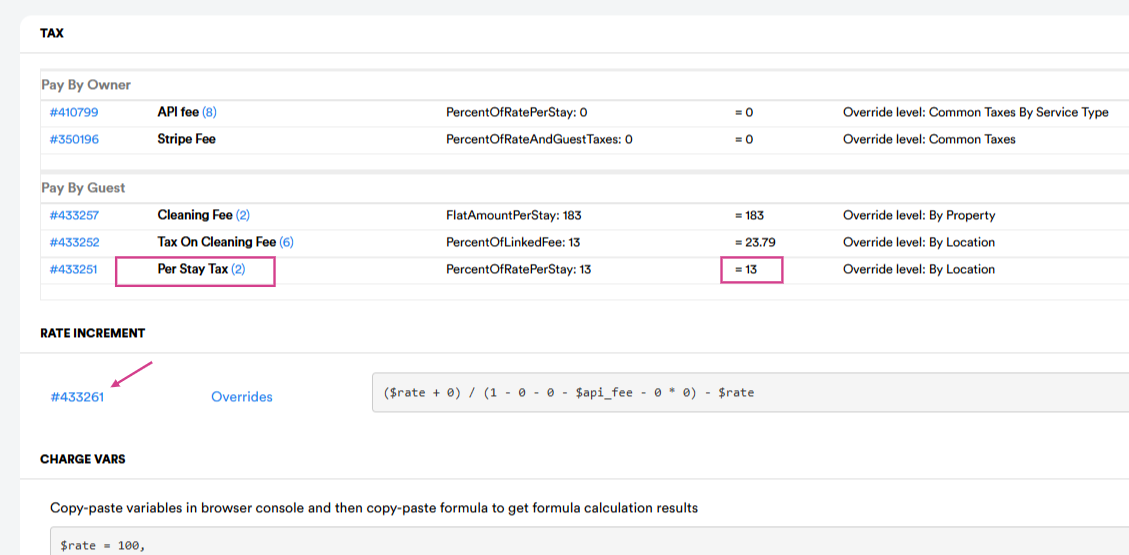
Step 5: The tax per stay for this location is 13%. Click on Rate Increment numbers to set up the formula for each channel.
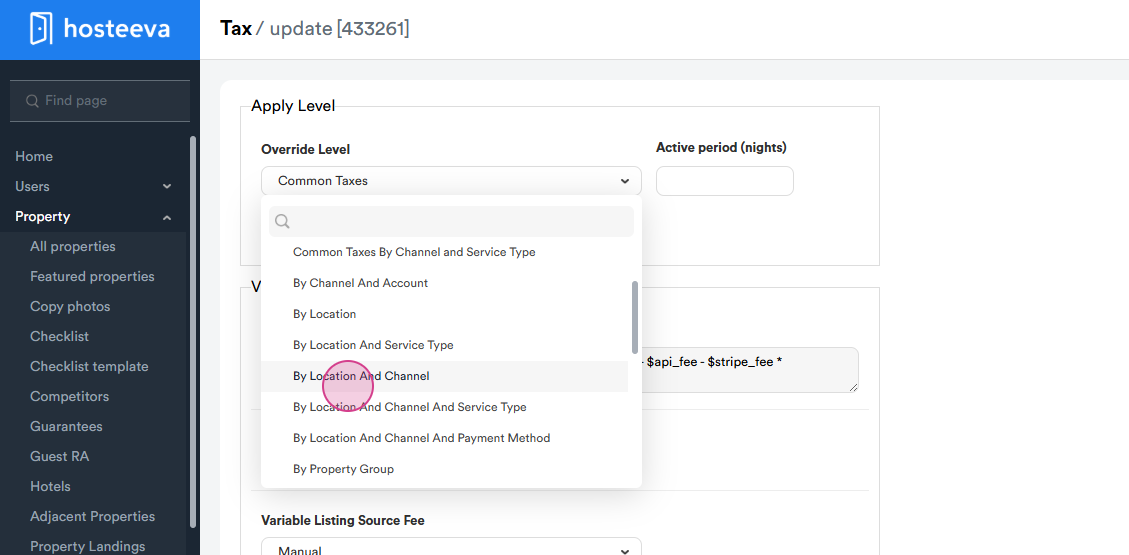
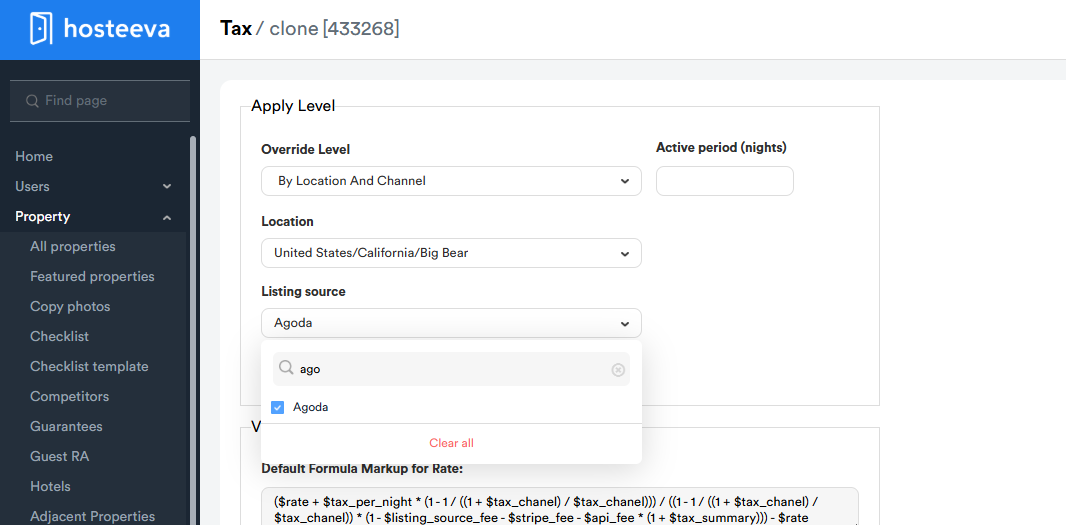
Step 6: First, we need to choose the Override Level.
There are various types of levels, such as by location, By Service Type, By Location and Channel, By Owner, and By Property Group.
The choice of how to set up the formula is entirely up to you. Generally, we set up by location and channel.
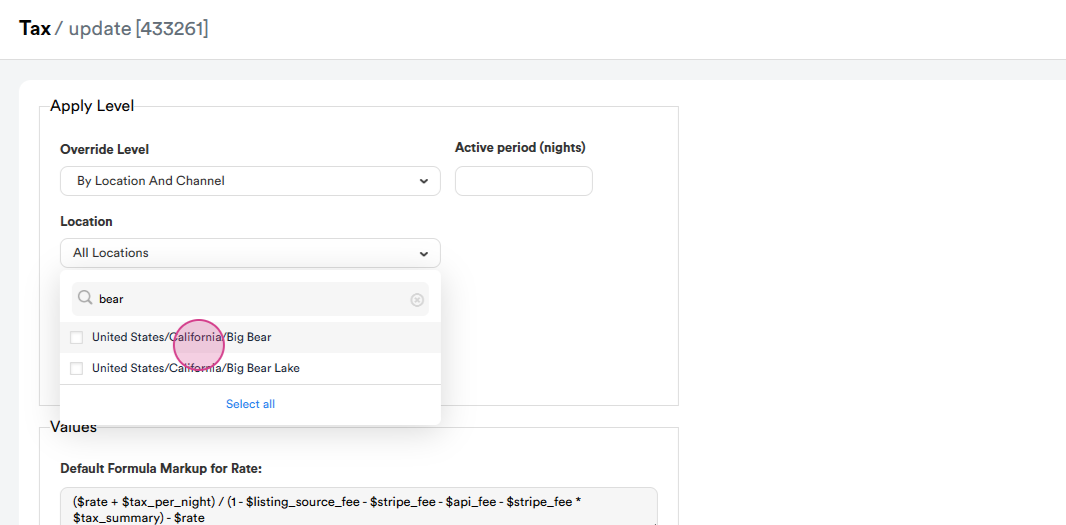
Step 7: Choose the Location if it's set by location. In this case, it's Big Beer.
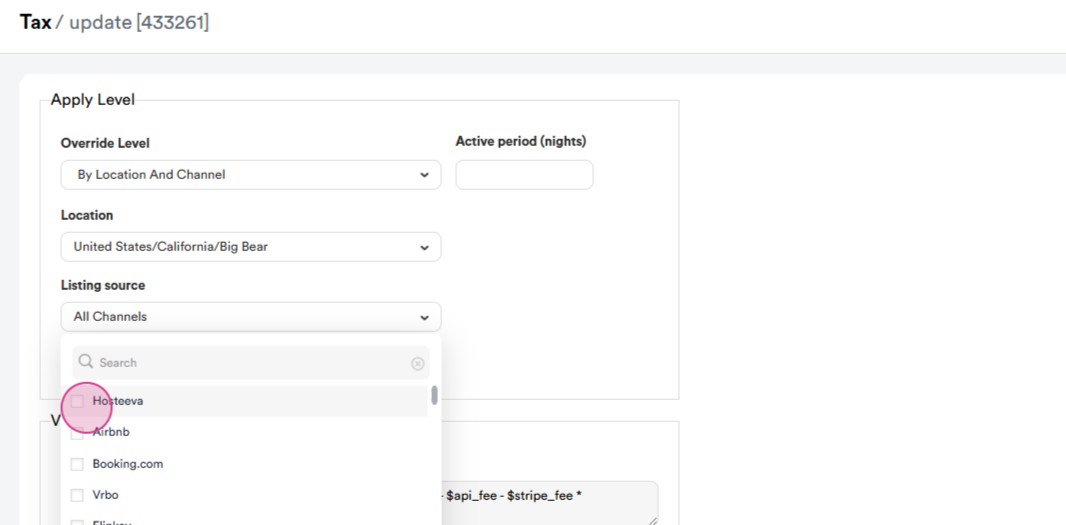
Step 8: Choose the Listing Source. Let's start with Hosteeva.
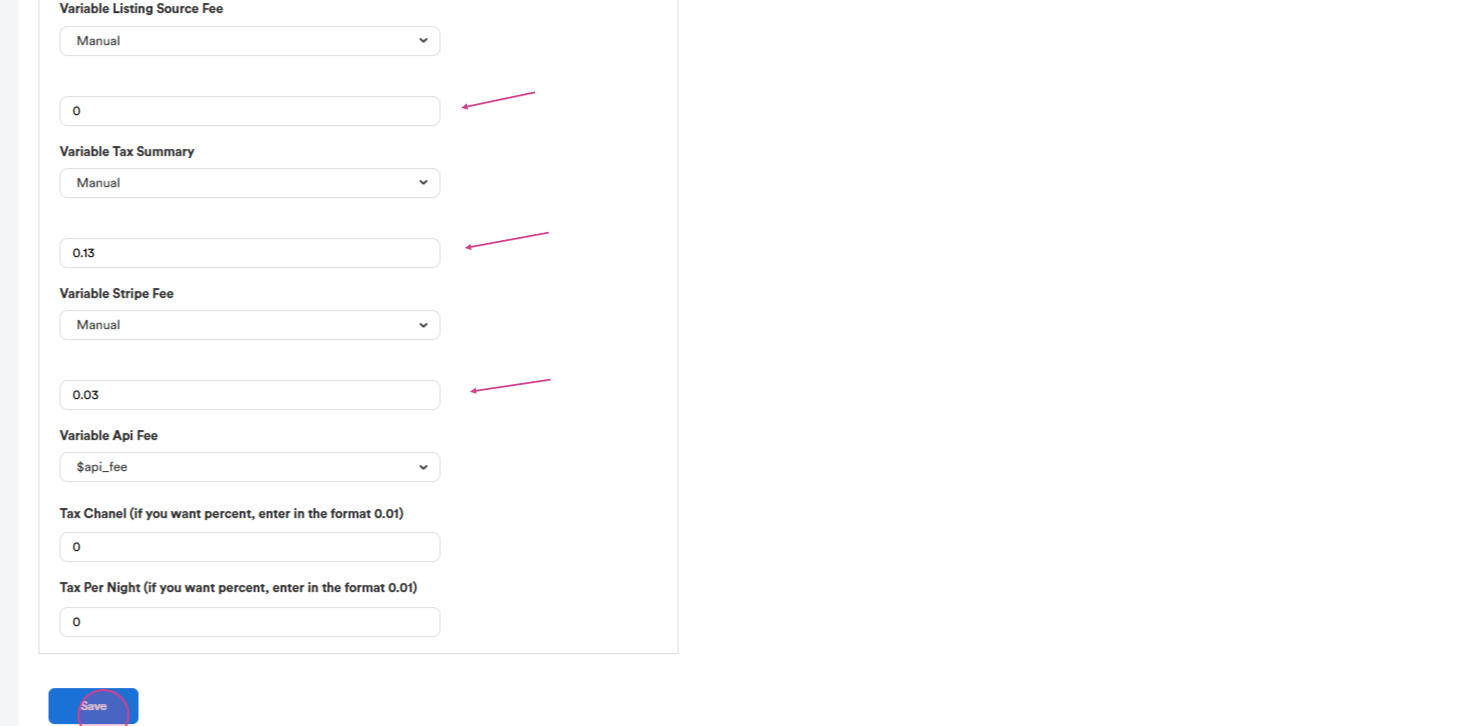
Step 9: Fill in the formula. Set the Listing Source Fee to 0 for Hosteeva as it doesn't have a channel commission.
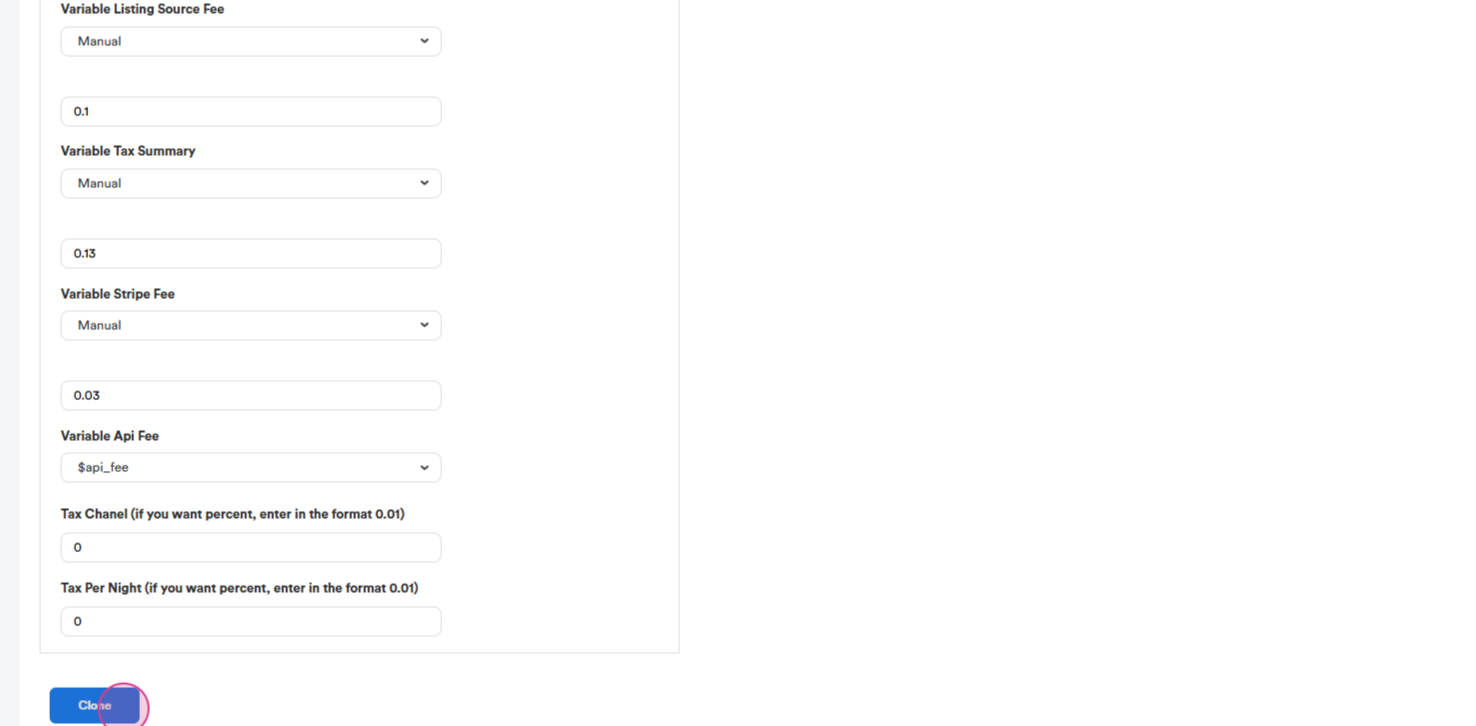
Set the Location Tax to 13% and the Variable Stripe Fee to 3%. Note that the setup is in decimal numbers.
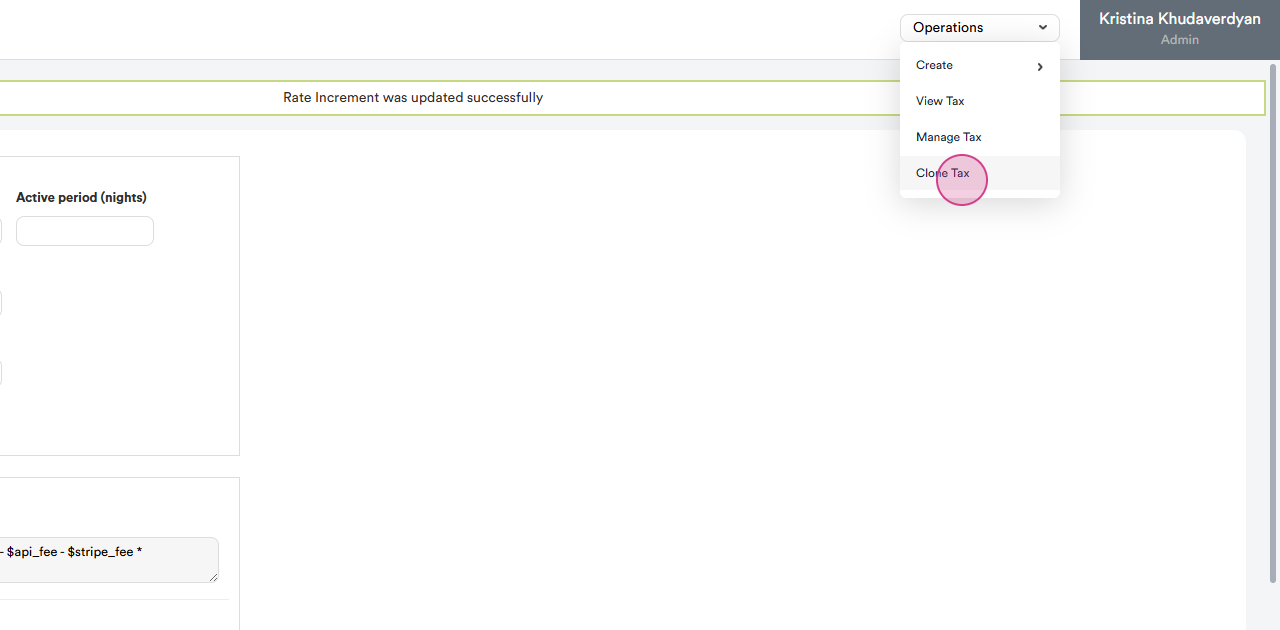
Step 10: Click on Clone Tax to create separate formulas for each listing source.
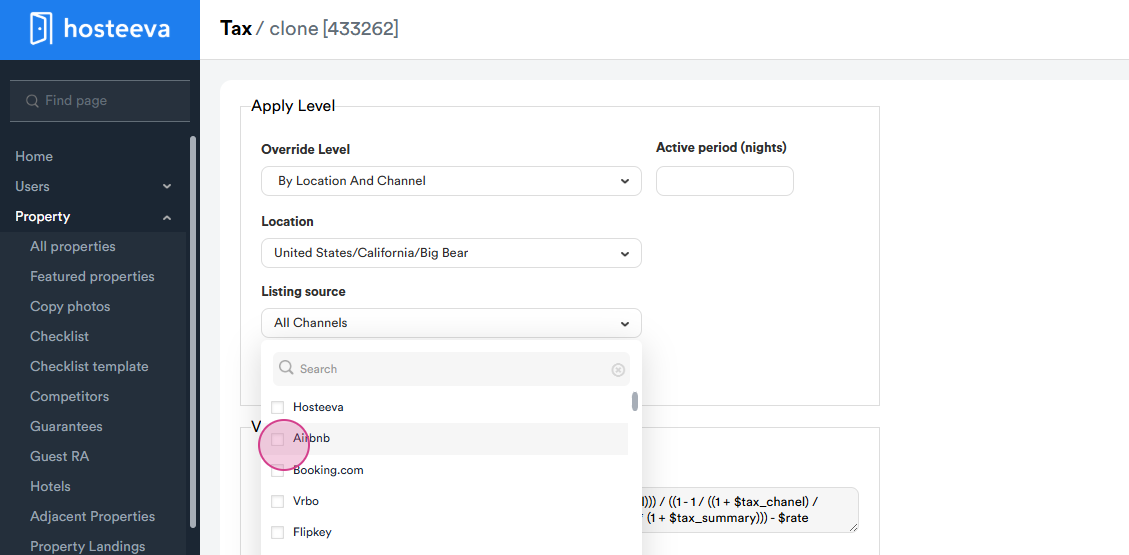
Step 11: The next one is Airbnb. The Level and Location should remain the same.
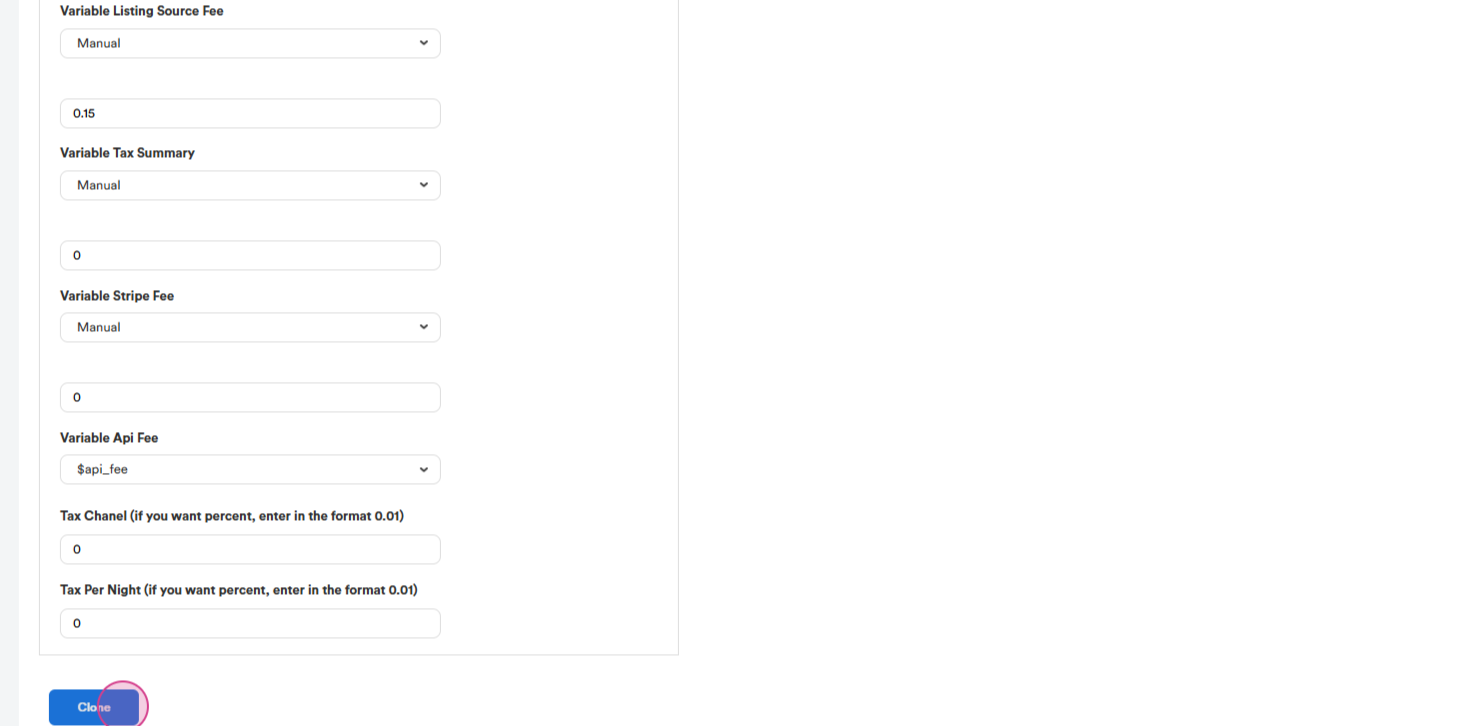
Step 12: The listing source fee for Airbnb is 15%. Tax and Stripe Fee are 0. This is because Airbnb collects the tax rate and processing fee on its own.
Step 13: The next one is Booking and Expedia. Usually, the commission is the same for both Booking and Expedia, so we can choose both channels.
The Commission for Booking and Expedia is 18% and the tax is the same at 13%. The stripe fee is 3%.
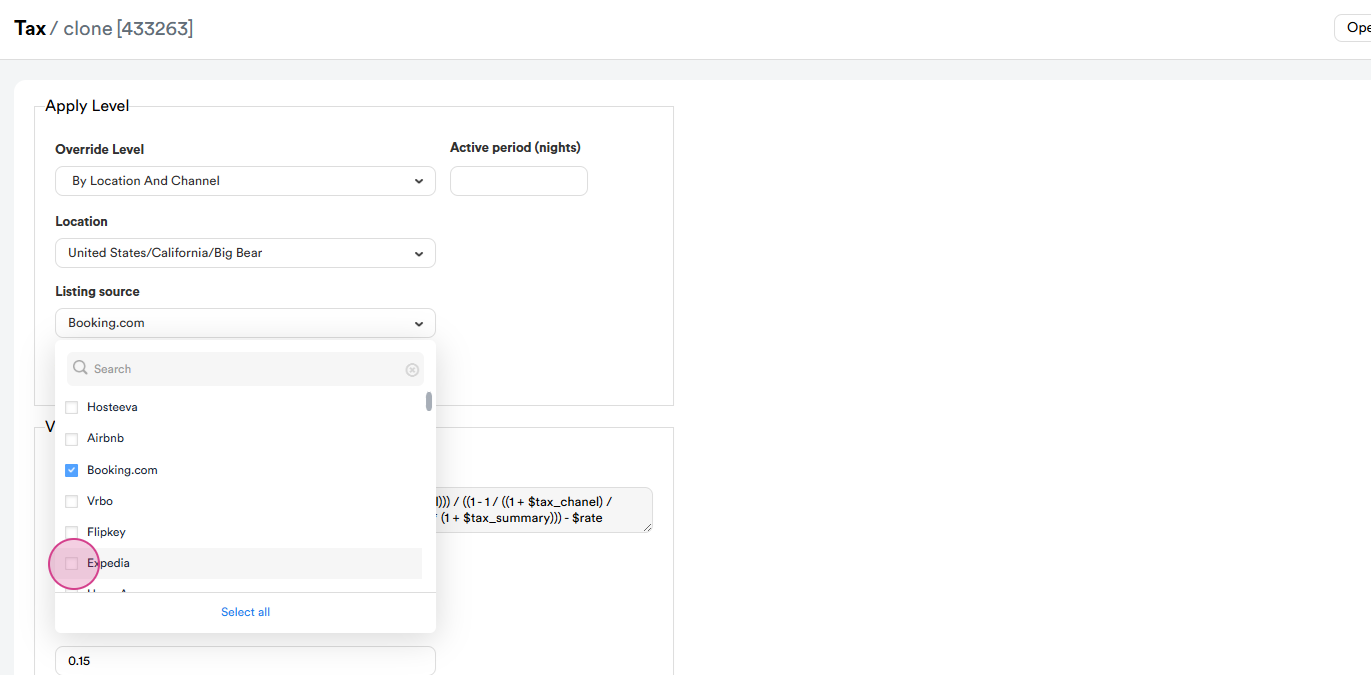
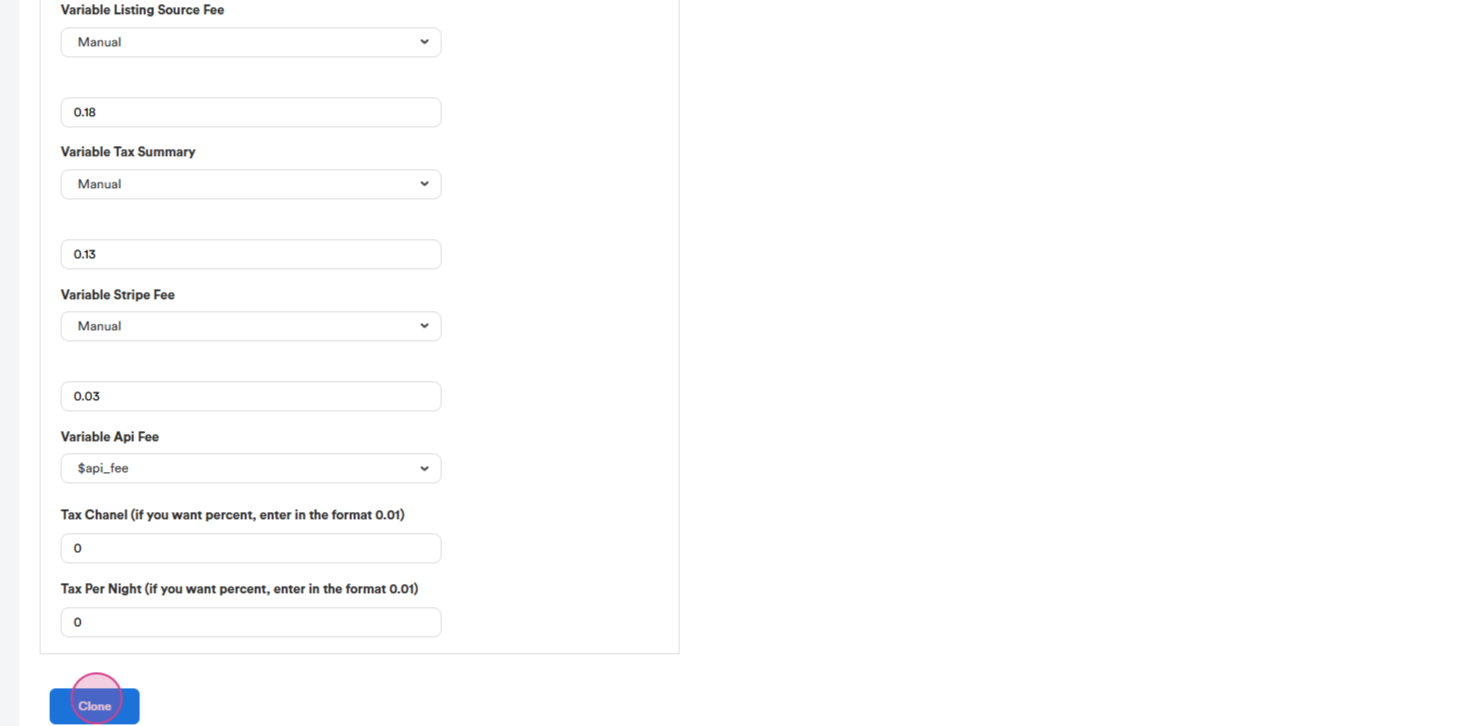
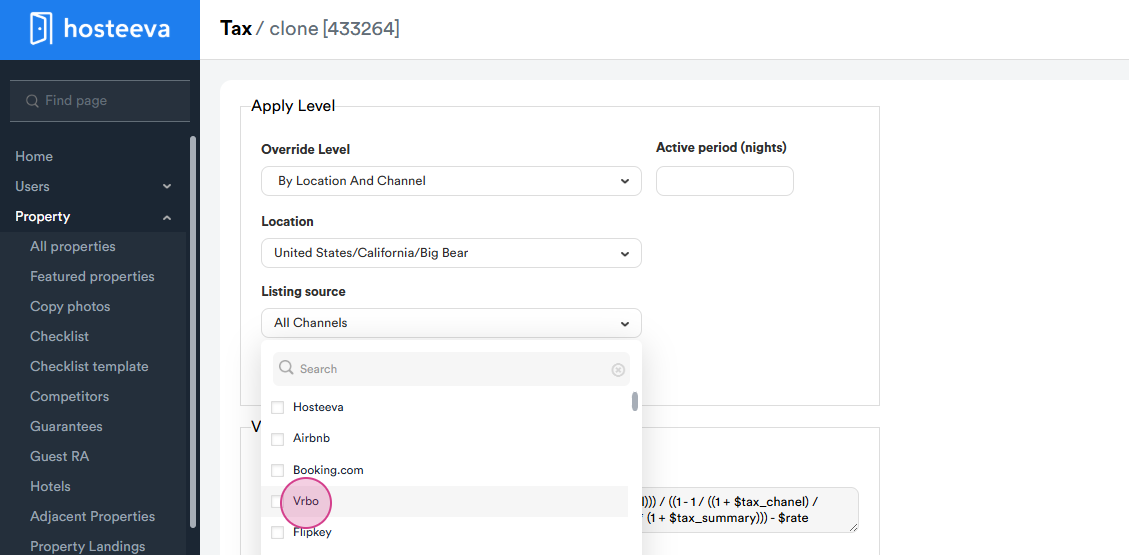
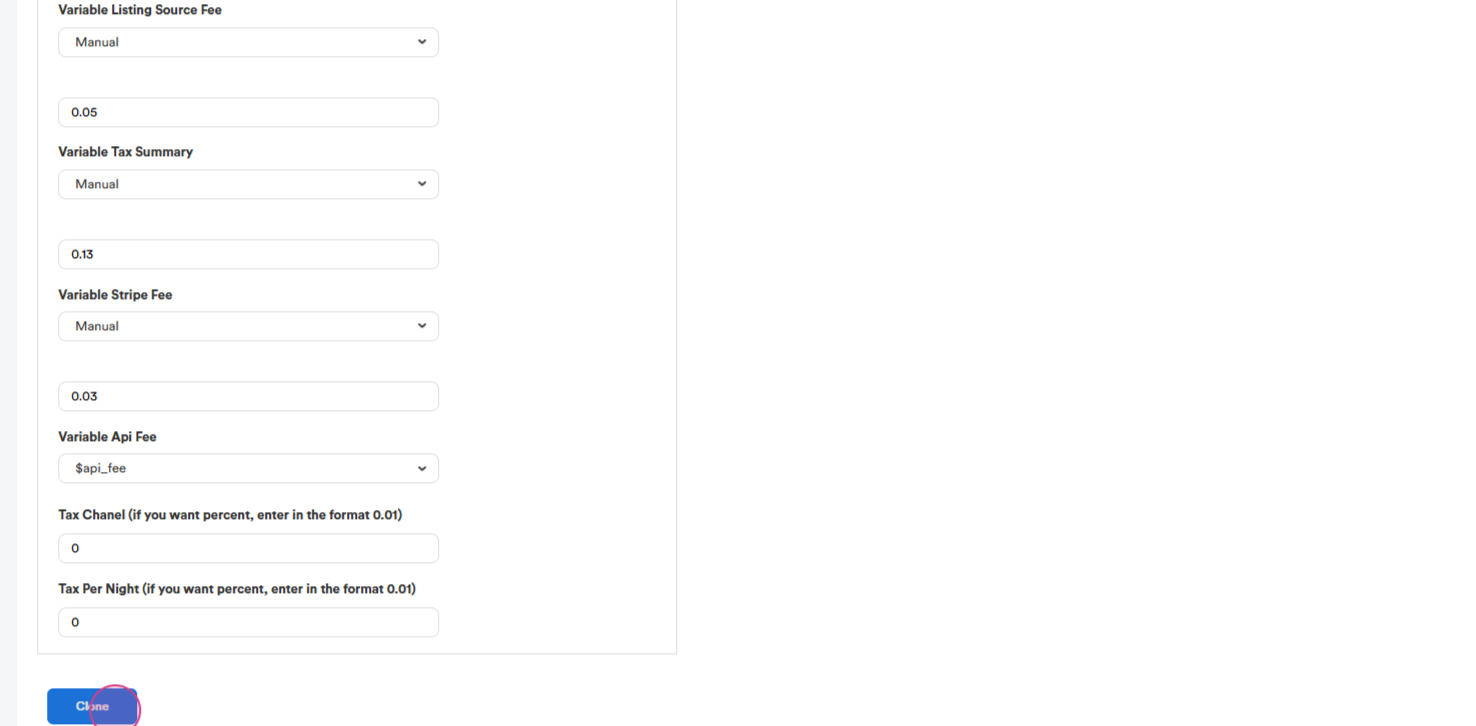
Step 14: The next channel is VRBO. The listing source fee for VRBO is 5% and the tax and payment processing fee remain the same.
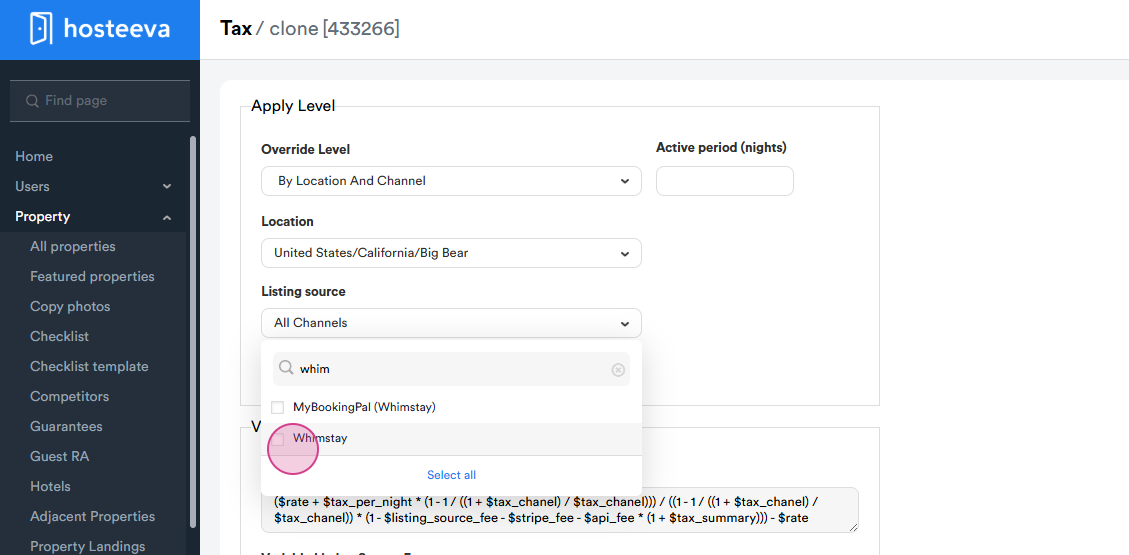
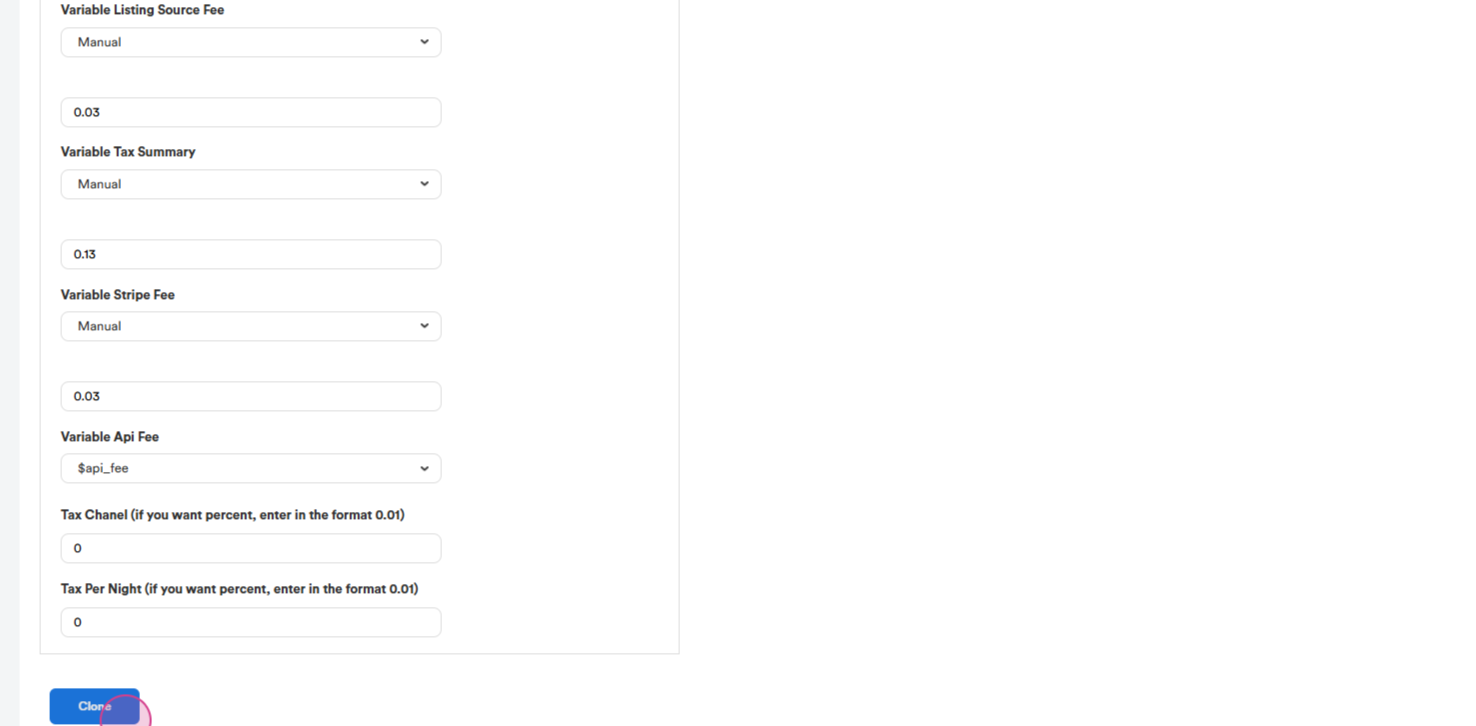
Step 15: The next source is Whimstay. The listing Source fee is 3%. The tax and fee are the same.
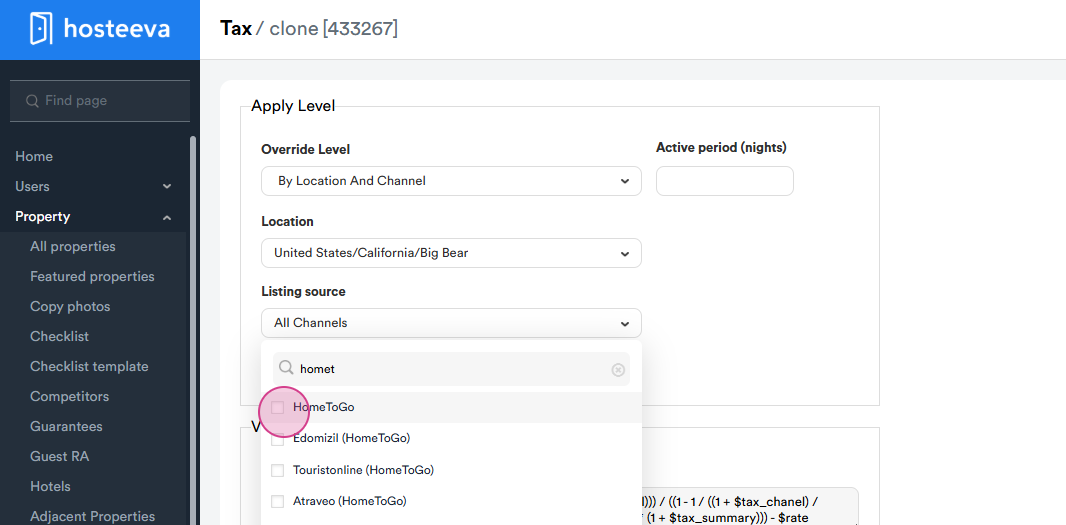
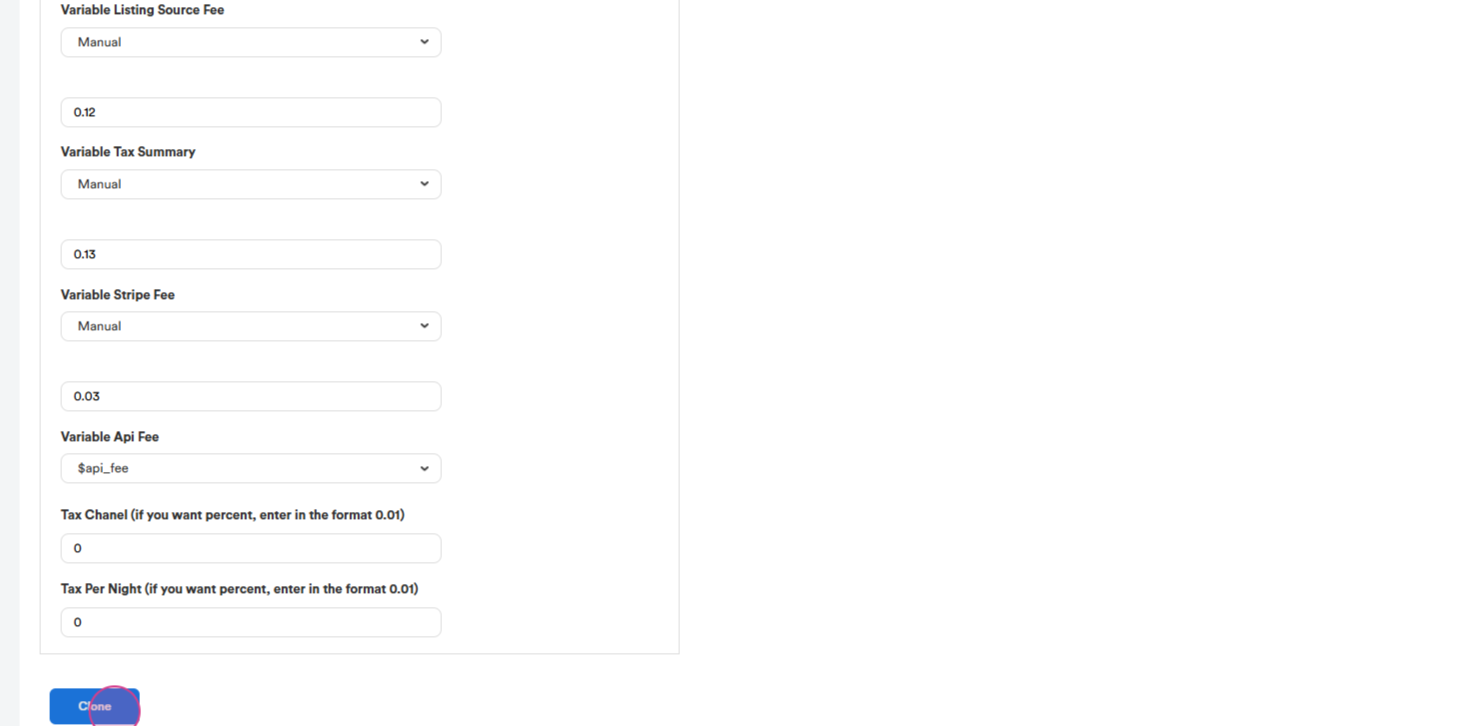
Step 16: The next source is HomeToGo. For HomeToGo, the listing source fee is 12%, and the tax and stripe fee are the same.
Step 17: Finally, the last channel is Agoda. The source fee is 10% and the tax and stripe fee are the same.
After these actions, all channels have separate formulas.