This helpful article explains how to fix the rates and enable Smart Pricing.
Step 1: To fix the rates, you will notice the underlined rates.
It means the Smart Pricing is disabled.
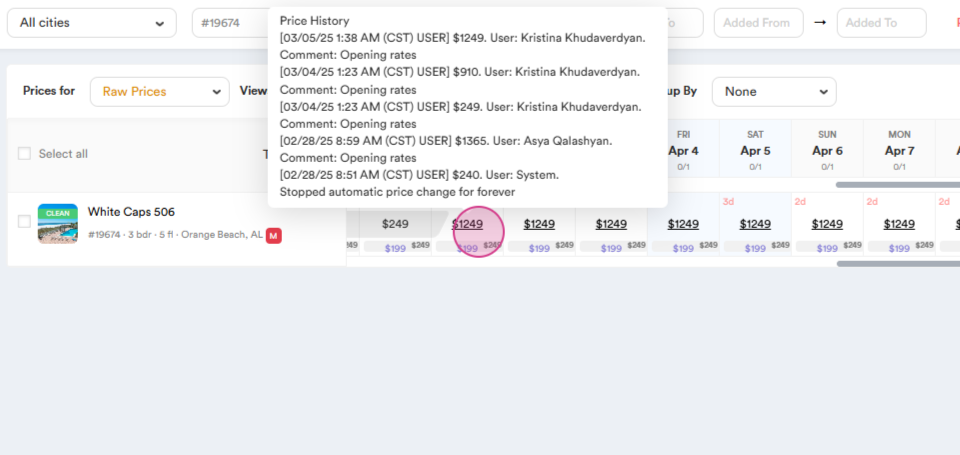
Step 2: You must fix the rate and enable the Smart Pricing.
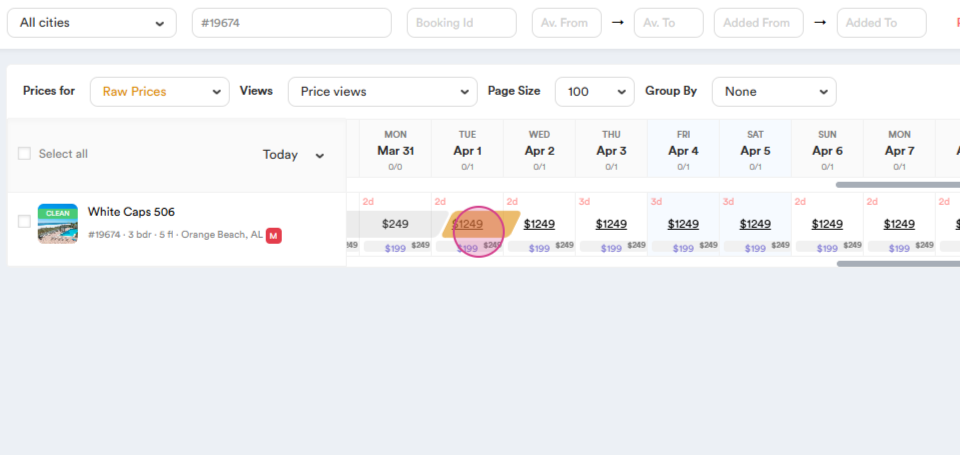
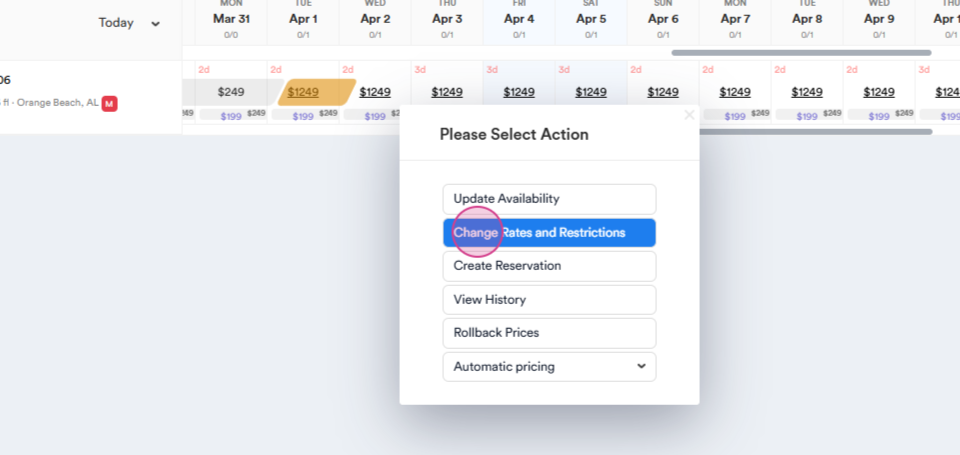
Step 3: Click on change rates and restrictions
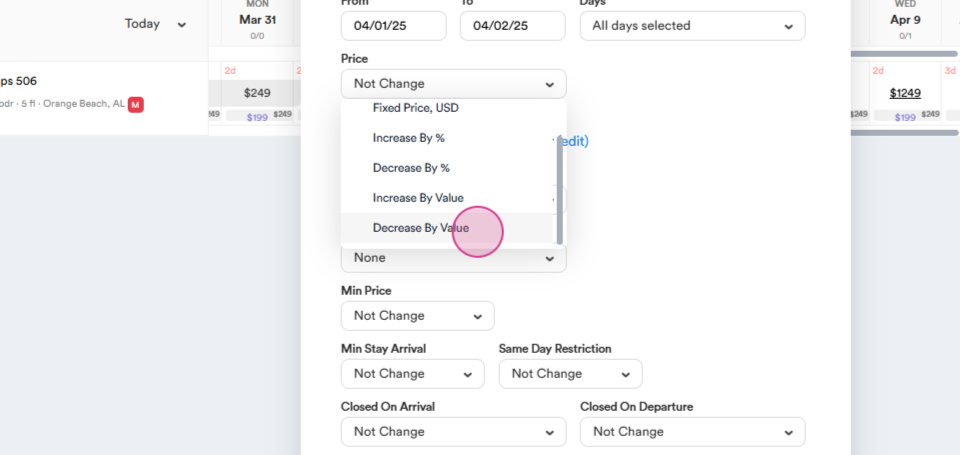
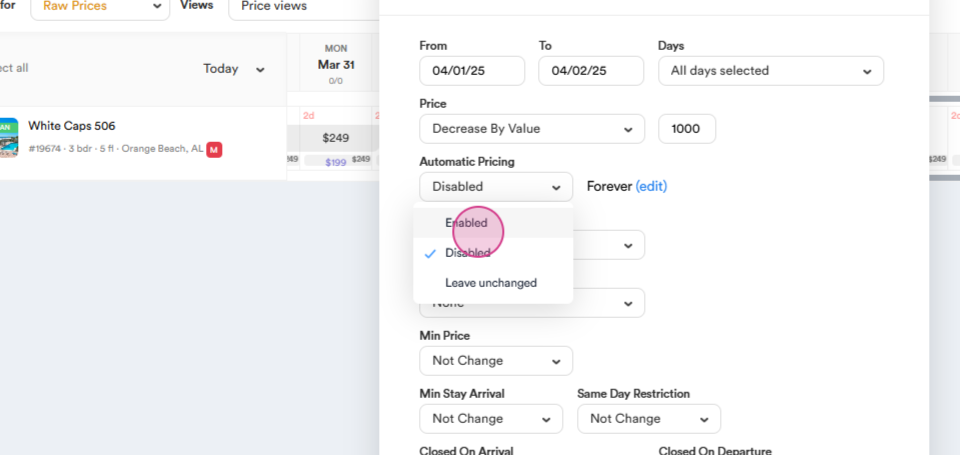
Step 4: Decrease the rate by $1000.
Step 5: The next step is to enable Smart Pricing.
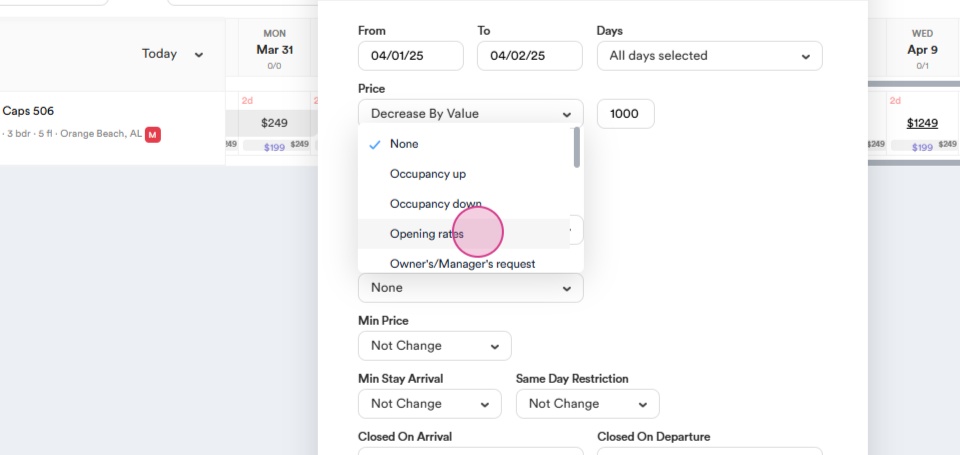
Step 6: Select the Comment option.
Step 8: Click on the Done button.
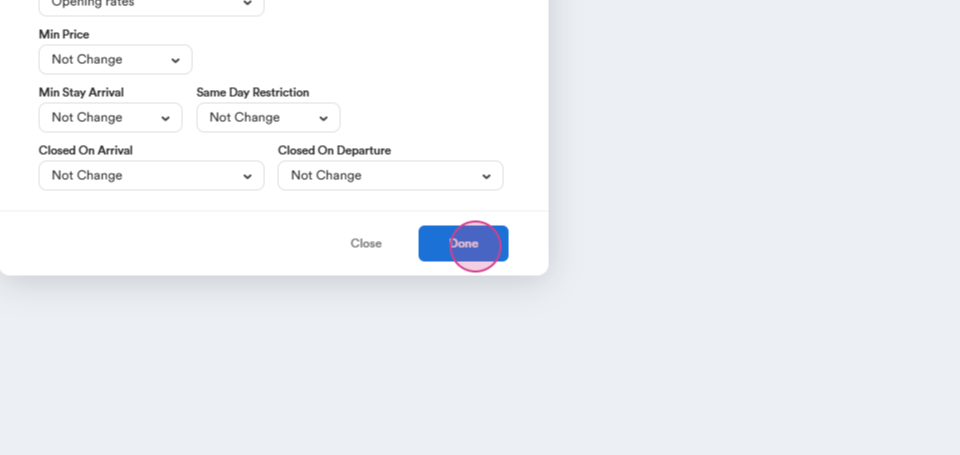
By following these steps, you'll see that the rate is fixed and smart pricing is enabled.