In this article, you'll learn how to set tags for platform users.
In this article, you'll learn how to set tags for platform users.
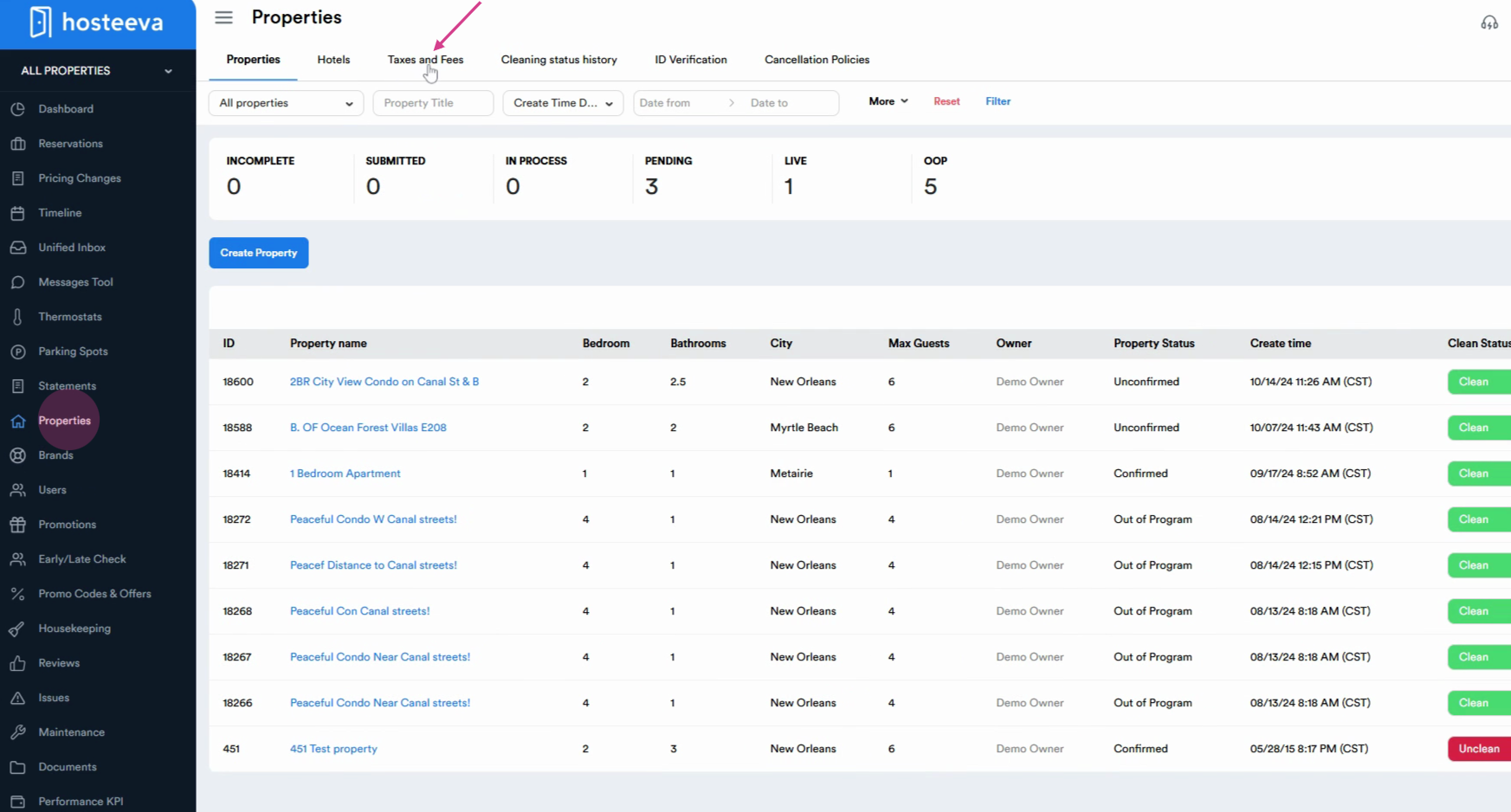
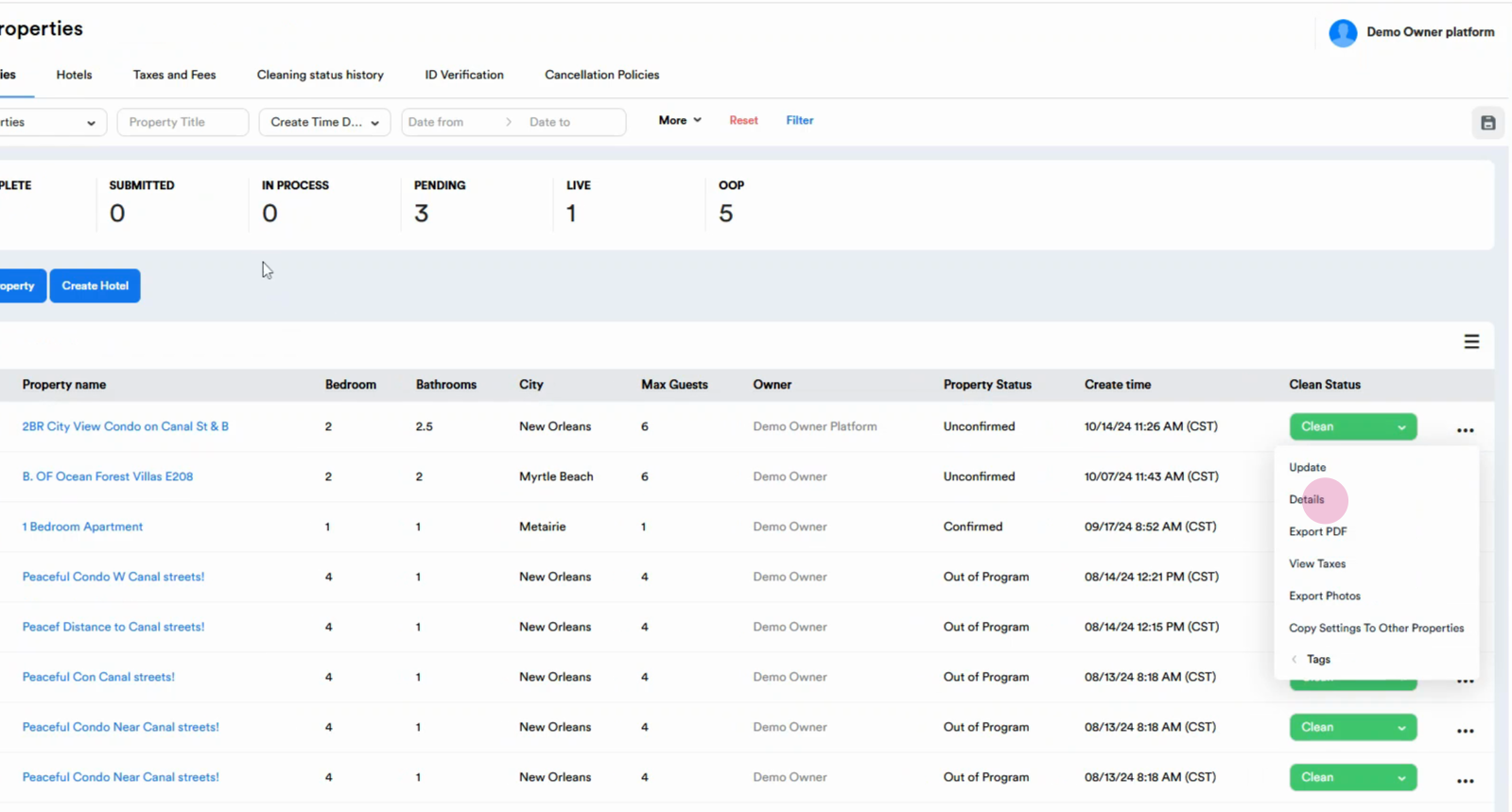
Step 1: Navigate to the properties section. At the top of the page, select Taxes and fees.
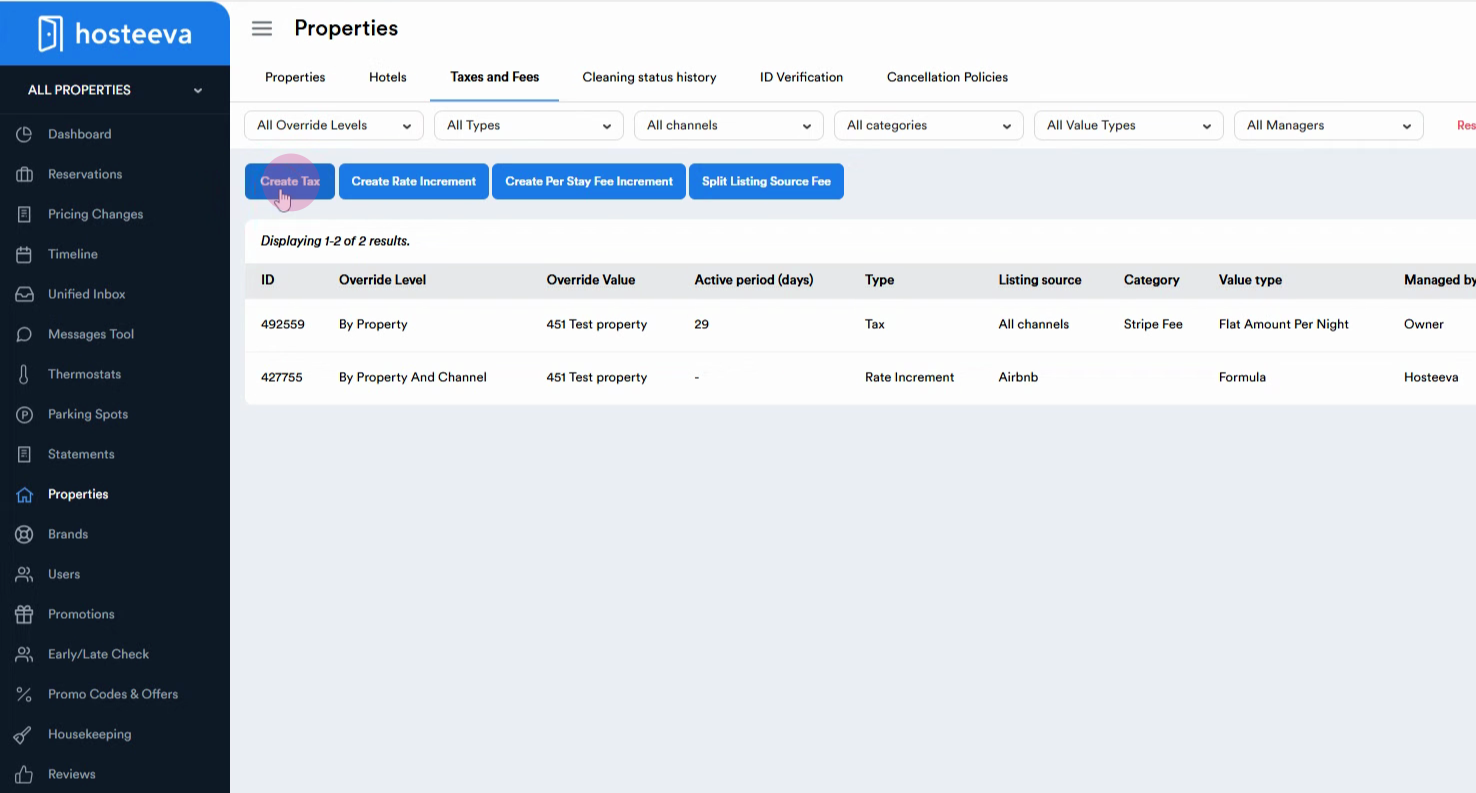
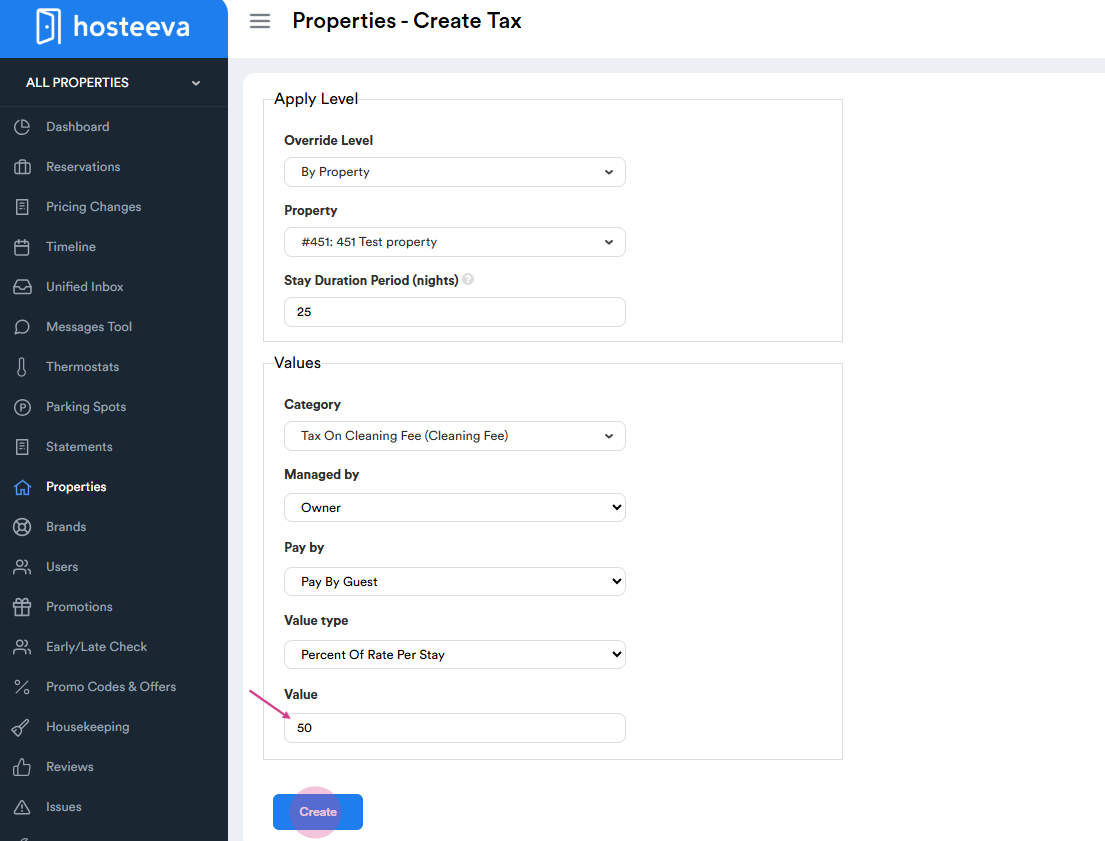
Step 2: Click on the Create text button. This button is used for creating both a text and fp. In this case, we're creating a text.
Step 3: Fill all the required fields to create a task tax level override level. Select by property to set a tax for all channels. If you choose by property and channel, you'll need to set a specific tax for property and channel. If you need to set a specific tax for a particular payment method of any channel, select by property and channel and payment method.
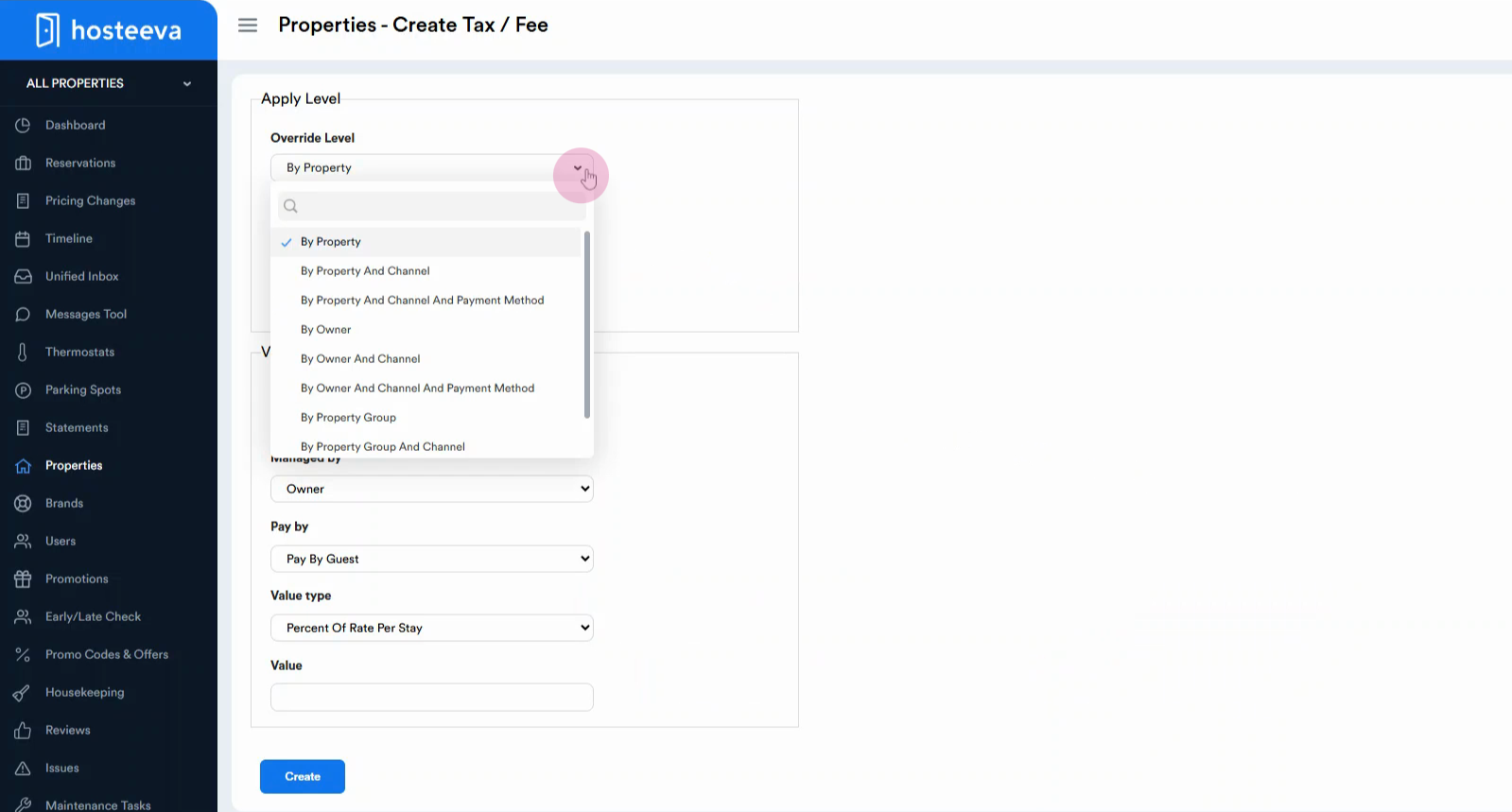
Step 4: Select by property to set the types of tax and fee for all channels of a particular property.
If you need to set a particular tax or fee for a certain channel, choose by property and channel. Accordingly, choose the property from drop down (can be searched by name or ID), the listing source, and Stay Duration.
If you need to set a specific tax or fee for a particular payment method of any channel, select by property and channel, and payment method. If you choose by property group, you will need to set a specific tax only for a property group. From the drop-down, select the properties. Do not forget to name the property group.
There is also an option to set a tax or fee for a particular channel or its payment method for that property group by choosing by property group and channel. . Again, do not forget to name the property group.
Or, by owner and channel and payment method.
While choosing by owner, you set a specific tax or fee for all the properties of a particular owner. There is also an option to set a tax or fee for a particular channel or its payment method for that owner by choosing by owner and channel or by owner and channel and payment method. We choose here by owner and channel or by owner and channel and the payment method.
Step 5: Increase the number of nights for the stay duration period. This is if you want the tax to be applied to a certain period. For example, if you select 25 nights, the tax will function for 25 nights and stop functioning after that.
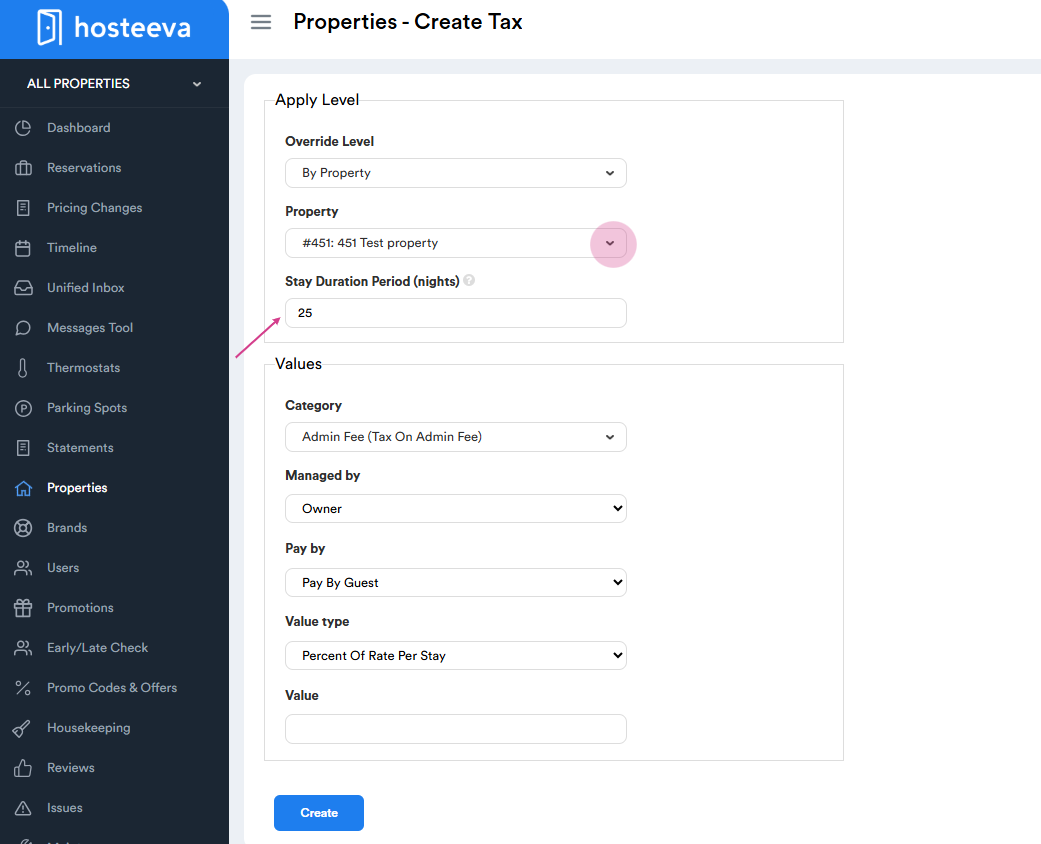
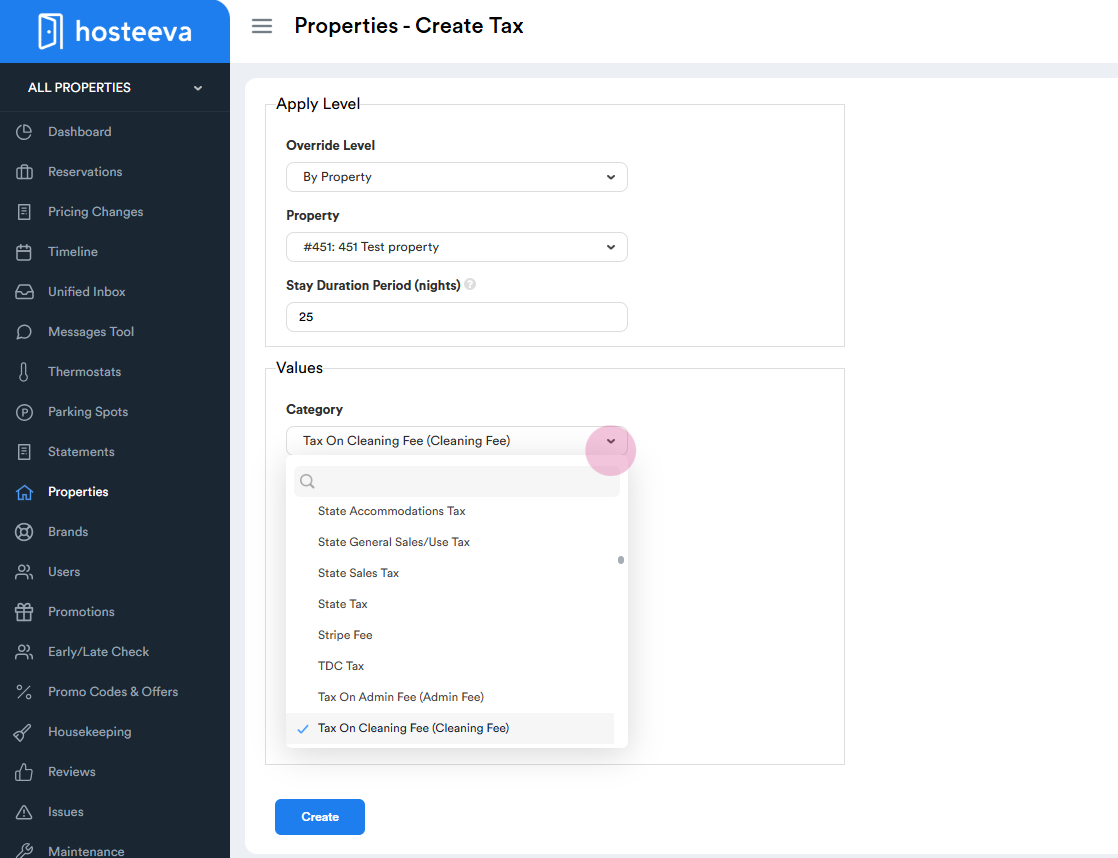
Step 6: Choose a category from the drop-down menu. For example, if you want to set a tax on cleaning fee, select cleaning fee.
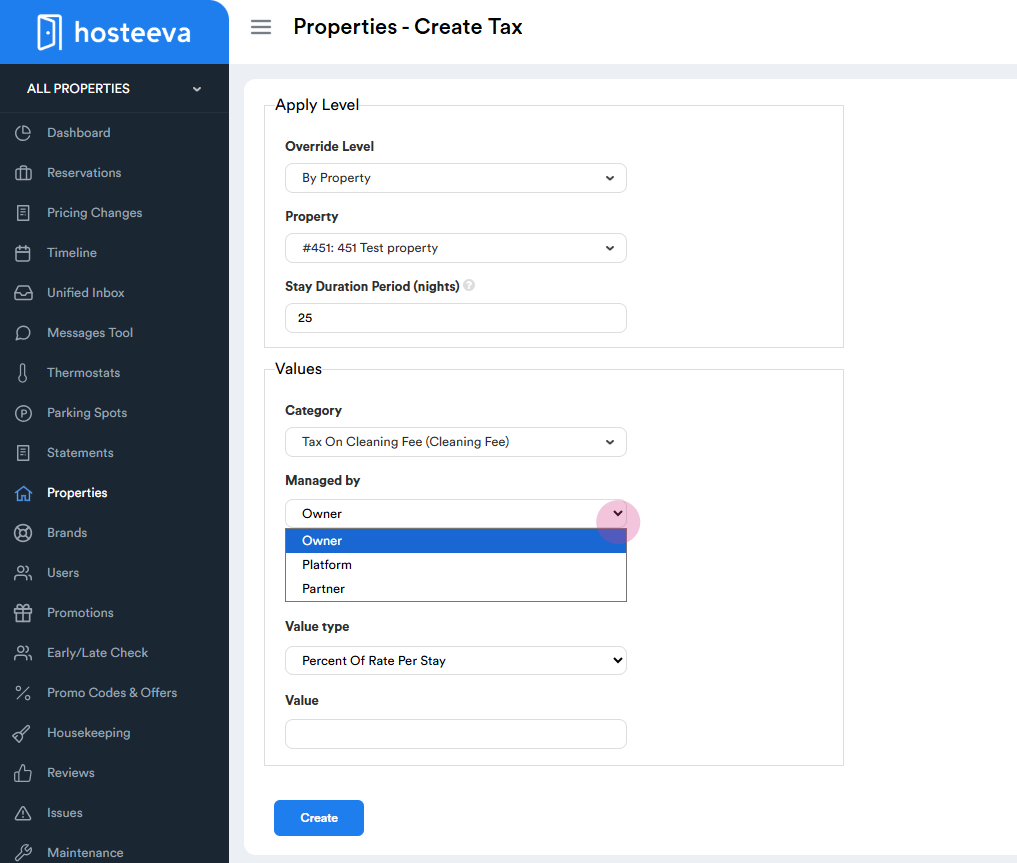
Step 7: Choose who manages the tax - either owner or partner. If the amount should go to the owner, select by owner. If the amount should go to the property management of the company, select by partner.
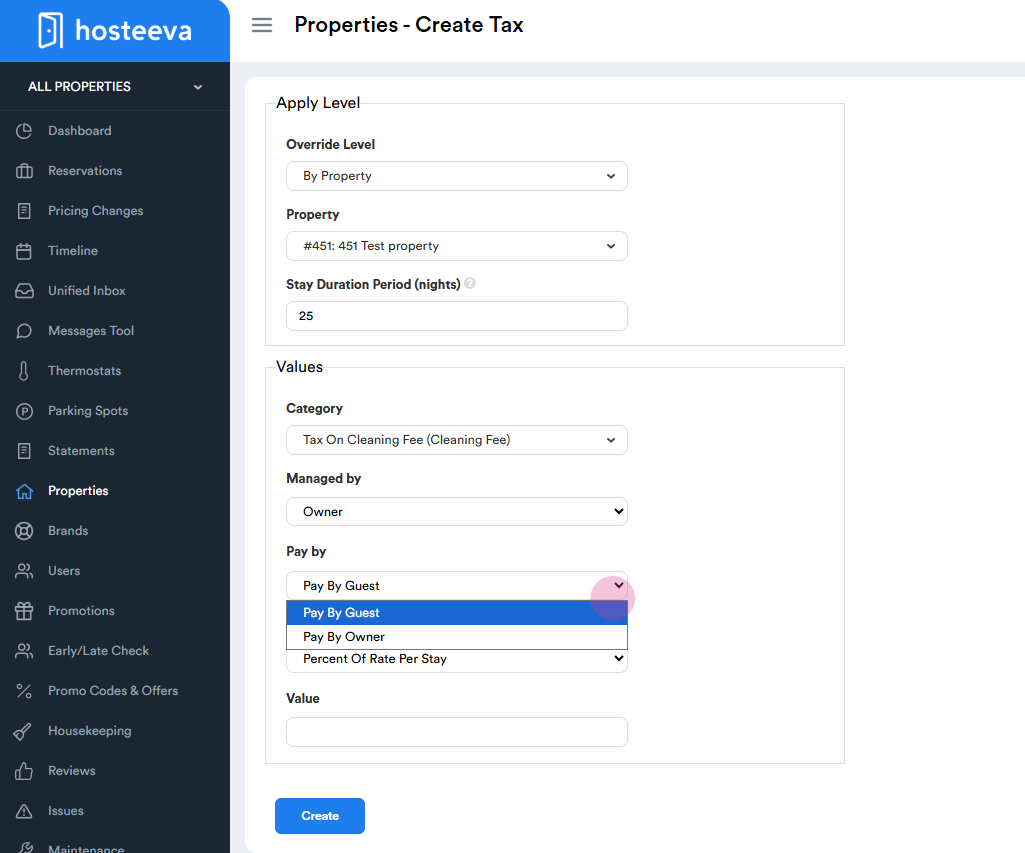
Step 9: Choose who pays the tax - either guest or owner. If the amount should be charged from the guest, select pay by guest. If the amount should be deducted from the owner payout, select pay by owner.
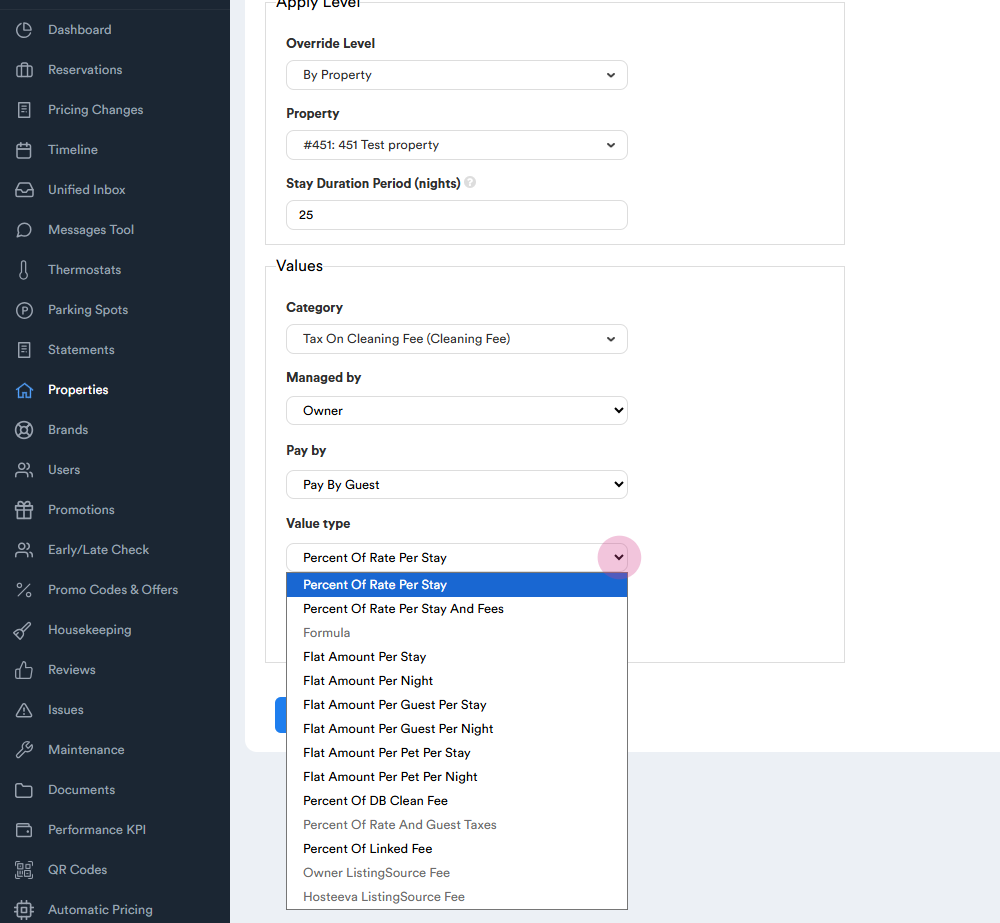
Step 10: Choose the value type from the drop-down menu. You can choose either percent of rate if you need the tax to be applied to the rate or percent of linked fee, if you need to apply the tax on a fee (for example to set a tax on cleaning fee, you should select “Tax on cleaning fee” as the “Category” and “Percent of linked fee” as a “Value type”)
Step 12: Enter the value to be applied. For example, $50. Click on create tax. The tax is now successfully created.
Please note that this setup is for the reservation dialog in the system to work correctly and are automatically pushed to Host and vrbo. For other channels like Airbnb, Booking and Expedia, the setup should be adjusted from the channels.
How to Update or Delete Existing Taxes and Fees
Step 1: Go to the Taxes and Fees section to see all existing taxes and fees. Use the Filter Bar to search and narrow results by tags, channel, category, or override level.
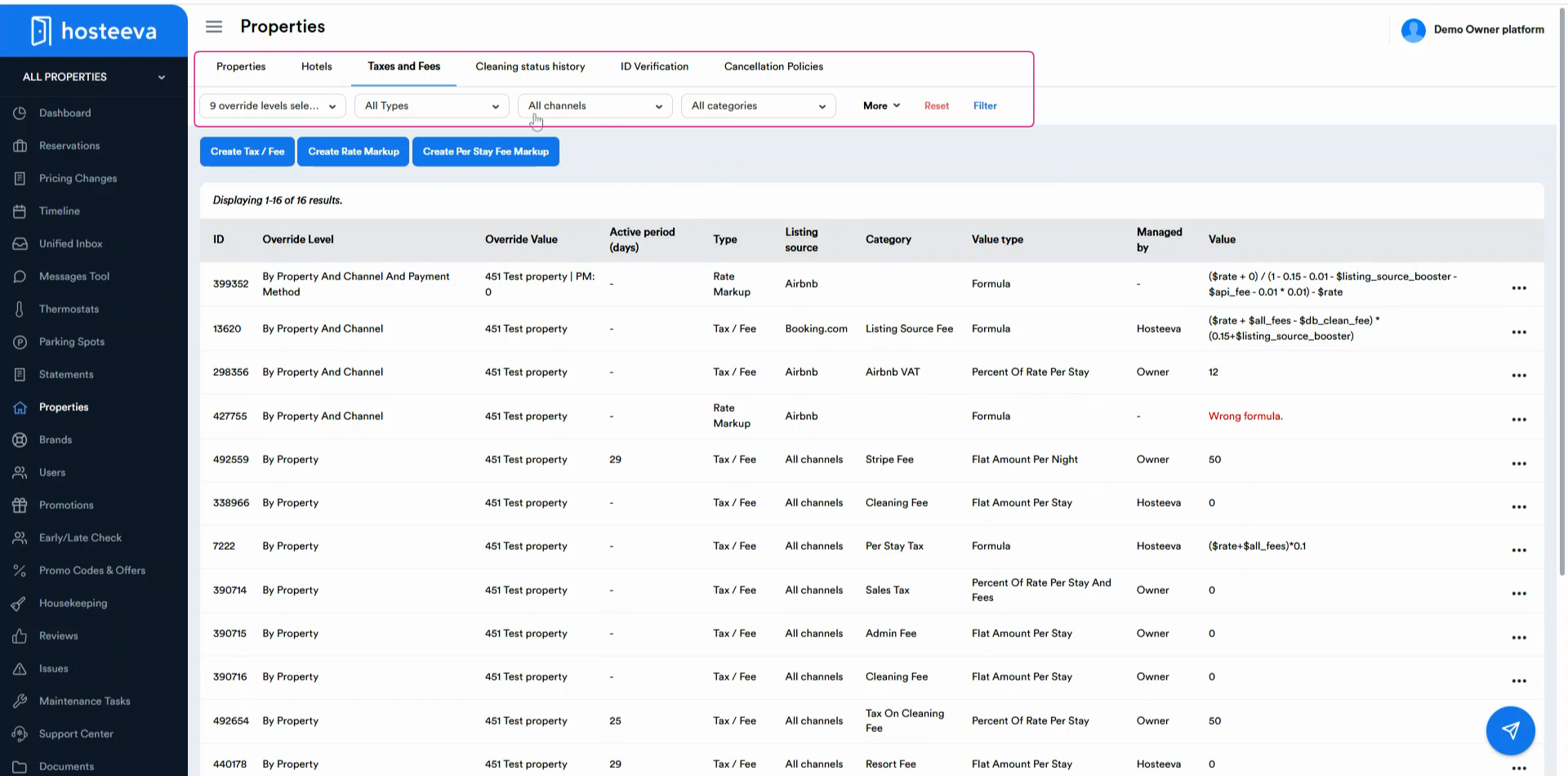
Step 2: When you find the tax or fee you want to manage, click on the three dots next to it.
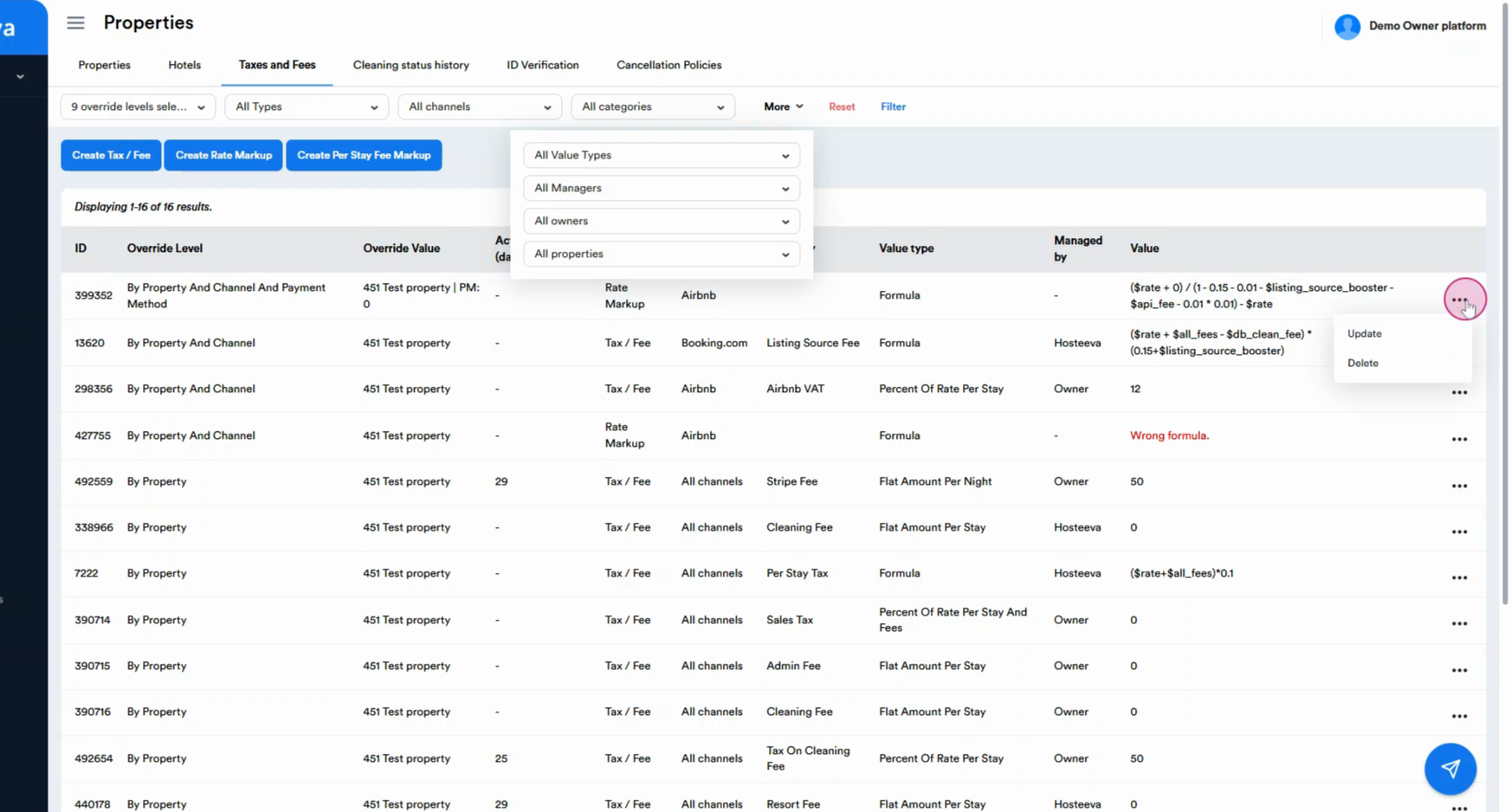
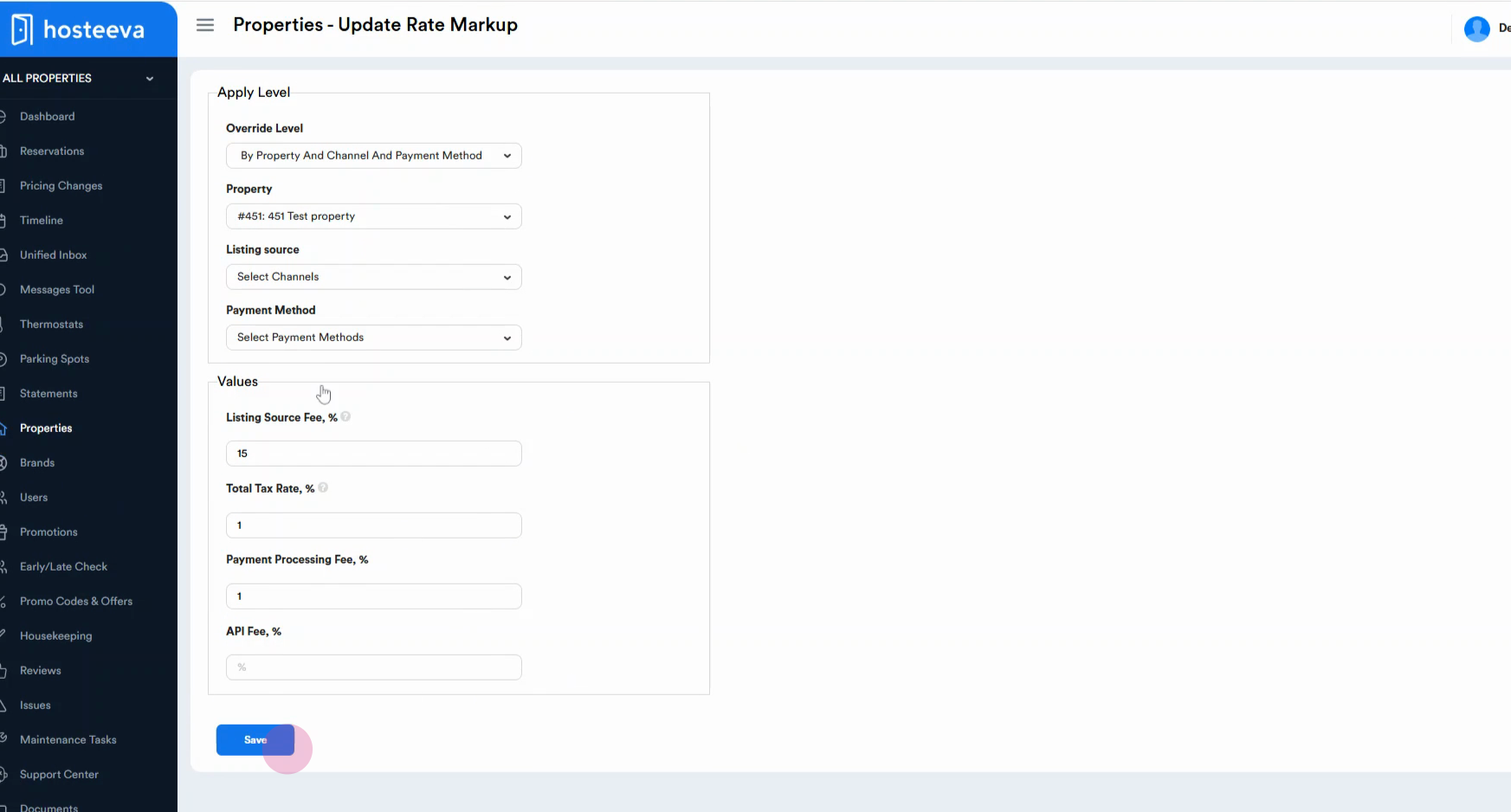
Step 3: Click Update to change details, then make your changes and hit Save.
Step 4: To remove a tax or fee, select Delete from the options.
Thank you!