Dive into the intricacies of payment requests, payment templates, and payment statuses in this guide. Understand how the system and users can send payment requests, and the circumstances that necessitate manual requests. Learn about the various payment statuses available for reservation dialogue and how the system detects payment issues.
Payment Requests and Templates
Step 1: Understand that payment requests can be sent by the system or manually by the user. Manual requests are typically sent when a payment hasn't been received several hours after the initial request.
Step 2: Learn that if a guest's payment fails, the system identifies the issue and displays the reason in the payment history.
Step 3: Know that it's possible to alter the text of the secure payment link by selecting one of the existing templates, such as remaining balance, ZIP code failure, CVV code failure, or expired credit card.
Payment Statuses
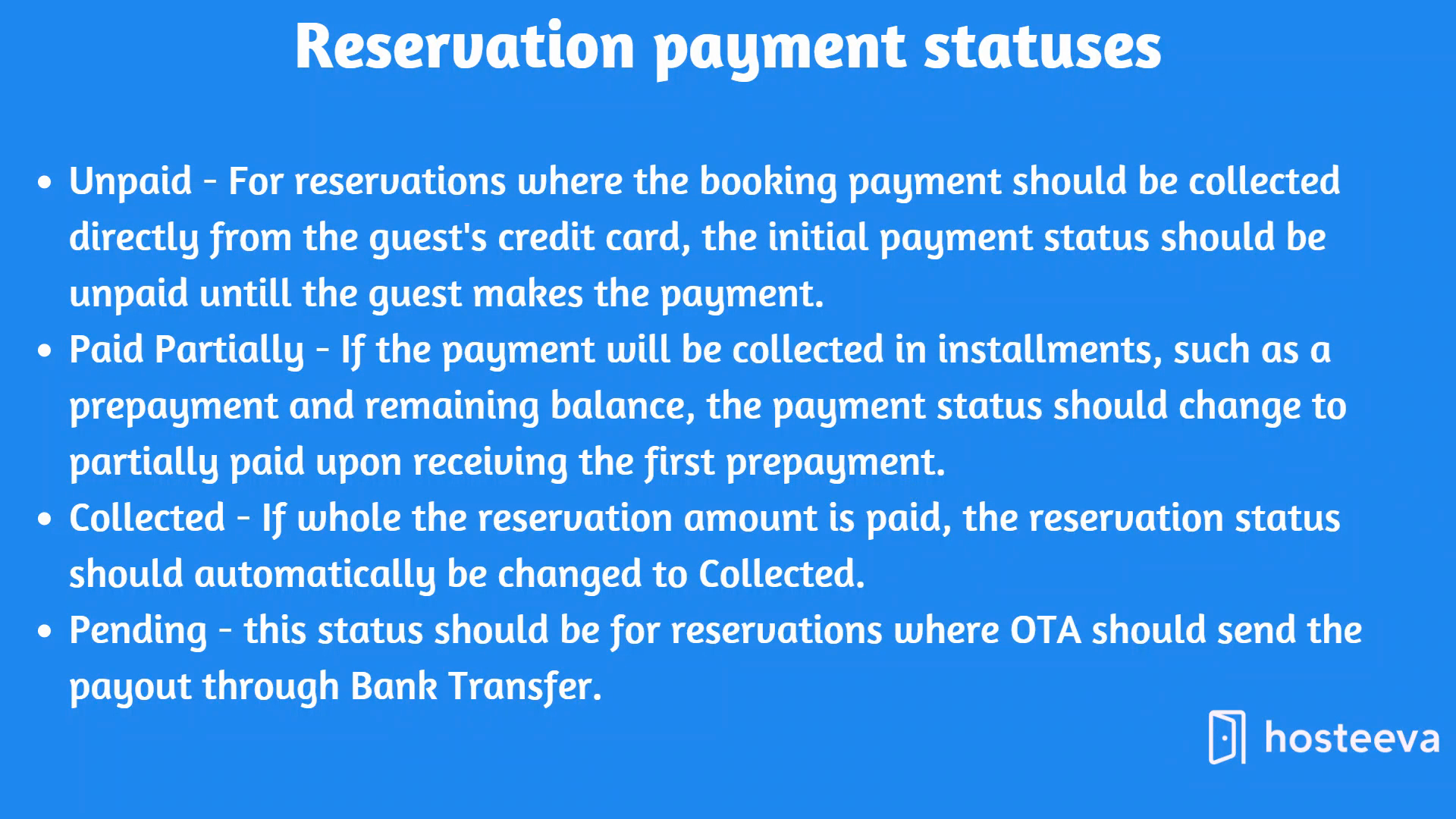
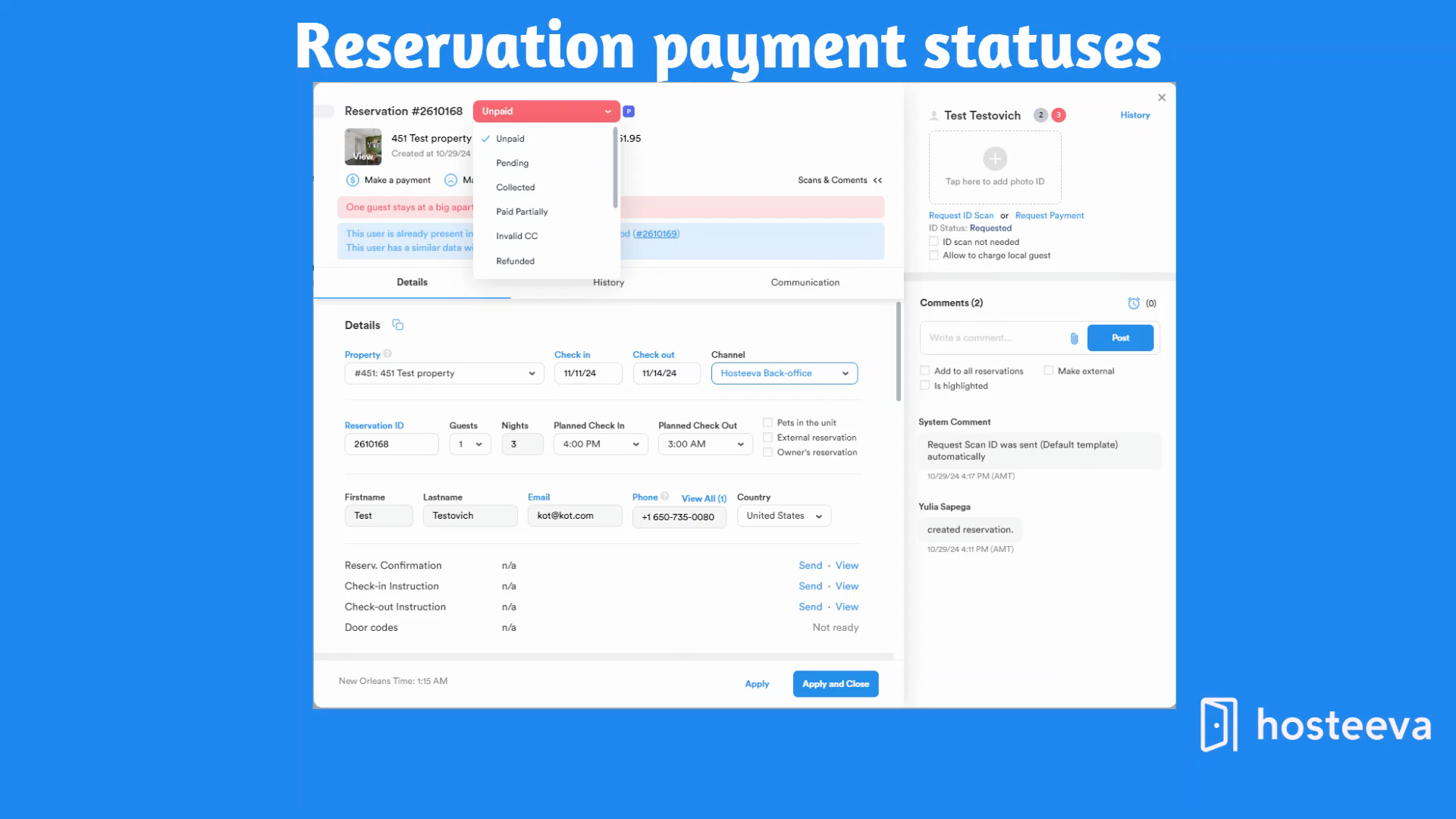
Step 4: Familiarize yourself with the various payment statuses available for reservation dialogue, such as unpaid, partially paid, pending, collected, and more.
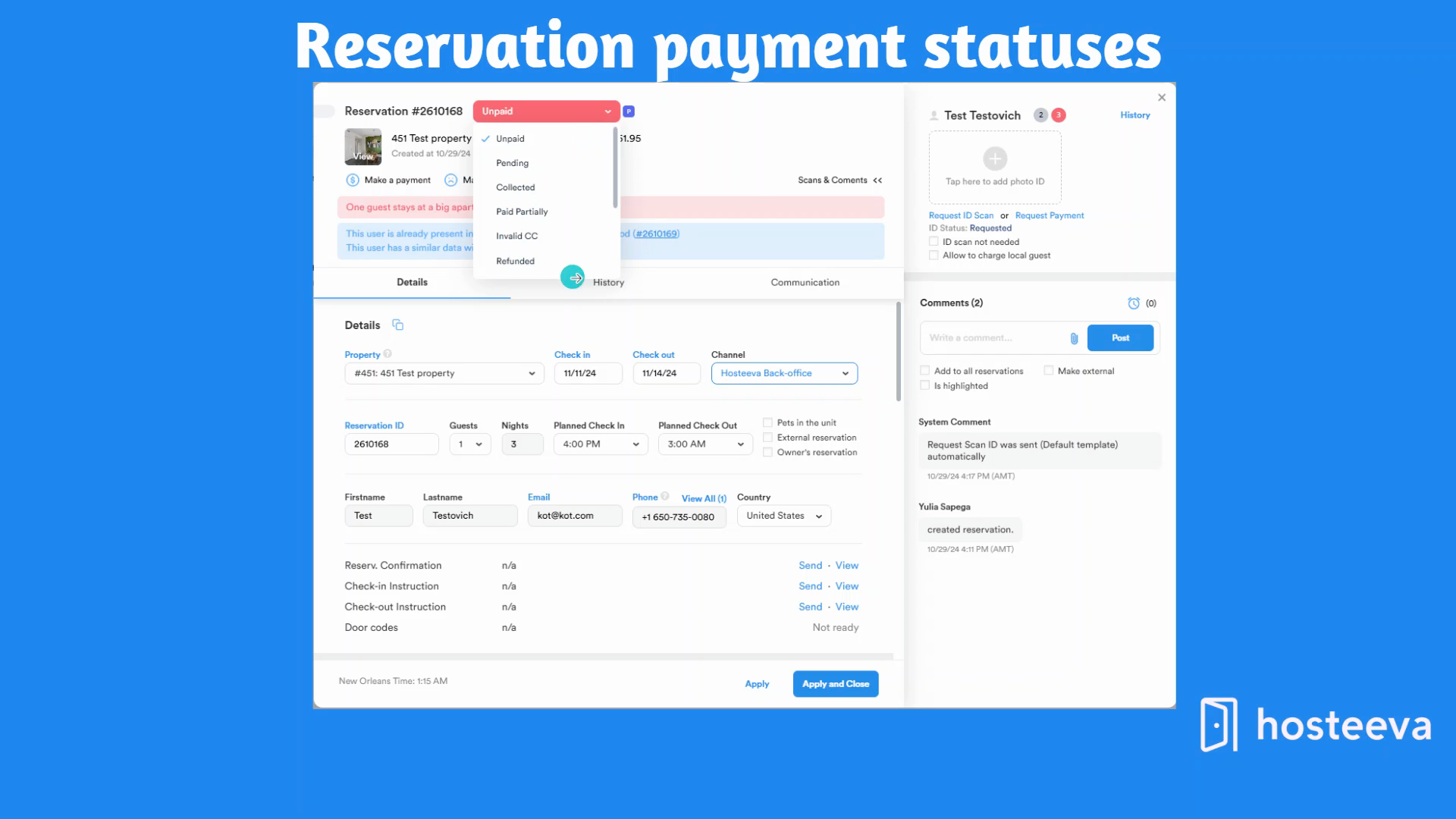
Step 5: Understand that the payment status for virtual card reservations should initially be marked as partially paid, even if payment hasn't been received yet. This is to ensure the virtual card charge for OTAs isn't missed.
Step 6: Learn that for reservations where payments are to be received via bank transfer, the initial payment status should be marked as pending. The system will change the payment status to collected after the reservation check-in for bank transfer reservations.
Step 7: Know that for reservations where payment should be collected through direct charge from the guest's credit card, the initial payment status should be unpaid. If the payment will be collected in partial payments, then after the first payment, the status will change to partially paid upon receiving the prepayment and collected once the remaining balance is settled.
Step 8: Understand that if a payment should be made in full, the payment status will change from unpaid to collected. The system detects payment status based on the following logic:
If the paid amount is more than zero, the payment status will change to partially paid. If the payment equals the total reservation amount, the payment status will change to collected.
ID Verification Status and Check-in Instructions
Step 9: Learn that reservation check-in instructions won't be sent automatically if the reservation status is unpaid or partially paid.
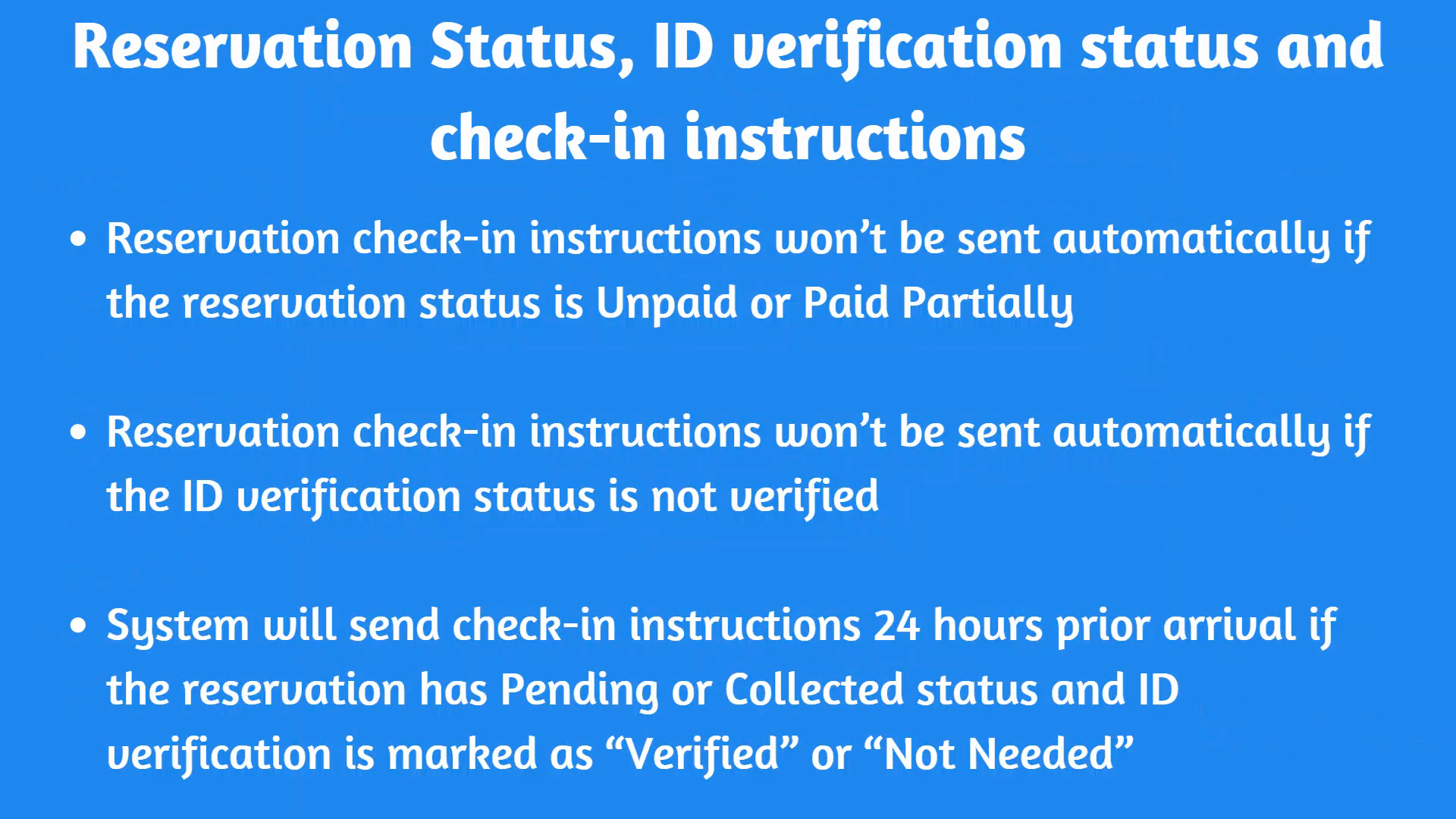
Step 10: Understand that reservation check instructions won't be sent automatically if the ID verification status is not verified. The system will send check instructions 24 hours prior to arrival if the reservation has a pending or collected status, and ID verification is marked as verified or not needed.
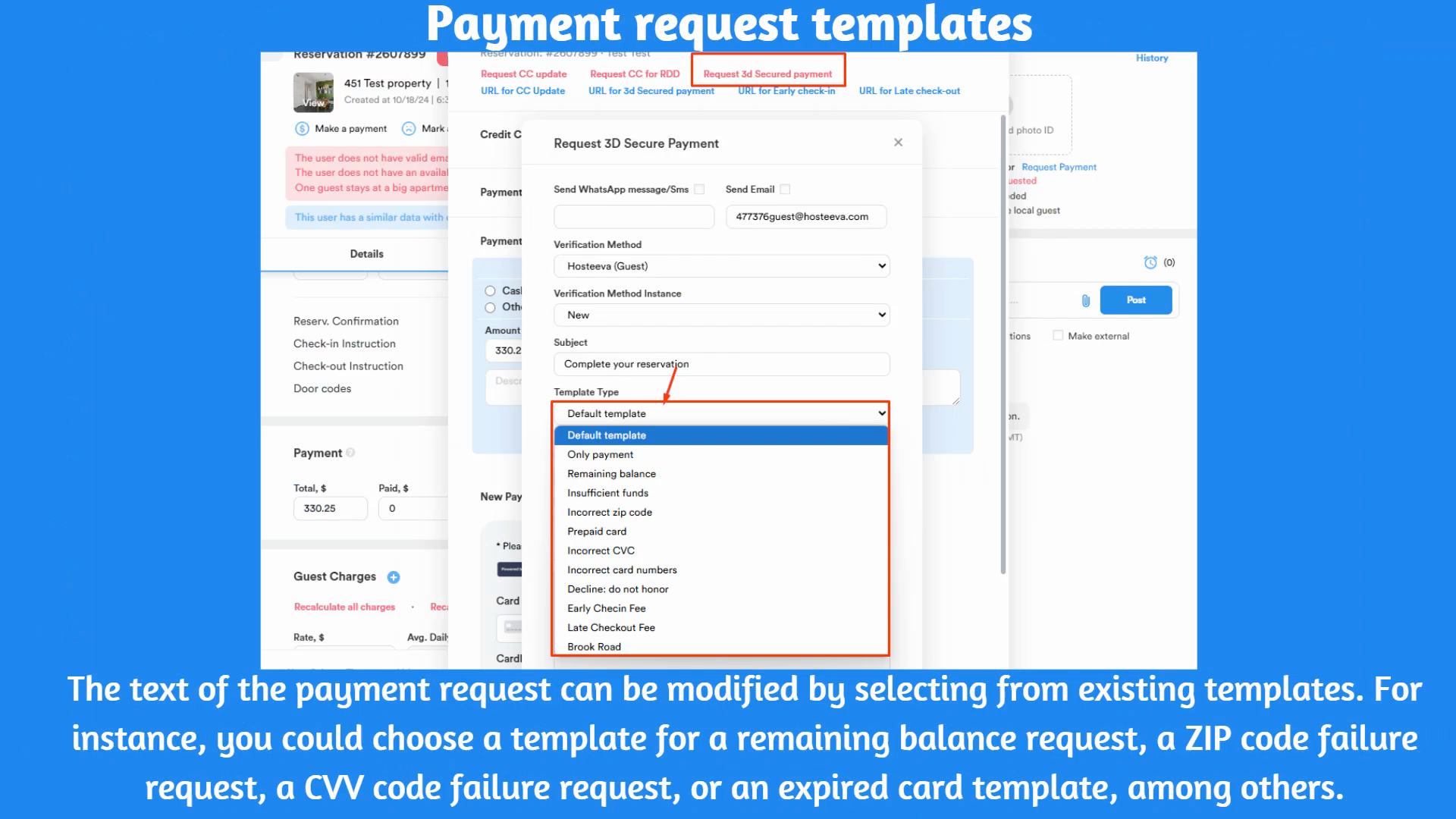
Step 11: Familiarize yourself with the information about payment and ID verification templates. Learn how to select them from the reservation dialogue.
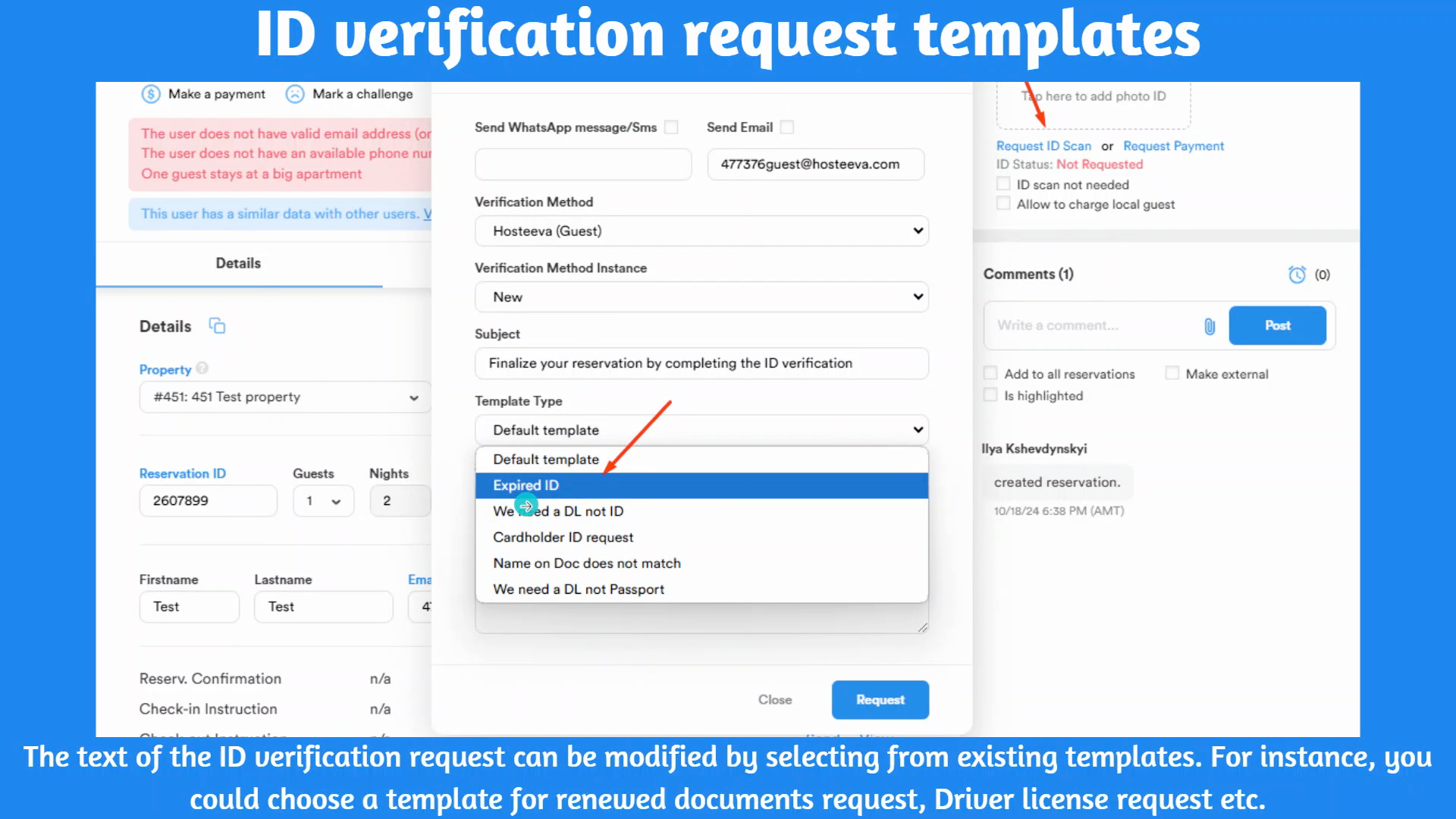
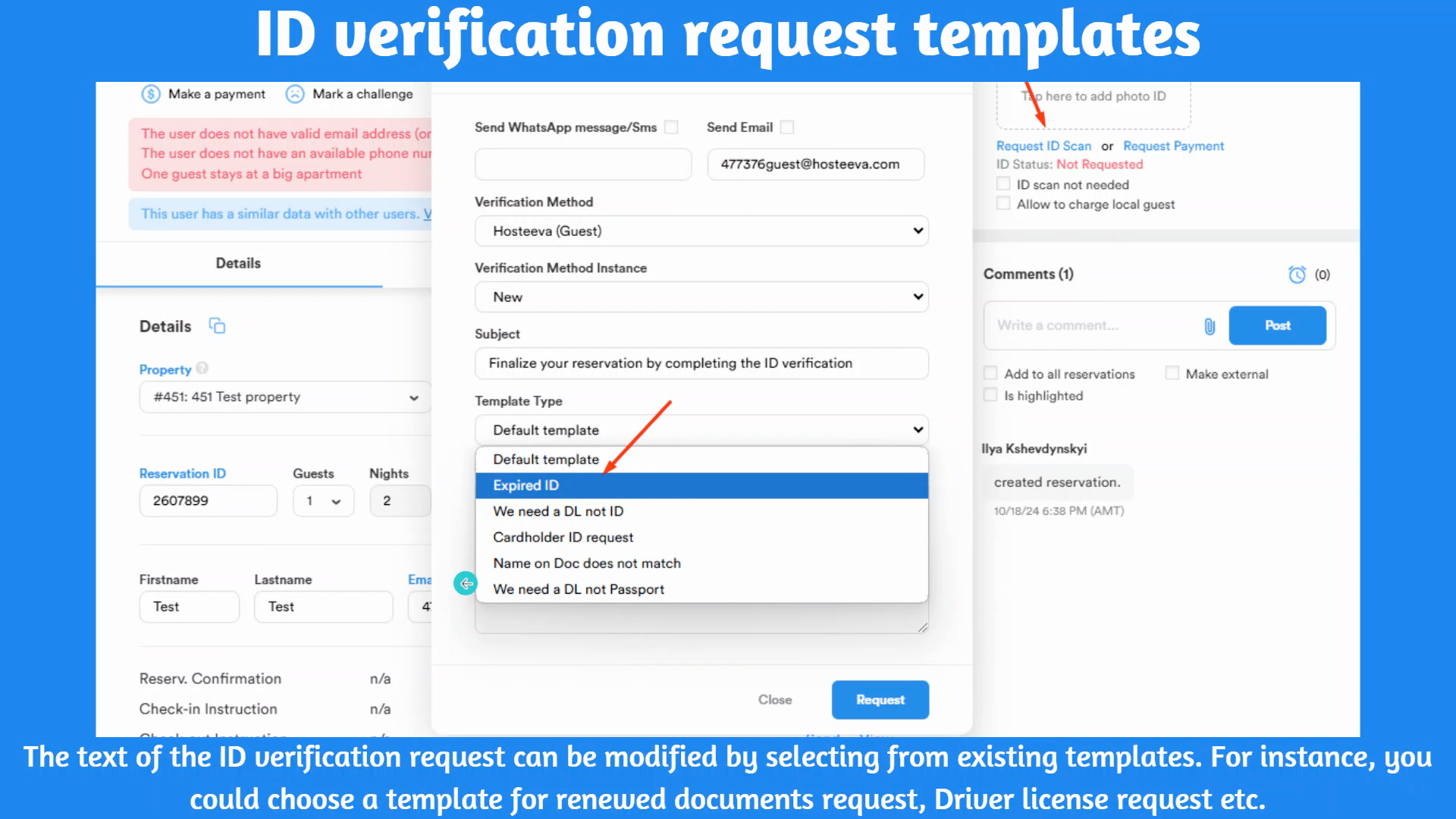
Step 12: Understand the scenarios when a driver's license is required instead of an ID, when the cardholder's ID doesn't match the name, and when a driver's license is required but a passport is provided.
Step 13: Learn about the payment links and templates for secure payment requests. Understand when to request repayment, when to request the remaining balance after receiving a prepayment, and when to detect that a guest has insufficient funds.
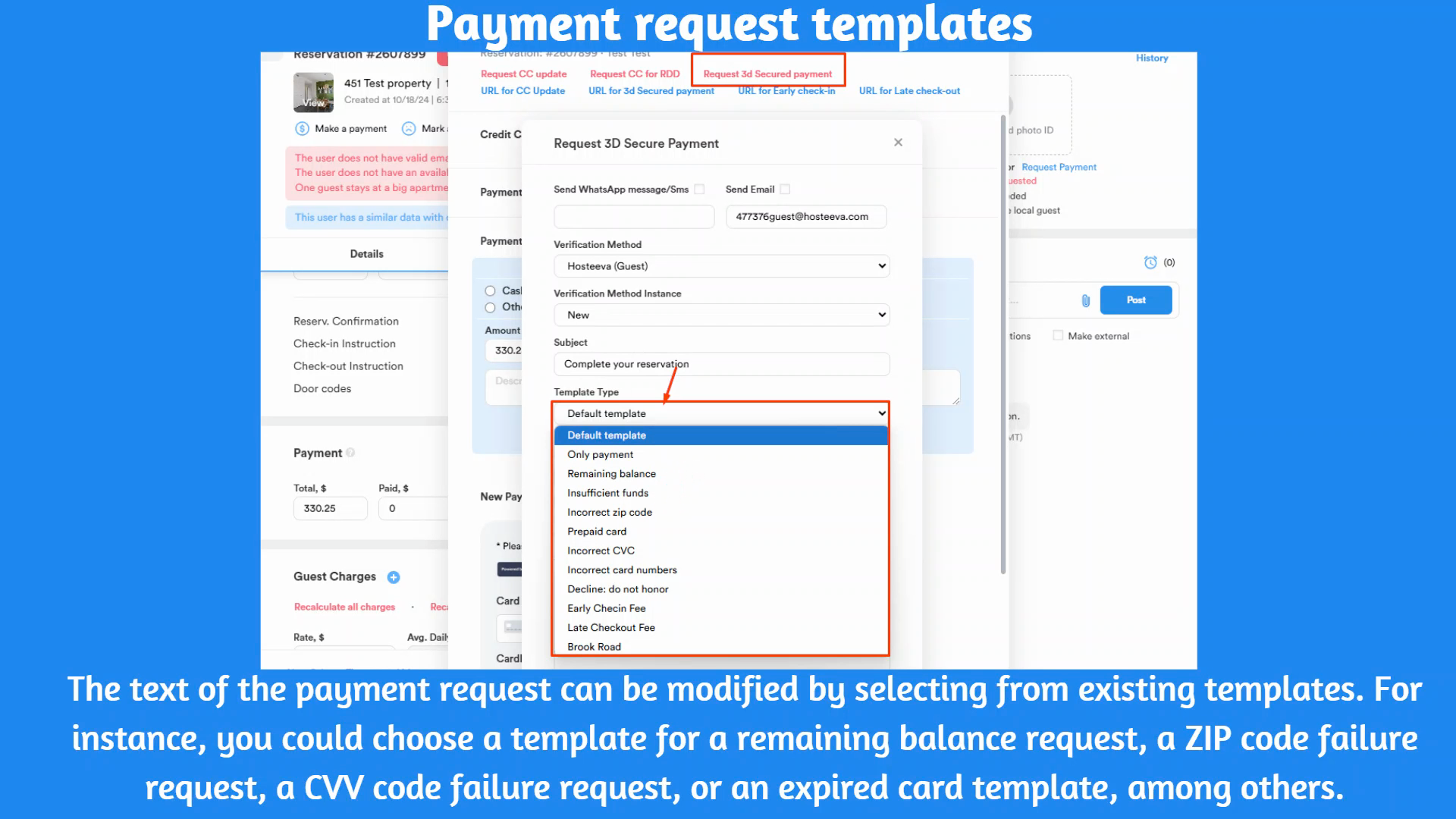
Step 14: Know how to detect incorrect ZIP codes, CVV codes, card numbers, or when a credit card is declined by the bank.