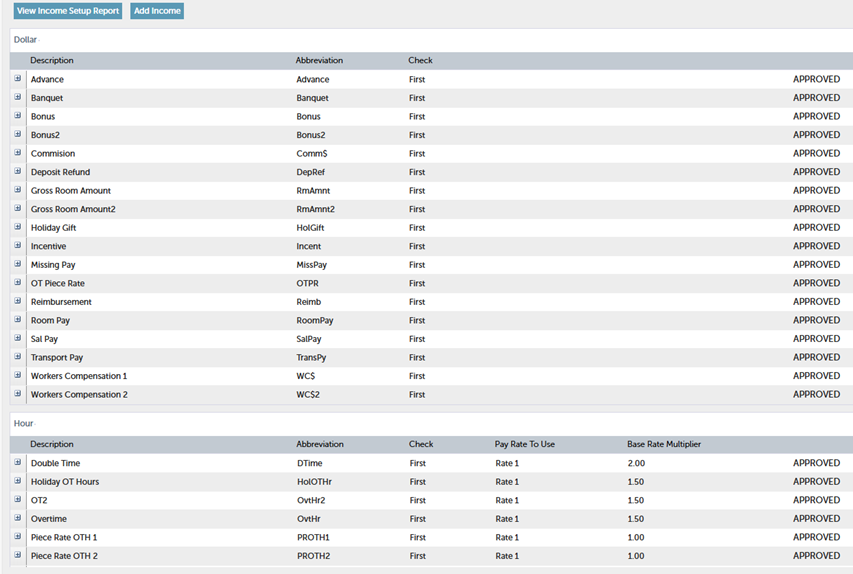
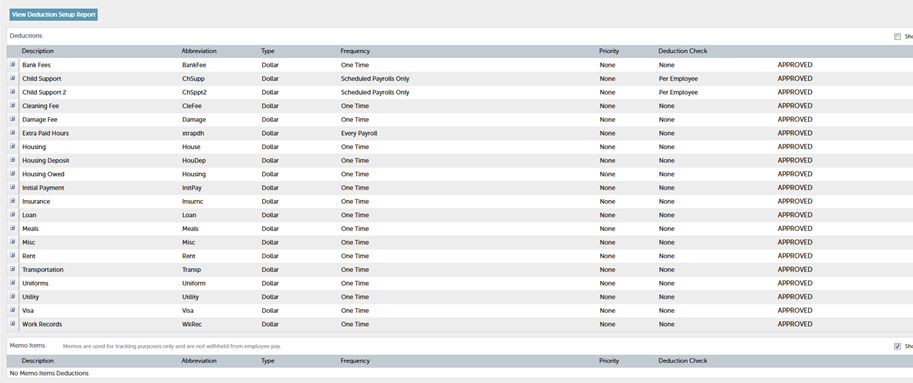
1. We use the Admin Panel to set up new income and deduction types, which we request from APS. Once the setup is complete, we need to approve these entries so they can be used for processing payrolls.
Incomes can be taxable and non-taxable.
Most incomes are taxable. However, there are instances where non-taxable income needs to be added to ensure the employee receives the full amount. For example, if an employee incurs expenses for the company and later seeks reimbursement, we need to categorize the reimbursement amount as non-taxable income to cover these expenses fully.
For this purpose, we primarily use the income type "Reimbursement."
Deductions
2. We also use the Admin Panel to add a new APS user or change login details/passwords. For that go to the "User" section in the Admin Panel.

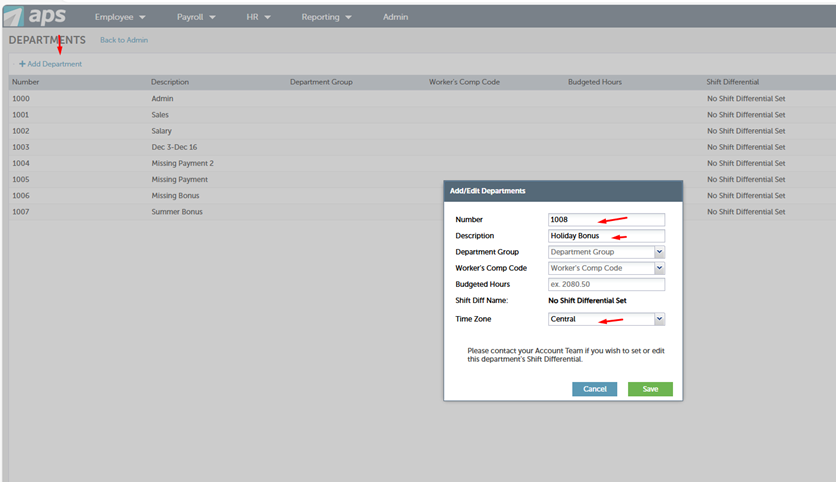
3. Use the "Departments" section in the Admin Panel to create departments for various purposes, such as missing hours, payments, bonuses, and deductions or special reasons.
Click on "Add Department'' and add the department number.
Choose the time zone as "Central'', click on ''Save the new department.
We can also rename the existing departments by double-clicking on the department name.
4. Adjusting Employee and Company Limits
To change the Employee Limit or Company Limit, go to the "Batch Error Checking" section under "Payroll" in the Admin Panel.
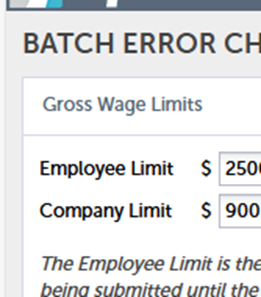
The Employee Limit is the maximum amount of Gross Wages that any single employee may receive during a payroll run. The Company Limit is the total maximum amount of Gross.
Wages allowed for the entire payroll batch. If either of these limits are exceeded in a payroll batch, the system will prevent the payroll batch from being submitted until the Gross Wages are lowered or the limit is raised.