Requesting a Virtual Check-In with Hosteeva
Virtual check-in streamlines the reservation process by letting guests review and accept terms and conditions digitally before their stay. Here’s how to request and complete a virtual check-in.
Step 1: Make sure the ID scan not needed box is ticked on the reservation.
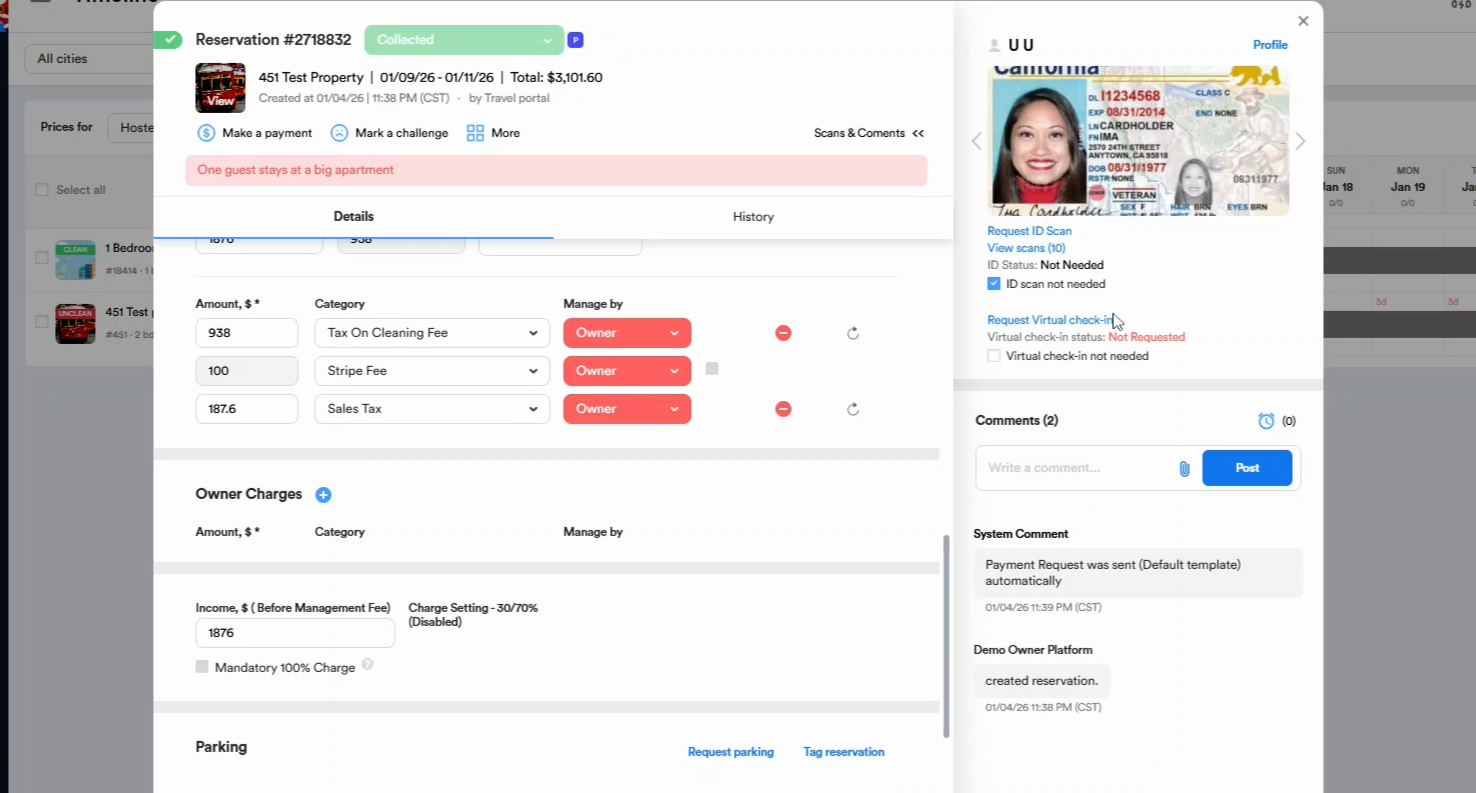
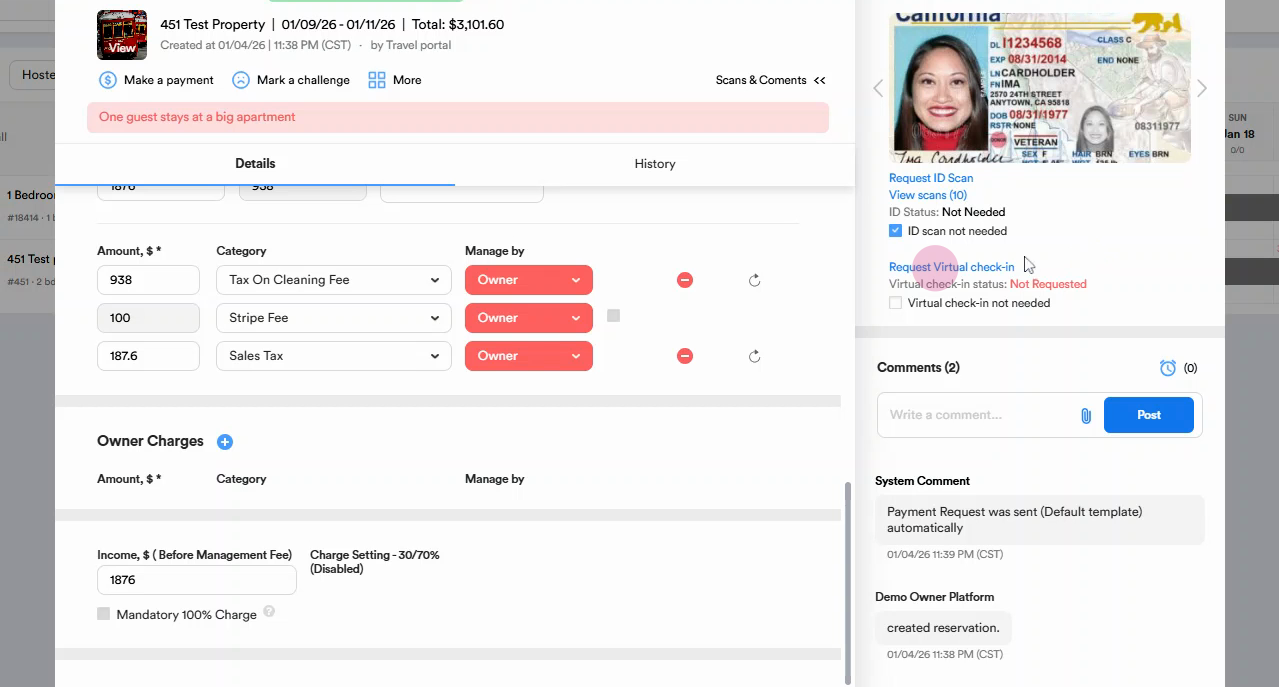
Step 2: Click the Request Virtual Check-in button.
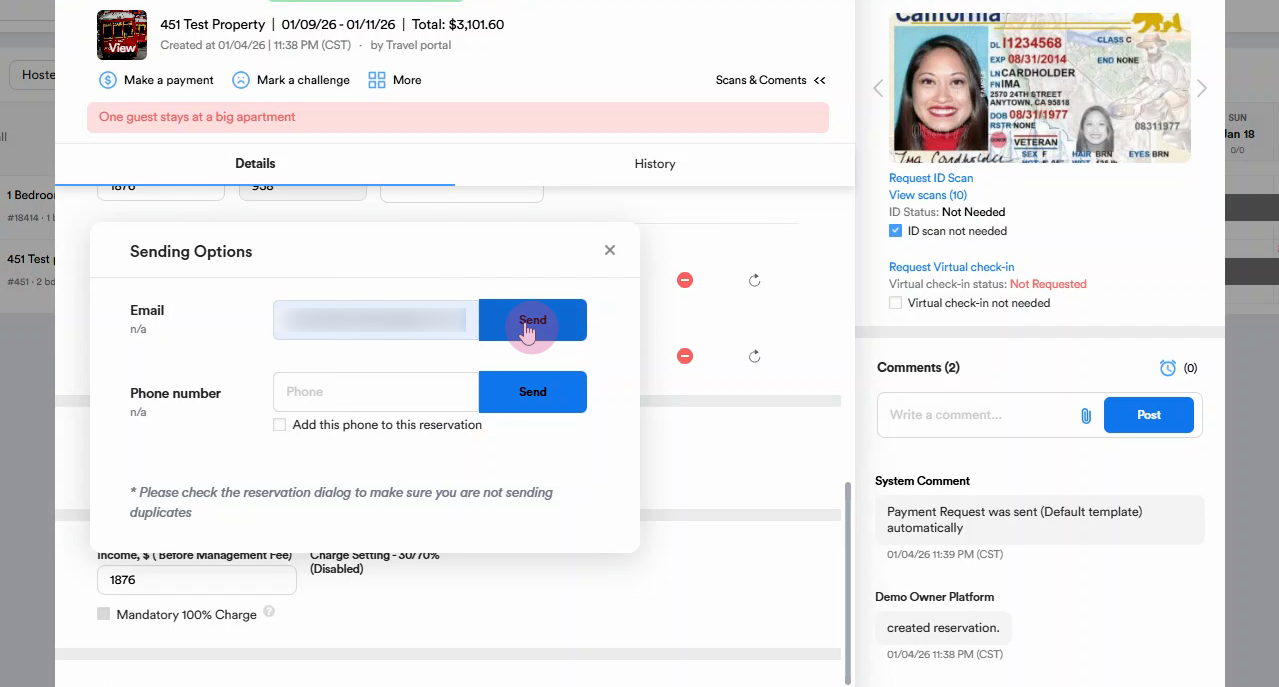
Step 3: Choose how to send the request—either via Email or Phone Number.
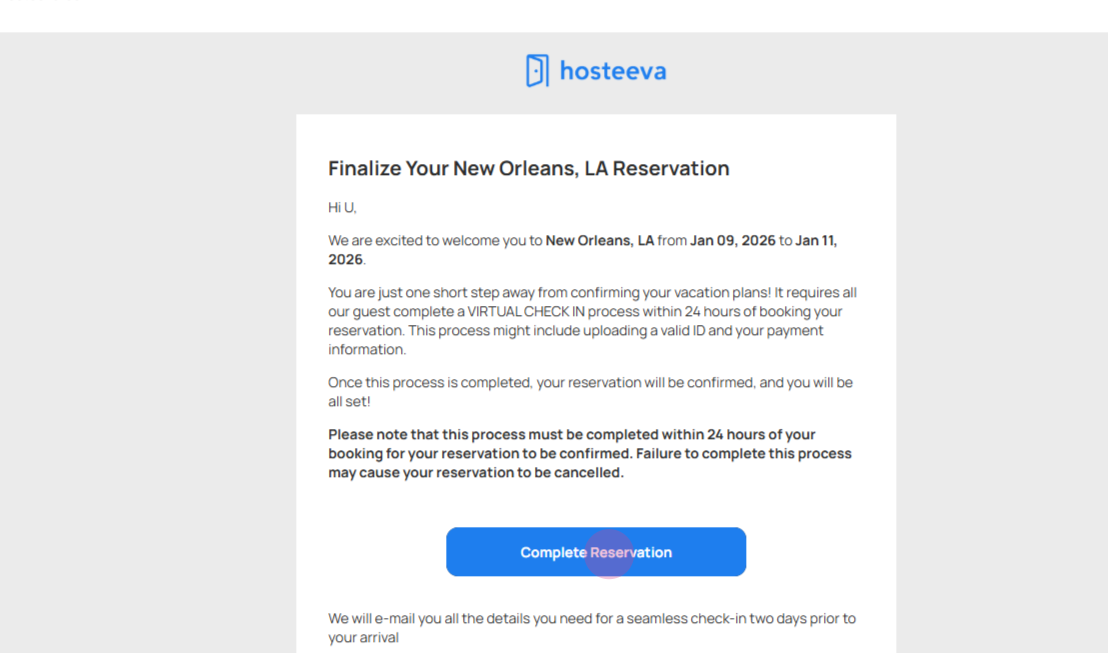
Step 4: Open the message in the inbox and click the Complete Reservation button.
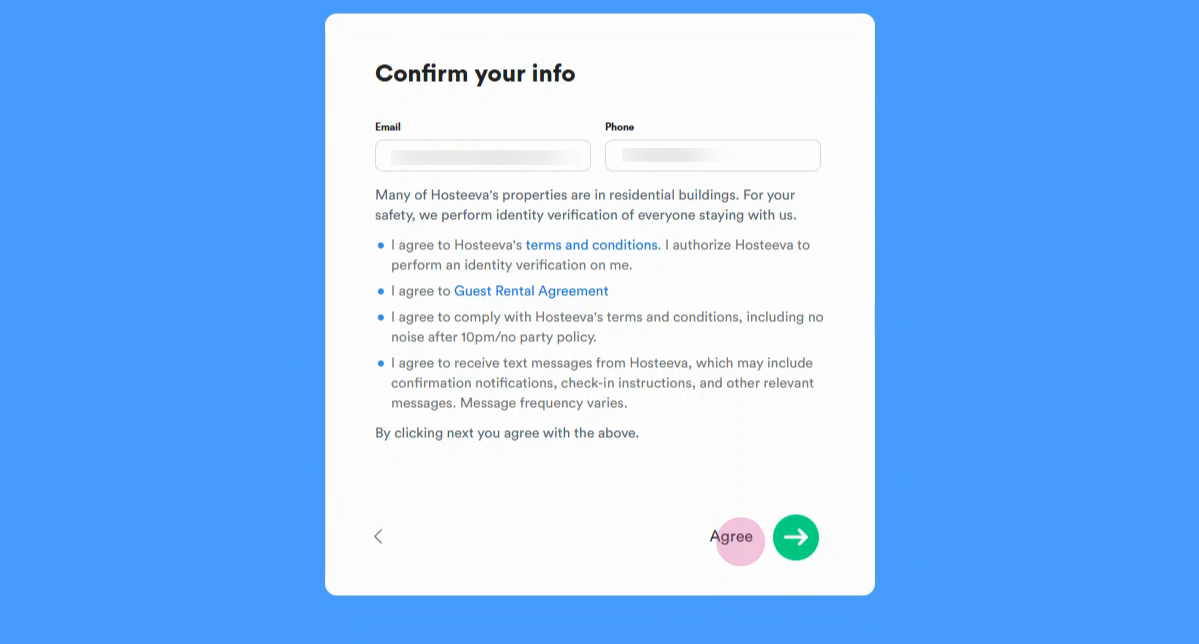
Step 5: The guest must agree to Hosteeva's terms and conditions, then confirm.
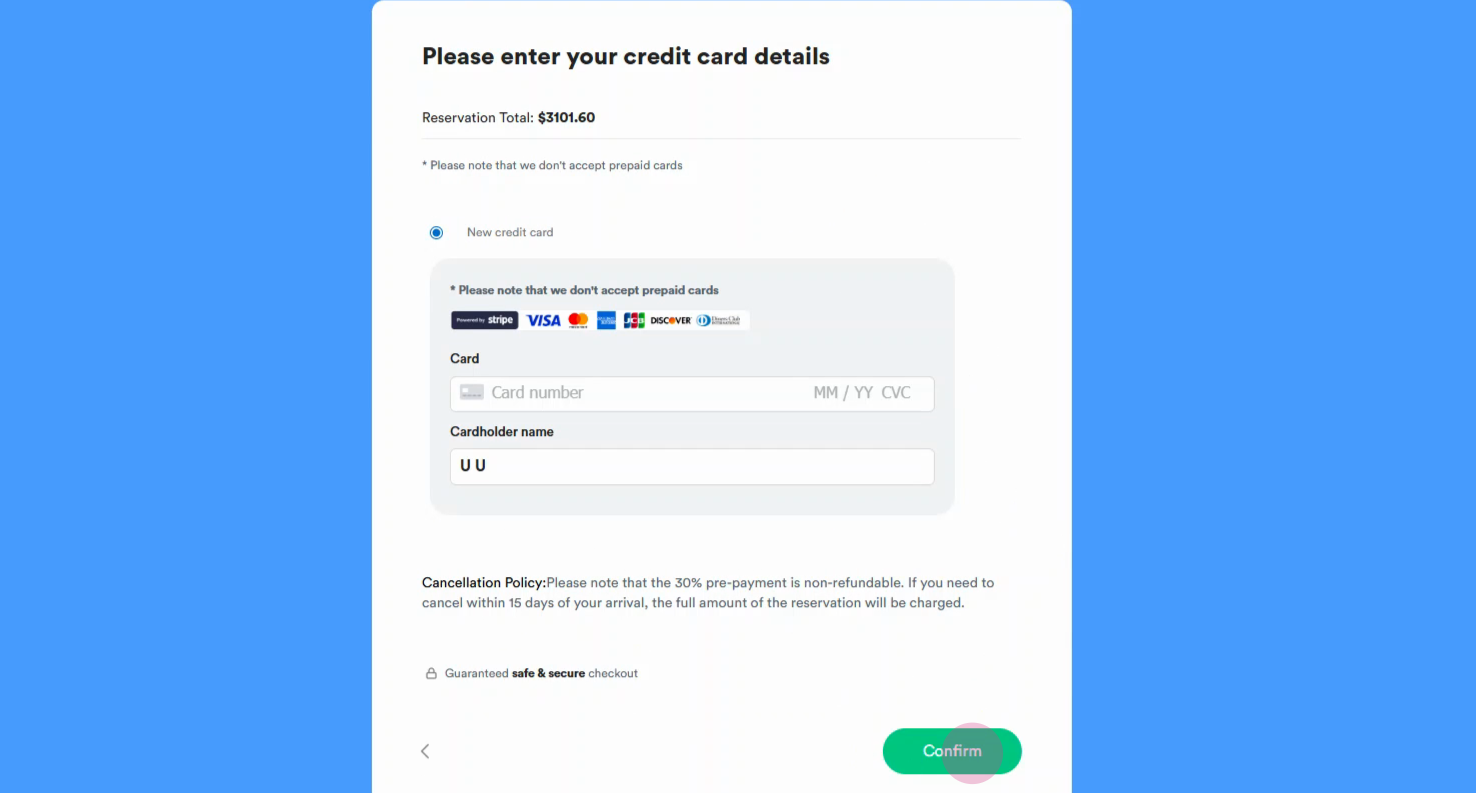
Step 6: Provide your credit card information to complete the reservation payment.
Virtual check-in makes reservation management easier, ensures all terms are agreed to, and helps provide a smooth experience for both hosts and guests.